NullRun documentation¶
To print this page: press Ctrl + P (Windows / Linux) or ⌘ + P (macOS), or use the button below.
To save as PDF: in the print dialog, choose Save as PDF (Chrome / Edge) or Save as PostScript → PDF (Safari) as the destination.
This single-page edition contains the full NullRun documentation flattened for printing. Use it as an offline reference — the source-of-truth remains docs.nullrun.io.
Table of contents¶
- Getting started
- Decision model
- Cost & safety
- Runtime
- Organization
- How-to
- Reference
- Compliance
- Operations
1. Getting started¶
1.1 First agent in 15 minutes¶
This is the recommended path from "I have an LLM app" to "NullRun is gating my spend and tools". Each step links out to deeper docs only when you need them.
1. Sign up and create an API key¶
- Go to nullrun.io and sign in.
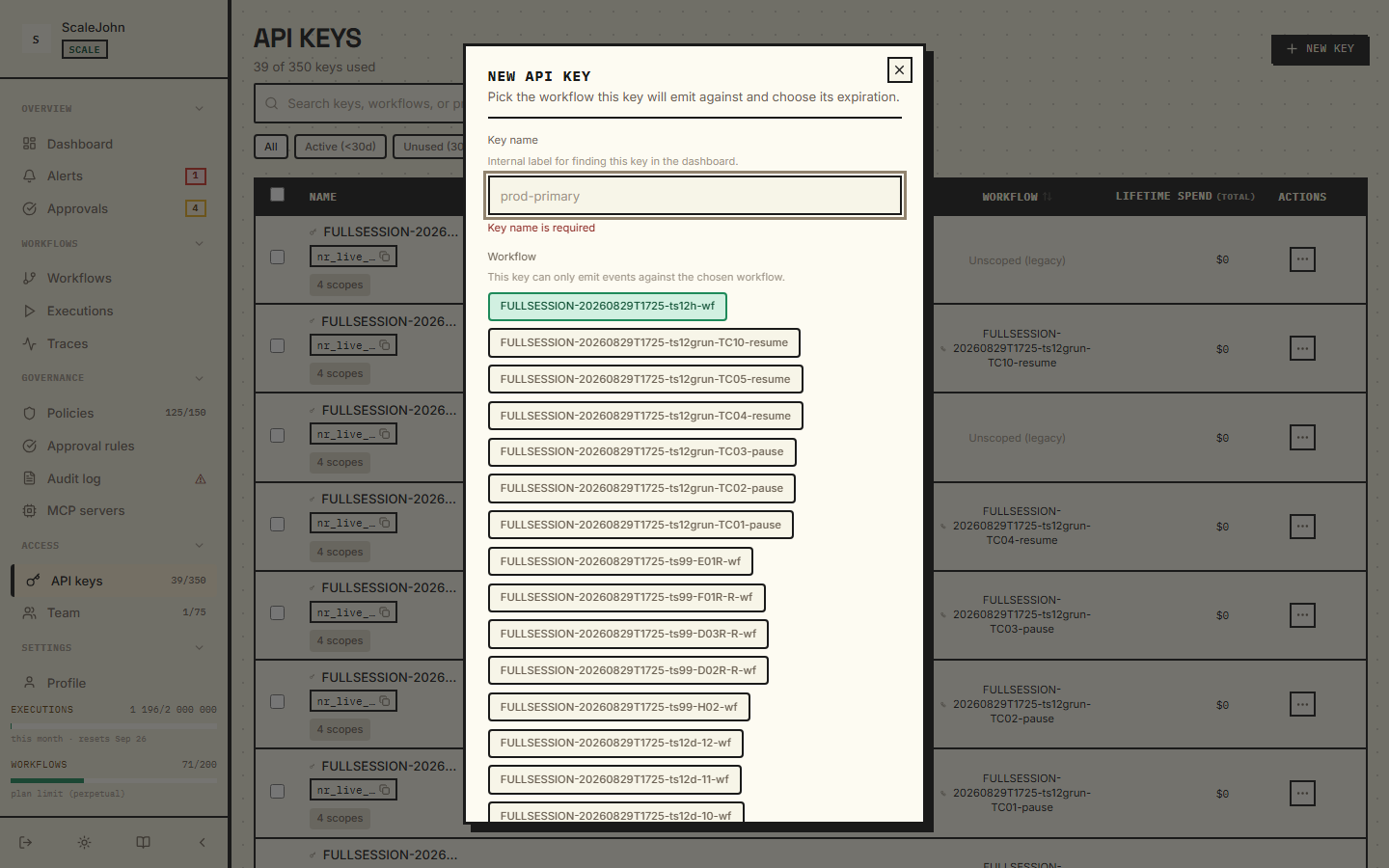
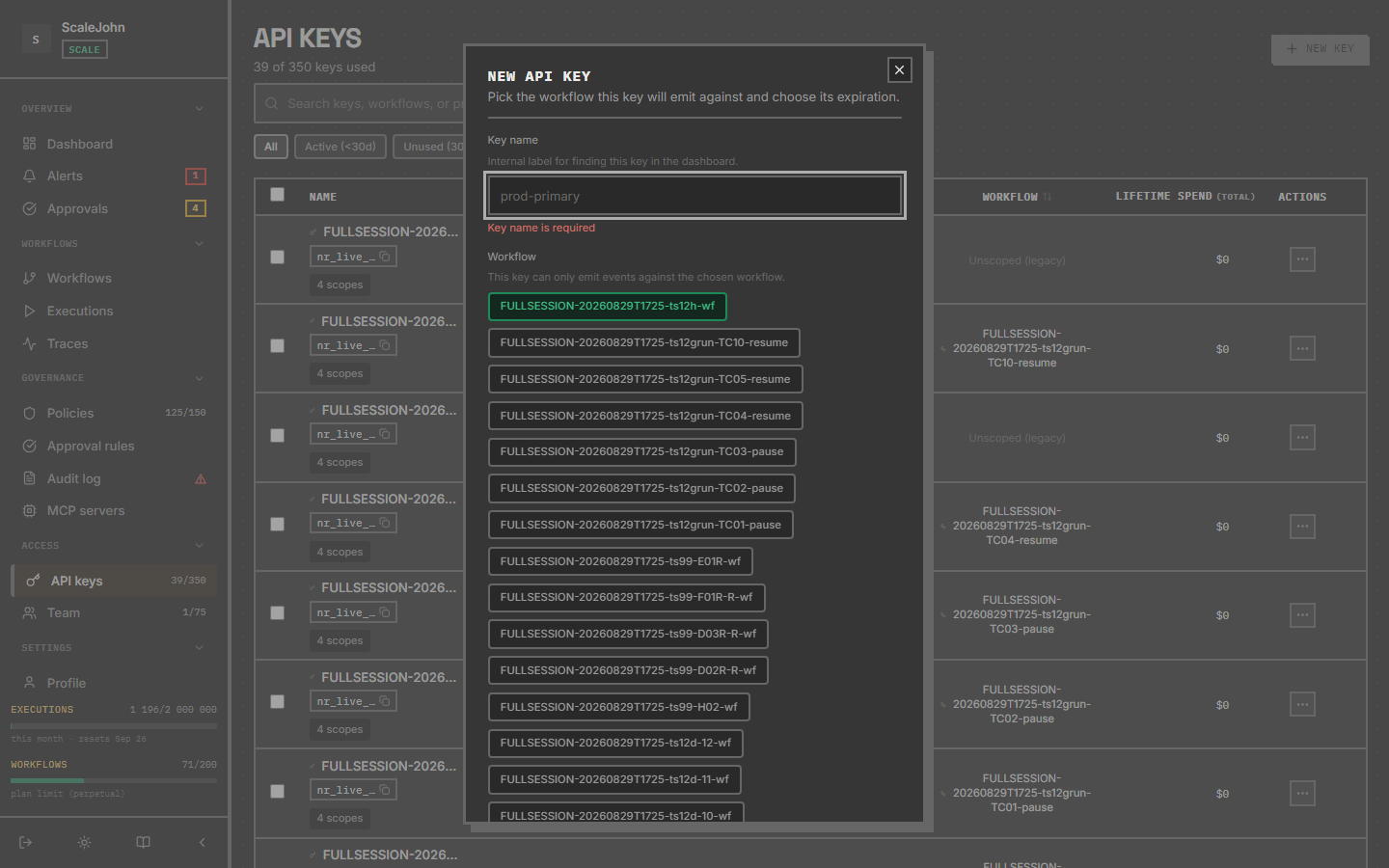
- In the sidebar, under Access, open API keys, then click New API key in the top right.
- Pick a name (e.g.
"my-first-agent") and the workflow you want the key bound to. Each key is workflow-scoped — it represents one agent run, not one workspace. - Copy the key (
nr_live_…) shown once and store it somewhere safe (env var, secret manager). You'll need it in step 3.
2. Install the SDK¶
pip install nullrun
The plain nullrun package covers the full HTTP-level instrumentation
(httpx hook for OpenAI, Azure, Anthropic, Mistral, Gemini, Cohere,
Bedrock) and the auto-patch path for LangGraph, LangChain, OpenAI
Agents, LlamaIndex, CrewAI, and AutoGen. No vendor extra is required
— the SDK uses URL-keyed extractors, not vendor-package imports, for
all of the LLM providers above. See Install
for the full list of extras and when you would still need one.
3. Wire NullRun into your code¶
Pick the pattern that matches what you have today:
A. You already call client.chat.completions.create(...)¶
from openai import OpenAI
from nullrun import protect

client = OpenAI()

# @protect gates every call through NullRun before it runs.
# The runtime is created lazily on the first protected execution
# from NULLRUN_API_KEY, the HTTP instrumentation is installed,
# and tracking starts.
@protect
def answer(prompt: str) -> str:
    response = client.chat.completions.create(
        model="gpt-4o-mini",
        messages=[{"role": "user", "content": prompt}],
    )
    return response.choices[0].message.content


# `init()` auto-registers `shutdown()` via `atexit`, so a clean WS
# close happens on process exit without any explicit call. For a
# CLI script that wants fail-fast on missing config, call
# `nullrun.init(fail_on_exit=True)` instead.
if __name__ == "__main__":
    with nullrun.guard():
        print(answer("What does NullRun do?"))
        # guard() prints the structured 4-line developer report
        # on any NullRunError, then sys.exit(1).
Every call inside answer() is cost-attributed. @protect is the
gate (budget pre-flight + kill check + sensitive-tool decision),
not the tracking mechanism — tracking is handled automatically by
auto-instrumentation.
B. You use a framework (LangGraph / CrewAI / OpenAI Agents / AutoGen / LlamaIndex)¶
Auto-instrumentation does the same thing — see
Use with LangGraph or any of the other
framework how-tos.
The framework hook subscribes itself on the first @protect call.
4. Set a budget¶
In the dashboard, open the workflow your key is bound to and set a
budget_cents. A reasonable starter budget:
| Use case | Suggestion |
|---|---|
| Personal / dev experiment | 500 ($5) per period |
| Single-tenant internal tool | 2000 ($20) per period |
| Customer-facing AI feature | 10000 ($100) per period with alerts |
Periods are either calendar-month UTC (Lite) or your billing cycle (paid plans via Polar). See Budgets → Period rollover for the detail.
5. Run and observe¶
python my_agent.py
Then open the dashboard → Workflows → your workflow → Executions.
You'll see every /gate call (one per @protect-wrapped invocation),
the policy verdict (allow / block / rate_limit), and the cost.
For real-time spend, hit
GET /api/v1/orgs/{org_id}/status
— it returns current_spend_cents, budget_cents, time_to_exhaustion,
and your plan caps in a single call (see the Single-call status
example under "Common request patterns").
6. Tighten or loosen¶
Common next steps, in rough order of how often they're needed:
- Block a tool the agent shouldn't touch — see Tool policies and the recommended ToolBlock starter list in the Tool catalog.
- Allow over-budget for long agents — see Chain context → soft mode.
- Forward every error to Sentry — see Error handling → on_error hook.
- Pre-flight keys before risky calls — see Human approval.
What this walk-through didn't cover¶
- Multi-process / multi-key patterns — see Run multiple agents.
- Streaming responses — see Stream with chain heartbeat.
Where to read next¶
- Concepts → Circuit breaker —
the mental model behind
@protect. - Concepts → Error handling — the three-layer error model and the structured four-line developer report.
- Concepts → Workflow context — what the
with nullrun.workflow(...)block does.
title: 5-minute tour maturity: stable description: Five-minute walkthrough of the NullRun dashboard, policies, and SDK — enough to evaluate the platform end-to-end.
1.2 5-minute tour¶
This is the shortest path from "I have never used NullRun" to
"I shipped an agent to production and it tripped a budget cap." It
mirrors the dashboard tour at nullrun.io/onboarding — same five
screens, same five CLI commands.
If you want to install first, jump to Install and come back. This tour assumes
nullrunis already installed and an API key is exported asNULLRUN_API_KEY.
What you will build¶
A LangGraph agent that:
- Calls
gpt-4o-minithrough the NullRun gate - Has a hard $0.50 budget per workflow
- Trips the circuit breaker when it tries to call
send_email - Recovers cleanly after you raise the budget
You will see each step land in the dashboard as a real audit row.
Step 1 — Create an organization¶
If you do not already have one, open nullrun.io/onboarding,
pick a name ("Acme AI"), and click Create. The dashboard
provisions an organization_id and a default policy_id that
allows everything except destructive tools.
What you see
On the dashboard home, a single card shows: organization name,
default policy name (Permissive), and an "API keys" tile that
is empty until step 2.
Step 2 — Create an API key¶
In the dashboard:
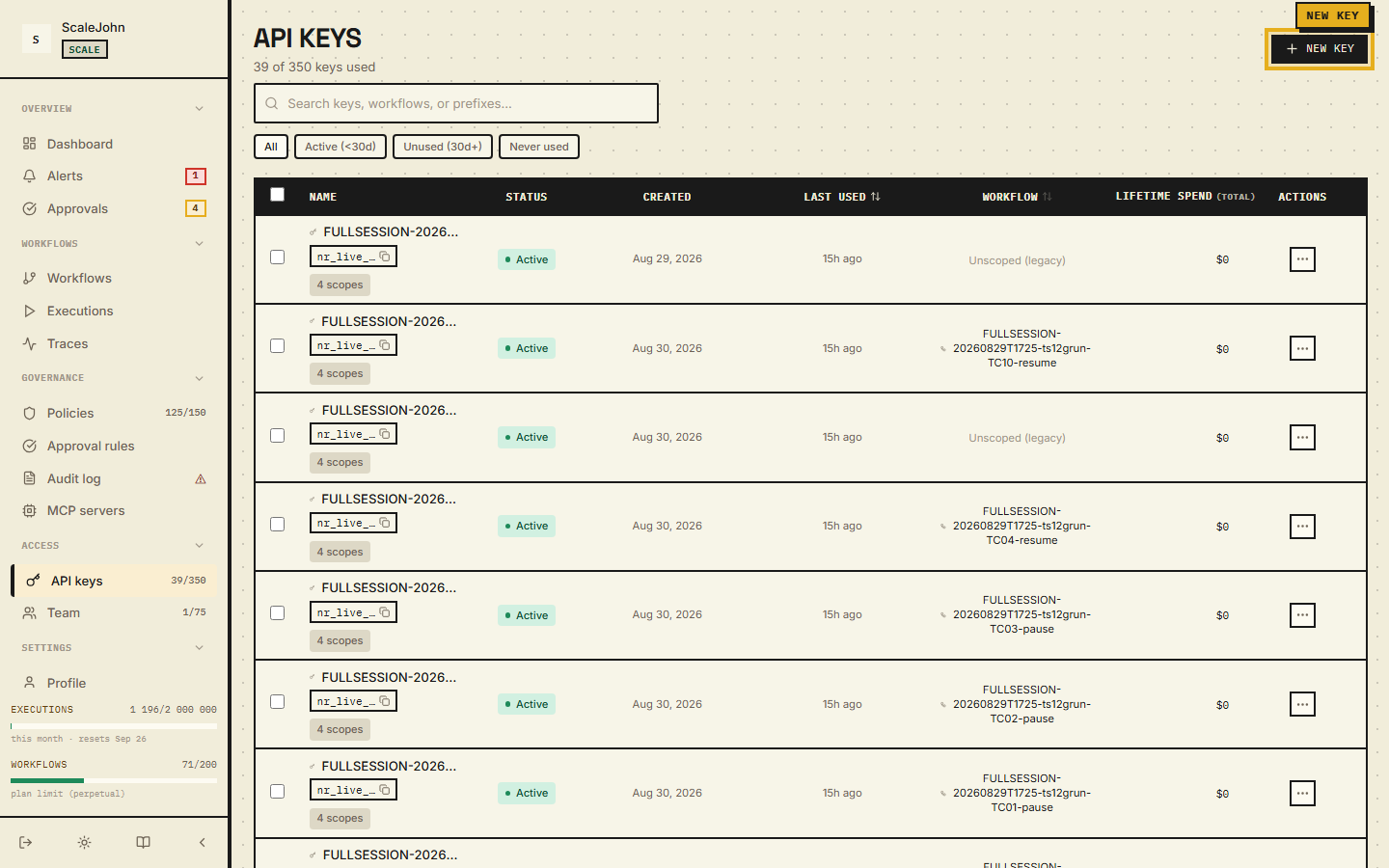
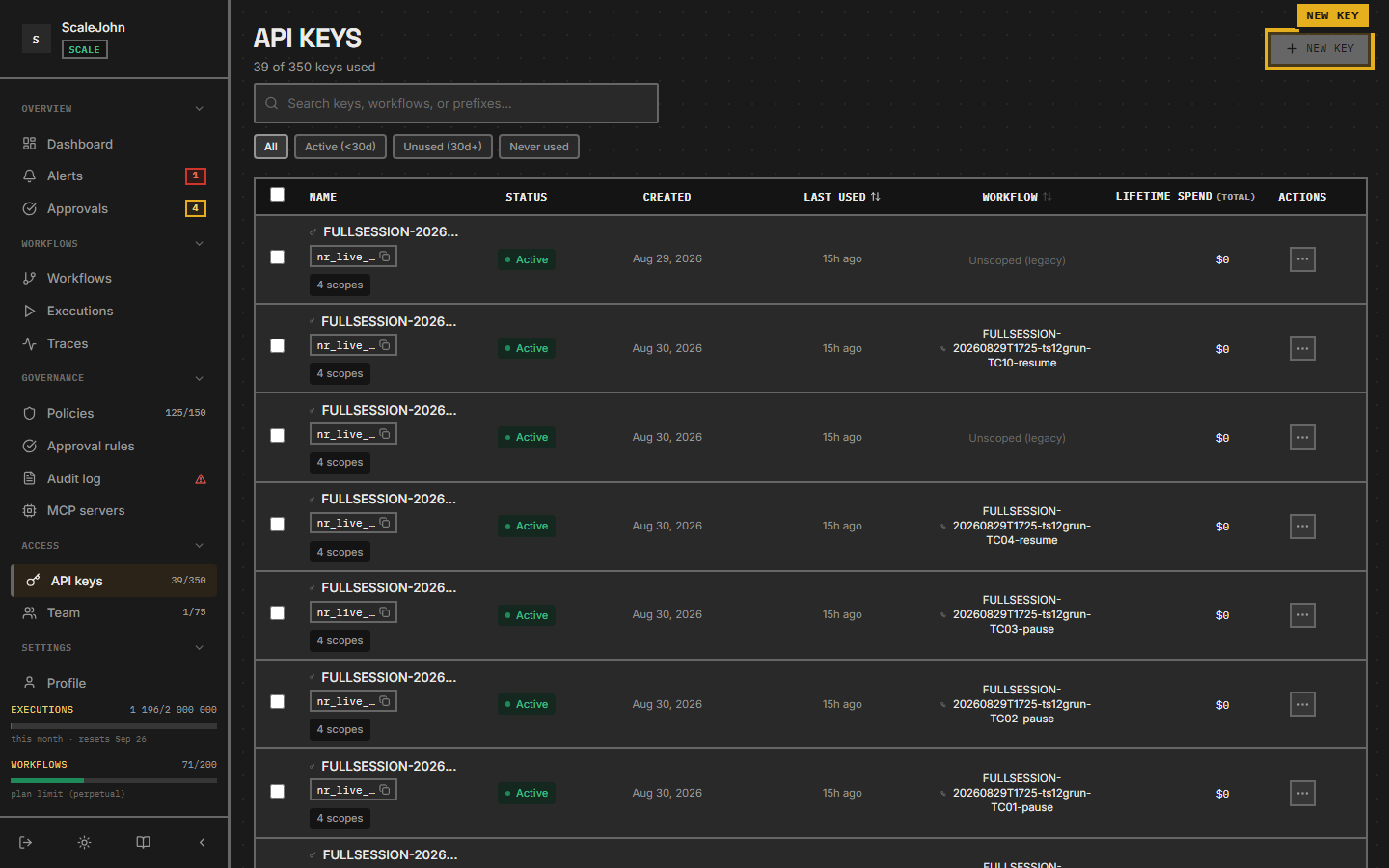
- In the left sidebar, under Access, click API keys.
- Click New API key in the top right.
- In the dialog, pick the Workflow the key belongs to (the
tour-agent workflow you just created) and name the key
tour-agent. Pick an expiration — Never, 24 hours, 7 days, 30 days, or 90 days. - Click Create.
- Copy the
nr_live_…public identifier and the HMAC secret. The secret is shown once — store it in your secrets manager immediately.
Export both in your shell:
export NULLRUN_API_KEY="nr_live_xxxxxxxxxxxxxxxx"
export NULLRUN_SECRET_KEY="hmac_xxxxxxxxxxxxxxxxxxxx"
Where the HMAC secret lives
The SDK pulls the HMAC secret via POST /api/v1/auth/verify on
first use, then caches it in memory. Re-exporting the env var
does NOT invalidate an existing cached secret — restart your
process to pick up a new one.
Step 3 — Wire up the agent¶
Create a file tour_agent.py:
import nullrun
from nullrun import protect, NullRunBudgetError
from langchain_openai import ChatOpenAI

llm = ChatOpenAI(model="gpt-4o-mini")

@protect
def ask(question: str) -> str:
    return llm.invoke(question).content

if __name__ == "__main__":
    for i in range(20):
        try:
            print(f"[{i}]", ask("Tell me a one-sentence joke."))
        except NullRunBudgetError as exc:
            print(f"[{i}] BLOCKED:", nullrun.format_user_message(exc))
            break
The first @protect call creates the runtime from NULLRUN_API_KEY.
Run it:
pip install nullrun langgraph langchain-openai
python tour_agent.py
You will see ~7–10 successful LLM calls, then
BLOCKED: You've used all your support credits. Upgrade to keep chatting.
(or whatever your catalog wording is).
Step 4 — Watch the decisions¶
Open nullrun.io/control-center/audit (the dashboard Audit log
page, under Governance in the sidebar). You will see:
- One row per
@protectcall across four columns: Time, Decision, Rule, Actor. decision = allowfor the first ~7–10 rows. The FilterBar above the table has period preset chips (1h / 24h / Today / 7d / 30d / 90d / All), decision chips, and an event-type selector.decision = blockon the last row witherror_code = NR-B004,wire = BUDGET_HARD_BLOCKED— click the row to open the DetailPanel and see the budget snapshot at the time of the block.
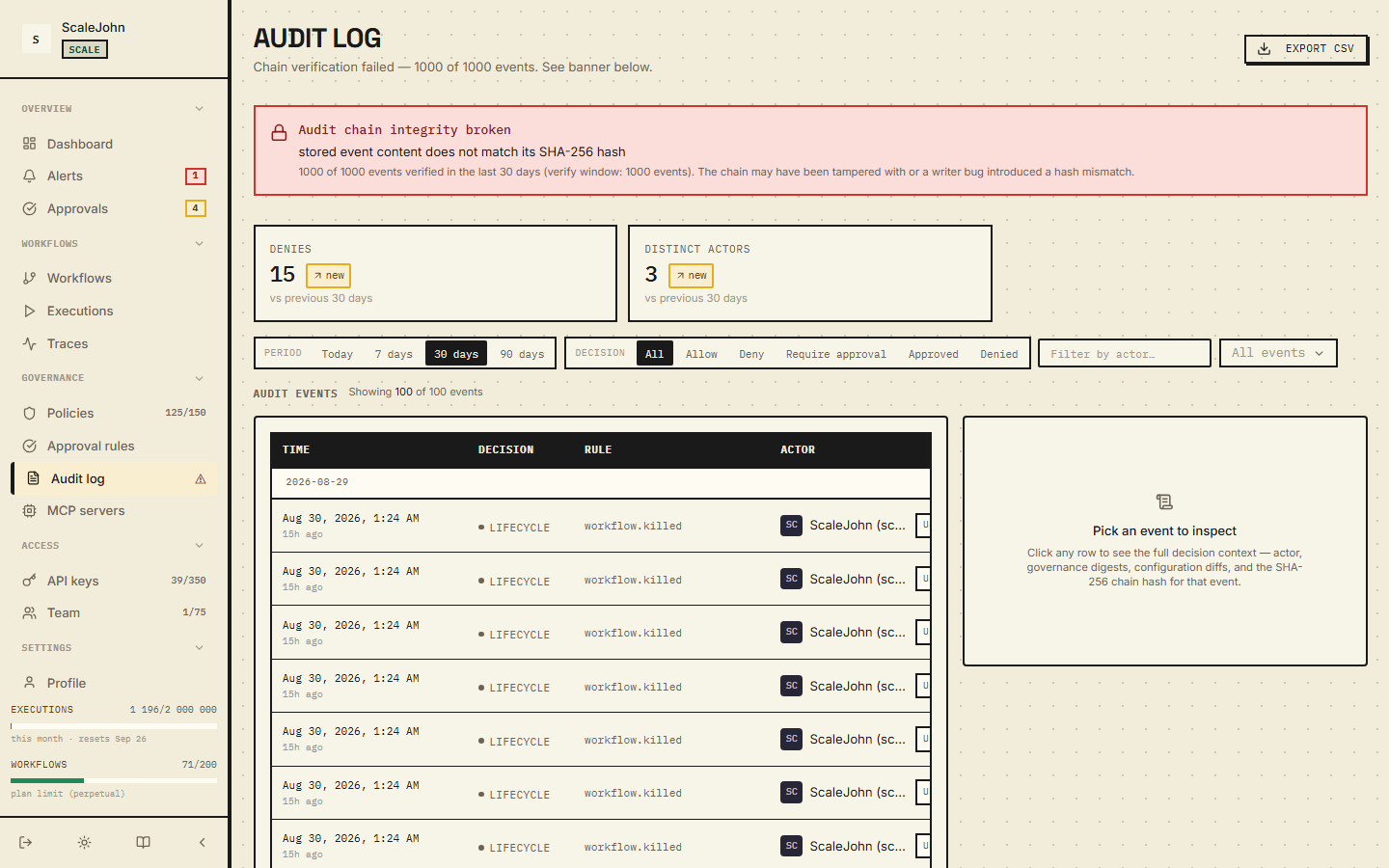
Each row is recorded by the gateway's audit pipeline and surfaces in your own customer's audit trail identically.
Step 5 — Trip a ToolBlock¶
Edit tour_agent.py and add a second protected function:
@protect
def send_email(to: str, body: str) -> None:
    # Pretend SMTP call.
    print(f"SMTP → {to}: {body}")
Then call it from __main__:
# After the loop:
try:
    send_email("test@example.com", "hi from the tour")
except nullrun.NullRunToolBlockedError as exc:
    print(f"BLOCKED:", nullrun.format_user_message(exc))
Run it again. The dashboard shows a decision = block row with
error_code = NR-T001, wire = TOOL_BLOCKED. New organizations
ship with a permissive default policy; if your admin has added a
stricter default, you may see additional blocks.
To allow send_email, open Policies in the sidebar, find the
tool-block rule that matches send_email, and either narrow the
pattern or scope it to a different workflow.
Step 6 — Raise the budget and try again¶
Back in the dashboard:
- Open the tour-agent workflow and stay on the Overview tab.
- In the budget card, raise the cap to
$5.00(500 cents). - Save.
Re-run tour_agent.py. The loop now completes all 20 calls. The
Overview tab's spend bar shows ~$0.40 used (depending on token
counts), and the progress bar sits at ~8%.
What next?¶
| You want to… | Open |
|---|---|
| Understand the gate in depth | Concepts → Circuit breaker |
| Wire up multiple agents | How-to → Run multiple agents |
| Add an approval flow for sensitive tools | Concepts → Human approval |
| Stream responses | How-to → Stream responses |
| Deploy to production behind your gateway | Configuration → Behaviour |
Where to send feedback
Email support@nullrun.io with the dashboard's
Help → Send feedback form filled in. Include the workflow ID
(top-right of any dashboard page) and the failing row's
decision_id.
1.3 Installation¶
Python SDK¶
pip install nullrun
Verify:
python -c "from nullrun import protect; print('ok')"
First
@protectcall builds the runtime. Initialization is lazy, process-wide, and triggered by the first@protectcall — see the mental-model diagram in Quickstart.No local mode. If
NULLRUN_API_KEYis missing when the first@protectcall hits the runtime, the SDK raisesNullRunConfigError(NR-C001) at the gate. Every gate decision is server-side — a silent local fallback would bypass the backend gate.
API key¶
Sign in at nullrun.io, open API keys, and create a key. Each key is minted with a public
identifier (nr_live_...) plus a server-side HMAC secret. The SDK
transparently obtains the HMAC secret via:
POST /api/v1/auth/verify
on first use, so you only need to export the key as an environment variable:
export NULLRUN_API_KEY=nr_live_...
The SDK reads NULLRUN_API_KEY on the first @protect call. The HMAC
secret is not a constructor argument — it is read from
NULLRUN_SECRET_KEY or returned by /api/v1/auth/verify.
Explicit
init(). The first@protectcall creates the runtime lazily fromNULLRUN_API_KEY. Callinit()directly when you want fail-fast on a missing key before the first gate call (CI / smoke tests), or to bind an API key from a non-env source. CLI scripts that want a cleansys.exit(1)on missing config can passinit(fail_on_exit=True). See Reference → init for the contract.
For env-var setup (NULLRUN_API_KEY, NULLRUN_SECRET_KEY, and other
runtime flags), see Configuration.
Auto-instrumentation¶
The SDK's auto-instrumentation runs lazily on the first protected
execution path, not at import time or in any pre-@protect hook.
The lazy trigger creates the runtime, reads NULLRUN_API_KEY, installs
the HTTP instrumentation, and attaches every framework / transport
hook it can detect in sys.modules in a single process-wide
idempotent step.
| Detected | Coverage |
|---|---|
openai ≥ 1.0 |
HTTP transport hook (httpx) |
openai-agents |
Agent framework hook (Runner.run / run_streamed) |
anthropic |
HTTP transport hook (httpx) |
langgraph |
Graph runtime hook (Pregel.invoke / stream / ainvoke / astream) |
langchain |
Callback manager hook (BaseCallbackManager) |
llama-index |
LlamaIndex tool/agent hook |
crewai |
CrewAI EventBus bridge (1.15+) |
autogen |
AutoGen agent runtime hook |
mistralai, google-genai, cohere, boto3 (bedrock) |
per-vendor URL-keyed extractors |
The Gemini vendor extra is google-genai (the actively maintained
package, ≥ 1.0); the older google.generativeai package is not
supported.
In every case the call is cost-tracked automatically — @protect is
not required for tracking. @protect is the gate layer (budget
pre-flight + kill/pause + sensitive-tool decision).
Zero-activity diagnostic¶
If @protect fires 50+ times without the runtime observing a single
track_llm event (i.e. your code path never reaches an LLM call, or
auto-instrumentation never attached), the SDK logs one WARNING
naming the three most likely root causes — no spam, warn-once.
Optional extras¶
The plain pip install nullrun package covers every LLM provider
(OpenAI, Anthropic, Mistral, Gemini, Cohere, Bedrock) via URL-keyed
httpx extractors — those vendor SDKs are never imported by
NullRun. Framework hooks for LangGraph / CrewAI / OpenAI Agents /
LangChain / LlamaIndex / AutoGen auto-attach at runtime when the
framework package is installed in the same environment as nullrun;
no install extra is needed.
| Extra | Installs | When you need it |
|---|---|---|
nullrun[opentelemetry] |
opentelemetry-api, opentelemetry-sdk |
OTel span export |
nullrun[dev] |
pytest, pytest-asyncio, respx, mypy, ruff, coverage |
Local development and CI |
To pair NullRun with a framework hook, install the framework
alongside nullrun:
pip install nullrun langgraph langchain-openai
pip install nullrun crewai
pip install nullrun openai-agents
1.4 Quickstart¶
Wrap any function with @nullrun.protect to track its cost, tools, and
behaviour, and let NullRun halt it when it goes off the rails.
from openai import OpenAI
from nullrun import protect, workflow

client = OpenAI()

with workflow("my-first-agent"):       # scopes the gate to a workflow
    @protect                           # gates every call via /check;
    def answer(prompt: str) -> str:    # lazy-creates the runtime on first call
        response = client.chat.completions.create(
            model="gpt-4o-mini",
            messages=[{"role": "user", "content": prompt}],
        )
        return response.choices[0].message.content

if __name__ == "__main__":
    with nullrun.guard():         # catches NullRunError, prints the
        print(answer("What does NullRun do?"))
        # structured 4-line developer report on failure, then sys.exit(1)
First
@protectcall builds the runtime. It readsNULLRUN_API_KEY, installs the HTTP instrumentation hook, and attaches every importable framework hook in a single idempotent step. If the API key is missing at that point, the SDK raisesNullRunConfigError(NR-C001) at the first gate call.
@protectis the entry point. For early fail-fast (CI / smoke tests) before the first@protectcall, see Reference → init.The
with workflow("..."):block binds every@protectcall inside to a named workflow — required, otherwise the SDK falls back to an ad-hoc workflow_id with no budget policy attached. For production, the workflow name should match the dashboard workflow your API key is bound to.
Every call inside answer() is cost-attributed and governed by your
workspace policy. On any policy outcome (budget cap, tool block, rate
limit, transport outage), with nullrun.guard(): prints the structured
four-line developer report (error_code + what + where + why +
how to fix) and exits 1.
What gets tracked¶
- LLM tokens in and out
- Cost in cents (per-call and aggregate)
- Latency
- Tool calls (if you use a framework integration)
What can go wrong¶
See Troubleshooting for the full table of expected behaviours (budget cap, loop, sensitive-tool, gateway down, kill/pause, etc.) and recovery steps. For the three-layer error model, see Concepts → Error handling.
Next¶
- Concepts → Circuit breaker
- Concepts → Control plane
- Concepts → Error handling
- How-to → Set a hard cost cap
- How-to → Use with LangGraph
1.5 Configuration¶
NullRun reads configuration from environment variables. The runtime
is created lazily on the first protected execution. Only
NULLRUN_API_KEY is required; everything else has sensible defaults.
Variables are read by the Python SDK process on the first @protect
call. The gateway is operated by the NullRun team and exposes no
user-facing runtime flags.
SDK env vars¶
Read by the SDK transport when the runtime is created on the first
@protect call. None of these affect the gateway.
| Variable | Default | Description |
|---|---|---|
NULLRUN_API_KEY |
unset (required) | API key from the NullRun dashboard (nr_live_...). Missing at the first @protect call raises NullRunConfigError. |
NULLRUN_SECRET_KEY |
unset | HMAC-SHA256 signing secret returned by POST /auth/verify. The SDK signs every request automatically when this is set. |
NULLRUN_API_URL |
https://api.nullrun.io |
Gateway REST base URL — only override this when pointing at a regional or staging cluster. |
Developer and CI overrides¶
Production-safe default: do NOT set these in production traffic
The variables below override the gate's safety defaults. They exist for local SDK development and CI only. Exporting them in a production environment silently disables protection — your agent will run un-gated.
| Variable | Effect | When to use |
|---|---|---|
NULLRUN_SKIP_BUDGET_CHECK=1 |
Fully bypasses the gate on every @protect call in the process. For local SDK development and CI only — do not export in production environments. Production with this flag set silently skips every policy check. |
Local SDK experiments, integration tests where you want to verify business logic without gate noise. |
NULLRUN_SENSITIVE_FAIL_OPEN=1 |
Returns a permissive result instead of failing-CLOSED when a sensitive-tool transport error blocks the gate call. | Environments without a working transport for sensitive-tool lookups — modern installs should leave this unset. |
If a CI test "passes only with NULLRUN_SKIP_BUDGET_CHECK=1" that's a
signal the gate is blocking what it should not — fix the gate, not
the bypass.
Server-side configuration¶
NullRun runs as a managed service; the gateway is operated by the NullRun team and exposes no user-facing runtime flags.
Behaviour¶
The control-plane transport is WebSocket push with an HTTP polling fallback that takes over when the WS connection drops repeatedly.
See also¶
2. Decision model¶
title: Circuit breaker maturity: stable description: How NullRun's circuit breaker trips on a budget overrun, recovers after a cooldown, and propagates a kill signal across in-flight calls.
2.1 Circuit breaker¶
The circuit breaker stops your agent when something goes wrong. When
the agent is hitting the budget cap, calling a tool your policies
forbid, or being asked by an operator to stop — the gate returns
block and the SDK raises an exception, even if the agent's code
doesn't know to stop.
The underlying mechanism is a single /api/v1/gate evaluation per
@protect-wrapped call that returns allow / block /
require_approval.
In the dashboard, a tripped breaker shows up as the workflow's status flipping from Active to Killed or as a flood of block decisions in the Audit log.
When does it trip?¶
The gate reacts to three categories of situation. Each is a separate
decision path inside /gate, but to you it all looks the same: the
next call rejects.
| Situation | What you see | Where in the dashboard |
|---|---|---|
| Budget exceeded (Hard mode) | Every call returns block; SDK raises NullRunBudgetError with error_code = "NR-B004" |
Audit log, then the spend bar hits 100% |
| Tool blocked by policy | block; SDK raises NullRunToolBlockedError with error_code = "NR-T001" |
Audit log |
| Operator kill | WorkflowKilledInterrupt (alias NullRunWorkflowKilledError) raised mid-call |
Workflow status flips to Killed |
Rate limiting (429) and budget soft-mode blocks are returned by the
same gate but with different codes. SDK surfaces them as error_code = "NR-R001" and error_code = "NR-B004". See Budgets and Policies.
The first two are automatic — the gate enforces them on every call.
The third needs you to click Kill in the dashboard or call
POST /api/v1/workflows/{id}/kill.
What the agent sees¶
When the breaker trips, the SDK raises an exception. The exact exception depends on what tripped it:
| Trip cause | Exception | Class |
|---|---|---|
| Budget exceeded | NullRunBudgetError (error_code = "NR-B004") |
NullRunError (Exception) |
| Tool blocked | NullRunBlockedException (error_code = "NR-T001") |
NullRunError (Exception) |
| Operator kill | WorkflowKilledInterrupt (alias NullRunWorkflowKilledError) |
NullRunError (Exception) |
The kill signal inherits from NullRunError, so try/except Exception:
catches it like every other SDK error. To handle kill specifically
— checkpoint state, notify a supervisor, exit cleanly — catch
NullRunWorkflowKilledError (preferred) or WorkflowKilledInterrupt
explicitly. See Error handling → Kill signal
for the recommended handler shape.
If you use the zero-boilerplate helpers from the SDK, you don't have
to write any of this — with nullrun.guard(): catches the standard
NullRunError exceptions, prints the structured four-line developer
report, and exits 1. The kill signal is the one exception:
guard() re-raises it so kill always reaches the top of the agent
loop. To handle kill distinctly, use bare @protect with an
explicit except NullRunWorkflowKilledError: arm.
When the gateway is unreachable¶
Sometimes the gateway itself is down — DNS, network, an outage. The mental model: critical paths (budget reservation, ToolBlock, aggregate rate limit) refuse to run when the gateway can't be reached; secondary signals (per-key rate limit) may let calls through. When the gateway rejects because of an infrastructure failure, you'll see a clear HTTP error from the SDK.
If you're seeing persistent infrastructure failures, contact support.
When the breaker recovers¶
After the gateway comes back, the gate transitions automatically to
normal mode. No operator action needed — the next /gate call
succeeds if the policy allows it.
If the gate is blocking too often (every call rejects), look at:
- The Audit log for the workflow. The reason column tells you why each call was blocked.
- The workflow's Overview tab — the spend vs. cap bar shows whether you're consistently hitting the budget. Raise the cap or switch to a cheaper model if so.
- Effective policy (on the Policies tab). A policy you added recently may be too strict — try narrowing patterns or scoping to one workflow before rolling out org-wide.
Common scenarios¶
"My agent suddenly stopped responding"¶
Open the workflow in the dashboard. Check the state:
| Status | What happened |
|---|---|
| Active | The agent is fine — check the application logs for the actual error |
| Paused | You paused it (or an operator did). Click Resume to restart. See Control plane. |
| Killed | You killed it (or an operator did). Create a new workflow or re-activate. |
If the status is Active but every call rejects, open the
Audit log and filter by decision = block. The reason column
shows the pattern that matched.
"My agent was working yesterday and is blocked today"¶
Look at the workflow's Overview tab — the spend bar. The budget probably rolled over (new month or billing cycle renewal) and the new period started with an empty counter. Raise the cap or wait for the next reset.
"I want to test my agent without the breaker tripping"¶
Use a separate workflow with its own (low or zero) budget. Don't disable the gate — bypassing it is a dev/test opt-out.
See also¶
- Budgets — the most common trip cause
- Tool policies — your own blocking rules
- Human approval — the alternative to blocking for sensitive operations you actually want to allow
- Troubleshooting — common "why is my agent blocked?" questions
Deep dive
A single gate evaluation can trip on three independent paths, and the budget and tool-block paths are fail-closed. Budget enforcement runs as one atomic reservation: the org-level ceiling applies first, then the workflow ceiling, then the current period's counter. Nothing is committed unless all three pass, so a caller can never observe a partially applied reservation. On overflow the reservation flips to a blocked state and the gate reports the spent, budget, and projected totals, so the rejection can be reconstructed from the error alone.
Tool blocking resolves one canonical tool list from the request
and matches it against the patterns on the effective policy.
Names containing control characters are rejected. Pattern
matching is glob-based: * alone matches everything,
prefix.* matches both prefix and prefix.anything, and a
pattern with several stars splits on each star and requires the
literal segments to appear in order — so *.drop_* matches
s3.drop_table. A request that supplies no tool list while
patterns are configured is blocked, not allowed.
Checks run in a fixed order — workflow active, parent
ownership, cycle depth, tool block, business-impact validation,
rate limit, then budget reservation — and evaluation
short-circuits on the first decision that is not allow.
Precedence runs block above require_approval above allow,
so a blocked call is reported before any budget envelope is
minted.
Retrying a gate call is safe: an idempotent retry returns the stored response rather than minting a fresh reservation. The execution identifier is minted server-side and bound to the organization and API key, and that binding is the only source of truth for the reserve-then-consume pair. An organization-level budget is a single shared counter, so exhausting it through one workflow also blocks every other workflow under the same organization.
The aggregate per-organization rate limit fails closed; the per-key limit fails open, with the budget gate as the backstop. A storage partition surfaces as a fast rejection rather than a hung request, and reservations in flight at the moment of a trip are cleaned up when their envelope expires, which bounds the cleanup window but does not remove it. Kill delivery falls back to heartbeat polling when the push channel is unavailable, so the worst-case latency of a kill is bounded by the heartbeat interval rather than being immediate.
title: Policies maturity: stable description: How BudgetLimit, RateLimit, ToolBlock, and LoopDetection policies are aggregated — most-restrictive-wins semantics across scopes.
2.2 Policies¶
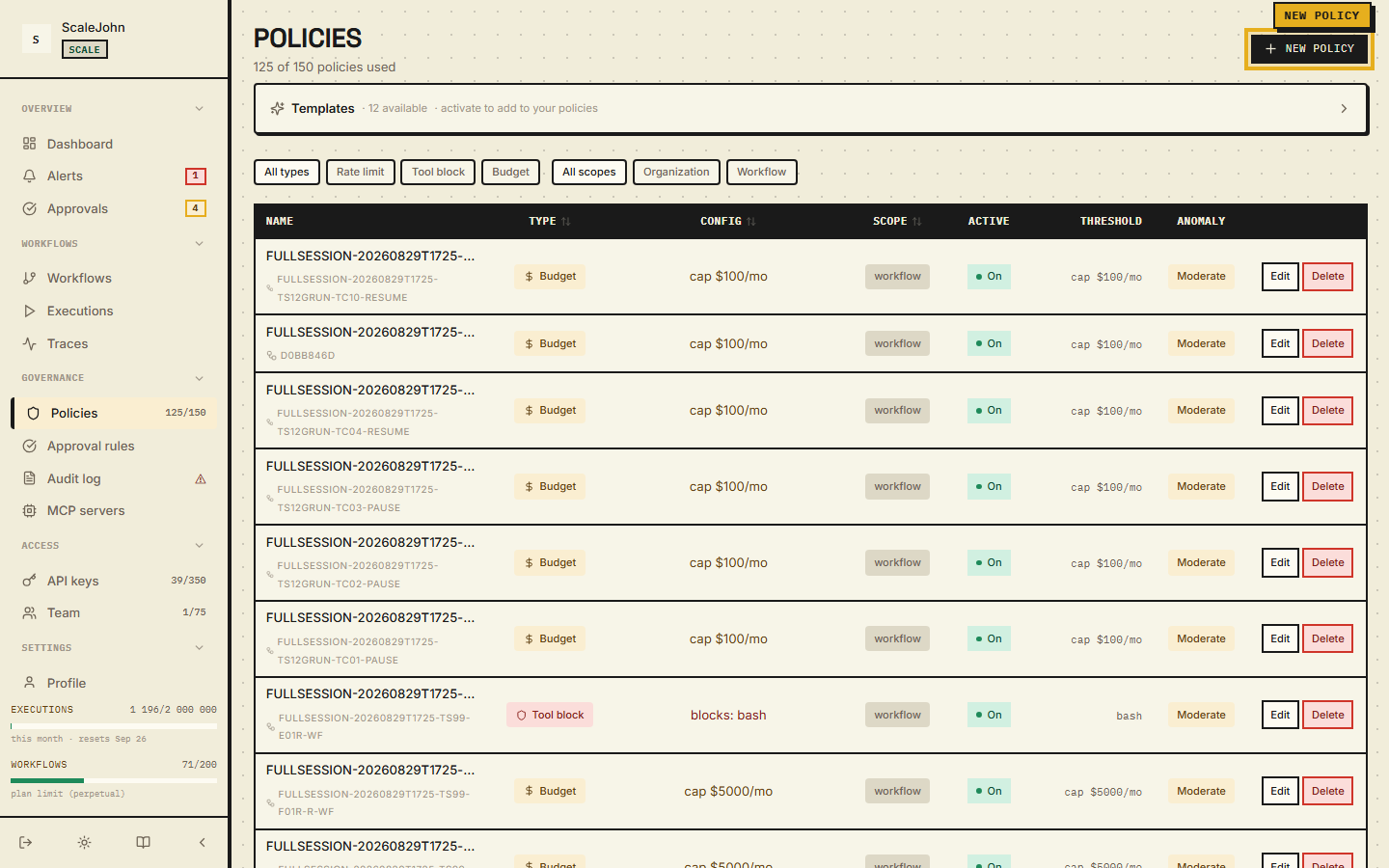
A policy is a rule attached to your organization or a single workflow. In the dashboard they live under Governance → Policies. Each policy answers one question:
- "Is this call allowed, blocked, or does it need a human to approve?"
What you see in the dashboard¶
The Policies page lists every policy in your org. Each row shows:
- Name — you set this when you created the policy
- Type — what the policy caps (see the table below)
- Scope — applies to the whole org, or only one workflow
- Active toggle — on/off without deleting
- Effective from — when the policy was last edited
Click a policy to edit it. Changes apply to the next gate call — there's no need to redeploy your agent.
The three policy types¶
| Type | What it controls | Example value |
|---|---|---|
| BudgetLimit | Maximum spend per workflow per period | 5000 ($50.00) |
| RateLimit | Maximum calls per minute | 60 (one call per second sustained) |
| ToolBlock | Tools the agent must not call | ["send_*", "db.drop", "stripe.charge"] |
Each type has a JSON config payload — see the Tool policies
page for the glob-match syntax inside ToolBlock.
BudgetLimit — extra fields¶
A BudgetLimit policy can carry these optional fields:
| Field | Default | What it does |
|---|---|---|
enforcement_mode |
"Hard" |
Hard blocks on budget exceeded. Soft allows a bounded overdraft when an active chain is present. |
max_overdraft_cents |
0 |
Maximum overdraft in cents (per-org aggregate). Both cents and percent apply — the lower cap wins. |
max_overdraft_percent |
0 |
Maximum overdraft as percent of the budget. |
max_chain_duration_seconds |
3600 |
Maximum duration of a chain started under this policy before the gate refuses. |
The gate reads these fields from every applicable BudgetLimit and
uses most-restrictive-wins: enforcement_mode (Hard > Soft),
max_overdraft_cents (min), max_overdraft_percent (min).
Soft mode requirements¶
Soft mode requires all three:
- The policy uses
enforcement_mode = Soft(not Hard) - An active
chain_idexists (declared viawith chain(...)) - The projected cost stays within
max_overdraft_centsandmax_overdraft_percent
If any of the three is missing, soft mode is unavailable and the gate behaves as Hard. Multiple parallel chains on the same org share one overdraft counter — N concurrent chains do not multiply the overdraft cap.
A chain dies on the first of: op="end", 5 minutes of /gate
inactivity (idle TTL), or exceeding max_chain_duration_seconds.
Chain time is read server-side, eliminating clock skew between
backend nodes.
Aggregation¶
When two policies in the merged set compete, the engine picks the most restrictive one for numeric caps and the union for tool patterns.
| Field | If two policies disagree |
|---|---|
budget_cents |
The smaller number wins |
max_calls_per_minute |
The smaller number wins |
enforcement_mode |
Hard beats Soft |
max_overdraft_cents |
The smaller number wins |
max_overdraft_percent |
The smaller number wins |
tool_pattern / blocked_tools / tools |
Both lists are merged (a tool blocked anywhere is blocked everywhere) |
You can't accidentally un-block a tool the org blocks. There is no "allow" rule that overrides a "block" — the system is conservative on purpose.
Org-level vs workflow-level¶
A policy has one of two scopes:
- Org — applies to every workflow in your organization. Useful
for "all our agents must block
db.drop" or "everyone gets 60 calls/min". - Workflow — applies to one workflow only. Useful for "this
specific agent gets $500/month" or "this one agent can call
send_email".
Both scopes apply at the same time. There's no "overrides" — both sets of rules run together. The dashboard's Effective policy tab on a workflow page shows the merged set.
Templates¶
The dashboard ships with templates — pre-built policies for common patterns. To enable one:
- On the Policies page, click Templates.
- Pick a template (e.g. "Cap dev workflow at 100c/min" or "Block all write tools").
- Click Enable.
The template materialises as a real policy in your org using its config and name. Disable reverses it. Templates save you from hand-authoring JSON.
Plan gating¶
Some policy features are plan-restricted:
| Feature | Available on |
|---|---|
BudgetLimit policies |
All plans |
RateLimit policies |
All plans |
ToolBlock policies |
Growth+ |
| Approval rules with typed predicates | Growth+ |
If you try to create a feature your plan doesn't include, the dashboard shows the feature greyed out with an "Upgrade" link.
Approval rules — separate from ToolBlock¶
Approval rules are not a ToolBlock policy with an action =
require_approval field. They are a separate rule object with
tool_patterns, a projected-cost threshold, a typed BusinessImpact
predicate, and operational metadata.
When a rule fires, the gate returns decision = "require_approval"
and the SDK parks until the operator clicks Approve / Deny. See
Human approval for the full flow, the typed
action_digest binding, and the WebSocket push resume path.
How to create one¶
- Governance → Policies → New policy.
- Pick the type (BudgetLimit / RateLimit / ToolBlock).
- Pick the scope (Org or specific workflow).
- Fill in the config. The dashboard validates the JSON in real time and shows errors before you save.
- Save. The policy is active immediately.
To test a new policy before rolling it out broadly, scope it to one workflow. The dashboard's Effective policy tab on that workflow's detail page shows the merged result so you can see exactly what your agent will see.
What gets logged¶
Every policy decision is recorded in Governance → Audit log. You can filter by:
- Workflow
- Decision type (
allow/block/require_approval) - Time window
- Tool name (for
ToolBlockmatches)
The audit log is the source of truth for "why did my agent stop working at 14:32 yesterday?". Pair it with Traces to see the exact request that triggered the decision.
See also¶
- Tool policies — the
ToolBlockmatching rules - Budgets — how
BudgetLimitinteracts with the period rollover - Human approval — typed
BusinessImpactrules that producerequire_approval - Workflows — where the merged policy is applied
Deep dive
The merged view is computed once per policy refresh and is the same value the gate reads on every call, so the set an operator sees on a workflow's effective-policy view is not a second, independent computation that can drift from the one actually enforced. Numeric caps reduce to the smallest value found across every applicable policy, and tool patterns reduce to the union of every applicable list. A tool blocked at one scope cannot be unblocked at another: the merge has no allow arm for a block to lose.
Decisions resolve in a fixed order, and the first outcome
other than allow short-circuits the rest. Tool blocking is
evaluated ahead of any budget reservation, so a call refused
for its tool name never has a budget envelope minted for it.
A tool block is unconditional: whatever enforcement_mode a
budget policy carries, a matching pattern blocks. Rate
limiting at the organization level is authoritative and
refuses the call when it cannot be evaluated; the per-key
rate limit is a secondary signal that defers to the budget
gate rather than refusing a call on its own.
A per-workflow budget cap is tri-state. No applicable policy means the per-workflow check is skipped entirely, which is a different thing from a cap of zero, which rejects every call. Collapsing the two would let an organization that meant to forbid spending fall through to the organization-wide cap instead.
Soft enforcement belongs to budgets alone and needs three things at once: the policy set to soft, an active chain, and a projected cost inside both the cent and the percentage overdraft limits. If any is missing the budget behaves as hard. Concurrent chains on one organization share a single overdraft counter, so parallelism does not multiply the allowance. Tool-block policies and approval rules are gated to Growth and above; on plans without the feature the server refuses the mutation, and rules inherited from a higher tier are retained for audit while no new one can be created.
title: Tool policies maturity: stable description: Glob patterns for tool names with a 4 KB cap per pattern, union semantics across applicable scopes, and validation traps to avoid.
2.3 Tool policies¶
A ToolBlock policy decides which tools the agent is allowed to call
and which it can't. In the dashboard these rules live under a policy
of type ToolBlock — see Policies for the general
overview. This page covers how to write the patterns inside the
policy.
Where you see it in the dashboard¶
When you create or edit a policy and pick ToolBlock as the
type, the dashboard shows a JSON editor for the tool_pattern,
blocked_tools, or tools array. The "Test pattern" preview at the
bottom lets you paste a tool name and see whether any pattern
matches — useful for debugging.
What a tool name looks like¶
The agent calls tools by name. The canonical tool name format:
| Type | Format | Example |
|---|---|---|
| Built-in tool | lowercase string | bash, file_write, execute_code |
| MCP tool | mcp://{server}/{tool} |
mcp://filesystem/read |
| Custom tool | custom:{name} |
custom:my_tool |
The policy matcher is name-based. The SDK sends the tool name to the
gate, the gate checks it against every active ToolBlock policy, and
the verdict comes back as allow, block, or require_approval.
How to write the patterns¶
Each entry in a ToolBlock policy is one of:
- Exact name —
"stripe.charge"blocks only that one tool. - Glob —
"send_*"blocks anything starting withsend_. *alone — blocks everything.
Each entry is capped at 4096 bytes. The cap exists because the matcher scans every pattern on every gate call — a 10 MB pattern would burn CPU on each call.
The matcher runs case-insensitively against the canonical tool name.
What a ToolBlock policy does¶
A ToolBlock policy blocks tool calls whose name matches one of
its patterns. There is no action = require_approval field on a
ToolBlock — for "I want a human to approve before this tool runs",
create an approval rule instead (see
Human approval). The two are separate rule
objects; ToolBlock and approval rules don't share a configuration
schema.
ToolBlock is always Hard: it never lets through, regardless of
the budget's enforcement_mode. See
Reliability matrix.
If the gate cannot evaluate the ToolBlock check (Redis or policy
cache unavailable), it fails closed — 403 TOOL_BLOCKED (SDK
error_code = "NR-T001"). The agent never runs an unverified
sensitive operation.
ToolBlock and approval rules are distinct rule objects — they don't share a configuration schema. A ToolBlock policy always blocks; to require human review first, use an approval rule instead.
A worked example¶
Suppose your agent has these tools: tavily_search, send_email,
db.write, db.drop, stripe.charge, read_file.
You want to:
- Allow read-only operations (
tavily_search,read_file) - Block destructive operations (
db.drop,stripe.charge) - Require approval for any outbound communication (
send_email) - Allow normal DB writes (
db.write) but blockdb.drop
Two ToolBlock policies and one approval rule:
The example below shows the request payload shape — what you POST to the dashboard / API. It's not the storage schema, just the public input format.
{
  "policies": [
    {
      "name": "Block destructive",
      "type": "ToolBlock",
      "scope": "Org",
      "config": {
        "tool_pattern": ["db.drop", "stripe.*"]
      }
    }
  ],
  "approval_rules": [
    {
      "name": "Outbound needs approval",
      "tool_patterns": ["send_email"],
      "action_label": "send email to customer",
      "expires_in_seconds": 300
    }
  ]
}
send_email now triggers the approval flow (a human clicks
Approve in the dashboard before the call goes through). db.drop
and stripe.charge are blocked outright. The two policies do not
interact — ToolBlock checks and approval-rule checks are independent
paths in the gate.
Validation at policy creation¶
The dashboard rejects invalid patterns at save time:
| Error | Cause | Fix |
|---|---|---|
400 bare_string_pattern |
"pattern": "send_*" instead of "pattern": ["send_*"] |
Always use an array, even for one entry |
400 pattern_too_long |
An entry longer than the per-pattern byte cap | Split into multiple patterns |
400 invalid_glob |
Contains control characters | Remove \n, \r, \t |
Plan gating¶
ToolBlock policies require the Custom Policies feature, which is
on Growth+ plans. Lite and Starter can have BudgetLimit and
RateLimit policies, but not ToolBlock.
Approval rules (separate from ToolBlock) are gated by the
approvals plan feature. The per-tier cap matches:
| Plan | Approval rules allowed | Why |
|---|---|---|
| Lite | 0 | approvals feature disabled |
| Starter | 0 | approvals feature disabled (server-side invariant: approval_rules > 0 ⇒ approvals == true) |
| Growth | 20 | approvals enabled |
| Scale | unlimited | approvals enabled, no cap |
| Enterprise | unlimited | approvals enabled, no cap |
The gate enforces approval_rules = 0 server-side on Lite and
Starter — even if you mint a key on a higher tier and downgrade,
existing rules are kept (for audit) but no new rule can be created
until the plan is upgraded back.
On Lite / Starter, the dashboard shows ToolBlock policy creation greyed out with an "Upgrade" link.
How to debug a block you didn't expect¶
If your agent reports error_code = "NR-T001" (wire TOOL_BLOCKED) on
a call you think should be allowed:
- Open the workflow in the dashboard.
- Click Effective policy. The merged set shows every ToolBlock pattern that could match.
- Open the Audit log and filter by
decision = blockand the tool name. The log shows which pattern matched. - If a pattern is too broad (
*matches everything), narrow it in the policy editor. - If the pattern is wrong entirely, deactivate the policy and re-create it with the correct list.
See also¶
- Policies — the dashboard view, aggregation rules, and most-restrictive-wins semantics
- Sensitive tools — the policy-driven way to express "this tool needs review" (not a built-in SDK list)
- Tool catalog — common tool names with risk ratings
- Human approval — the approval-rule path, distinct from ToolBlock
Deep dive
A ToolBlock check operates on the canonical tool name and nothing
else. The gate resolves the effective tool list from the request
before evaluating anything, so a call carrying one tool and a call
carrying a list are treated alike. Patterns are collected from the
tool_pattern, blocked_tools and tools keys, trimmed and
de-duplicated, so "bash" and "bash " collapse into one entry.
Matching runs case-insensitively against the canonical name, and
control characters in either the incoming tool name or a pattern
are rejected before the check runs.
The pattern language is small. * is the only metacharacter: it
matches any run of characters, so send_* matches anything
starting with send_ and bash.* matches the bare name bash
as well as dotted continuations like bash.foo and bash.foo.bar.
A pattern with several stars, such as *.drop_*, matches when
every literal segment appears in order, which is why *.drop_*
matches s3.drop_table but not s3.execute_drop. | collapses
several alternatives into a single entry. Neither ? nor **
is supported — both are matched as ordinary characters — and a
bare literal matches only itself, never a substring. Each entry is
capped at 4096 bytes, bounding the work the matcher does on every
gate call.
ToolBlock is always hard, independent of a budget's enforcement mode, and it is evaluated ahead of rate-limit and budget accounting, so a blocked call never receives a budget envelope. If the check cannot be evaluated at all, the gate fails closed. A block reports the pattern that fired, which is what the audit log records, so an unexpected block can always be traced to one entry.
Validation at creation time rejects the configurations that would
otherwise mean "block nothing": an empty string, an empty array,
an empty config object, and the plural tool_patterns key. A typo
such as block_tools or blocked_tool is an error rather than a
silently ignored rule. Because * on its own blocks everything,
narrowing a policy is the operator's responsibility, and the
merged effective set is what the dashboard shows before a change
ships. Matching never inspects tool arguments: a rule is about
which tool runs, not what it is called with.
title: Sensitive tools
maturity: stable
description: How @protect plus the server-side ToolBlock policy enforce "this tool needs review" without any SDK-side sensitive list.
2.4 Sensitive tools¶
A sensitive tool is one that should never run without a human paying attention. Sending an email, moving money, deleting a record — all of these have consequences the agent can't easily undo.
The way to express "this tool needs review" in NullRun is a
ToolBlock policy — a glob pattern that fails
the gate at /gate evaluation time, regardless of the SDK's local
context. This page covers the recommended patterns and how to wire
them.
The canonical entry point is @protect
Every protected tool is automatically eligible for ToolParameters
Approval Rules — @protect ships tool_name + args + kwargs on
the wire, and the backend reads argument values out of kwargs
by param_name. No SDK-side extractor or extra decorator is
required.
ToolBlock vs typed predicates
Two complementary mechanisms, often confused:
ToolBlock(server-side) — a policy rule evaluated by the gate on every/gatecall. The gate fails-CLOSED if it cannot reach Redis or the policy cache to evaluate. This is the canonical "this tool is forbidden" mechanism.- Typed predicates (
money_amount,tool_parameters) — built into approval rules in the dashboard. The gate evaluates a DNF over argument values, bound to the SHA-256action_digestfor tamper-proof approval. Use these for finer-grained rules ("refunds over $500 need approval", "sends to non-internal recipients need review").
Use ToolBlock for hard rules ("never call bash"). Use typed
predicates when the rule depends on the call's arguments.
What a sensitive tool is, in policy terms¶
There is no built-in tool catalogue shipped by the SDK — every
enforcement decision is evaluated by the gate on every /gate call,
so you can't accidentally miss a tool you didn't register locally.
You express "sensitive" with one of two complementary mechanisms:
@protect(SDK-side, canonical) — wraps a function and shipstool_name + args + kwargson the wire. The backend reads argument values out ofkwargsbyparam_namefor ToolParameters approval rules. No SDK-side extractor is needed.ToolBlock(server-side) — a policy rule evaluated by the gate. The gate fails-CLOSED if it cannot reach Redis or the policy cache to evaluate. Use this for hard rules — "never callbash".- Approval rules with typed predicates (server-side) — for
finer-grained control, an approval rule references
param_nameand the gate evaluates a DNF of up to 5 named parameters against Equals / OneOf / NumericRange / Regex / Exists matchers. The grant is bound to the SHA-256action_digestof the live payload; the post-approval/executere-check refuses on drift.
For the typed-predicate wiring, see Human approval → typed predicates.
Recommended starter patterns (see Tool catalog → Recommended ToolBlock starter list for the maintained list):
| Category | Pattern examples |
|---|---|
| Money | mcp://payments/refund*, mcp://stripe/charge, mcp://stripe/refund |
| Email & messaging | mcp://gmail/send, mcp://slack/post, send_email |
| Database destructive | mcp://postgres/drop_table, mcp://postgres/delete_row, execute_sql |
| External API writes | mcp://*/post, mcp://*/put, mcp://*/delete |
| Files & storage | mcp://s3/delete, file_delete, bash |
| Admin | mcp://admin/delete_user, mcp://admin/disable_user |
These are the canonical tool names a policy matches against. The exact name comes from your MCP server / framework integration — see the tool catalog for the curated list with risk ratings.
Why the SDK does not ship a built-in list¶
A built-in "sensitive tools" SDK list would force every framework to register its tools against NullRun's expectations — and would be silently wrong for any tool not on the list. The current model inverts this:
- You write a ToolBlock policy that names the tools you care about.
- The policy is evaluated server-side on every
/gatecall. - The decision is returned to the SDK as
TOOL_BLOCKED(403); the SDK raisesNullRunToolBlockedErrorwitherror_code = "NR-T001".
The gate does not inspect tool arguments — it cannot distinguish
two calls to the same tool by payload. If you want a narrower rule
(e.g. "block refunds over $500"), use a typed tool_parameters
predicate: the SDK ships kwargs on the wire and the gate evaluates
a DNF of up to 5 named parameters against Equals / OneOf /
NumericRange / Regex / Exists matchers. See
Human approval → typed predicates.
Why ToolBlock is enforced at the gate¶
ToolBlock is enforced at the gate: sensitive operations never run
when the policy engine is unreachable. If the gate returns
403 TOOL_BLOCKED (SDK error_code = "NR-T001"), the SDK raises
before your function body executes. ToolBlock is always Hard,
regardless of the budget's enforcement_mode.
What's NOT in a ToolBlock policy¶
A ToolBlock policy matches tool name only — not:
- prompt content or semantic intent
- the recipient of a payment (use a typed predicate instead)
- tool arguments beyond the
kwargsthe SDK ships on the wire - the tool's runtime sandbox (that's your infrastructure concern)
Read operations are never sensitive regardless of the tool. The canonical name alone decides.
Where the sensitive list lives¶
You write the policy in the dashboard under Policies (sidebar under Governance). Click New policy, pick Tool block as the policy type, and the modal shows the Tool pattern field where you enter the glob(s). The dashboard shows you the canonical tool name for every framework integration. Your policy applies to:
- All workflows under the org (default)
- A specific workflow (scope to
workflow_id) - A specific API key (scope to
api_key_id)
Per the aggregation rules: ToolBlock patterns union across applicable policies — every pattern that matches fires.
Audit trail¶
When a sensitive tool is blocked, the audit log records the
block with reason TOOL_BLOCKED (SDK error_code = "NR-T001"),
the pattern that matched, and the workflow + api_key + tool_name.
The audit log is hash-chained — see
Audit records.
This gives you a complete audit trail of every blocked attempt,
regardless of whether the block came from your policy or from the
default TOOL_BLOCKED rejection of an unknown tool name.
For sensitive tools you want to allow after explicit human review,
pair them with an approval rule instead of removing them from
the blocking surface. The approval row in the dashboard gives you
the audit trail, and the SHA-256 action_digest ensures the grant
is bound to the exact action payload the SDK sent on /gate. See
Human approval.
See also¶
- Tool policies — the actual rule structure
- Tool catalog — recommended patterns with risk ratings
- Human approval — the safer alternative to disabling a ToolBlock rule
- Decorators & context managers —
@protectwire payload and how the gate receiveskwargs - Circuit breaker → fail-CLOSED matrix
Deep dive
A pattern is not a regular expression. Alternatives are separated by a pipe, and a pattern with a single wildcard matches both the bare name and any dotted continuation past it, which is what lets one pattern cover a whole server's namespace. A pattern with several wildcards splits on each one and requires the literal segments between them to appear in order. Matching sees the tool name and nothing else, so two calls to the same tool are indistinguishable at this step whatever their payloads.
Patterns union across every applicable policy at both org and workflow scope. The most-restrictive-wins rule applies within a single policy type, not across types; across types the gate takes the first outcome other than allow in its fixed order, and tool blocking is evaluated ahead of budget reservation, so a blocked call never receives a spending envelope.
The block is unconditional. A policy's enforcement mode does not soften it, and when the policy set for a key cannot be read, the call is treated as blocked rather than allowed — the trade-off is a refusal that has to be retried over a silent pass that goes unnoticed. Enforcement also applies on the cost-tracking path, so an SDK that does not declare its tools in the request still has the same rules applied before the call's cost is recorded.
Rules that depend on arguments are a different mechanism. A tool block cannot inspect a refund amount or a recipient; that needs an approval rule with typed predicates, where the grant is bound to a digest of the exact payload and a later change to that payload invalidates the grant.
title: API keys maturity: stable description: Scopes, two-phase rotation, revocation, and the binding between an API key, its workflow, and its policy cache.
2.5 API keys¶
An API key is how your code authenticates with the NullRun gateway. The key identifies a single workflow, gives the agent the permissions it needs, and (optionally) expires on a date you choose.
Where you see it in the dashboard¶
API keys live under Access → API keys in the left sidebar. The
counter at the top of the page (N / <plan-cap>) tells you how many
keys your org has versus your plan's cap. The page shows every key
with its name, workflow, last-used timestamp, and expiration date.
Per-plan key cap: Lite = 10, Starter = 15, Growth = 100,
Scale = 350, Enterprise = unlimited (see
Billing & Plan → Per-tier caps). The
cap is enforced server-side — the create handler rejects with
plan_limit_exceeded once you hit it.
The mental model¶
Each workflow needs at least one API key to run. The key is what the SDK uses to identify itself when it talks to the gateway. The gateway uses the key to look up:
- Which workflow is calling (so it can apply the right policies)
- Which permissions the key has (
gate/execute/track/verify) - Whether the key is still valid (not revoked, not expired)
You mint keys through the dashboard, paste them into your application's environment, and the SDK takes care of the rest.
How to create a key¶
- Access → API keys → New API key.
- Pick a workflow to bind the key to. The dropdown lists every workflow in your org. (Each key is workflow-scoped — one key represents one agent run, not one workspace.)
- Pick an Expires window: Never (default), 24 hours, 7 days, 30 days, or 90 days. Keys without an expiration are valid until revoked.
- Click Create.
Scopes (gate / execute / track / verify) are auto-assigned
to every new key and are not user-customizable in the dialog — the
gateway needs all four to do its job.
The dashboard shows the new key value once — a string starting
with nr_live_.... Copy it into your secret manager immediately.
The dashboard will never show it again.
What's in the response¶
When you create a key, the dashboard shows:
- Key — the public value (
nr_live_xxx...). Use this in your SDK. - HMAC secret key — a second 32-byte hex string for request
signing. Treat it like a password; never commit it to source
control. The SDK stores it under
NULLRUN_SECRET_KEY. - Key prefix — the first 12 characters, used in list views.
- Workflow — the bound workflow (you picked this on creation).
- Scopes — the permissions you granted.
The dashboard shows the full key and secret exactly once. After you close the modal, the values are gone forever. If you lose them, you must rotate the key (see below).
How the SDK uses the key¶
The SDK needs two values from you:
export NULLRUN_API_KEY=nr_live_xxx...
export NULLRUN_SECRET_KEY=...
The api_key is the public value the SDK sends on every request.
The hmac_secret is used for HMAC-SHA256 request signing — the
gateway verifies every request came from a holder of the secret.
In production deployments, HMAC is required. Without it, every SDK request returns 401.
The runtime is created lazily on the first @protect call from
NULLRUN_API_KEY. Set NULLRUN_API_KEY (and NULLRUN_SECRET_KEY
for HMAC) in the environment before the first protected call runs:
export NULLRUN_API_KEY=nr_live_xxx...
python my_agent.py
The HMAC secret is read from NULLRUN_SECRET_KEY in the
environment. It is set once per process.
Scopes¶
Each key has a list of permissions — what it can do. Only the four values below are accepted; any other value is rejected at the API key creation step.
| Scope | What it allows |
|---|---|
gate |
Call /api/v1/gate (the policy decision endpoint). Required for any @protect-wrapped call. |
execute |
Call /api/v1/execute (the post-approval re-check after a require_approval decision). |
track |
Call /api/v1/track (the spend tracking endpoint). Required for any LLM call. |
verify |
Call /api/v1/auth/verify (the auth handshake on first use). Almost always needed. |
* |
Wildcard — all of the above. The default if you don't specify. |
For most agents, the defaults work. A telemetry-only ingestor needs
just track. A read-only CI checker needs just verify.
How to rotate a key¶
Rotating creates a new key and invalidates the old one. In-flight calls finish normally.
How to revoke a key¶
Revoking means deleting the key. Useful when:
- The key was leaked publicly
- The agent is decommissioned
- The workflow is being deleted
Use POST /api/v1/orgs/{org_id}/api-keys/{key_id}/rotate first to
generate a replacement, then DELETE the old one.
The key stops working immediately — no grace period.
Listing and searching¶
The API keys page lists every key in your org. You can search by name (substring match), filter by workflow, or filter by status (active / revoked).
Each row shows:
- Name — what you set when creating
- Workflow — the bound workflow
- Prefix — first 12 characters of the key (
nr_live_abc...) - Last used — when the SDK last made a request with this key
- Expires — when the key stops working (or "Never")
- Status — active / revoked
Click a row to see full details. The full key value is never shown again — only the prefix.
Common questions¶
"How many keys do I need?"¶
One per workflow, minimum. For production:
- One key per environment — separate keys for production, staging, dev. Makes it easy to revoke staging without affecting production.
- One key per service — if your agent runs in three containers, give each its own key. Makes it easy to rotate one without restarting the others.
Do not disable the gate in production — you'll lose enforcement.
"Can I share a key between two workflows?"¶
No. Each key is bound to exactly one workflow at creation time. If you need the same agent logic against two workflows (for example, A/B testing), create two keys and switch between them based on your A/B routing.
"What happens when my key expires?"¶
The key stops working at the expiration timestamp. Calls return
401 api_key_expired. Rotate the key (which generates a new secret
but keeps the same key value) or create a new key entirely.
"Can I see who used a key?"¶
The Last used column shows the most recent activity. The audit log shows every individual call. The audit log records the key prefix, not the full key — so you can correlate usage without exposing the secret.
See also¶
- Workflows — what the key is bound to
- Troubleshooting — "why am I getting 401?"
- Configuration — env vars for keys
Deep dive
A key is two independent secrets minted together at creation: the raw key that the SDK sends on every request, and a separate signing secret used for HMAC request signing. The two are generated independently and neither is derived from the other. A signature covers the timestamp, the key, and a hash of the request body, and the gateway compares it in constant time. Because the timestamp is part of the signed material, replay protection is an age check against a sliding freshness window rather than stored nonces.
Both secrets are shown exactly once. Losing the raw key forces a rotation; losing the signing secret forces regeneration even when the raw key is intact. Signing secrets are multi-version: several versions remain valid at the same time, so an SDK still signing with the previous secret keeps working while everything else has already moved to the new one. Rotation has no downtime window.
Revocation is two-phase. The key first enters a rotating state, requests already in flight are allowed to finish, and only then does the key become terminal, so a long-running check cannot lose its reservation partway through. If in-flight accounting is unavailable, the request is rejected rather than admitted: the drain guarantee cannot be made, so the call fails closed.
Key identifiers are minted server-side and bound to the owning organization; caller-supplied identifiers are rejected. A key is bound to exactly one workflow at creation, and the full set of scopes is assigned automatically rather than chosen. Last-used timestamps are refreshed on every authenticated request.
3. Cost & safety¶
title: Budgets maturity: stable description: Hard and soft budget enforcement, billing-period rollover, and the reserve / consume invariant that protects against implicit re-reservation.
3.1 Budgets¶
A budget is the most important number on the dashboard. It's the maximum amount of money a workflow is allowed to spend in a billing period. Set it too low and your agent stops working. Set it too high and a runaway agent burns through real money before you notice.
This page covers what the budget controls, how the dashboard shows it, and what happens at each boundary.
Where you see it¶
On the Workflows detail page, the budget appears as a progress bar near the top:
Spend this period         $47.30 of $50.00  (95%)
████████████████████████░░
Time to exhaustion         ~16 hours at current rate
Three numbers:
- Spend this period — total cents spent since the last period rollover. Resets automatically.
- Budget — the cap. Set this in workflow settings.
- Time to exhaustion — at the current rate of spend, when the budget will run out. Useful for "should I raise the cap?".
What the budget covers¶
The budget covers spend, not calls. Calls are rate-limited separately — see Policies.
"Spend" is calculated from token counts reported by your LLM provider. The dashboard knows the per-model pricing for every model the SDK tracks:
- Input tokens × input rate
- Output tokens × output rate
- Cache read / cache write tokens (if your provider exposes them) at their respective rates
- Reasoning tokens for o1/o3-style models at the reasoning rate
The total spend is the sum across all @protect calls inside the
workflow, across the current period.
Periods¶
A "period" is the window after which the spend counter resets. NullRun has two period sources:
| Plan | Period source | When it resets |
|---|---|---|
| Lite (free) | Rolling 1-month window anchored at organizations.created_at |
One month after signup (e.g. signed up Jun 15 → resets Jul 15, Aug 15, …) |
| Paid (Starter / Growth / Scale) | Your billing cycle (Polar subscription) | Set when you subscribed; on renewal |
The dashboard shows the period start and end dates next to the spend bar. When the period rolls over, the spend counter resets to zero and the budget applies fresh.
What happens at the boundary¶
Three scenarios, depending on the workflow's enforcement mode:
Hard mode (default)¶
Spending → $49.95 of $50.00
Next @protect call:        #2.00 projected
gate decision:             block
SDK raises:                 NullRunBudgetError (NR-B004)
with nullrun.guard():     prints the 4-line dev report, sys.exit(1)
The agent stops cleanly at the boundary. No partial charge — the projected cost is reserved when the gate approves, and the actual cost is reported after the LLM returns. If the call is denied, no charge happens.
Soft mode¶
Soft mode lets the agent run past its budget when an active chain is
present, up to the configured overdraft cap
(max_overdraft_cents or max_overdraft_percent, whichever is
lower). The chain returns to standard Hard mode once the cap is
exhausted. See Policies → BudgetLimit extra fields
for the full configuration contract.
How to set the budget¶
The first time you create a workflow, no budget cap is configured.
max_budget_cents == 0 means "no per-key budget configured" —
the gate passes through to the org-level plan cap, not "block
everything" — so the agent runs against the org's default policy
until you raise the per-key cap.
To set the budget:
- Open the workflow.
- Click Settings.
- Find Budget and enter cents (
$50=5000). - Save.
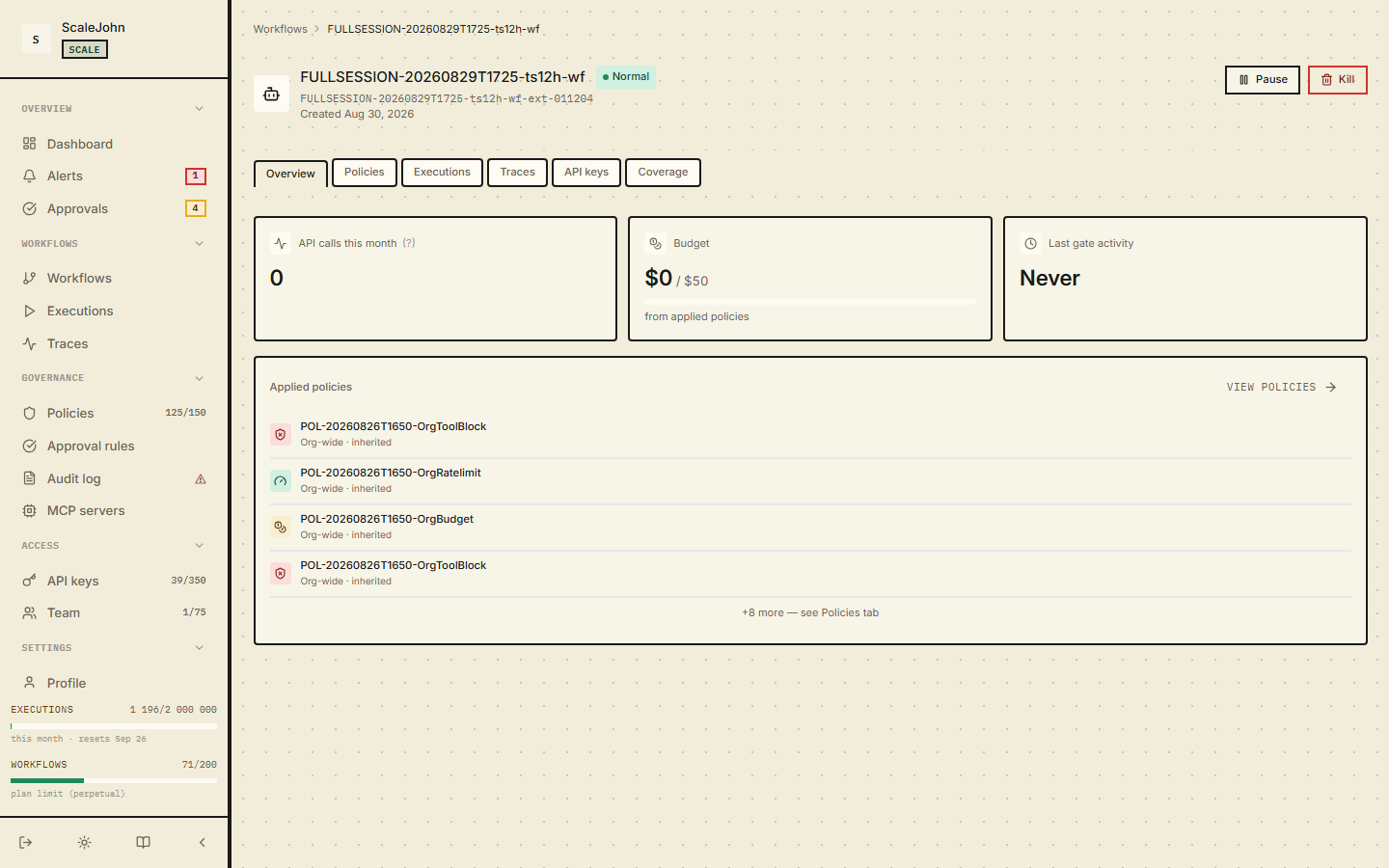
Reasonable starting budgets:
| Use case | Suggested budget |
|---|---|
| Personal / dev experiment | $5 (500 cents) per period |
| Single-tenant internal tool | $20 (2000 cents) per period |
| Customer-facing AI feature | $100 (10000 cents) per period, plus an alert at 80% |
The dashboard warns you when spend crosses 80% of the cap and again at 100%. Configure alert destinations under Notifications in the sidebar (Channels + Alert rules + Event subscriptions matrix).
What happens when you change the budget mid-period¶
- Raise: the new cap takes effect immediately. The next gate call uses the new cap.
- Lower below current spend: the agent doesn't get retroactive refunds, but every call from this point onward rejects until the spend drops (which only happens at period rollover, since the counter is monotonic within a period).
Why cents, not dollars¶
The dashboard stores everything in cents to avoid floating-point
rounding in pricing math. The budget_cents field in the API is
always an integer. If you set budget_cents: 5000, your cap is
exactly $50.00, no rounding errors.
Reservation and consumption¶
The gate reserves your projected cost before the model runs and
reconciles the actual cost after. If the LLM call returns a cost
that meaningfully exceeds the reservation, the /track commit
rejects with CONSUME_OVERBUDGET (HTTP 422, error_code = "NR-O001") — no implicit re-reserve, ever. The tolerance is a
fixed cents value (policies.consume_epsilon_cents, default 1¢);
no percentage-based epsilon is supported.
Approximate budget endpoint¶
If you want to show "you've used X of Y" in a custom dashboard or notification without enrolling in the full NullRun dashboard, the gateway exposes an approximate-spend endpoint:
curl "https://api.nullrun.io/api/v1/budget/approximate" \
  -H "Authorization: Bearer ***"
The response carries current_spend_cents_estimate, an
is_approximate: true flag, a source field, a confidence level
(High / Medium / Low), and last_updated_at. Use this for
display only — never for enforcement, rate-limit logic, or
agent-side gating. When the source is unavailable the endpoint
returns 503 BUDGET_DATA_UNAVAILABLE; render that as "data
unavailable", never as ≈ $0 spent.
See also¶
- Workflows — where the budget lives
- Policies — rate limits (separate from budget) and soft-mode fields
- Troubleshooting
Deep dive
Spend is counted per organization per billing period. The period start is computed once, server-side, and bound into every reservation made for an execution, so the gate decision and the later commit for the same call always land in the same period even when a rollover happens in between. Spend within a period is monotonic: it returns to zero only when the period ends.
Enforcement uses the lower of the organization ceiling and the
workflow budget, and the organization ceiling is always strict. In
soft mode an active chain may overdraw by the lower of the
configured cent and percentage allowances, and concurrent chains
share that one allowance rather than each earning their own. The
gate reserves the projected cost before the model runs; the actual
cost is reported afterwards and must fit inside the reserved amount
plus a fixed tolerance, one cent by default and configurable per
policy. A cost above that tolerance is never silently re-reserved:
the commit is rejected with CONSUME_OVERBUDGET while the period
counter still reflects the real spend. The tolerance is a fixed
number of cents rather than a percentage, so the drift a bad
projection can absorb does not grow with the size of the budget.
Reservation and commit are both idempotent. A retry that arrives between a successful reservation and the recording of its result finds the reservation already in place and is told so, rather than reserving twice. A repeated commit for the same reservation either replays the original outcome or repeats the same rejection. The authorized amount is sealed when the gate decides, so a commit cannot re-check it against a cap tightened afterwards; the new cap governs the next call, not the one already in flight.
The approximate-spend endpoint resolves its answer from the fast-path counter, the durable record, and the last known value, in that order, and reports a confidence level so the caller can qualify the number. It is advisory. When every source is unavailable it returns 503 rather than zero, because a missing figure and an empty one are different claims. A reservation that is never committed expires after a bounded window; a commit arriving after that is reported as a missing reservation, and the caller must gate again to obtain a fresh one.
title: Human approval maturity: beta description: Bind approvals to a typed BusinessImpact predicate and a SHA-256 action_digest so the grant refuses if the action payload drifts.
3.2 Human approval¶
Some operations need a human to click Approve before they run. Sending an email to a customer, moving money, deleting a record — operations where you want a paper trail and a conscious decision.
In the dashboard, pending approvals live under Approvals in the sidebar. When the agent hits an approval rule, the call pauses. The agent stays paused until a human clicks Approve or Deny, or the approval times out.
Approval rules — separate from ToolBlock¶
Approval rules are not ToolBlock policies with an action =
require_approval field. They are a separate concept with these
fields:
| Field | Purpose |
|---|---|
name |
Display name for the rule |
tool_patterns |
Glob patterns matching the tool name |
per_call_threshold_cents |
Projected-cost threshold (estimated tokens × model rate) |
action_predicate |
Typed BusinessImpact predicate |
priority |
Ordering for tied rules |
expires_in_seconds |
How long the operator has to decide |
action_label |
Display label shown in the dashboard |
When an SDK calls a tool that matches an approval rule, the gate
returns decision = "require_approval" and parks the SDK on a
threading.Event until the operator clicks Approve / Deny.
Predicate kinds¶
Two predicate fields can fire the same approval rule:
per_call_threshold_cents— projected execution cost in cents, evaluated against the SDK-reportedestimated_tokens.action_predicate— a typed condition over a structuredBusinessImpactextracted from the live function call.
When both are set, the rule fires only when both pass. Either
may be None, in which case it does not contribute. A rule with
both None matches every call.
Typed predicates¶
Two predicate kinds are supported on action_predicate:
-
money_amount— per-call monetary threshold.{ "kind": "money_amount", "direction": "outflow", "operator": "gt", "threshold_minor": 5000, "currency": "USD" } -
tool_parameters— DNF over up to 5 named parameters with Equals / OneOf / NumericRange / Regex / Exists matchers.
{
  "kind": "tool_parameters",
  "trigger_logic": "any",
  "conditions": [
    {"param_name": "refund_amount", "matcher": {"kind": "numeric_range", "min": 500, "max": null}},
    {"param_name": "recipient", "matcher": {"kind": "regex", "pattern": "^(?!internal@).*"}}
  ]
}
The tool_parameters predicate reads values out of kwargs the
SDK ships on /execute. Every @protect-decorated function ships
tool_name + args + kwargs on the wire — the predicate references
the value by param_name in the dashboard rule editor and the
gate evaluates it directly. Positional args are dropped; float /
set / custom objects are filtered; PII-masked sentinels like
"***" for password / token / api_key keys are stripped
before wire. No second decorator is needed to make a tool
eligible for tool_parameters rules.
action_digest — tamper-evident binding¶
When the gate fires an approval rule with a typed BusinessImpact,
it computes a SHA-256 digest of the canonical-JSON
{"kind":"money_amount", direction, operator, threshold_minor,
currency, extractor_id, extractor_version}
(Money variant) or the
ToolCallParams envelope (ToolCall variant). The digest is stored
on the approval row.
After the operator clicks Approve, the SDK's post-approval /execute
re-check sends the live business_impact and action_digest back
to the gate. The grant consume is atomic — concurrent re-checks are
serialized, and the gate surfaces Allow / DigestMismatch /
NotFound / Expired / ReplayRejected outcomes.
Approval resume flow¶
The complete flow, end-to-end:
- SDK sends
/api/v1/gatewith the liveBusinessImpact. Gate evaluates rules. Match fires. - Gate creates a pending approval record with the
business_impact,action_digest, and anexpires_atset server-side (clamped[1, 3600]s fromexpires_in_seconds). The gateway then emits anapproval_requiredalert to configured channels. - Gate returns
decision = "require_approval"plusapproval_id,approval_timeout_seconds,approval_expires_at. - SDK parks on
threading.Event.wait(timeout=approval_timeout_seconds). - Operator clicks Approve / Deny in the dashboard (or auto-deny timer fires).
- Backend publishes
ApprovalResolvedevent on the WS push channel. - SDK wakes the parked thread; agent resumes with the operator's outcome.
- SDK auto-consumes the approval row via
POST /api/v1/approvals/{approval_id}/consumeso the row closes on the success path (the prior behaviour leftmode="inline"rows atstatus=APPROVEDpastexpires_atbecause the consume SQL was only reachable from the/executeorchestrator Step 6, whichinlinetools bypass). On the operator-cancel path the row closes via the spawned cancel step instead.
If the WS push is silent for approval_timeout_seconds, the SDK
fails CLOSED: WorkflowKilledInterrupt (alias NullRunWorkflowKilledError)
is raised and the agent dies. A silent network must not silently
approve a privileged action. There is no /status HTTP-poll
fallback for approvals — deliberate, the operator's word is final.
What you see in the dashboard¶
The Approvals page lists every pending, approved, denied, and expired request. Each row shows:
- The tool the agent wanted to call (e.g.
send_email) - The workflow that requested it
- The action digest (first 16 hex chars — full digest in tooltip)
- For typed predicates: the rendered impact summary
Money:Spend $499.00 USD · 4.99× above the $100.00 limitToolCall:tool:stripe.charge+ rawparamskey/value block- How long ago it was created
- How long until
expires_at
Click an approval to see the full context — what the agent was trying to do, the tool's arguments, and any notes you attached.
How to approve or deny¶
In the Approvals page, click an open request. You see:
- The agent's goal (what it was trying to accomplish)
- The tool it wants to call (e.g.
send_email) - The typed impact summary or the projected cost
- The action digest (the SHA-256 binding)
- How long the approval has been pending
Two buttons:
- Approve — the gate releases the reservation, the agent's
call resumes. On
/execute, the gate re-checks theaction_digestagainst the live payload and refuses on mismatch (returnsDigestMismatch). - Deny — the gate rejects, the agent sees
WorkflowKilledInterrupt(aliasNullRunWorkflowKilledError). The agent can catch it and clean up; most agents don't.
If you don't click either within the approval's expires_at window,
the request expires. The SDK raises WorkflowKilledInterrupt
(alias NullRunWorkflowKilledError) after approval_timeout_seconds
(server-clamped [1, 3600] s). The agent can retry or give up.
Notification channels¶
When an approval is created, the gateway notifies every active channel configured on your org:
- Slack — uses your org's installed Slack OAuth.
- Webhook — generic HTTPS POST with HMAC-SHA256 signature
(
X-NullRun-Signature, 5-minute clock-skew tolerance, 10-minute nonce replay defence).
Disable a channel per-user or per-channel under Notifications in the sidebar (the page has Channels, Alert rules, and an Event subscriptions matrix).
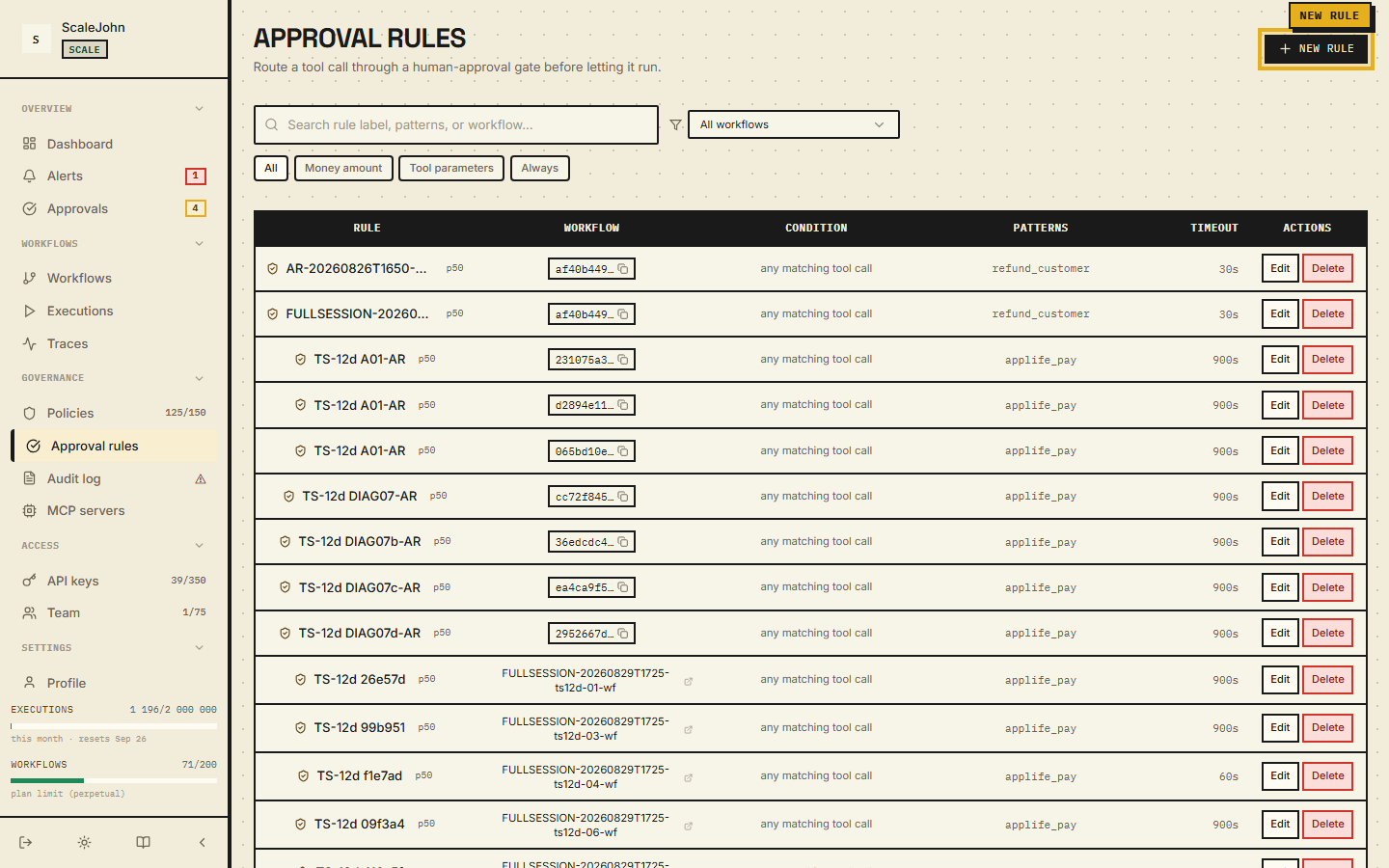
Programmatic approval (for automations)¶
The dashboard is for humans. If you want a CI bot or on-call rotation to approve requests programmatically, the same endpoints are exposed via REST:
curl -X POST "https://api.nullrun.io/api/v1/orgs/$ORG_ID/approvals/$APPROVAL_ID/approve" \
  -H "Authorization: Bearer ***"

# Or deny explicitly
curl -X POST "https://api.nullrun.io/api/v1/orgs/$ORG_ID/approvals/$APPROVAL_ID/deny" \
  -H "Authorization: Bearer ***"
Both endpoints are idempotent — calling approve on an already-approved
request returns 409 approval_already_decided; calling deny twice on
the same request is a no-op. Use these in your incident-response
automation: an approval surfaces in Slack, your bot detects the
risk_level = high, and approves or denies based on your runbook.
When to use approval instead of blocking¶
Approval makes sense when:
- The operation is sensitive but you want the agent to be able to do it under human review (sending customer emails, creating invoices, deploying builds).
- The blast radius is bounded (a single email vs. an entire database drop).
- You have someone on-call who can review within minutes.
Blocking (not approval) makes more sense when:
- The operation is never legitimate (
db.dropin a read-only workflow). - The blast radius is unbounded (admin operations, mass deletes).
- No one is on-call to review approvals in time.
Approval is a feature, not a default. Most teams should default to blocking and switch specific patterns to approval as the need arises.
What's logged¶
Every approval decision is in Governance → Audit log. You can filter by:
- Approver (which user clicked Approve/Deny)
- Workflow
- Tool name
- Time window
- Outcome (approved / denied / expired)
The audit log is the source of truth for "who approved this?" —
both for compliance and for incident review. The action digest is the
immutable anchor that proves the operator approved the exact payload
the SDK sent on /gate (not "any refund" — the exact amount and
arguments).
SDK-side envelope¶
The action_digest is produced by the SDK on every @protect
call. The envelope is the canonical NoImpact payload
(BusinessImpact.no_impact() — {"kind": "none"}); the SDK
canonicalises it (compact JSON, nullrun/v1/business_impact:
prefix) and SHA-256-hashes it. The digest flows onto the wire on
both /gate and /execute, and the backend re-computes the
digest from the live payload to verify the grant.
The NoImpact envelope is the same for every @protect call — the
SDK is policy-blind and ships only tool_name + args + kwargs.
Approval rules reference param_name in the dashboard to read
argument values for typed predicates (money_amount /
tool_parameters). No SDK-side extractor or factory is needed.
A drift between SDK and backend canonicalisation is a P0 security regression covered by the SDK's source-pin tests.
See also¶
- Tool policies —
ToolBlockrules (norequire_approvalaction; that's a separate entity) - Sensitive tools — when blocking is enough
- Workflows → operator controls — Pause / Kill work the same way as approval
- API keys — how to mint a key bound to a workflow
4. Runtime¶
title: Workflows maturity: stable description: Group agent calls into a named workflow, propagate parent_trace_id, and bind cost to a logical unit instead of a single session.
4.1 Workflow context¶
A workflow is one agent you run. In the dashboard it shows up under Workflows in the left sidebar. Each workflow has its own budget and its own list of API keys.
What you see in the dashboard¶
The Workflows page lists every workflow you've created. Each row shows:
- The workflow's name (you picked this when you created it)
- Whether it's Active, Paused, or Killed
- Total spend for the current billing period
- How many API keys are bound to it
- When it last saw traffic
Click a workflow to open its detail page. The detail page has six tabs:
| Tab | What it shows |
|---|---|
| Overview | Name, status (Active / Paused / Killed), current spend vs. the installed budget cap, applied policies, and the Pause / Resume / Kill / Delete controls. This is where you change the budget cap. |
| Policies | The policies scoped to this workflow. Rate limit, budget limit, and tool block entries — same primitives as the org-level Policies page, filtered to this workflow. |
| Executions | Every gate call your agent made — allowed, blocked, rate-limited. The raw list the gate uses to decide what your agent can do. |
| Traces | Hierarchical view of one agent run — each LLM call, each tool call, with timing and cost. |
| API keys | The API keys bound to this workflow. Use Generate API key in the top-right to mint one; the raw key value is shown only once at creation. |
| Coverage | MCP servers and tools observed on this workflow in the last 30 days, with the "discovered but not registered" panel for un-enrolled servers. |
How to create one¶
- In the dashboard sidebar, click Workflows.
- Click New workflow in the top right.
- Give it a name (e.g.
"production-support-bot"). The name shows up everywhere — keep it short. Names are 1–255 characters: letters, digits, space, and_ . , - & ( )are allowed. - Optionally set an External ID — alphanumeric with
-and_, up to 64 characters — for integrations that need to look up the workflow from your own systems (e.g. a GitHub repo name or a customer account id). - Click Create. The budget cap is configured on the Overview tab after creation via a budget-limit policy or the installed budget control — there is no starting budget on the dialog itself.
You'll land on the new workflow's detail page. From there:
- Mint an API key under the API keys tab. The key value
(
nr_live_...) is shown once — copy it into your secret manager immediately. - Point your SDK at it: export
NULLRUN_API_KEYand the workflow binding happens server-side.
How to control one¶
Each workflow has three states that you control from the dashboard or via the API: Active, Paused, and Killed. Both Pause and Kill reach your running SDK over a WebSocket push; the agent doesn't have to wait for the next call to learn. See Control plane for the full contract, the exceptions each state raises, and how the signal travels over the WebSocket.
The workflow's settings¶
Five things you control per workflow:
- Budget — the per-period cap in cents. Set this first. The dashboard shows a horizontal bar of how much you've spent vs. the cap.
- Enforcement mode —
Hard(block on budget exceeded) orSoft(allow over-budget up to an overdraft cap, when there's an active chain). Full configuration in Policies → BudgetLimit extra fields. - Human approvals — turn on to require operator approval for dangerous tools (payments, deletes, external API mutations). Available on Growth+ plans.
- Tool block list — the patterns the agent must not call. See Tool policies.
- Trace retention — how long to keep detailed per-call traces (default 30 days, plan-gated up to 90).
Chain context¶
A chain is a logical grouping across multiple @protect calls
inside one user request, declared via with chain(...). Chains are
auto-registered on the first /gate call: the chain transitions
from null → ACTIVE atomically.
When chains end¶
A chain dies on the first of:
op="end"is reached in the context manager- 5 minutes of
/gateinactivity (idle TTL) max_chain_duration_secondsexceeded (default 3600)
For long streams, send a POST /heartbeat every 30 seconds — see
Heartbeat → how-to.
Why chains exist¶
Chains exist primarily to enable soft-mode budget gating: with
an active chain, the gate allows the agent to run past its budget
up to an overdraft cap (max_overdraft_cents or
max_overdraft_percent, whichever is lower). Full soft-mode
contract in
Policies → BudgetLimit extra fields.
How the workflow ends¶
A workflow doesn't have an explicit "end" state in the sense of a final commit. Instead:
- The workflow stays Active across many agent runs. Each run is
a sequence of
@protectcalls. - A run is logically ended when the agent's loop returns or throws.
- A workflow is paused or killed when you decide, or when plan limits (max workflows per plan) cause auto-pause.
There is no "clean up the workflow when done" step. Active workflows keep their policy, budget, and key bindings. Re-run the agent next week and the same workflow handles it.
See also¶
- Budgets — the budget cap and how rollover works
- Policies — what rules attach to a workflow
- Control plane — how Kill / Pause reach your agent
- API keys — how to mint a key bound to this workflow
Deep dive
A workflow combines a durable record with a runtime state that the control plane can move between Active, Paused and Killed. Transitions are validated rather than free-form: Killed is terminal, and there is no path out of it, so a workflow that has been killed has to be created again to be used again. Every transition an operator triggers writes an audit entry and is pushed to the agents attached to that workflow, so a manual kill is visible both in the audit log and in the dashboard.
Delivery is a WebSocket push to connected agents, and it is authenticated per organisation: frames are signed, an upgrade that tries to carry a credential in the query string is refused, and an envelope belonging to a different organisation is dropped rather than forwarded. An agent that cannot hold a WebSocket open falls back to polling, and that path is bounded by a short server-side cache window, so a workflow observed only by polling reflects the new state at most about a minute late. If both channels are unavailable, the agent learns of the kill on its next gate call, which makes the worst case roughly one LLM call.
A chain is a separate, opt-in construct. It is created on the first gate call inside the context manager and ends on whichever comes first: the context manager closing, a five-minute idle window, or the configured maximum chain duration. The idle window is fixed rather than configurable, so an agent doing long work between calls has to send a heartbeat roughly every thirty seconds or the chain lapses mid-run. Chains exist to give soft-mode budget gating something to reason about — with an active chain the gate can let an agent run past its budget up to an overdraft cap. Nothing else depends on them, and there is no background sweeper: expiry of the idle window is what reaps a chain that was never closed.
A single state change fans out to several consumers — connected agents, alerting, the dashboard, and policy cache invalidation — so a pause takes effect consistently across enforcement and reporting rather than in one of them.
title: Tracing maturity: stable description: OpenTelemetry-style spans for every gate decision, with parent_trace_id propagation so the dashboard renders a true waterfall.
4.2 Tracing¶
A trace is everything that happened during one run of your agent. In the dashboard they live under Executions and Traces in the sidebar. Each execution is one agent run; the trace view shows the nested structure of every LLM call, every tool call, and how long each took.
If a user reports "the agent did something weird at 14:30", the tracing tab is where you go to see exactly what happened.
What you see in the dashboard¶
The Executions page lists every agent run. Each row shows:
- Workflow — which workflow ran this
- Started at — timestamp
- Duration — total run time
- Status — completed / failed / killed
- Cost — total cost for this run
- LLM calls — how many LLM invocations
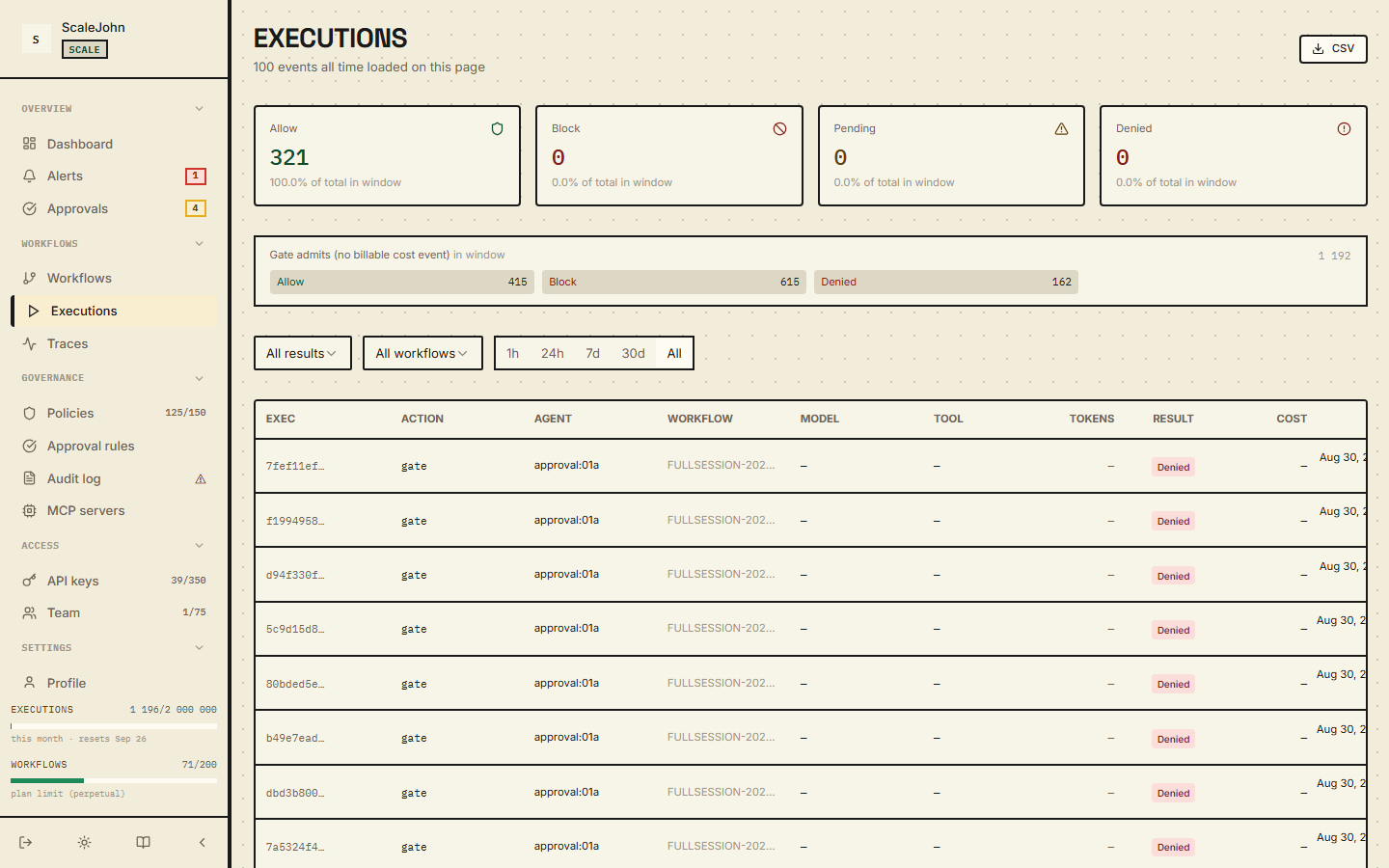
Click an execution to open the Trace view. The trace is a hierarchical tree:
Run "user-123-research"     2m 14s   $0.42
├─ Step 1: plan             0.3s    $0.01
│  └─ llm.call (claude-sonnet-4-5)    0.3s    $0.01
├─ Step 2: research         45s     $0.18
│  ├─ llm.call (claude-sonnet-4-5)    12s     $0.06
│  ├─ tool.call (tavily_search)       8s      —
│  └─ llm.call (claude-sonnet-4-5)    22s     $0.12
├─ Step 3: write             30s     $0.12
│  └─ llm.call (claude-sonnet-4-5)    30s     $0.12
└─ Step 4: review            17s     $0.11
   └─ llm.call (claude-sonnet-4-5)    17s     $0.11
Three things you can read off this tree at a glance:
- Where the time went — the longest step is where to optimise.
- Where the money went — same, but for cost.
- What the agent did — each tool call and LLM call is clickable, showing the full request/response.
How a trace is built¶
When you use the SDK's @protect decorator or with workflow(...)
context manager, the SDK automatically creates spans:
| Action | What gets a span |
|---|---|
@protect decorator |
One span per gate call |
with workflow("name"): |
One span for the whole workflow run |
with chain("id"): |
One span for the chain |
with span("phase"): |
One span for the named phase |
You don't have to add tracing manually — it comes from the
decorators and context managers you already use. The SDK sends
trace metadata alongside every /gate and /track call.
For nested agent orchestrations (a supervisor calling sub-agents), each sub-agent's spans are nested under the supervisor's. The trace view shows the tree; the Cost column rolls up automatically.
What each span contains¶
Click any span in the trace tree to see:
- Span ID — unique identifier (UUID)
- Parent span ID — for nesting
- Started at / Duration — timing
- Status — completed / failed / killed
- Inputs — the prompt metadata sent to the LLM (truncated if huge). Prompt content is NOT stored — NullRun never persists raw prompt text or LLM response bodies. See Audit records → What is NOT stored.
- Outputs — the LLM's response metadata (token counts, model, finish reason). Raw completions are NOT stored.
- Cost — input + output tokens × model rate
- Tool calls — every tool the span invoked (with arguments)
- Decision — the gate verdict (
allow/block/require_approval) and which policy triggered it
For blocked calls, the Decision row is the most useful — it links to the policy that matched and shows the rule.
How long traces are kept¶
Trace retention follows your plan's history_days window:
| Plan | Trace retention |
|---|---|
| Lite | 3 days |
| Starter | 7 days |
| Growth | 30 days |
| Scale | 90 days |
| Enterprise | unlimited |
After the retention window expires, the trace is removed from the dashboard; the aggregated cost information stays (it's summarised per workflow per period).
The retention window is independent of the trace generation caps — Lite also throttles to 10 000 tokens/hour and 75 000 executions/month (see Billing & Plan → Per-tier caps), so a Lite workflow's traces stop accumulating well before the 3-day window applies.
If you need longer retention for compliance, you can export traces from the dashboard as JSON via the Export button on the Executions page. The exported shape matches the wire format.
Span identifiers and correlation¶
Each span has three identifiers:
| Field | Purpose |
|---|---|
trace_id |
The whole agent run — same across every span in one execution |
span_id |
One call — unique per @protect invocation |
parent_trace_id |
For sub-agents — the orchestration trace they belong to |
You can search the dashboard by any of these. If a customer reports
a problem with trace_id = abc-123, you can pull the full trace and
every decision tied to it from the audit log.
How to use tracing during development¶
When you're building a new agent, traces tell you:
- Is the agent slow? — sort by duration, see which LLM call takes the most time.
- Is the agent hitting the budget? — look for spans with
decision = block / NR-B004. - Is the agent calling tools you didn't expect? — the trace shows every tool call with arguments.
When you're debugging a production issue, traces answer:
- What did the agent do at 14:30 yesterday? — filter by time range, click each execution, walk the trace.
- Why did the call to
send_emailfail? — the trace shows the call's status and decision. If it was blocked, the linked policy explains why. - How much did this single run cost? — the top of the trace shows the total; the leaves show the per-call breakdown.
Common questions¶
"My trace shows nothing"¶
If the runtime was never created (the first @protect call never
fired) or the API key is missing, the SDK runs in error mode and no
spans are recorded. Check the SDK logs for
NullRunAuthenticationError.
"My trace is incomplete — only some spans show up"¶
The SDK buffers events and flushes on a timer. If your process
crashes before the flush, the in-flight spans are lost. init()
auto-registers nullrun.shutdown(flush=True) via atexit, so a
clean process exit always reaches the gateway; the explicit call
only matters when you need an early teardown or a
shutdown(flush=False) flush cancel between tests.
"Why are some spans duplicated?"¶
The SDK's auto-instrumentation emits one span per LLM call. If you
also call track_llm manually for the same call, you'll see two
spans. Pick one or the other — the auto-instrumentation is enough for
the standard OpenAI / Anthropic / Gemini / Cohere clients.
See also¶
- Workflow context — how
workflow()scopes spans - Error handling — errors that span blocks
- Reference → SDK API → track_* — manual span creation
Deep dive
Every inbound request is inspected for a W3C traceparent header
in the usual
version-trace_id-span_id-flags shape. Extraction is best-effort:
a missing or malformed header never blocks ingest, it simply
leaves the trace without an external identifier. The
SDK-minted identifier remains the canonical identity of a trace
and of its audit chain in every case, so a client that does not
propagate W3C context is fully supported and still queryable by
the id the SDK reports.
Spans arrive in batches rather than one request at a time. A trace is read as a summary plus a span batch, and a per-trace span cap applies; when a trace exceeds it the response marks the trace as truncated so the dashboard can show that more spans exist. The same cap means a run that emits a very large number of spans displays only the leading part of the tree. Because ingest is buffered, back-pressure during heavy traffic can drop spans rather than slow ingest down, and spans still in flight when a process dies without a clean shutdown are lost.
Span context nests structurally. The context managers emit the
parent span and each protected call emits a child under it, so a
supervisor that calls sub-agents shows one tree rather than
several. Redaction is applied at the read boundary, before
anything is returned: identifier fields needed to reconstruct the
tree pass through intact, while names, metadata and error text are
filtered. Each span carries a single typed decision drawn from
allow, flag, block and chain, and that value is what the
dashboard and the audit log both display.
Retention is per plan and independent of the caps that limit how much traffic a plan may generate — a workflow that is throttled stops producing traces well before its retention window elapses. When a trace does expire, the aggregated cost figures survive, summarised per workflow per period, so spend stays reportable after the detail is gone. Exporting before expiry produces JSON in the same shape as the wire format.
title: Error handling maturity: stable description: The full NullRun exception hierarchy, kill-signal semantics, and the multi-layer fail-CLOSED contract that protects production traffic.
4.3 Error handling¶
Errors in NullRun come in three layers, designed for three audiences: your code, your monitoring, and your end users. The SDK does most of the work — you pick how much of each layer to use.
Quick reference
| Audience | Hook / Class | Catches |
|---|---|---|
| Your code | except NullRunDecision |
Expected policy outcomes (budget, tool block, pause) |
| Your code | except NullRunInfrastructureError |
Transport / 5xx / auth / config failures |
| Your code | except NullRunWorkflowKilledError (or WorkflowKilledInterrupt) |
Operator kill — terminal; caught by except Exception:, handle explicitly if you need to checkpoint before exit |
| Your monitoring | @nullrun.on_error hook |
Every NullRunError, fired before propagation |
| Your end user | with nullrun.guard(): / format_user_message |
Friendly text from the catalog |
Where errors appear in the dashboard¶
Every error the SDK raises lands in Governance → Audit log —
every decision ever recorded, hash-chained and filterable by
workflow, time range, decision type, and tool name. The reason
column shows BUDGET_HARD_BLOCKED, TOOL_BLOCKED,
RATE_LIMIT_EXCEEDED, etc. Useful both for "what just happened?"
and for compliance review / incident forensics.
The audit log is the source of truth for "did the agent call the right thing?". Pair it with Traces for full context.
The three layers¶
| Layer | Who consumes it | What they see | Purpose |
|---|---|---|---|
| 1. Structured exception | Your Python code | Exception type, error code, what to do next | Your code decides: retry, fail, surface to UI |
2. on_error hook |
Sentry / Datadog / logs | Same exception + context (workflow, tool, stage) | Observability: you see every error in your existing dashboards |
3. with nullrun.guard(): / format_user_message |
End user | One friendly sentence from a catalog | The user gets a clean message, not a stack trace |
The SDK ships all three. You decide how much to use.
Layer 1 — the structured exception¶
Every NullRun exception carries four fields your code can branch on:
| Field | What it is | Example |
|---|---|---|
error_code |
Stable machine-readable identifier | NR-B004, NR-R001, NR-T001 |
user_action |
What to do next | Wait 30s, then retry |
retryable |
True if retry-after-backoff makes sense | True for rate limit, False for budget |
docs_url |
URL to the per-code docs page | https://docs.nullrun.io/reference/errors#sdk-exception-hierarchy-python |
The full catalog lives in that reference page; the standard set is:
NR-B004— workflow budget exhaustedNR-B002— gateway 5xxNR-B006— post-approval budget re-check failed on the same envelope as the original/gate. The SDK raisesNullRunBudgetRecheckFailedError. Operator must re-approve or the workflow can no longer run.NR-R001— per-workflow rate limitNR-R002— rate-limit Redis unavailableNR-T001— tool block list hitNR-CH001— chain context invalidNR-W004— workflow soft-deleted or killedNR-A003— API key rejectedNR-A010— approval row exists, statusPENDING— operator has not decided yetNR-A011— operator explicitly denied the approval — terminal, request a fresh grantNR-A012— approval expired (expires_atis in the past)NR-A013— business-impact digest drifted since operator approval — re-approval requiredNR-A014— capability digest drifted (silent capability-gain attack surface) — re-approval requiredNR-A015— grant already consumed by a prior/execute(replay rejected)NR-P001— wire-protocol version mismatchNR-O001— actual cost > reservation + ε (HTTP 422)NR-X001— generic catch-all raised when a policy block matches a code the SDK does not have a dedicated class for. Match onNullRunBlockedExceptionand read.error_codeif you want specific handling.
For the exception classes used to surface these codes, see Reference → Errors → SDK exception hierarchy.
The wire code is still available via the response body or .status_code
when you need it for metrics / dashboards.
You catch a specific exception type and inspect the fields:
from nullrun.breaker.exceptions import RateLimitError

@nullrun.protect
def my_agent(prompt):
    try:
        return call_llm(prompt)
    except RateLimitError as exc:
        # exc.error_code = "NR-R001"
        # exc.retryable = True
        # exc.retry_after = 30  (seconds)
        # exc.upgrade_url = "..."  (link to upgrade plan)
        time.sleep(exc.retry_after)
        return call_llm(prompt)
For most cases you don't need to import specific types — catching
the parent NullRunError and reading error_code is enough.
Layer 2 — the on_error hook¶
For Sentry / Datadog / your log aggregator, register a hook that fires
for every NullRunError before it propagates:
import nullrun
import sentry_sdk

@nullrun.on_error
def _to_sentry(err, ctx):
    sentry_sdk.capture_exception(err, extra={
        "code": err.error_code,
        "retryable": err.retryable,
        "stage": ctx.stage,
        "workflow_id": ctx.workflow_id,
        "tool_name": ctx.tool_name,
    })
The hook fires once per error, in registration order. Hook exceptions are caught and logged at DEBUG — a misbehaving Sentry can't break your agent.
The context object (ctx) carries: stage (init / transport /
track / gate), workflow_id, tool_name, api_key_prefix (first
12 chars of the API key, never the full value), correlation_id
(per-request UUID), timestamp, extra (vendor-specific dict).
Multiple hooks are supported:
@nullrun.on_error
def _to_sentry(err, ctx): ...

@nullrun.on_error
def _to_log(err, ctx):
    log.warning("NullRun error", extra={"code": err.error_code})
The hook fires for every NullRunError subclass — including the
kill signal (WorkflowKilledInterrupt and its typed alias
NullRunWorkflowKilledError). If you want to skip kill inside the
hook, filter on error_code ("NR-W002").
Layer 3 — with nullrun.guard(): and format_user_message¶
For scripts that just want "run the agent and print a friendly
message on failure", use the no-boilerplate helpers. The first
@protect call lazily creates the runtime:
from nullrun import protect

@protect
def my_agent(prompt):
    return call_llm(prompt)


if __name__ == "__main__":
    with nullrun.guard():
        print(my_agent("What does NullRun do?"))
What your terminal looks like on a rate-limit hit. guard() prints
the structured four-line developer report (catalog headline +
[error_code] + what + where + why + how to fix):
$ python my_agent.py
Too many requests. Please wait a moment and try again.
  [NR-R001] what: rate limit (retryable)
           where: endpoint=gate status=429 source=GATEWAY_ERROR
           why: Per-workflow rate limit exceeded; retry after 30s.
           how to fix: Wait 30s, then retry the call.
$ echo $?
1
with nullrun.guard(): catches every NullRunError raised inside
the block, prints the structured report to stderr, and exits with
code 1. The kill signal (WorkflowKilledInterrupt /
NullRunWorkflowKilledError) is the one exception — guard()
re-raises it unchanged so kill always reaches the top of the
agent loop. To handle kill distinctly (for example, checkpoint
state before exit), use the un-guard() form and add your own
except NullRunWorkflowKilledError: arm.
guard() is the recommended form: it gives a clearer scope,
accepts an exit_code argument, and the four-line report is what it
always renders.
guard() is for scripts and one-shots. For
long-running services you want explicit handling — see
Server frameworks below.
Branded wording¶
If you want your own error messages (e.g. "You've used all your
support credits" instead of the default wording), call
set_user_message once at the top of your entry point:
import nullrun

nullrun.set_user_message(
    "NR-B004",
    "You've used all your support credits. Upgrade to keep chatting.",
)
Overrides live in a per-process dict. They don't persist across processes and aren't synced to the gateway — they're presentation sugar on top of the catalog.
Server frameworks¶
For FastAPI / aiohttp / Flask / Django, you don't want guard()
(it exits the process). Instead,
catch the exception in your request handler and return an appropriate
HTTP status:
from nullrun import NullRunError

@app.post("/chat")
async def chat(req: ChatRequest):
    try:
        return await run_agent(req.message)
    except NullRunError as exc:
        # Return the catalog wording as the user-facing message,
        # log the structured fields server-side.
        raise HTTPException(
            status_code=exc.status_code or 503,
            detail={"message": nullrun.format_user_message(exc), "code": exc.error_code}
        )
The mapping from exception to HTTP status is documented in Reference → Errors → Decision subclasses to HTTP.
Audit trail¶
Every decision is recorded in the audit log; you can fetch the full log via the API. The audit log is the source of truth for "did the agent call the right thing?". Pair it with Traces for full context.
What is NOT stored¶
NullRun never persists:
- Prompt content or LLM response payloads. The gate
receives only
model,tool,tools,estimated_tokens, and optionalbusiness_impacttyped payload. - Tool arguments beyond the typed
BusinessImpactextraction. Operators do not write JSONPath rules over tool payloads. - MCP interaction payloads — only the canonical tool name is logged.
- Card numbers, CVC, expiry month/year — Polar is the
merchant of record. Subscriptions carry only
payment_method_brandandpayment_method_last4. - OAuth refresh tokens — the IdP owns session lifetime.
Email addresses and prompts are hashed or redacted at the log and
trace-span boundary so plaintext does not reach the structured log
store. Uppercase KEY=VALUE pairs are rewritten to KEY=[REDACTED]
before bytes reach stdout.
Kill signal¶
The operator kill signal arrives as WorkflowKilledInterrupt or its
typed alias NullRunWorkflowKilledError (recommended). Both inherit
from NullRunError, so a bare except Exception: arm catches the
kill alongside every other SDK error:
try:
    my_agent(prompt)
except Exception:
    log.error("agent failed", exc_info=True)
# WorkflowKilledInterrupt IS caught here.
If you want kill-specific handling — checkpointing state, notifying a supervisor, exiting with a clean reason — catch the typed alias explicitly and re-raise it after handling (the kill contract is "operator's word is final"):
from nullrun import NullRunWorkflowKilledError

try:
    my_agent(prompt)
except NullRunWorkflowKilledError:
    persist_state()
    raise
except NullRunError:
    log.error("agent failed", exc_info=True)
guard() re-raises the kill signal — kill is a control-plane
action, not an SDK failure, and must reach the top of the agent
loop. with nullrun.guard(): catches every other NullRunError
and exits 1, but the kill signal passes straight through. To keep
the process alive on kill (checkpoint, notify a supervisor, then
exit), use bare @protect with your own except NullRunWorkflowKilledError:
arm above.
See also¶
- Reference → Errors — full catalog
- Troubleshooting — common questions and their fixes
- Use with FastAPI — exception handling inside ASGI handlers
- Tracing — how errors map to spans
Deep dive
Error codes come from a single catalog, and the wire string is a stable contract: the SDK branches on the code, so adding a code is a minor change while renaming one breaks clients. HTTP status is assigned per code — money-math answers 402, ownership and security answer 403, a lookup miss is 404, a rate limit is 429, and semantic validation is 422. The response envelope carries the code, a human-readable message, details, and the retry delay in milliseconds. The gate is a pre-flight probe that returns a normal status with the decision in the body, while the execute endpoint returns the same block body with a 4xx status, so a client that branches on status first still sees the block.
Codes group into three families: decisions, which describe an
allow, block, or require_approval outcome; infrastructure,
which reports a dependency being unreachable; and transport,
which reports a malformed request. The error_code field is the
stable machine-readable identifier, and the retryable flag and
retry delay drive the SDK's backoff loop. Approval-flow codes
share the 403 and 404 buckets with other ownership and
authentication failures, so match on the code rather than the
status when you need to tell them apart.
Every gate rejection is fail-closed. Checks short-circuit on the first non-allow decision, so a blocked call never mints a budget envelope, and a storage partition surfaces as a fast rejection rather than a hang. Idempotency is handled on the gate and tracking endpoints: a network retry returns the stored response instead of a fresh reservation. When budget data is unavailable, the API says so rather than reporting a zero spend — a zero would be a false statement about money the agent may already have spent.
The kill signal inherits from NullRunError, so a bare
except Exception: arm catches it, and guard() re-raises it
so kill always reaches the top of the agent loop. The
@nullrun.on_error hook fires for every NullRunError,
including kill; filter on the kill error code if you would
rather not see it in your error tracker.
title: Control plane (real-time control) maturity: stable description: Real-time WebSocket channel for kill, pause, and approval_resolved — the operator's runtime control surface for live agents.
4.4 Control plane (WebSocket)¶
The control plane is the live channel between the dashboard and
your running agent. When you click Pause, Resume, or Kill
in the dashboard, the signal reaches your SDK through the WebSocket
push channel. Without the control plane, the dashboard would only
tell the agent something happened on its next /gate call. With it,
the agent learns in real time.
What the dashboard can do¶
From the workflow detail page (or the top-level Workflows list):
| Action | Effect on the agent |
|---|---|
| Pause | Every call starts raising WorkflowPausedException (a NullRunError subclass). Resume to undo. |
| Resume | Unpause — calls resume normally. |
| Kill | Every call raises WorkflowKilledInterrupt (alias NullRunWorkflowKilledError). The agent loop dies. |
For the agent, the difference between Pause and Kill:
- Pause — recoverable. The agent can catch
WorkflowPausedException, do clean-up, and either retry or wait. - Kill — terminal. The exception inherits from
NullRunErrorand is caught byexcept Exception:like every other SDK error — handle it explicitly if you need to checkpoint state before the process exits.
The agent doesn't have to wait for the next @protect call to learn.
If it's mid-LLM-call when you click Kill, the SDK raises the
exception at the next yield boundary inside the agent's loop.
How the signal reaches your SDK¶
The dashboard pushes signals over a WebSocket connection that the SDK
opens automatically on the first @protect call. The connection is
authenticated with the same API key the SDK uses for /gate and
/track, plus HMAC signature verification.
The SDK keeps the connection alive with background heartbeats. If
the WebSocket disconnects (network blip, firewall, gateway restart),
the SDK falls back to polling GET /api/v1/status/:workflow_id once
per second until the WebSocket comes back. From the agent's
perspective, the control plane still applies — kill/pause still
arrive on the next gate or yield boundary.
The control-plane transport is auto-negotiated by the SDK — WS push
in production traffic with HTTP-polling fallback when the WS
connection drops repeatedly. You don't need to opt in or pass any
flag; the SDK handles both transports internally. For most agents
this is invisible: the first @protect call opens the WS, and the
gateway's Pause / Kill / approval_resolved signals arrive in
real time without any further setup.
What your agent sees¶
The two exceptions your agent code will encounter:
from nullrun import WorkflowKilledInterrupt

@nullrun.protect
def my_agent_step(prompt):
    # ... agent logic ...
    return result

try:
    my_agent_step("do something")
except NullRunWorkflowKilledError:
    # Operator killed the workflow. Re-raise, or checkpoint then re-raise.
    raise
except WorkflowPausedException:
    # Operator paused the workflow. Wait or exit cleanly.
    raise
Both signals inherit from NullRunError. with nullrun.guard():
catches WorkflowPausedException (prints the structured four-line
developer report, exits 1) and re-raises WorkflowKilledInterrupt
— kill is a control-plane action, not an SDK failure, and must reach
the top of the agent loop. To handle kill distinctly — checkpoint
state, notify a supervisor, then exit — wrap the un-guard() call
in your own try/except. See
Error handling → Kill signal
for the recommended handler shape.
For Pause, you have more flexibility. Most production agents catch
WorkflowPausedException, save their state to durable storage,
wait a few seconds, and resume. Some simply exit and let a
supervisor process restart them when the workflow is unpaused.
Approval events¶
The same WebSocket push channel carries the second event type the SDK
needs: approval_resolved. When the gate returns
decision = require_approval on a /gate call, the parked SDK
agent's thread waits on a threading.Event until the operator
clicks Approve or Deny on the dashboard. The approval_resolved WS
push wakes the event; the SDK resumes the agent with the operator's
outcome.
The complete approval flow is documented in
Human approval → Approval resume flow.
If the approval timeout expires, the SDK raises
WorkflowKilledInterrupt. There is no silent approval — operators
must decide explicitly.
What if the SDK is disconnected?¶
If the WebSocket is down and polling is also blocked, the SDK can't
learn about a kill until the next /gate call. In practice this
window is at most one LLM-call duration — typically seconds, never
minutes.
The dashboard records the kill timestamp. When the SDK reconnects, it queries the workflow's state and acts on the most recent kill — even if the kill happened during the disconnection. The agent picks up the kill on the next call, with the original timestamp preserved in the audit log.
Common operations¶
Pause a runaway agent¶
- Open Workflows in the sidebar.
- Find the row whose status is Active but whose spend is suspiciously climbing.
- Click the row, then click Pause.
- The dashboard shows "Pause sent" with the timestamp.
- Within ~1 second, the agent stops calling LLM.
Resume after a pause¶
- Same workflow page.
- Click Resume.
- The agent's next call succeeds.
Kill an agent that won't stop¶
- Workflows → workflow row → Kill.
- The agent receives
WorkflowKilledInterrupt(or its typed aliasNullRunWorkflowKilledError) on the next yield point inside its loop. See Error handling. - The signal inherits from
NullRunError, so a bareexcept Exception:arm catches it. If you want a clean shutdown on kill, catch the typed exception explicitly and re-raise it — the kill contract is "operator's word is final".
Verify the signal arrived¶
After clicking Pause / Kill, the workflow's status flips immediately in the dashboard. If the agent doesn't respond, check the SDK logs — the WebSocket connection state is logged at startup and on every reconnect.
See also¶
- Workflows → how to control one
- Human approval — similar flow for tool approvals
- Troubleshooting — "why did my workflow pause without me doing anything?"
Deep dive
The control plane is a WebSocket connection authenticated with the same credentials the SDK uses for gate and tracking calls. API keys are never accepted in the query string, because query parameters are routinely captured in access logs and referrer headers. The connection subscribes to the organization's event channel, and every frame is signed per organization. A frame older than the maximum accepted age is rejected, so a receiver whose clock drifts by more than that window will drop otherwise-valid signals. Frames sent before the handshake completes, along with keepalive replies, are unsigned by design.
Each frame carries a sequence number, which lets a reconnecting SDK notice that it missed events and ask for a full resync. State-change frames for pause and kill also carry a message identifier the SDK can acknowledge, so a lost kill frame is not silently lost. Every envelope is checked against the connecting organization before it is converted for the wire; an envelope naming a different organization is dropped rather than delivered.
State transitions are validated at the source, and the killed state is terminal — no transition leads out of it, and a killed workflow cannot be reactivated. Kill and pause follow the same route: the transition is recorded, the state change is published, the push channel carries it, and the SDK raises the matching exception at its next yield point. The polling fallback re-reports the current state on every call, so a reconnecting SDK picks up a kill that happened while it was disconnected, with the original timestamp preserved in the audit log.
Push delivery is the fast path, in the sub-100ms range, while
the fallback polls once per second. A workflow observed only by
polling can reflect a new state as much as a minute late,
because the poll reads through a cached workflow-activity
value. If both transports are blocked, the SDK learns of a kill
on the next gate call, so the worst case is one LLM-call
duration. Approval resolution rides the same channel and is
requested by the SDK when an agent parks on require_approval;
fan-out of that event to other replicas is best-effort, and a
publish that does not land is recovered by the next
reconciliation pass.
4.5 MCP servers (Action sources)¶
The MCP servers page in the dashboard is the operator's view of the Model Context Protocol servers your agents actually call. Each row in the page is one action source — the gateway's canonical name for "one MCP server (or built-in provider) that the SDK has talked to". The page lives under Governance → Action Sources in the sidebar.
This page covers:
- What an Action Source is and where it comes from.
- How the dashboard splits verification (operator-registered, probe-driven) from observation (SDK-driven, last 30 days).
- What drift means, the four states that qualify, and the one state that looks like drift but isn't.
- How to enroll a discovered source and how to write an approval rule straight from a catalog action.
For the canonical tool-name format (mcp://server/tool) used in
policies and approvals, see Tool policies. For
how tool patterns and approval rules differ, see
Human approval.
What an Action Source is¶
An Action Source is one entry in the unified table the dashboard renders for "every MCP-style server we know about". A row appears either because:
- You registered it with a probe URL (
Add action source), and the scheduler polled it and got a tool catalog back. - The SDK called it in the last 30 days. The observation
helper fires on every
/checkcall and adds the source automatically.
A row from the first path has a verification block; a row from
the second path has only an observation block and sits in the
"Discovered but not registered" panel below the main list with an
explicit Enroll CTA.
Page layout¶
The page header reads Action sources and shows the count of distinct sources in the observation window:
- N action sources in the last 30 days, or
- No MCP action sources yet when the org is brand new.
The right-side action button is Add action source — clicking it opens a dialog where you paste the MCP probe URL and (optionally) a label. The scheduler polls new sources every 60 seconds until the first successful probe lands.
Metric strip¶
Four cards above the list give the operator a glance at the state of the org's tool surface:
| Card | What it counts |
|---|---|
| Action sources | Total registered or observed in the window. |
| Verified | Sources whose last probe returned a catalog matching observation. Sub-label shows N unverified — verify now (a deep link to ?filter=unverified) or all sources verified. |
| Tool calls | Total SDK-driven calls across every source in the last 30 days. |
| Drift | Real drift only — see below. Sub-label distinguishes N verification pending — not drift from Tools match the upstream catalog. |
While the page is loading, every card shows — rather than 0 —
the dashboard never confuses "I don't know yet" with "the answer is
zero".
Filter bar¶
Two controls above the list:
- Search source or action — substring match against the source URL or any catalog action name.
- Status chips —
All/Unverified/Stale/Drift. Deep links via?filter=<id>so e.g. the dashboard's "verify now" affordance drops the operator on the right view.
What each row contains¶
Each row is a hairline-divided tile with three blocks side by side or stacked:
Verification block¶
The left block answers "did the probe succeed?":
- Verified — the last probe returned a catalog and it matches
observation. Sub-line shows
Last verified <timestamp> ·
  re-polls every <interval>
. - Stale — the last probe succeeded but is older than the re-poll interval. The next scheduled probe will refresh.
- Failed — the last probe errored. The first 200 chars of the
error body are shown inline (errors are usually JSON Schema
validation payloads, multi-line HTML, or stack traces); a
Show full bodytoggle reveals the rest. - Never polled — source was just added; first poll is pending.
- No probe URL registered — the source exists only because
the SDK called it. An inline Enroll CTA opens the same
dialog used by
Add action source.
Observation block¶
The middle block answers "did the SDK actually use this?":
- N distinct actions called plus M total calls in the last 30 days when the SDK is active.
- "The SDK hasn't called any action from this source yet" when the source is registered but unused.
Catalog drilldown¶
A <details> toggle below the row, labelled Actions known (N),
expands the catalog. Every row in the catalog shows:
- The action name (
mcp://server/tool). - An Origin badge:
Probe(came from a successful probe),Observed(came from an SDK call), orProbe + observed(both). - A Create approval rule deep link to
/control-center/policies/approval-rules?prefill_source=…&prefill_action=…so the operator can write a typed-predicate rule for one specific action without typing the path.
Drift — and what isn't drift¶
The Drift card counts real drift only. There are three states that qualify as drift:
unannouncedmismatch — the SDK called actions the last probe never listed. Either the upstream catalog moved or someone added tools without re-probing. Write approval rules for any destructive verb before they are used.disappearedmismatch with prior SDK activity — the probe succeeded at least once AND the SDK has called this source before, but the calls have stopped in the last 30 days. Usually means an upstream server upgrade. Review to confirm it isn't the agent silently failing over to a different server.schema_drift === true— an action's input schema (keys and types of its argument bag) changed within the window. Pin the new schema before allowing the action.
A disappeared source with no prior SDK activity is NOT
drift — it is verification-pending. The probe never landed and
the SDK never called anything, so we have no baseline to compare
against. The Drift card surfaces these as N verification pending
— not drift; the Unverified filter is the right view to work
through them.
A row that meets any of the three drift criteria renders a red-bordered Drift callout above the catalog drilldown, with a per-cause title and one-sentence body explaining what changed and what to do.
Discovered but not registered¶
Below the main list, sources the SDK called but you have not enrolled show up in a separate panel with the heading Discovered but not registered. Each row has an Enroll button that opens the add-source dialog pre-filled with the URL the SDK last used. Enrolling moves the source into the main list and starts the probe scheduler on it.
Where to read next¶
- Tool policies — the
mcp://server/toolcanonical-name format and theToolBlockmatching rules. - Human approval — how to write a typed approval rule for one action (the deep link in the catalog drilldown lands here).
- Sensitive tools — recommended starter patterns for destructive actions.
Deep dive
Each row on the page is one action source with two independent halves: a verification half for a source the operator registered with a probe URL, and an observation half for what the SDK has actually called in the last 30 days. The two halves are always evaluated separately, so a source can be verified and unused, or observed and never successfully probed.
Probing is a synchronous JSON-RPC exchange over the MCP
Streamable HTTP transport: an initialize request followed by a
tool listing, with a 10-second wall-clock budget. A sweep runs
every 60 seconds and re-probes any source whose own interval has
elapsed. The interval stored per source governs that source's
cadence; the sweep interval governs only how often sources are
considered. Only http:// and https:// probe URLs are
accepted. When upstream is slow the probe gives up rather than
blocking, so a slow server surfaces as a probe timeout instead
of a stalled request. Observation recording is fire-and-forget
and adds no latency to a gate call.
Drift is computed from hashes. The schema hash covers the shape of an action's argument bag — keys sorted, with type tags but not values — so an argument typed as an integer and the same argument typed as a string are different schemas, while two argument bags that differ only in key order collapse to the same digest. The description hash is a literal hash of the text, so whitespace matters and a trailing space counts as drift. That asymmetry is deliberate: a value that flips while the shape holds is not a contract change, but a key that appears or disappears is.
The 30-day observation window is fixed, and the drift check reads every source belonging to the organization rather than one page of them, so a large tenant pays proportionally more sweep work while its own footprint stays bounded.
5. Organization¶
5.1 Approvals (UI surface)¶
The Approvals page is where a human reviews and decides every
require_approval decision the gate returns. It lives at
/control-center/approvals (sidebar badge counts pending requests)
and is gated by the approvals plan feature — Growth and above.
This page covers the UI surface — terminal-feed rows, the friction-level approve flow, the click-to-Dialog detail panel, and the history tab. The wire contract (action_digest, typed predicates, plan-tier gating) lives in Human approval. Programmatic decision-making (REST endpoints, idempotency, retry semantics) is at the bottom of this page; the API reference is in HTTP API → approvals.
Page layout — terminal feed¶
The pending queue renders as a terminal feed: hairline-divided rows in the spirit of the audit log + terminal-window vocabulary, not bordered cards. Each row reads as a continuous log line; the operator's eye locks onto the icon-prefix marker before parsing the rest of the row.
Status prefix markers¶
The first character of every row is a marker that encodes status and tone:
| Marker | Tone | Status |
|---|---|---|
● |
state-block | pending |
✓ |
state-allow | approved (history tab) |
✗ |
state-flag | denied (history tab) |
⌧ |
fg-muted | expired / consumed (history tab) |
Row anatomy¶
From left to right:
- Prefix marker + workflow name + actor label ("requested by X").
- Hero amount — for money-kind approvals, the spend line is on the row with the ▲ N× above $X limit relationship encoder so the operator sees both the value and why it's over the limit in one glance. Tabular-nums at 28px semibold.
- Why this needs approval — the rule label, deep-linkable to the rule's config page.
- Inline live countdown — a colour-shifting bar + pipe +
tabular
mm:sslabel that shrinks as the review window runs out. Colour flips green → amber → coral at 40% / 15% of the remaining window. - Action button(s) — see below.
For tool-call approvals (money kind = tool_call), the hero
amount is replaced by the operator-approved tool name + the raw
parameter bag, so the operator sees exactly what the SDK is about
to run. The action_digest is the tamper-evident binding, not a
display artefact — the dashboard shows the bag verbatim, never
reconstructed from the digest.
When the SDK forwarded tool_class="mcp" annotations, the row
also renders a class badge (MCP tool / builtin / custom /
unknown) plus a chip row for destructive, read-only,
open-world (each chip shows yes / no / unknown).
Friction-level approve flow¶
The action button label encodes the friction level — operators never fire an action without seeing the value they are approving:
- Low risk → single-click
[ approve ]. - Medium risk →
[ approve ]→[ type 499.00 to confirm ]. - High risk →
[ approve ]→[ type 1,000.00 ]→[ type refund_customer to confirm ].
The amount being approved is surfaced inside the button label itself, not only in the confirmation step. The deny path is a single click on every risk level — see the human-approval page for why deny is unconditional.
Click-to-Dialog¶
Clicking anywhere on a row (outside the action button) opens a Dialog with the full detail panel:
- Hero summary (amount / tool name + parameter bag).
- Why this needs approval — the matched rule's human-readable
predicate (
amount ≥ $50 USD,ANY(amount ≥ 5000, region IN [EU,US])). - Technical details accordion — open by default. Rows:
Action fingerprint, Execution ID, Rule + rule label, Tool
patterns, Per-call threshold, Rule priority (lower = higher),
Review window, Trust level chip (
typed impact/LLM-cost only), Rule created, and the rendered Action predicate.
The Dialog intentionally has no Approve / Deny controls — the friction-level flow lives on the row, and the Dialog is for review, not decision.
History tab¶
The history view is the same page at ?tab=history — a tab strip
in the page header switches between Pending (default) and
History.
History rows are filtered to the last 30 days by default and
support the same search / status filters as the pending feed.
Resolved rows are grouped by outcome (approved, denied,
expired, consumed) with the same prefix-marker vocabulary
(✓ / ✗ / ⌧) so an operator can scan a week of decisions in one
glance.
Bulk toolbar¶
A hairline-divided toolbar above the feed exposes Approve all and Deny all when more than one row is selected. Both bulk actions require the same friction-level confirmations as the single-row flow.
Page chrome¶
- Plan gate — the page itself renders a
TierGateupgrade prompt for plans without theapprovalsfeature. The sidebar link is also hidden for those plans. - SSE live update — every new approval request lands in the feed within a few seconds without refresh; the badge count in the sidebar updates in lockstep.
- Audit trail — every approve / deny decision is recorded in
the audit log (
Audit logunder Governance) with the decided_by UUID, decided_at timestamp, and the operator label (orSystemfor server-side expiry).
Programmatic approval¶
For CI bots and on-call rotations, the same endpoints are exposed via REST and the page chrome has no opinion:
curl -X POST "https://api.nullrun.io/api/v1/orgs/$ORG_ID/approvals/$APPROVAL_ID/approve" \
  -H "Authorization: Bearer ***"

# Or deny explicitly
curl -X POST "https://api.nullrun.io/api/v1/orgs/$ORG_ID/approvals/$APPROVAL_ID/deny" \
  -H "Authorization: Bearer ***"
The full endpoint catalog — idempotency rules (409
approval_already_decided), the post-approval /execute
binding, and digest-mismatch drift cases — is in
HTTP API → approvals.
Where to read next¶
- Human approval — wire contract, action digest, typed predicates, plan-tier gating.
- HTTP API → approvals — REST endpoints for programmatic decision-making.
- Audit log — every decision
lands in the hash-chained audit log; the operator +
decided_byUUID +decided_atare searchable.
Deep dive
The approval flow is two-phase. The gate returns
require_approval, the operator decides, and the waiting SDK is
resumed by a push once the decision lands. Each approval row is
bound to a digest of the action payload it was raised for, and the
post-approval execute re-check recomputes that digest and refuses
any call that does not match. An approved grant therefore cannot be
redirected at a different action before it is spent.
A decision is applied atomically: the outcome and the consumption stamp move together, so no reader can observe a half-decided row. Approving releases the pending reservation and decrements the outstanding-approval count as part of the same operation. Rows are scoped to the organization when they are read, so an identifier belonging to another organization reads as absent rather than forbidden, and the response gives away nothing about whether it exists.
Expiry runs on a sweep rather than on the reader clock. Pending rows past their window become expired and are attributed to the system; approved rows that are no longer usable are closed separately, and closing them preserves the original decider and timestamp so a later automated transition cannot overwrite an explicit human decision.
The push to the waiting SDK is best-effort, and a missed push is
recovered by a periodic reconciliation pass. Audit emission is
also best-effort: a transient failure there never blocks the
decision itself. The stored decision is a typed value rather than
free text, and the friction level the operator had to clear is
recorded alongside it. Denial is terminal, and the SDK raises
WorkflowKilledInterrupt. The auto-consume path reports consumed,
already-consumed, and not-approved distinctly, and the SDK treats
all three as success.
5.2 Notifications¶
The Notifications page is the configure surface for every
outbound signal NullRun sends. It lives at
/control-center/notifications in the sidebar and is gated by the
Starter plan and above.
The page has three sections in this order:
- Channels — where signals can land (Slack / Email / Webhook).
- Alert rules — threshold rules that fire when a value crosses.
- Event subscriptions — which events reach which channels.
It is the configure surface for Alerts (the read surface); channels created here appear in the Alert rules editor, and alerts dismissed on the Alerts page keep their wire-side notification enabled.
Channels¶
The top section is a 2-up grid of channel cards. Each card carries:
- Icon tile + Channel name.
- Masked URL in mono for webhook channels; Slack channels show the channel name. See the Email variant note below.
- Status dot — neutral for idle, faint for
last_sent(so the operator can see at a glance whether the channel has fired recently). - Edit link + Send test icon-btn + On / off switch row.
Adding a channel¶
Click + Add channel in the section header. The dialog supports:
- Slack — OAuth-branded setup with Slack-specific help text.
Pre-pivot rows that store
installation_id/channel_idin config are preserved on edit so the existing connection doesn't break. - Webhook — generic HTTPS POST. The signing secret is
optional; if set, the receiver verifies
X-NullRun-Signature(HMAC-SHA256, 5-minute clock-skew tolerance, 10-minute nonce replay defence).
Both Slack and generic webhook store on the backend as
channel_type: "webhook" with config: { type: "webhook", url: ... }
— Slack incoming webhooks accept POST JSON out of the box, so no
Block Kit transform is needed for MVP.
Email variant
The Email channel type is not available in the dialog. The channel list may contain read-only rows from prior installs; new channels use Slack or Webhook.
Send test¶
The Send test button on each card posts a synthetic payload to the channel; the toast reports success or surfaces the backend's error message. Use this after creating or editing a channel to confirm your URL / OAuth installation actually delivers before relying on it for production signals.
Alert rules¶
The middle section is a list of threshold rules. Each rule renders as a card with:
- Left-border accent by severity — info / warning / critical.
- Inline gauge bar showing
last_observed_value / threshold_centslive from the wire. - Last-fired timestamp + enabled toggle + delete link on the right.
Rule editing is a form inside an AlertRulesSection dialog. The
form shape mirrors the wire contract — name, severity, threshold in
cents, and which channels the rule routes to.
Event subscriptions matrix¶
The bottom section is the matrix that decides which event reaches which channel. Events are grouped by area:
- Workflow activity —
workflow.killed,workflow.paused,workflow.resumed,workflow.created. - Governance & access —
approval.created,approval.decided,policy.changed,key.created,key.revoked. - Team —
member.invited,member.joined,member.removed. - Digest — weekly spend digest, monthly quota report.
Each event is a row; each channel is a column. A cell shows a chip-dot when the event is enabled for that channel; no chip means the event is disabled for that channel. The right edge of each row has a master on/off toggle that flips every channel at once.
A footer legend explains the chip-dot semantics (● = enabled, no
chip = disabled).
Plan gating¶
The Notifications page itself renders a TierGate upgrade prompt
for plans without Starter; the sidebar link is also hidden. The
upgrade card links to Billing & Plan (/control-center/billing)
and to the public pricing page (which hosts the comparison table)
so operators can inspect feature deltas before committing.
The plan-tier gate is enforced server-side on every
/api/alert_channels and /api/alert_rules handler — a Lite user
cannot POST to the API directly even if the page itself doesn't
render.
API hooks¶
For automations, the same actions are exposed via REST:
GET /api/alert_channels/POST/PATCH /{id}/DELETE /{id}.POST /api/alert_channels/{id}/test— fire a synthetic payload.GET /api/alert_rules/POST/PATCH /{id}/DELETE /{id}.
The full endpoint catalog is in HTTP API → alert channels (and the alert-rules section, when split out).
Where to read next¶
- Alerts — the read surface for what fired.
- Audit log — every channel and rule mutation is recorded as an audit row.
Deep dive
Two channel types carry signals: Slack, and a generic webhook that posts JSON to any HTTPS receiver. Both receive the same body, so a Slack channel needs no transformation. A channel marked test-only is partitioned away before delivery, so synthetic test payloads never reach a production destination.
A webhook channel with a signing secret gets three headers:
X-NullRun-Signature, X-NullRun-Timestamp, and
X-NullRun-Nonce. The signature is an HMAC-SHA256 over the
timestamp, the nonce, and the body joined in that order, and it
is compared in constant time. A receiver should reject a
timestamp that differs from its own clock by more than five
minutes, and should remember a nonce for ten minutes. The
nonce ledger expires on the same horizon as the accepted
timestamp window, so it can never outlive a timestamp it exists
to defend.
Delivery is throttled per organization and per detector, at one alert per fifteen minutes per bucket, which means a burst of different alerts sharing a detector collapses into one. Each organization can also opt out of individual event classes; the default is on, and a failure to read that setting is treated as opt-out rather than as a reason to amplify delivery during a dependency blip. A dispatch failure never blocks the producer that raised the alert, and a fan-out that does not land is picked up by a later pass.
Every alert is recorded for the Alerts page before delivery is attempted and before the channel list is consulted, so an organization with no channels configured still sees the full history of what fired.
5.3 Alerts¶
The Alerts page surfaces every operational signal the gateway
fires that the operator should look at — blocked incidents,
threshold breaches, system events. It lives at
/control-center/alerts and is gated by the alerts plan feature
(Starter and above). On Lite plans the sidebar link is hidden and
direct URLs render an upgrade prompt.
The page reads from the same alerts feed that drives the
sidebar bell badge (count next to Alerts), so dismissing or
snoozing on the page brings the badge in line immediately.
Page header¶
The header reads Alerts with a running subtitle that breaks down the live state:
12 active · 5 resolved · 3 critical · 6 warning · 2 info
Zero-count tiers collapse out of the subtitle so a clean org
shows just 0 active · 0 resolved with no visual noise. The
counts cover every severity tier, so the info tier is
counted alongside critical and warning — all three severities
surface to operators.
The header action is Dismiss all (N) when at least one active alert exists; clicking it opens a confirmation Dialog ("Dismiss N active alerts? This action cannot be undone.") with Cancel and the destructive confirm button.
Metric strip — not a row of four cards¶
The four tiles above the filter chips are:
| Tile | Sub-line example |
|---|---|
| Action sources | Add one to begin / registered or observed |
| Verified | 3 unverified — verify now (deep link to ?filter=unverified) / all sources verified |
| Tool calls | Last 30 days across all sources |
| Drift | Tools match the upstream catalog / 4 verification pending — not drift |
If the list is still loading, every tile shows — rather than
0, so the operator never confuses "I don't know yet" with "the
answer is zero".
Filter chips — two orthogonal dimensions¶
Two filter dimensions run side by side above the list:
- Severity —
All/Critical/Warning/Info. - Category —
All/Prevented/System.
Severity is applied client-side (small enum, response shape
unchanged); Category is also pushed to the server via
useAlerts({ category }) so the wire doesn't even ship the
filtered-out rows. The combination of the two narrows the list
independently — Critical + Prevented is the typical "what
incidents did the breaker actually stop today" view.
Alert row anatomy¶
Each row is an AlertCard rendered as a hairline-divided block.
The components from top to bottom:
- Severity left-border — critical/warning/info accent.
- Icon-avatar — incident type (Wallet for budget_block, ShieldAlert for tool_block, Gauge for spend thresholds).
- Title + body — structured for
budget_blockrows: "Projected vs budget" stats + a horizontal threshold bar (current spend over threshold_cents, live from the wire). - Timestamp + workflow name — when the alert is workflow- scoped; system alerts omit the workflow chip.
- Snooze dropdown —
1h/4h/24h/3d/7d. The snoozed row is hidden from the active list until the snooze expires; a "Snoozed until …" footer line plus a live countdown appears on the row while the snooze is active. - Dismiss — single click, the row collapses into the Resolved section.
Resolved section¶
Beneath the active list, a Resolved today section shows
dismissed alerts from the current calendar day. Each row renders
the same AlertCard with a resolved flag — icon, title, body,
but no Snooze / Dismiss actions. The resolved section is
collapsed automatically when there are no resolved alerts.
How to wire up alerts¶
The Set up alerts button in the top-right of the header takes
the operator to Notifications (/control-center/notifications)
where they can:
- Add Slack, Email, or Webhook channels.
- Configure threshold rules (e.g. "spend reaches 80% of cap").
- Subscribe the org's events to the enabled channels.
The Alerts page is the read surface; Notifications is the configure surface. They share the same wire, so a channel that fires lands both in the page and in the channel that the operator subscribed to.
API hooks¶
For automations, the same actions are exposed via REST and are mirrored in the audit log:
POST /api/orgs/alerts/{id}/snooze—{ hours: number }body.POST /api/orgs/alerts/dismiss-all— dismiss every active alert for the org in one call. Use sparingly; the gateway still writes one audit row per dismissal.
The plan-tier gate (alerts feature) is enforced server-side on
every handler — a Lite user cannot dismiss alerts by hitting the
API directly even if the page itself doesn't render.
Where to read next¶
- Notifications — how to add channels and subscribe events.
- Audit log — every dismiss / snooze is recorded as an audit row.
Deep dive
Severity and category answer different questions, and the two dimensions are orthogonal. Severity is urgency: three tiers exist, critical, warning, and info, with nothing in between, so the colour ladder is the only in-band signal available. Category is ownership: a prevented incident can be critical, and a system event can be purely informational. Spend-threshold alerts follow a fixed ladder where 80% and 95% of the cap are warnings and 100% is critical; key revocation is a warning. System-scope alerts are never bound to a workflow, and that invariant is enforced before the record is written rather than checked at read time.
The header counts and the listed rows are produced by the same query under the same category filter, so a count can never disagree with what is on screen. An alert counts as active when it is not dismissed and either carries no snooze or its snooze has expired; that one predicate drives both the list and every per-severity count. A category filter value that is not recognised is rejected with a 400 that names the supported set instead of being ignored.
Dismissal is idempotent: dismissing an already-dismissed alert changes nothing, and every dismissal writes exactly one audit row. Dismiss-all is organization-wide, and there is no per-workflow bulk path, so an operator cleaning up a single workflow dismisses row by row. A burst of system events of the same kind collapses rather than flooding the feed, so rapid repeated emissions are dropped at the channel layer. The per-row snooze actor is not surfaced on the alerts view; who snoozed and when is recorded in the audit log.
5.4 Team¶
The Team page is the org-membership surface. It lists every
member and every pending invite, surfaces the per-role capability
matrix, and lets owners + admins invite or remove people. It lives
at /control-center/team in the sidebar under Access and is
gated by the team plan feature (Growth and above).
Roles and what each can do¶
There are four roles, ranked from most to least permissive:
| Role | Capabilities |
|---|---|
| Owner | Everything an admin can do, plus transfer org ownership, delete the org, manage billing. There is always at least one owner; the last owner cannot be demoted. |
| Admin | Invite / remove members, change roles for non-owner members, edit all policies, manage API keys, configure notifications. Cannot delete the org or change billing. |
| Operator | Use the dashboard read/write — view workflows, executions, traces, audit log; approve / deny pending requests; create / edit policies and API keys. Cannot change team membership or billing. |
| Viewer | Read-only — view workflows, executions, audit log, MCP servers, but cannot mutate anything (including approve / deny). |
The full capability matrix is also rendered as a section inside the page (so an admin can confirm what they're granting before sending an invite).
Members table¶
The members table is sortable by role (asc / desc) and shows:
- Avatar (initials in colour tile, or OAuth avatar for GitHub / Google users).
- Name + email (masked via
maskEmailfor non-self rows to prevent screen-shoulder disclosure). - Role (select dropdown for owner / admin; non-owners show a select for the other three roles).
- Joined at (RFC-3339 timestamp; older rows predating the
migration render
—). - Remove button (with confirmation dialog; the last owner cannot be removed).
Owners and the current user are pinned near the top of the list regardless of sort order, so an admin never accidentally scrolls past themselves.
Invites¶
Above the members table is the Invite panel with an email field + role selector. The dialog rejects:
- Self-invites —
You cannot invite yourself. - Existing members —
This person is already a member. - Duplicate pending invites —
Invite already sent to this
  email
.
Only owners and admins see the invite panel; operators and viewers see a read-only members list.
After sending, the invite appears in a separate Pending invites section below the members table. Each pending row shows:
- Email + role + Token (copyable deep link).
- Last send status —
pending/sent/failed(with SMTP error text onfailed). - Last successful delivery timestamp.
- Resend and Revoke buttons.
The invite link is <APP_URL>/invite?token=<token>; the deep
link is stable until the invite is revoked or accepted.
Seat quota¶
The page header shows N / <plan-cap> seats used. The seat count
includes both active members and pending invites, so an admin
sees the quota cost of every outstanding invite in real time.
When the org hits the seat cap, the invite panel disables the
send button and surfaces an upgrade prompt — Team seat limit
reached — N of N seats used — that links to Billing & Plan
(?tab=plan).
Plan gating¶
The Team page itself renders a TierGate upgrade prompt for
plans without the team feature; the sidebar link is also hidden.
Lite users cannot view the page, and the backend rejects every
member / invite mutation with 403 seat_feature_disabled.
Audit trail¶
Every invite send, resend, revoke, role change, and removal is
recorded in the audit log with the actor's decided_by UUID.
Admins can search the audit log by action = team.* to reconstruct
who did what to whom.
Where to read next¶
- Organization — for changing the org name, contact email, and DPA acceptance.
- Billing & Plan — the Plan tab is where seat upgrades are purchased.
- Audit log — every team mutation leaves a row.
Deep dive
Roles are ranked rather than a flat set: viewer sits below operator, operator below admin, admin below owner, and a capability check compares tiers instead of matching names. Operator is a tier in its own right — allowed to approve, not allowed to change membership — and where a role crosses into organization storage it is recorded as an ordinary member rather than passed along as a tier comparison.
Owner authority is granted when the organization is created and does not depend on the plan, so a downgrade leaves the owner in place. Admin authority does depend on the plan. If the plan cannot be resolved the check refuses with a retry hint rather than returning a permissive answer, and a member row claiming admin on a plan that does not carry the capability grants nothing.
Seats count active members and pending invites together, so an outstanding invite shows its cost before it is accepted. An invite that would cross the cap is refused with a distinct error that the page renders as an upgrade prompt. Self-invites, duplicate pending invites, and invitations to existing members are each rejected outright rather than folded into an existing row. The last owner cannot be demoted or removed, and removing anyone ends their sessions for that organization so a live session cannot outlive the membership.
A membership belongs to exactly one organization, and an invite token binds its recipient to that organization only. Seat limits are carried by the plan, and an active trial is measured against the trial's own cap; a trial past its term resolves to the standard cap.
5.5 Billing & Plan¶
The Billing & Plan page combines subscription / payment /
invoice history with quota / plan-comparison / feature-gate
information under one URL. It lives at
/control-center/billing in the sidebar.
The two questions a plan change raises — "can I afford the next tier" and "how do I pay for it" — share one fetch and one loading state, so the operator never waits on two round-trips to answer them.
The active tab is encoded in the URL via ?tab=billing|plan so the
view is shareable + reload-safe. ?tab=plan is the common inbound
from upgrade prompts (the at-risk banner, the TierGate, and the
/control-center/plan URL, which redirects here). Anything
else — and the default — is the Billing tab.
The Billing tab¶
Default landing. The header reads Billing with the subtitle "Subscription, payment method and invoice history."
The hero card surfaces:
- Plan name + price (e.g.
Starter · $29/mo · Renews Sep 30). - Status pill —
Active/Past due/Cancelled/Expired(4-state machine;Trialingis not a state — paid plans go straight toActiveafter Polar checkout; Lite is free forever with no trial). - Manage subscription button (see the customer-portal note below).
- Update payment method button.
Below the hero:
- Current period end — RFC-3339 timestamp.
- Payment method —
Brand · last4(Visa, Mastercard, Amex). Full PAN and CVC are never persisted; Polar is the merchant of record. - Invoice history — table of
Date / Invoice number / Amount /
  Status / Download
. Each PDF download wraps the blob inURL.createObjectURLand opens it;window.opencan't attach the bearer token.
Customer portal
NullRun does not operate a self-service customer portal. Both
Manage subscription and Update payment method controls
render a mailto:support@nullrun.io deep-link with a pre-filled
subject + body. Auto-checkout on first mount (when
pending_checkout_plan is set in sessionStorage) is preserved.
Lite orgs¶
Lite is the free tier — there is no active billing_subscriptions
row (a row in Cancelled or Expired status is also treated as
Lite: no Polar anchor, no live payment method). The hero reads
$0/mo · Free tier and the payment-method / invoices sections
collapse.
The Plan tab¶
Default landing when ?tab=plan is set. The header reads Plan
with the subtitle "Quota usage, plan comparison and feature
availability."
The tab surfaces:
- Quota usage cards — every plan cap (workflows, policies,
api_keys, seats, executions, tokens/hour, requests/second,
approval rules) with
used / limitand a percentage. The executions card surfacesexecutions_period_kindso the operator knows whether the reset is the Lite rolling 1-month window anchored atorganizations.created_at(Lite) or the Polar billing-cycle anchor (paid plans).calendar_monthonly appears as a Postgres-failure fallback when the org-row lookup fails. - At-risk banner — when
quota.at_riskis true, the page renders a callout with the projected hit date (projected_hit_in_days) and a CTA to upgrade. - Plan comparison table — every public plan catalog row, with the per-tier feature column (Approval rules, Audit log, MCP servers, Notifications, …). The current plan row is highlighted and disabled.
- Per-tier feature-gate panel — a tighter view of which features are on/off at the current plan, with upgrade CTAs.
Per-tier caps¶
Canonical cap values per plan (from the plans table — single
source of truth, surfaced via GET /api/v1/plans):
| Cap | Lite | Starter | Growth | Scale | Enterprise |
|---|---|---|---|---|---|
| Workflows | 3 | 8 | 50 | 200 | unlimited |
| API keys | 10 | 15 | 100 | 350 | unlimited |
| Seats | 1 | 3 | 10 | 75 | unlimited |
| Policies | 3 | 10 | 25 | 150 | unlimited |
| Approval rules | 0 | 0 | 20 | unlimited | unlimited |
| Tokens / hour | 10 000 | 25 000 | 300 000 | unlimited | unlimited |
| Executions / month | 75 000 | 100 000 | 750 000 | 2 000 000 | unlimited |
| Requests / second | 5 | 10 | 50 | 300 | 1 000 |
Lite has the team, approvals, and audit log features
disabled; Starter unlocks team workspaces and alerts; Growth
unlocks approvals, audit log, custom policies, and command
palette; Scale adds saved-cost-share and unlimited workflows;
Enterprise removes every cap.
The catalog comes from GET /api/v1/plans, which is
unauthenticated and lives outside the createApiClient factory,
so the page shell fetches it once and threads it through both
tabs.
Billing period toggle¶
Above the comparison table, a BillingPeriodToggle switches
between Monthly and Yearly price columns. The yearly
column is computed via computeYearlyPriceCents so the discount
matches the public pricing page. The wire string for the yearly
period is "year" (not "yearly") — BillingPeriod::Yearly.as_str()
returns the short form to match the frontend
BillingData.billing_cycle: "monthly" | "year" type.
Plan IDs on the wire
The canonical id for Enterprise is "enterprise_unlimited".
The id "enterprise" carries Scale content. GET /api/v1/plans
returns the canonical id; the dashboard renders it as the
Enterprise plan name. If you query the catalog by id, use
enterprise_unlimited.
Auto-checkout (post-signup)¶
When a user lands on /control-center/billing directly with a
pending_checkout_plan in sessionStorage (post-signup flow), the
Billing tab is the right destination — it shows the
Manage subscription portal button after a successful checkout
returns. The Plan tab doesn't get this side effect because the Plan
tab is a comparison, not a payment surface.
Upgrading from anywhere¶
The same Billing & Plan page is where every upgrade prompt in the dashboard lands. The redirect contract is:
- TierGate on a gated page →
?tab=plan. - At-risk banner (any page) →
?tab=plan. Upgrade planbutton in a feature empty-state →?tab=plan.
All three deep links land on the Plan tab so the user sees the comparison table before being asked to pay.
Where to read next¶
- Pricing page — public plan catalog (the Billing page reads from the same endpoint).
- Workspace & Org — for changing the org name / contact email / DPA acceptance.
Deep dive
Plan identity and subscription state are both small state machines. A subscription is always in one of four states — active, past due, cancelled, or expired — and only a few moves between them are valid: active may go to past due, cancelled, or expired, and past due may go back to active or onwards to cancelled or expired. Anything else is rejected rather than coerced, so status never rewinds implicitly and a failed renewal cannot silently restore a cancelled plan. A free org has no subscription row at all, and that absence is what marks the free tier; a subscription sitting in cancelled or expired status counts as free too.
Prices and capabilities are read from the plan catalog rather than embedded in the page, so the dashboard, the public pricing page, and any direct query against the catalog agree by construction. The catalog is readable without authentication and is cacheable, which is what lets the page shell fetch it once and share the result across both tabs. Yearly pricing is derived from the same monthly figure by a single computation, so the discount shown in the comparison table matches the public pricing page exactly.
The Enterprise plan carries the wire identifier
enterprise_unlimited. Query the catalog by that identifier; the
shorter enterprise identifier does not name the Enterprise tier.
Paid plans have no trial state — checkout moves a plan straight to
active — and the free tier stays free indefinitely.
There is no self-service customer portal and no self-service cancellation: both subscription management and payment-method updates resolve to a support contact, and an invoice is downloaded through a credentialed request rather than handed to a new window. Every upgrade entry point in the product — the prompt on a gated page, the at-risk banner, and the upgrade action in a feature empty state — deep-links to the Plan tab, so a comparison is always shown before a payment is requested. The Plan tab stays comparison-only; payment actions live on the Billing tab.
5.6 Organization¶
The Organization page is the workspace-level config surface —
the org's display name, slug, billing contact email, DPA
acceptance, and the irreversible delete flow. It lives at
/control-center/organization in the sidebar (no plan gate; every
plan can edit).
This page is not the billing surface — that lives at Billing & Plan. This page covers org identity and legal/compliance metadata only.
Identity¶
The top section is the org identity form:
- Name — the display name shown in the dashboard header, email headers, and audit rows. Editable by owners; takes effect immediately on save.
- Slug — the URL-safe identifier; immutable post-creation. Used in deep links, invite URLs, and webhook URLs.
- Contact email — the address Polar and our support team contact for billing and security notifications. Owners can edit; the change triggers a confirmation re-auth (password or 2FA).
The Save button is disabled when the form is unchanged or when
the current user lacks the owner role. The success toast shows
the new name; the page does not navigate.
DPA / Compliance¶
A dedicated section surfaces the org's Data Processing Agreement acceptance status. The section reads:
accepted v2026-06-25 on 2026-08-15(the latest acceptance), ornot yet accepted(when the org has never accepted).
Below the latest line, a history of every prior acceptance —
version · accepted_at · accepted_method. Acceptance methods on
the wire are in_product (clicked through the dashboard) or
signed_pdf (an offline acceptance that ops imported).
When the latest version is unaccepted, the section renders an
inline Accept DPA button. Acceptance is idempotent on
(org_id, dpa_version) so a re-click is harmless — the backend
returns the existing row with created: false. The
accepted_method for the dashboard button is in_product.
DPA fetch + acceptance failures do not block the page render — the section shows an inline retryable error and the rest of the page stays interactive.
Members (linked from here)¶
The page does not host the members table itself — the link in
the team section takes the operator to the Team page
(/control-center/team) under Access. Plan-gated to
Growth+.
Delete organization (irreversible)¶
At the bottom of the page, the Danger zone section exposes
the irreversible delete flow. The button is Delete
organization and is only rendered when the current user has
the owner role AND is the only remaining owner; otherwise the
button is hidden and a one-line explainer tells the operator
which precondition is missing.
The confirmation dialog requires the operator to type the org
name verbatim into a confirm field — Type "acme-ai" to confirm.
Submitting fires a single DELETE /api/v1/orgs/{org_id} that
cascades:
- All workflows, executions, traces.
- All policies, approval rules, alerts, audit rows.
- All API keys (server-minted; the org loses access immediately).
- All team memberships + invites.
The dashboard then signs the operator out and redirects to
nullrun.io.
There is no undo. The 30-day audit-log retention still applies — audit rows are tombstoned rather than destroyed, so a post-delete forensic query through support is still possible within the retention window. After 30 days, the audit rows are purged.
Audit trail¶
Every identity change (name, contact email) and every DPA
acceptance is recorded in the audit log with the actor's
decided_by UUID. The irreversible delete-org flow writes a
single audit row before cascade, marked action = org.delete,
which is retained for the full retention window regardless of
subsequent tombstones.
Where to read next¶
- Team — invites, role matrix, seat quota.
- Billing & Plan — for changing the plan or seat count.
- Audit log — every identity change leaves a row.
Deep dive
Organization identity is read as a single aggregate: the org record, the caller's effective plan including any trial entitlements, the member count, and the count of active workflows. Only active workflows count toward the plan cap, so archived and deleted ones cannot inflate the apparent load an org is carrying.
Updates require at least one of the name or the contact email; an empty submission is rejected rather than silently bumping the modification timestamp. Changing the contact email requires a confirmation re-auth, by password or two-factor. A caller who is not an owner receives the same not-found answer as a caller naming an organization that does not exist, so a guessed identifier cannot be used to probe for the existence of other orgs.
Deletion is permitted only when the caller is an owner and the organization has no other members; anything else is refused with a remediation hint pointing at ownership transfer, and no automated path bypasses that transfer. Deletion cascades to workflows, executions, traces, policies, approval rules, alerts, API keys, memberships, and invites. The organization then sits in a grace period during which it remains addressable and can be deleted for good or restored; when the grace period ends the data is purged. The audit rows it wrote are tombstoned rather than destroyed and survive to the end of the retention window, so a forensic query through support is still answerable afterwards.
Deleting an organization deliberately leaves the caller's session intact, because the account deletion step may follow immediately in the same flow; other members lose access at the data layer. Acceptance of a Data Processing Agreement is keyed on the organization and the agreement version, so re-submitting the same version returns the existing record instead of a second one. Versions increase over time, which is why every earlier acceptance remains visible as history alongside the method that produced it — acceptance in the product or an offline signature. A failure to fetch or record acceptance is reported inline and leaves the rest of the page interactive.
5.7 Profile settings¶
The Profile settings page is the per-user surface: personal
info, two-factor auth, password, sessions, and the
delete-account flow. It lives at /control-center/profile in the
sidebar (no plan gate).
This page is not the org-level Organization page — that one edits org identity, slug, billing email, and DPA acceptance. Profile is the person who is currently signed in.
Profile hero¶
The hero card shows:
- Avatar — initials on a colour tile (chosen server-side via
avatar_color), OR the OAuth avatar (populated for GitHub / Google users, null for email-registered users). The OAuth image takes precedence over the initials fallback when both exist. - Display name + email + Member since timestamp.
Personal info¶
A two-column form with:
- Display name — editable; saves on submit.
- Email — editable, but the change triggers a confirmation
re-auth (password or 2FA) and a verification email to the new
address. Until the operator clicks the verification link, the
email chip reads
Verification pending. - Resend verification email — visible when the email is unverified. Disabled for 60 seconds after each click.
A Saved indicator next to the Save button acknowledges the last write without taking up screen space.
Security¶
A two-column security section covers:
- Password — visible when the user has a password (email-
registered users). OAuth-only users (no
has_passwordflag) see a one-line explainer + a Set password button that links to the password-set flow.
The password change form requires the current password and validates the new password server-side. The dialog does not unmount on success — the user can change another field without re-entering the password.
- Two-factor auth (TOTP) — three states:
- Not configured —
Enable 2FAopens a modal that generates a TOTP secret, renders a QR code, and asks for the first 6-digit code to confirm. The current password is required (requireCurrentPassword) before the secret is shown. - Enabled —
Disable 2FAandRegenerate backup codes(andRegenerate secret, depending on the build). Both require the current password and a fresh TOTP code. - Pending recovery — for users who lost their device;
the
Regenerateflow can also be used to rotate secrets.
The 2FA status object ({ enabled: boolean, backup_codes_remaining: number, last_used_at: string | null }) drives the chip
in the section header.
Sessions¶
The Session section is a read-only card showing the information security needs to know:
- Last login timestamp and IP.
- Active session count (the current browser + every other logged-in device the user has).
- Sign out of all other devices — single click, immediately
invalidates every other session but keeps the current browser
signed in. The action is logged in the audit log under
action = session.terminate_all. - Log out — single click, signs out the current browser only.
Display preferences¶
The Display preferences section is reserved for per-user view
options. Backend billing is always USD-cents; every cost surface
carries a USD suffix to make that explicit.
Danger zone¶
The Delete account button at the bottom of the page opens a modal that:
- Requires typing the user's display name verbatim
(
Type "Anatolii" to confirm). - Requires entering the current TOTP code if 2FA is enabled (otherwise just the password).
- Calls
DELETE /api/v1/me, which tombstones the user, removes every session, and invalidates every API key the user personally minted. Org-level data (workflows, policies, audit rows) is untouched — that is the Organization → Delete organization flow, not this one. - Signs the operator out and redirects to
nullrun.io.
There is no undo. Audit rows authored by the deleted user
remain in the org's audit log (decided_by UUID preserved) so a
post-delete forensic query still works within the retention
window.
Where to read next¶
- Organization — the org-level identity page (different from this per-user page).
- Audit log — every profile change (password / 2FA / email / sessions) leaves a row.
Deep dive
This surface acts on the person identified by the current session, and a change of credential, address, or device list applies to that person alone and never reaches organization records. Every such mutation is written to the audit log through the same typed path, so a profile change is as visible there as a governance change.
Two-factor enrolment requires the current password before a secret is issued, and the account stays in a pending state until a first code confirms it. Recovery codes are shown once at that point and are not retrievable afterwards; only their remaining count and the time of last use stay visible. A challenge issued partway through a sign-in is honoured by the next request, so an interrupted login does not force the user to start over.
Account deletion requires the display name typed verbatim, plus the current TOTP code when two-factor is on or the password when it is not. For every organization the user owns alongside others, an explicit decision is required: transfer ownership to a named member, or delete the organization and notify its members. Omitting one is rejected, with the member roster supplied so the decision can be made in place. Each owned organization is decided and acted on in a single pass, so there is no window in which a transfer succeeds and the deletion does not. If any session revocation in the cascade fails, the whole operation aborts and nothing is deleted, since the alternative leaves live sessions pointing at an owner who no longer exists.
Deletion tombstones the account, ends every session it holds, and invalidates the API keys the user minted personally; organization data is untouched. A tombstoned account cannot sign in again. Audit rows the user authored remain in the organization's log with the actor identifier intact, so forensic questions stay answerable for the retention window. Two-factor secrets are encrypted at rest, and rotating the encryption key requires an operator runbook because it invalidates both enrolled secrets and signed webhooks.
6. How-to¶
6.1 Protect a LangGraph agent¶
The SDK auto-patches LangGraph on the first @protect call —
no manual wrapper needed for the common case.
pip install nullrun langgraph langchain-openai
from langchain_openai import ChatOpenAI
from langgraph.graph import END, MessagesState, StateGraph

from nullrun import protect

# The runtime + LangGraph Pregel hook are attached lazily on
# the first @protect call.
llm = ChatOpenAI(model="gpt-4o-mini")

@protect
def chat(state: MessagesState):
    return {"messages": [llm.invoke(state["messages"])]}

graph = StateGraph(MessagesState)
graph.add_node("chat", chat)
graph.add_edge("chat", END)
graph.set_entry_point("chat")
app = graph.compile()

result = app.invoke({"messages": [{"role": "user", "content": "Hi"}]})
Every LLM call inside the graph is now cost-attributed and gated by
your workspace policy. The same auto-instrumentation path works for
any LangChain Runnable and most LangGraph node types.
Manual wrapper¶
If you need to attach the callback manually — e.g. inside a library that re-compiles graphs after the runtime was created — the explicit form is:
from nullrun.instrumentation.auto import patch_langgraph_compiled

patch_langgraph_compiled()  # idempotent — safe to call repeatedly
app = graph.compile()
patch_langgraph_compiled wraps every compiled app's .invoke and
.stream methods to inject the NullRun callback into the LangChain
config["callbacks"] list per call. The control-plane kill/pause
subscription is independent — it starts on the first @protect
call and works for every protected call in the process regardless of
whether you used the manual patch or the auto-instrumentation path.
See also¶
6.2 Use with OpenAI Agents¶
Install (the OpenAI Agents framework hook is the only one that
needs a vendor package — openai-agents):
pip install nullrun openai-agents
Wrap the Runner.run_sync call (or any sync / async runner) with
@protect. The runtime + openai-agents RunHooks /
RunStreamedHooks patch are attached lazily on the first @protect
call:
from agents import Agent, Runner

from nullrun import protect


@protect
def ask(prompt: str) -> str:
    agent = Agent(
        name="assistant",
        instructions="Answer in one sentence.",
    )
    result = Runner.run_sync(agent, prompt)
    return result.final_output


print(ask("What is the capital of France?"))
@protect tracks every tool call the agent makes and halts the run
if the workflow exceeds budget, hits a sensitive tool, or is
rate-limited by the policy.
See also¶
6.3 Use CrewAI¶
Install (the SDK declares crewai>=0.80,<2.0; the guide targets
CrewAI 1.15+, which exposes the EventBus subsystem used for
lifecycle event tracking):
pip install nullrun crewai
The patch subscribes to the crewai EventBus and translates each
lifecycle event into a nullrun.get_runtime().track(...) call. The
runtime and the crewai EventBus hook are attached lazily on the
first @protect call:
import nullrun
from crewai import Agent, Crew, Task
from nullrun import protect

researcher = Agent(
    role="Researcher",
    goal="Answer the question",
    backstory="Concise and accurate.",
)

task = Task(
    description="What does NullRun do?",
    agent=researcher,
    expected_output="Two sentences.",
)

crew = Crew(agents=[researcher], tasks=[task])


@protect
def run_crew() -> str:
    return str(crew.kickoff())


print(run_crew())
The CrewAI integration automatically tracks crew / agent / task /
tool lifecycle events. Token totals still come from the crew's usage
metrics after kickoff — the SDK reports the canonical
(model, prompt_tokens, completion_tokens) tuple on every billable
row.
When crewai's events module is not importable (a stripped-down third-party build), only the per-event span bridge is skipped; the post-run cost attribution still works.
See also¶
6.4 Use with FastAPI¶
Install FastAPI alongside nullrun:
pip install nullrun fastapi uvicorn
nullrun.integrations.fastapi.install(app) is a one-line setup that
turns every NullRun exception in your agent API into a clean JSON
response. Kill signals, budget caps, transport outages, and tool
blocks all render as proper HTTP responses with end-user-safe text
in the body.
from fastapi import FastAPI
import nullrun
from nullrun.integrations.fastapi import install

nullrun.init(api_key="nr_live_...")
app = FastAPI()
install(app)

@app.post("/chat")
@nullrun.protect
def chat(message: str) -> dict:
    return {"reply": agent.run(message)}
What install() registers¶
install(app) wires the SDK exceptions to FastAPI's handler
chain: every NullRunError subclass — including WorkflowKilledInterrupt
/ NullRunWorkflowKilledError — is routed to the appropriate
app.add_exception_handler based on its category.
| Exception | Mechanism | HTTP | Body |
|---|---|---|---|
NullRunError (budget, tool block, rate limit, soft block, etc.) |
app.add_exception_handler |
per error_code |
user_message, category: "decision", retryable |
| Infrastructure errors (transport, 5xx, auth, config) | app.add_exception_handler |
503 |
user_message, category: "infrastructure", retryable |
WorkflowKilledInterrupt (alias NullRunWorkflowKilledError) |
NullRunMiddleware (ASGI) |
503 |
user_message, category: "killed" |
Retry-After is set on the response whenever the exception carries a
retry_after (gateway 429) or resume_after (workflow pause)
attribute.
HTTP status mapping¶
The status codes below come from _DECISION_STATUS and
_DEFAULT_DECISION_STATUS = 429 / _DEFAULT_INFRASTRUCTURE_STATUS = 503
in nullrun.integrations.fastapi. SDK exception classes (exceptions.py)
carry an error_code attribute; the integration maps it to HTTP at
install time.
error_code |
Category | HTTP | Notes |
|---|---|---|---|
NR-B004 |
decision | 429 |
retryable: false. Covers all budget-exhausted outcomes. |
NR-R001 |
infrastructure | 503 |
Retry-After from .retry_after. Rate-limit window hit. |
NR-R002 |
infrastructure | 503 |
retryable: true — rate-limit aggregate unavailable (fail-CLOSED). |
NR-T001 |
decision | 403 |
The action itself is forbidden |
NR-W004 |
decision | 429 |
Workflow soft-deleted or killed. |
NR-W003 |
decision | 503 |
Workflow paused — override default to signal server-driven resume |
NR-CH001 |
decision | 429 |
Chain context invalid. |
NR-X001 |
decision | 403 |
Generic block (catch-all decision) |
WorkflowKilledInterrupt always maps to 503 (caught by the ASGI
middleware, not the exception-handler chain — kill can fire from
control-plane WebSocket pushes and background tasks that aren't part
of the active request lifecycle). See
Reference → Errors for the full catalog.
Custom exception mapping¶
If you want to override install()'s defaults for a single endpoint
(rare), wrap the agent call and map the exception yourself:
from fastapi import HTTPException
from nullrun import WorkflowKilledInterrupt, format_user_message
from nullrun.breaker.exceptions import (
    NullRunDecision,
    NullRunInfrastructureError,
    WorkflowPausedException,
)

@app.post("/chat")
@nullrun.protect
def chat(message: str) -> dict:
    try:
        return {"reply": agent.run(message)}
    except WorkflowPausedException as exc:
        # Not a NullRunDecision status — it carries .resume_after
        # rather than .status_code.
        raise HTTPException(
            status_code=503,
            detail={"message": format_user_message(exc),
                    "code": exc.error_code},
            headers={"Retry-After": str(int(exc.resume_after or 0))},
        )
    except NullRunDecision as exc:
        # Expected policy outcome — pass it to the client as-is.
        # .status_code is absent on some decision classes, hence
        # the getattr fallback.
        raise HTTPException(
            status_code=getattr(exc, "status_code", None) or 403,
            detail={
                "message": format_user_message(exc),
                "code": exc.error_code,
                "retryable": exc.retryable,
            },
        )
    except NullRunInfrastructureError as exc:
        # System failure — log to Sentry, return generic 503
        sentry_sdk.capture_exception(exc)
        raise HTTPException(
            status_code=getattr(exc, "status_code", None) or 503,
            detail={"message": format_user_message(exc), "code": exc.error_code},
        )
WorkflowKilledInterrupt is caught by the NullRunError handler
chain and surfaced as a 503 with category: "killed". Catch it
explicitly in your endpoint if you need to checkpoint before the
response is returned.
Response body shape¶
{
  "error_code": "NR-B004",
  "user_message": "You've reached the usage limit for this conversation. Please try again later.",
  "category": "decision",
  "retryable": false
}
| Field | Type | Notes |
|---|---|---|
error_code |
string |
Stable machine-readable identifier |
user_message |
string |
End-user-safe text. Safe to render verbatim in a UI |
category |
"decision" | "infrastructure" | "killed" |
Coarse classification for client-side branching |
retryable |
bool |
Mirrors the SDK exception's .retryable |
Per-deployment wording overrides¶
To brand the wording for a single deployment, call
nullrun.set_user_message(...) once at the top of your entry point:
nullrun.set_user_message(
    "NR-B004",
    "You've used all your support credits. Upgrade to keep chatting.",
)
Limitations¶
app.add_exception_handleris last-wins — if you already register aNullRunErrorhandler,install()overwrites it. Re-order yourinstall()call to last if you need custom precedence.- Kill middleware is process-global state. The kill middleware
binding is stored at module level; if you serve multiple FastAPI
apps from one process with different kill policies, the last
install()call wins. Per-app middleware (app.add_middleware(NullRunMiddleware, ...)) is the supported escape hatch.
See also¶
6.5 LLM frameworks¶
The SDK's auto-instrumentation runs lazily on the first @protect
call. The lazy trigger creates the runtime and walks sys.modules
looking for known framework packages, applying each detected patch
in a single process-wide idempotent step.
In every case, the LLM call gets track_llm events automatically —
no @protect required for cost tracking. @protect is the
gate layer (budget pre-flight + kill / pause / sensitive-tool
decision).
HTTP-level coverage is the foundation. OpenAI, Anthropic, Mistral, Gemini, Cohere, and Bedrock are covered by URL-keyed httpx extractors — the SDK never imports those vendor packages, so no extra is required. The extras below are only needed when NullRun has to call into the vendor package directly (framework hooks, not HTTP hooks).
The Gemini vendor extra is
google-genai(the actively maintained package, ≥ 1.0); the oldergoogle.generativeaipackage is not supported.
Coverage matrix¶
| Provider | Auto-instrumented | Tested end-to-end | Patcher |
|---|---|---|---|
OpenAI (openai) |
✅ | ✅ | httpx transport hook |
Anthropic (anthropic) |
✅ | ✅ | httpx transport hook |
OpenAI Agents (openai-agents) |
✅ | ✅ | patch_openai_agents (auto on first @protect call) |
Mistral (mistralai) |
✅ | ⚠️ extractor only | per-vendor extractor |
Gemini (google-genai) |
✅ | ⚠️ extractor only | per-vendor extractor |
Cohere (cohere) |
✅ | ⚠️ extractor only | per-vendor extractor |
AWS Bedrock (boto3) |
✅ | ⚠️ extractor only | httpx extractor on bedrock-runtime.amazonaws.com |
LangChain (langchain) |
✅ | ✅ | patch_langchain_callback (auto on first @protect call) |
LangGraph (langgraph) |
✅ | ✅ | patch_langgraph_compiled (auto on first @protect call) |
LlamaIndex (llama-index) |
✅ | ⚠️ extractor only | instrumentation.llama_index (auto on first @protect call) |
CrewAI (crewai) |
✅ | ⚠️ extractor only | instrumentation.crewai (auto on first @protect call) |
AutoGen (autogen-agentchat) |
✅ | ⚠️ extractor only | instrumentation.autogen (auto on first @protect call) |
"Tested end-to-end" means: a multi-roundtrip test exists that verifies tokens flow from the vendor response into
/api/v1/track. "Extractor only" means the unit test covers the JSON parsing, but no full integration test confirms the bytes-on-the-wire → track chain. Verify against your real workload before relying on it.
Install everything¶
Install nullrun once, then install any framework package whose
hook you want — the framework hook attaches lazily on the first
@protect call when the framework is present in the environment:
pip install nullrun langgraph langchain-openai openai-agents crewai llama-index-core 'autogen-agentchat[openai]'
How the httpx transport hook works¶
The httpx transport hook wraps the response handler for any HTTP
client built on httpx (the openai SDK and the anthropic SDK
both use httpx under the hood). On every response, the hook:
- Reads the JSON body.
- Extracts token counts from the vendor's
usageblock (usage.prompt_tokens/usage.completion_tokensfor OpenAI,usage.input_tokens/usage.output_tokensfor Anthropic). - Emits a
track_llmevent with the extracted tokens.
The backend recomputes cost from the org's pricing policy — the SDK only reports token counts, never dollar amounts.
Detection logic¶
If your framework is installed, the SDK patches it automatically on
the first @protect call. The detection logic walks
sys.modules looking for known packages — openai, openai-agents,
anthropic, langgraph, langchain, mistralai, google-genai,
cohere, boto3 (bedrock), llama_index, crewai,
autogen_agentchat — and applies the appropriate patch.
Order matters: if your code imports openai before the first
@protect call, the hook is in place before the first request. If
you import after the first @protect call, the SDK may not see the
late import — call nullrun.patch() explicitly to force a re-scan.
Provider-specific notes¶
Anthropic¶
Reasoning tokens (for o1-style extended-thinking models) are tracked
at the reasoning rate configured in your pricing policy. The hook
reads usage.reasoning_tokens when present.
Mistral¶
The hook watches mistralai ≥ 1.0 (MistralClient and
MistralAsyncClient). Earlier mistralai<1 clients have a
different response shape; the extractor handles both with a
duck-type check on usage.prompt_tokens / usage.completion_tokens.
Bedrock¶
Bedrock uses AWS event streams (InvokeModelWithResponseStream),
not plain JSON responses. The hook attaches to the boto3
event-stream parser. Token counts come from
invocationMetrics.inputTokenCount / outputTokenCount in the
final messageStop event. Streaming-only — non-streaming
Bedrock calls must be reported via track_llm manually.
LangGraph¶
LangGraph integration wraps Pregel.invoke / .ainvoke /
.stream / .astream so every node that calls an LLM goes through
the gate. The patch is auto-applied on the first @protect call
when langgraph is installed in the environment. See
Protect a LangGraph agent for the canonical
wiring pattern.
CrewAI / AutoGen¶
Multi-agent frameworks spawn sub-agents that each make their own
LLM calls. The hook fires per call, so cost attribution lands in the
right agent_id automatically (the framework passes agent_name
through to the SDK contextvar).
When auto-instrumentation can't see the call¶
Some patterns bypass the auto-instrumentation:
- Custom HTTP transport (not
httpx) — usetrack_llm - Streaming chunks where the SDK is constructed before the first
@protectcall — callnullrun.patch()after the late imports - A framework not listed above — file an issue at
github.com/nullrunio/nullrun-sdk-python
The catch-all
nullrun.get_runtime().track_llm(input_tokens=…, output_tokens=…, model=…)
is the escape hatch for any of these. If @protect fires 50+ times
without the runtime seeing a single track_llm event, the SDK logs
one WARNING naming the three most likely root causes.
See also¶
- Protect a LangGraph agent — full LangGraph example
- Use with OpenAI Agents —
openai-agentsframework hook - Use with FastAPI — request-scoped SDK context
- Manual cost / event tracking —
track_llm/track_tool/track
6.6 Set a hard cost cap¶
A cost cap is the simplest way to make sure an agent can't blow past your budget. It works at two levels:
- Per-workflow — set on a workflow, halts the run when cumulative cost exceeds the cap.
- Per-call — projected cost from the SDK, rejects any single call that would exceed the cap.
Per-workflow¶
In the dashboard, open the workflow and set the budget. Or via the HTTP API:
curl -X PATCH https://api.nullrun.io/api/v1/orgs/$ORG_ID/workflows/$WORKFLOW_ID \
  -H "X-API-Key: *** \
  -H "X-Signature: $(compute_hmac)" \
  -H "X-Signature-Timestamp: $(date +%s)" \
  -H "Content-Type: application/json" \
  -d '{"budget_cents": 500}'
Auth uses
X-API-Keyplus an HMAC-SHA256 signature overtimestamp:api_key:body_hash(see the HTTP API reference) and the SDK'sNULLRUN_SECRET_KEY. Bearer session tokens are for dashboard / admin endpoints only.
Then in the SDK:
import nullrun
from nullrun import init, protect

init(api_key="nr_live_...")

with nullrun.workflow("my-workflow"):
    @protect
    def run(): ...
Cumulative cost > 500¢ → NullRunBudgetError raised on the next
gate call with error_code = "NR-B004" (wire BUDGET_HARD_BLOCKED).
For tool-block policy hits, NullRunToolBlockedError is raised with
error_code = "NR-T001" (wire TOOL_BLOCKED). Both are subclasses of
NullRunBlockedException, so a broad except NullRunBlockedException
still catches both — but the typed subclass carries the more specific
error_code. See Errors for the full catalog
and the recommended except pattern.
max_budget_cents == 0 means "no per-key budget configured", not
"block everything" — the gate passes through to the org-level plan
cap. See Budgets → How to set the budget.
Per-call¶
The SDK does not project per-call cost on its own — the per-call
cap is enforced by the workspace policy on the gateway. When the
policy carries a per-call threshold, the /gate call rejects any
single call whose projected cost would exceed the cap before the
model is invoked. The SDK raises NullRunBlockedException with
error_code = "NR-B004" (wire BUDGET_HARD_BLOCKED).
If you need to skip pre-flight in tests, use a workflow with a low budget instead.
See also¶
- Budgets — reservation lifecycle and the
pre-flight
/gateend-to-end - Errors
- Examples → cost cap demo
6.7 Run multiple agents¶
The SDK's runtime is a process-scoped singleton — transport pool,
WebSocket subscription, and event batch buffer — created lazily on
the first @protect call. The supported pattern is one runtime per
process and one process per workflow key.
For everything beyond a single one-shot script, run one process per key. This page shows the three patterns that cover real workloads.
Pattern 1 — multiple agents on one host (one process per key)¶
The simplest production deployment. Each workflow gets its own
process, its own env var, its own log stream. Common supervisors
include systemd, Docker Compose, and Kubernetes — pick whichever
fits the platform. The rule is the same regardless of supervisor:
each process gets its own NULLRUN_API_KEY so the dashboard's
Workflows view shows separate per-workflow spend, kill/pause
works independently, and you can restart one without affecting the
other.
Pattern 2 — fan-out inside one container (multiprocessing.Pool)¶
When you have one entrypoint but N workflows to run, use
multiprocessing.Pool so each child initializes its own SDK runtime
and its own key:
import multiprocessing as mp
import nullrun
from nullrun import protect


def _agent_main(key: str, prompt: str) -> str:
    # Each child process lazily initializes its own runtime from
    # NULLRUN_API_KEY on the first @protect call. To force a specific
    # key per child, set NULLRUN_API_KEY in the subprocess env.
    import os
    os.environ["NULLRUN_API_KEY"] = key

    @protect
    def step(p: str) -> str:
        return your_llm_call(p)

    return step(prompt)


def fan_out(jobs: list[tuple[str, str]]) -> list[str]:
    # jobs is [(key, prompt), ...] — one key per workflow.
    with mp.Pool(processes=len(jobs)) as pool:
        async_results = [
            pool.apply_async(_agent_main, args=(k, p))
            for k, p in jobs
        ]
        return [r.get(timeout=120) for r in async_results]
Each child gets its own copy of the SDK state, so each runtime initializes lazily and cleanly with no shutdown collisions. Do not share a runtime across children — that's the multi-key-in-one- process anti-pattern and you'll get shutdown warnings the moment the first child finishes.
Pick the pool start method that matches your platform (see the
multiprocessing docs). The rule is the same regardless: each child
is a fresh interpreter and initializes its own runtime on the first
@protect call.
Pattern 3 — one entrypoint, multiple keys, hard process boundary¶
If you have one CLI / API server that needs to handle requests for many workflows, route at the process level rather than the function level:
import os
import subprocess


def run_workflow(key: str, prompt: str) -> str:
    """Spawn a fresh subprocess for each request. Each one is its own
    SDK singleton, so multi-key isolation is automatic."""
    result = subprocess.run(
        ["python", "agent.py", prompt],
        env={**os.environ, "NULLRUN_API_KEY": key},
        capture_output=True,
        text=True,
        timeout=120,
        check=True,
    )
    return result.stdout
The subprocess startup cost (~150 ms for the lazy runtime init + WebSocket connect) is the price for clean isolation. For high- throughput paths, see Pattern 2 — multiprocessing keeps workers warm in a pool.
What doesn't work¶
Mixing multiple keys in one process leads to interleaved events on the wrong workflow. The supported alternative is one process per key (Pattern 1) or one subprocess per request (Pattern 3).
What if I want a single dashboard view across all my processes?¶
You don't need anything special — the dashboard already aggregates per
workflow across all processes holding that workflow's key. As long as
every subprocess binds to the same workflow (i.e. uses the same
key), all their /gate and /track calls land on the same workflow
record in the backend.
The case where this doesn't hold is the "many workflows, one process" anti-pattern above: prior workflow's events have already gone to the prior key's workflow.
See also¶
- Configuration → env vars
- Concepts → API keys — workflow-scoping
and the
1:1binding between key and workflow - Concepts → Workflow context
6.8 Multi-agent orchestration¶
When one agent delegates to sub-agents — a LangGraph supervisor, a
CrewAI crew, an OpenAI Agents Runner with handoffs, or a custom
orchestrator — NullRun tracks each sub-agent independently under the
same workflow.
The rule is: each with workflow(...) block creates its own
budget pool. Nesting does NOT inherit budget — the inner block has
its own pool.
LangGraph supervisor → sub-agents¶
from typing import TypedDict
from langgraph.graph import END, StateGraph
from langchain_openai import ChatOpenAI

import nullrun
from nullrun import protect, workflow

# The first @protect call lazily creates the runtime from
# NULLRUN_API_KEY and patches the LangGraph Pregel hook.
llm = ChatOpenAI(model="gpt-4o-mini")


class State(TypedDict):
    topic: str
    research: str
    draft: str


@protect
def research_node(state: State) -> State:
    """Sub-agent — its @protect is a gate for the LLM call only."""
    out = llm.invoke(f"Research {state['topic']}")
    return {"research": out.content}


@protect
def writer_node(state: State) -> State:
    out = llm.invoke(f"Write a draft using: {state['research']}")
    return {"draft": out.content}


def supervisor(state: State) -> str:
    return END  # or "research" / "writer"


with workflow("research-supervisor"):
    graph = StateGraph(State)
    graph.add_node("research", research_node)
    graph.add_node("writer", writer_node)
    graph.add_conditional_edges("supervisor", supervisor)
    graph.set_entry_point("supervisor")
    app = graph.compile()
    app.invoke({"topic": "LLM cost trends"})
Each research_node / writer_node is @protect-wrapped, so the
gate runs per node invocation, not per app.invoke() call.
@protect on each sub-agent ensures the gate runs before the LLM
call. The with workflow("research-supervisor") block scopes
budget attribution to the research-supervisor workflow — every
LLM call inside counts against that workflow's budget.
Nesting with workflow("research-subagent") inside does not
inherit the outer workflow's budget: each workflow() block creates
its own workflow_id with its own budget pool. To share a budget
across the whole orchestration tree, use ONE workflow() block
around the orchestrator (the pattern above). To give each sub-agent
an independent budget, use distinct workflow names — but they
become separate budget pools:
with workflow("research-supervisor"):
    with workflow("research-subagent") as research_wf:
        research_node(state)  # counts against research-subagent's budget
    with workflow("writer-subagent") as writer_wf:
        writer_node(state)    # counts against writer-subagent's budget
This is the independent-pools pattern — useful when sub-agents have distinct budget allocations (e.g. one sub-agent handles paid API calls, another is read-only), but you lose the "one cap protects everything" guarantee.
Full LangGraph, CrewAI, and OpenAI Agents orchestration examples live
in nullrun-examples/examples/
— langgraph_basic.py, crewai_basic.py, and
openai_agents_basic.py show the independent-pools wiring.
Operator kill across the tree¶
When an operator hits Kill in the dashboard, the WS push
delivers a state_change(killed) to every connected SDK client
holding the workflow's key. If multiple @protect calls are in-flight
across the orchestration tree, they all receive the kill signal at
their next yield boundary. See
Control plane → kill contract
for the wire-level details.
Common pitfalls¶
| Pitfall | Symptom | Fix |
|---|---|---|
Missing with workflow(...) around the orchestrator |
Each sub-agent gets its own ad-hoc workflow_id, no shared budget pool across the tree | Wrap the whole tree in one workflow block |
| Each sub-agent has its own key | Sub-agents share nothing — kill signal only reaches the one bound to the killed workflow | Use one key for the orchestrator and let sub-agents inherit |
Catching only Exception around the orchestration loop with no kill handler |
Kill still propagates but with no cleanup hook | Catch NullRunWorkflowKilledError explicitly first if you need to checkpoint sub-agent state |
See also¶
- Workflow context — how
workflow()scopes events - Chain context — soft mode for multi-step orchestrations
- Use with LangGraph — single-agent LangGraph example
- Use with OpenAI Agents — single-agent example
6.9 Stream responses¶
The SDK tracks streaming responses correctly — every chunk is
forwarded to your caller in real time, and the cost is reported from
the final chunk (which carries the usage block).
The pattern¶
import nullrun
from openai import AsyncOpenAI
from nullrun import protect

# The first @protect call creates the runtime lazily.
client = AsyncOpenAI()


@protect
async def stream_answer(prompt: str):
    stream = await client.chat.completions.create(
        model="gpt-4o-mini",
        messages=[{"role": "user", "content": prompt}],
        stream=True,
    )
    async for chunk in stream:
        yield chunk.choices[0].delta.content or ""
The transport hook reads the final usage block before emitting
/track, while forwarding chunks to your caller in real time.
Long streams and soft mode¶
A long stream that exceeds the chain idle TTL (300s) will be killed
mid-chunk. The SDK sends a wall-clock heartbeat every 30 seconds
per policy (configurable in [10s, 120s]) — not per chunk. For
multi-minute responses, use a chain context to keep the gate
alive:
@protect
def long_stream(prompt: str):
    with chain("my-long-stream", op="start"):
        stream = client.chat.completions.create(
            model="gpt-4o-mini",
            messages=[{"role": "user", "content": prompt}],
            stream=True,
        )
        for chunk in stream:
            yield chunk.choices[0].delta.content or ""
For budget headroom, set enforcement_mode = "Soft" on the policy.
See
Chain context.
Chain heartbeat¶
The SDK keeps the chain alive with a wall-clock heartbeat every
30 seconds by default (configurable per policy in [10s, 120s]).
The interval is time-based, not chunk-based: a slow stream with one
chunk per minute still gets a heartbeat; a fast stream does not spam
them.
If the chain dies (idle TTL expired, max duration exceeded, or
op="end"), the SDK raises WorkflowKilledInterrupt at the next
yield boundary.
Kill signal mid-stream¶
An operator hit on Kill raises WorkflowKilledInterrupt (alias
NullRunWorkflowKilledError) at the next yield boundary. It is a
NullRunError subclass — caught by except Exception: like every
other SDK error. If you want kill-specific handling (close the
stream, flush state), catch the typed alias explicitly first and
re-raise after.
Cancellation latency¶
The kill signal typically arrives at the SDK within ~100 ms of the
operator clicking Kill (WebSocket push path). If the WebSocket
is unavailable and polling fallback is active, latency rises to the
poll interval (default 1 s) plus the next /gate boundary.
For long-running streams, keep the WS connection healthy and
avoid restrictive outbound firewalls on the SDK host.
from nullrun import WorkflowKilledInterrupt

@protect
async def stream_kill_safe(prompt: str):
    stream = await client.chat.completions.create(
        model="gpt-4o-mini", messages=[{"role": "user", "content": prompt}],
        stream=True,
    )
    try:
        async for chunk in stream:
            yield chunk.choices[0].delta.content or ""
    except WorkflowKilledInterrupt:
        await stream.close()
        raise
Tracking without auto-instrumentation¶
If the SDK's httpx transport hook can't see your custom streaming
client (a vendor SDK that bypasses httpx), call track_llm manually
after the stream ends. Use stream_options={"include_usage": True}
so the final chunk carries the usage block; otherwise you have to
estimate. See
OpenAI streaming reference.
import nullrun
from nullrun import protect


@protect
def custom_stream(prompt: str):
    stream = client.chat.completions.create(
        model="gpt-4o-mini",
        messages=[{"role": "user", "content": prompt}],
        stream=True,
        stream_options={"include_usage": True},
    )
    final = None
    for chunk in stream:
        final = chunk
        yield chunk.choices[0].delta.content or ""
    if final and getattr(final, "usage", None):
        nullrun.get_runtime().track_llm(
            input_tokens=final.usage.prompt_tokens,
            output_tokens=final.usage.completion_tokens,
            model="gpt-4o-mini",
        )
Without track_llm() the budget counter is never credited and the
next /gate may reject the next call based on stale spend.
Common pitfalls¶
| Pitfall | Symptom | Fix |
|---|---|---|
| Heartbeat every N chunks | Chain dies silently during slow streams | Heartbeat on a wall-clock timer (30s default) |
await stream.close() after kill |
Half-written chunks can leak to the caller | Wrap the stream in try/finally, always close |
Catching only Exception around the loop with no kill handler |
Kill still propagates but with no cleanup hook | Catch NullRunWorkflowKilledError explicitly first to close the stream |
Forgetting track_llm() after a manual stream |
Dashboard shows zero cost, budget never decremented | Always report final usage, even via estimation |
See also¶
- Chain context → soft mode
- Errors → kill contract
- Use with FastAPI — streaming inside ASGI handlers
6.10 Manual cost / event tracking¶
Most of the time auto-instrumentation handles cost tracking — the
httpx transport hook reads usage from OpenAI / Anthropic / Gemini /
Cohere responses and emits track_llm automatically. Reach for the
runtime's track_llm / track_tool / track methods manually when:
- your LLM client bypasses httpx (Bedrock via boto3, Cohere on a raw socket, an offline batch reading cached completions);
- you proxy the LLM call and the auto-instrumentation hook sees your proxy's response (zero usage) instead of the upstream's;
- you call a tool that isn't an HTTP call (database query, state transition, side-effect-bearing custom function);
- you have a custom business event (milestone, retry attempt, A/B variant) that you want in the decision log.
If your SDK wraps the standard OpenAI / Anthropic / Gemini / Cohere
clients, do not call track_llm manually — auto-instrumentation
will fire and you'll double-count.
The three trackers live on the runtime instance — reach them via
nullrun.get_runtime(). They are not exposed as top-level names on
the nullrun package; the curated public surface is the universal
@protect decorator plus lifecycle / error helpers.
The three trackers¶
| API | Purpose | Required fields |
|---|---|---|
runtime.track_llm(input_tokens, output_tokens, *, model=None, latency_ms=None, metadata=None) |
Manual LLM cost | input_tokens, output_tokens; model recommended |
runtime.track_tool(tool_name, duration_ms=None, *, is_retry=False, metadata=None) |
Manual tool cost | tool_name (must match ToolBlock patterns) |
runtime.track({"type": ..., ...}) |
Arbitrary observability | type (becomes a filterable event category) |
Without track_llm the budget counter is never credited for the
call — the next /gate may reject based on stale spend.
Example¶
import nullrun

runtime = nullrun.get_runtime()

# After your custom LLM call returns:
runtime.track_llm(
    input_tokens=response.usage.prompt_tokens,
    output_tokens=response.usage.completion_tokens,
    model="custom-llm-v1",
    latency_ms=response.elapsed_ms,
    metadata={"vendor": "internal", "trace_id": "abc-123"},
)

# After a tool call (regardless of success/failure):
runtime.track_tool(
    tool_name="send_email",
    duration_ms=240,
    is_retry=False,
    metadata={"to": "user@example.com"},
)

# Arbitrary business events:
runtime.track({"type": "agent.milestone", "step": "research_complete", "elapsed_secs": 42})
runtime.track({"type": "agent.error", "code": "validation_failed", "field": "email"})
track_tool's tool_name flows through to the policy engine — a
ToolBlock policy with pattern send_* catches a manual call to
runtime.track_tool("send_email", ...). Use the same tool names you
would pass to auto-instrumentation so policy enforcement stays
consistent.
When the SDK can't see the call¶
If your tool isn't called from inside @protect, wrap the manual
tracking in @protect so the gate still runs:
import nullrun
from nullrun import protect

runtime = nullrun.get_runtime()

@protect
def call_custom_llm(prompt):
    response = my_custom_client.complete(prompt)
    runtime.track_llm(
        input_tokens=response.usage.input,
        output_tokens=response.usage.output,
        model="custom-llm-v1",
    )
    return response.text
Caveats¶
- Buffering:
track_*events don't go straight to the gateway — they buffer in the runtime's event batch and flush on the next@protectcall orflush_interval_ms.init()auto-registersnullrun.shutdown(flush=True)viaatexit, so a clean process exit always drains the buffer; an explicitfinallyblock only matters for early teardown. - Idempotency: each
track_*call gets a fresh UUID. Calling it twice with the same payload produces two events. For retries, gate the call yourself.
See also¶
- SDK API → runtime.track_llm / track_tool / track
- LLM frameworks — non-httpx vendors (Bedrock, Cohere) that use manual tracking
6.11 CI / CD integration¶
Wire NullRun into your build pipeline so policy mistakes are caught
before they hit production. The pattern uses
synthetic_sdk_load.py
— a CLI tool from the official examples repo that drives the real
SDK against the real gateway with no LLM cost.
Pre-prod validation pattern¶
flowchart LR
    A[CI job] --> B[set NULLRUN_API_KEY to pre-prod key]
    B --> C[synthetic_sdk_load.py<br/>--interval 0.1 --workers 20<br/>--requests 1000 --yes]
    C --> D{policy OK?}
    D -- yes --> E[deploy to prod]
    D -- no --> F[fail build]
/gate runs through the same policy your production key uses,
just with synthetic tokens. The exit code tells your CI whether the
policy misbehaved.
GitHub Actions example¶
name: pre-prod-validation

on:
  pull_request:
    branches: [master]

jobs:
  nullrun-smoke:
    runs-on: ubuntu-latest
    timeout-minutes: 5
    steps:
      - uses: actions/checkout@v4

      - name: Install load tool
        run: |
          git clone https://github.com/nullrunio/nullrun-examples.git
          pip install -e nullrun-examples

      - name: Run synthetic load
        env:
          NULLRUN_API_KEY: ${{ secrets.NULLRUN_PRE_PROD_KEY }}
          NULLRUN_API_URL: ${{ secrets.NULLRUN_PRE_PROD_URL }}
        run: |
          set -euo pipefail
          python -m synthetic_sdk_load \
            --interval 0.05 \
            --workers 10 \
            --requests 200 \
            --model gpt-4o-mini \
            --yes
          echo "load passed"
synthetic_sdk_load.py exits 1 on any exception (network error,
budget block, etc.) and 0 on a clean run. set -euo pipefail
ensures the step fails fast on any error. The exit code is your CI
gate.
Common failure modes¶
| Failure | What it means | Fix |
|---|---|---|
NullRunBudgetError on every request |
Your pre-prod budget is too tight for synthetic traffic | Raise budget_cents on the pre-prod workflow, or use a higher-cap test key |
429 NR-R001 |
max_calls_per_minute is too low for the synthetic load |
Raise the rate limit on the pre-prod workflow |
| Connection refused / DNS error | NULLRUN_API_URL is wrong or the gateway is down in this environment |
Verify the URL; add a /health/live check before the load step |
| HMAC 401 | NULLRUN_SECRET_KEY is not set in CI |
Add the secret to the repo / org / environment secrets store |
What this catches¶
- Budget too tight — if a developer sets
budget_cents: 100on a workflow that needs$50/dayto run, the pre-prod load surfaces it before prod. - Tool block too broad — a
ToolBlockpattern that accidentally matches every tool name surfaces asNR-T001on every call. - Workflow not bound to the right key — if the pre-prod key was rotated but the workflow binding is stale, the load fails with a clean 401 instead of mysteriously going through.
- Soft-mode misconfiguration — if the policy says
Softbut nomax_overdraft_centsis set, every over-budget call hits a hard block. The smoke load exposes this.
What this does not catch¶
- Real LLM cost — synthetic tokens are random, not actual spend.
Run
synthetic_sdk_load.pyfor policy shape; use a real staging workflow with a smallbudget_centsfor cost projections. - Per-model pricing drift — verify your models are priced correctly by checking the dashboard Cost tab after one real call.
- WS push timing — synthetic load doesn't exercise kill/pause paths. Trigger them manually via the dashboard during the smoke-test pass.
Pipeline integration checklist¶
Add these checks to your CI before merging anything that touches the SDK, the gateway, or policy configuration:
jobs:
  nullrun-smoke:
    steps:
      - name: 1. Health check
        run: |
          curl -fs "${NULLRUN_API_URL}/health/live" \
            || (echo "gateway down" && exit 1)

      - name: 2. Synthetic load
        env: { NULLRUN_API_KEY: ${{ secrets.NULLRUN_PRE_PROD_KEY }} }
        run: python -m synthetic_sdk_load --interval 0.05 --workers 10 --requests 200 --yes

      - name: 3. Capabilities probe
        run: |
          # Verify the gateway is v3-ready before promoting to prod.
          # /api/v1/capabilities returns a nested `capabilities: {}` object
          # (protocol v3.18+). All three flags must be true for the v3 wire
          # contract; mirrors ServerCapabilities.is_v3_ready() in the SDK.
          curl -fs "${NULLRUN_API_URL}/api/v1/capabilities" \
            | python -c "import json,sys; c=json.load(sys.stdin)['capabilities']; \
              assert c['server_minted_execution_id'] \
                and c['per_execution_reservations'] \
                and c['heartbeat_time_based'], \
              'gateway not v3-ready — server_minted_execution_id, per_execution_reservations, and heartbeat_time_based must all be true'"

      - name: 4. Approval pause/resume (manual)
        # Trigger an approval-required call, click approve in the
        # dashboard, confirm the SDK resumes without throwing.
        run: echo "manual step — see docs/how-to/human-approval.md"
Step 4 is manual by design — the approval pause/resume flow requires a human to click Approve in the dashboard, which a CI job can't do. Run it on every release candidate as part of the release checklist.
See also¶
synthetic_sdk_load.py- Troubleshooting — common failure modes and how to read SDK logs
- Configuration → env vars
- Reference → HTTP API → Capabilities
7. Reference¶
title: SDK API maturity: stable description: Reference for every NullRun SDK symbol: @protect (canonical entry point, takes no parameters), the workflow / span / chain context managers, exceptions, manual tracking, and transport hooks.
7.1 SDK API¶
The Python SDK lives in
nullrunio/nullrun-sdk-python.
Package name on PyPI: nullrun.
pip install nullrun                    # core — covers every LLM SDK that uses httpx
pip install nullrun[opentelemetry]     # OTel span/metric export on top of the core
pip install nullrun[dev]               # pytest + respx + mypy + ruff + coverage
Auto-instrumentation for httpx-based libraries (openai,
anthropic, openai-agents, …) attaches lazily on the first
@protect call — see Auto-instrumentation.
Top-level¶
from nullrun import init, protect, workflow, span, agent, chain
init¶
The runtime is created lazily on the first @protect call from
NULLRUN_API_KEY — most apps skip init() entirely. init()
exists for the cases where you need early fail-fast before any
@protect call runs (CI / smoke tests, pre-flight validation, library
authors wiring keys from a non-env source).
| Helper | Behaviour | Use when |
|---|---|---|
init(api_key=None, api_url=None, debug=False) |
Raises NullRunAuthenticationError if api_key is missing or env var unset. Returns the runtime. |
Production / apps where you want to handle "no api_key" yourself (e.g. surface a friendly error to your UI). Library authors wiring an SDK key from a non-env source. |
init(api_key=None, api_url=None, debug=False, fail_on_exit=True) |
Prints the four-line developer report to stderr and calls sys.exit(1) if api_key is missing or env var unset. Otherwise identical to init(). |
One-shot scripts, CLI tools, smoke tests — anywhere a missing key is a hard error and you want a clean exit instead of a traceback. |
init() also auto-registers nullrun.shutdown() via atexit, so a
clean WS close on process exit happens without an explicit call.
Calling shutdown() manually remains safe and idempotent. The
with nullrun.guard(): context manager provides the same
callsite-level error translation as init(..., fail_on_exit=True),
applied to a region of code rather than at startup. Calling init()
twice returns the same singleton without re-running the lazy trigger.
| Symbol | Purpose | In __all__ |
|---|---|---|---|
| init(api_key=None, api_url=None, debug=False, fail_on_exit=False) | Eagerly initialise the runtime. api_key is required (read from NULLRUN_API_KEY if not passed). With fail_on_exit=True, missing config prints the developer report and sys.exit(1) instead of raising. The HMAC secret, batch size, flush interval, and transport mode are not parameters here — set them via env vars. Negotiates protocol version with the gateway on first call. | ✅ |
| @protect | Wrap a function for gate enforcement (control plane / budget / span / per-tool policy). Takes no kwargs. Every call routes through /execute; the backend decides allow / block / require-approval. Lazily creates the runtime on the first call from NULLRUN_API_KEY. Canonical entry point — ships tool_name + args + kwargs on the wire for every protected call. Wrap the call site in with nullrun.guard(): for the structured 4-line dev report on failure. | ✅ |
| with nullrun.guard(): | Context manager for friendly exit — catches every NullRunError raised inside the block (the kill signal re-raises), renders the structured 4-line dev report on stderr, and calls sys.exit(1). Keyword-only exit_code overrides the exit status: with nullrun.guard(exit_code=2):. Apply to a region of code. Recommended for scripts and CLI entry points. | ✅ |
| workflow(name=None) | Context manager. Sets the workflow_id contextvar that @protect and track_* attach to events. | (lazy) |
| chain(chain_id: str, op: str = "start") | Context manager for soft-mode budget gate. op="start" registers the chain; op="continue" extends TTL; op="end" closes it. | (lazy) |
| span(name=None) | Context manager for nested trace spans. | (lazy) |
| agent(name=None) | Context manager for agent identity. | (lazy) |
| set_call_context(model=None, tools=None) | Per-call context the SDK forwards to /gate so the backend's budget + tool-block enforcement sees real values. | (lazy) |
| on_error(hook) | Register a global error hook. Fires for every NullRunError subclass BEFORE the exception propagates. A kill signalled through a sync @protect arrives as a re-wrapped NullRunBlockedException carrying error_code="NR-W002" — that re-wrapped form is what the hook sees. Multiple hooks supported; fires in registration order; hook exceptions are caught and DEBUG-logged. Filter inside the hook by error_code. Returns an idempotent unregister callable. | ✅ |
| runtime.track_llm(input_tokens, output_tokens=0, *, model=None, latency_ms=None, metadata=None) | Manual escape hatch for non-HTTP LLM calls. Reach it via nullrun.get_runtime(). Buffers into the event batch and flushes on the next @protect call or flush_interval_ms. Cost is recomputed on the backend from input_tokens + output_tokens + org pricing policy. | (runtime method) |
| runtime.track_tool(tool_name, duration_ms=None, *, is_retry=False, metadata=None) | Manual tool-call tracking on the runtime instance. tool_name flows through to the policy engine — a ToolBlock policy with matching pattern catches the call. | (runtime method) |
| runtime.track(event: dict) | Generic manual-event emission on the runtime instance. Pass a dict with type (event category) and any additional payload fields; buffers into the event batch and flushes on the next @protect call or flush_interval_ms. Use for arbitrary observability signals (milestones, errors, business events). | (runtime method) |
| format_user_message(exc) | Render a NullRunError as an end-user-facing string from the SDK's default catalog. Use this in place of str(exc) when showing exceptions to end users — see User-facing messages below. | ✅ |
| set_user_message(code, text) | Override the user-facing message for a specific error_code for the lifetime of this process. Pass text="" to clear. | ✅ |
| get_user_message(code) | Look up the raw user-facing message for an error_code. Returns the per-process override if set, otherwise the catalog default, otherwise the generic fallback. | (lazy) |
| shutdown(timeout=2.0, flush=True) | Gracefully shut down the runtime: send a clean WebSocket close frame, drain in-flight events, stop background threads. Auto-registered with atexit inside init(), so long-running scripts get a clean WS close on process exit without an explicit call. Calling it manually is safe and idempotent. | ✅ |
| nullrun.get_runtime().status() | Synchronous snapshot of the runtime state as a frozen NullRunStatus dataclass (ok / degraded / misconfigured). Thread-safe, side-effect-free. | (lazy) |
Rows marked lazy are exposed under nullrun.* via __getattr__
on first access; they do not appear in dir(nullrun) until used.
runtime.track_llm manual usage¶
Use runtime.track_llm when auto-instrumentation can't see the LLM
call — a custom HTTP client that bypasses httpx, an offline batch
job, a test fixture. The signature mirrors the data the
auto-instrumentation extractor reads from OpenAI / Anthropic / Gemini
/ Cohere response bodies:
import nullrun

runtime = nullrun.get_runtime()

# After your custom LLM call returns:
runtime.track_llm(
    input_tokens=response.usage.prompt_tokens,
    output_tokens=response.usage.completion_tokens,
    model="custom-model-v1",
    latency_ms=response.elapsed_ms,
    metadata={"vendor": "custom", "trace_id": "..."},
)
Without track_llm, the SDK has nothing to report to the gateway —
the budget counter is never credited, and the next /gate call may
reject based on stale spend. Call runtime.track_llm once per real
LLM call.
runtime.track_tool manual usage¶
import nullrun

nullrun.get_runtime().track_tool(
    tool_name="send_email",
    duration_ms=240,
    is_retry=False,
    metadata={"to": "user@example.com"},
)
Use it when a non-LLM tool call happens outside the auto-instrumentation
hooks (e.g. a custom agent framework, or a tool wrapped in your own
function). The tool_name flows through to the policy engine — a
ToolBlock policy with pattern = "send_*" will catch a manual call
to runtime.track_tool("send_email", ...).
runtime.track catch-all¶
import nullrun

nullrun.get_runtime().track({
    "type": "agent.milestone",
    "step": "research_complete",
    "elapsed_secs": 42,
})
Accepts an arbitrary dict as the event payload. Use for custom
observability signals (milestones, errors, business events) that
you want in the decision log alongside track_llm / track_tool.
The type field becomes the filterable event category in the
dashboard.
Custom user messages¶
See User-facing messages → Per-deployment branding
below for set_user_message / get_user_message usage.
The curated public surface in dir(nullrun) is the __all__ list
in nullrun/__init__.py: __version__, init, protect,
shutdown, on_error, format_user_message,
set_user_message, guard, plus the
structured exception names NullRunError, NullRunAuthError,
NullRunConfigError, NullRunBackendError, NullRunBudgetError,
NullRunToolBlockedError, WorkflowKilledInterrupt,
NullRunWorkflowKilledError, NullRunApprovalDbUnavailableError,
and the typed MCP subclasses. The lazy surface (PEP 562) adds
workflow, span, agent, chain,
set_call_context, the audit classes (AuditQuery, AuditEntry,
…), the tracer (SpanContext, get_current_span, …), and the
additional exception names (WorkflowPausedException,
NullRunBlockedException, NullRunApproval*Error, etc.).
For a runtime snapshot, reach NullRunStatus via
nullrun.get_runtime().status(). Returns a frozen
NullRunStatus dataclass (ok / degraded / misconfigured);
thread-safe, side-effect-free. get_runtime() builds the runtime
from NULLRUN_API_KEY if none exists yet, and raises
NullRunConfigError with error_code="NR-C001" when no API key is
available.
Exceptions¶
All raised from nullrun.breaker.exceptions. Every public SDK
exception inherits from NullRunError and carries four structured
fields: error_code (machine-readable, e.g. "NR-B004"),
user_action (imperative hint), retryable (bool), docs_url. See
Errors for the full
hierarchy diagram.
| Class | When | Notes |
|---|---|---|
NullRunError |
Structured base for every user-facing SDK exception | Inherits BreakerError. Carries .error_code, .user_action, .retryable, .docs_url. |
NullRunConfigError |
SDK misconfigured (e.g. missing api_key) |
Code family for config errors. Never retryable. |
NullRunAuthenticationError |
Missing / invalid X-API-Key, bad HMAC |
401 / 403. Carries .message. |
NullRunAuthError |
401 specifically (key rejected) | Subclass of NullRunAuthenticationError. Carries .status_code (the wire HTTP status). |
NullRunTransportError |
Gateway unreachable | Carries .source (e.g. NETWORK_ERROR / GATEWAY_ERROR / BREAKER_OPEN / AUTH_ERROR) and .endpoint. Retryable. |
NullRunBackendError |
5xx from the gateway | Subclass of NullRunTransportError. Code NR-B002 family. Retryable. |
RateLimitError |
HTTP 429 (gateway rate-limit response) | Subclass of NullRunTransportError → NullRunInfrastructureError (infrastructure class — see exception tree above). Carries .retry_after, .upgrade_url, .body. Code NR-R001. Retryable. Despite the 4xx status, integration handlers should treat it as infrastructure (FastAPI middleware maps it to 503). |
NullRunRateLimitRedisError |
503 — Redis reservation failed | Subclass of NullRunInfrastructureError. Code NR-R002. |
NullRunProtocolError |
Backend rejected the X-NULLRUN-PROTOCOL header as too old or too new |
Code NR-P001. Not retryable. user_action names the protocol version the SDK speaks and points at the compatibility matrix. |
NullRunBlockedException |
Generic policy block | Inspect .workflow_id, .reason, .action, .tool_name, .details. Carries .status_code (the wire HTTP status, e.g. 402 budget, 403 cross-org, 422 CONSUME_OVERBUDGET, 429 cap-reached). No .message — use str(exc). |
NullRunBudgetError |
Budget exhausted | Subclass of NullRunBlockedException. Code NR-B004. |
NullRunToolBlockedError |
Tool in block list | Subclass of NullRunBlockedException. Code NR-T001. Carries .tool_name. |
NullRunChainError |
Chain-mode gate check failed | Subclass of NullRunDecision. Code NR-CH001. |
NullRunConsumeOverbudgetError |
422 — actual cost > reservation + ε | Subclass of NullRunDecision. Surfaces over-budget commit events. |
NullRunWorkflowInactiveError |
403 — workflow paused / killed cross-org | Subclass of NullRunDecision. Code NR-W004. |
NullRunApprovalDbUnavailableError |
Approval database unreachable | Subclass of NullRunBlockedException → NullRunDecision (so a NullRunDecision handler catches it). Code NR-A016. |
BreakerTransportError |
Transport misconfiguration (events cannot be delivered after retries) | Subclass of BreakerError (NOT NullRunError). Carries .events_lost, .buffer_size. |
InsecureTransportError |
HTTP used where HTTPS required | Subclass of BreakerTransportError. |
WorkflowPausedException |
Paused via control plane | Subclass of NullRunDecision. Carries .workflow_id, .reason, .resume_after — and no .status_code; map it to 503 plus a Retry-After header. |
WorkflowKilledInterrupt |
Kill arrived mid-call | Subclass of NullRunError directly, not of NullRunDecision — catch it by name. Caught by except Exception: like every other SDK error. |
NullRunWorkflowKilledError |
Kill arrived mid-call (typed alias) | Subclass of WorkflowKilledInterrupt. Same wire semantics; use this for typed except arms. |
Catch-all pattern¶
import nullrun
from nullrun import WorkflowKilledInterrupt, protect
from nullrun.breaker.exceptions import (
    NullRunBlockedException,
    RateLimitError,
    WorkflowPausedException,
)

# init() is OPTIONAL — the first protect(...) below creates the
# runtime lazily from NULLRUN_API_KEY. See `init` above.

try:
    step()
except WorkflowKilledInterrupt:
    raise                    # always re-raise — kill must reach the top
except NullRunBlockedException:
    ...                      # budget / tool block / workflow inactive / chain
except RateLimitError as exc:
    time.sleep(exc.retry_after)
except WorkflowPausedException:
    ...                      # paused — resume via WS / API, then retry
The full annotated tutorial (handler ordering rationale, observability
hooks, exception hierarchy walkthrough) lives in
Use with FastAPI → HTTP status mapping.
For global observability (Sentry, OpenTelemetry, structured logs),
register a hook with nullrun.on_error(...) instead of wrapping every
call site. The hook fires for every NullRunError subclass BEFORE the
exception propagates. Hook exceptions are caught and DEBUG-logged — a
misbehaving hook cannot break the SDK.
User-facing messages¶
nullrun.format_user_message(exc) renders a NullRunError
(or any object with an error_code attribute) as an end-user-facing
string. Use this instead of str(exc) whenever the message might be
shown to a person who is not the developer — str(exc) contains
internal identifiers like workflow_id and budget_cents that leak
the SDK's internals into product UI.
import nullrun
from nullrun import NullRunBudgetError

@nullrun.protect
def chatbot(message: str) -> str:
    return agent.run(message)

try:
    reply = chatbot(message)
except NullRunBudgetError as exc:
    # Show the user a clean message instead of the raw exception text
    # ("Workflow wf-31a blocked: budget_cents=500 exceeded...").
    return nullrun.format_user_message(exc)
Why the SDK owns the wording¶
The catalog of default messages is part of the NullRun product so
every deployment sees consistent wording for a given error_code.
Per-deployment branding¶
If a deployment wants its own wording for a single code (e.g. a
branded "out of credits" message), call set_user_message once at
startup:
import nullrun

# Override the default message for budget-exceeded. Pass "" to clear.
nullrun.set_user_message(
    "NR-B004",
    "You've used all your support credits. Upgrade to keep chatting.",
)
Overrides live in a per-process dict and are checked before the catalog default. They do not persist across processes and are not synced to the backend — they are pure presentation sugar.
What if error_code is unknown or missing?¶
Objects without error_code (plain Exception, raw values) get a
generic fallback ("Something went wrong. Please try again."). The
function never raises and never returns an empty string.
See also¶
- Decorators & context managers — deep-dive on
@protect(canonical entry point, takes no parameters),with nullrun.guard():,set_call_context, and the workflow / span / chain context managers - Errors
- Errors → Decision vs. infrastructure
- Use with FastAPI
- Auto-instrumentation
- Control plane
7.2 Decorators & extractors¶
This page is the deep-dive reference for the SDK's runtime-API surface — every decorator and context manager that affects how a function call enters the gate. The top-level symbol table is in SDK API; this page explains the contracts each symbol establishes with the gate.
@protect is the universal gate decorator. Every protected function
call goes through the four pre-execution gates (control plane /
budget / span / per-tool policy) and emits a tool-call span event
tagged with the masked arguments. Wrap the call site in
with nullrun.guard(): for the structured 4-line developer report
on failure.
The canonical API: @protect only¶
@protect is the single canonical public entry point for the SDK.
It is the gate. Every protected function call goes through the four
pre-execution gates (control plane / budget / span / per-tool
policy) and emits a tool-call span event tagged with the masked
arguments.
The split is intentional: the SDK collects facts (tool_name,
args, kwargs) and ships them on the wire; the backend decides
what to do with them. Business semantics — "this is a money tool",
"this requires human approval" — live in NullRun policies, not in
another decorator on the function. See
Human approval for how operators
configure the typed predicates the gate evaluates.
What's in scope¶
| Symbol | Type | Surface |
|---|---|---|
@protect |
decorator | eager (from nullrun import protect) — canonical |
with guard(): |
context manager | eager (from nullrun import guard) |
with workflow(...) |
context manager | lazy (from nullrun import workflow) |
with span(...) |
context manager | lazy |
with agent(...) |
context manager | lazy |
with chain(...) |
context manager | lazy |
set_call_context(...) |
imperative setter | lazy |
Setters that only enrich observability
(set_trace_id, set_operation_id, …) are not covered here —
they are internal hooks the runtime drives from inside @protect.
@protect — the gate decorator¶
Parameters: none. @protect accepts only a callable (or None
when written with empty parens — the standard
@decorator ↔ @decorator() shape).
@nullrun.protect
def my_agent(prompt: str) -> str:
    return call_llm(prompt)

@nullrun.protect
async def my_async_agent(prompt: str) -> str:
    return await call_llm_async(prompt)

@nullrun.protect()      # also valid — `fn=None` returns the decorator itself
def f(): ...
What @protect does on every call¶
A single @protect call runs four pre-execution gates in
strict order. The wrapper is shared between the
sync and async paths via a _protect_body context manager; only
the kill/pause signal translation differs.
| # | Gate | Failure mode | Sync behaviour | Async behaviour |
|---|---|---|---|---|
| 1 | check_control_plane(workflow_id) — KILL/PAUSE from the dashboard |
fail-CLOSED (kill is terminal) | Raise NullRunBlockedException(NR-W002) / (NR-W003) |
Re-raise the underlying NullRunWorkflowKilledError unchanged |
| 2 | check_workflow_budget() — /gate pre-flight reservation |
fail-OPEN on transport error (a transient backend outage must not freeze the user's agent) | NullRunBudgetError(NR-B004) on real block; transport error logs and proceeds |
identical |
| 3 | _emit_span_start(...) — observability span_start event |
never blocks — exceptions swallowed at DEBUG | identical | identical |
| 4 | _run_tool_policy_gate(...) — /execute per-tool policy |
fail-CLOSED on transport error (a denied charge_card that runs when the policy engine is down is worse than a denied charge_card during an outage). Opt out via NULLRUN_SENSITIVE_FAIL_OPEN=1. |
NullRunBlockedException on real block; on NullRunTransportError re-raises with source-specific error_code (NR-B001/NR-B002/NR-A003/NR-B005) |
identical |
After the body completes, @protect calls
runtime.track_tool(fn.__name__, metadata={"arguments": _safe_kwargs(kwargs)})
to emit a tool-call span event tagged with the masked arguments.
Sensitive kwargs (PANs, tokens, etc., per SENSITIVE_ARG_KEYS)
are replaced with "***" before truncation so a long URL
never escapes the redaction window.
If any gate raises and the function body never ran, the wrapper
calls _safe_cancel_active_execution(reason="tool_exception") —
this hits POST /cancel to close the open Redis reservation
that /gate minted, so the budget doesn't leak via TTL expiry.
Wire payload on /execute¶
Every @protect call ships a NoImpact envelope — the SDK is
policy-blind and the backend owns the decision.
| Field | Value | Source |
|---|---|---|
tool_name |
fn.__name__ |
the decorated function |
input_data |
{"args": masked_args, "kwargs": masked} |
positional and keyword arguments, PII-masked |
business_impact |
None |
wire-shape compat — backend reads only action_digest + kwargs |
action_digest |
SHA-256 hex (64 chars) of BusinessImpact.no_impact() |
compute_action_digest(...) |
tools |
tuple of tool names (defaults to (fn.__name__,) if unset) |
set_call_context(tools=...) or the @protect default |
Sync vs async: the kill-signal divergence¶
The sync wrapper passes unify_block=True so a kill arriving
during @protect's own scaffolding is rewrapped into a single
NullRunBlockedException the user can catch uniformly. The async
wrapper passes unify_block=False — async frameworks
(asyncio.CancelledError, signal handlers) rely on the original
typed exception to interrupt cleanly. Re-raising
NullRunWorkflowKilledError as-is is required, not a bug.
Span hierarchy (built automatically)¶
_next_span() reads get_current_span(). If a parent span is
already active (outer @protect, with workflow, with span),
the new span becomes a child. Otherwise a fresh root is opened.
@nullrun.protect
def orchestrator(q):
    return researcher(q)             # child span

@nullrun.protect
def researcher(q):
    return get_current_span()        # parent.span_id == its parent_span_id
The dashboard reconstructs the whole tree from the
parent_span_id chain emitted in span_start events. You do not
need to pass span context through arguments.
When to use¶
Always on any function that calls an LLM, makes a tool call,
or spends money. @protect is the gate. The workflow is derived
from the API key on the backend; fn.__name__ becomes the
tool_name for the policy engine.
with nullrun.guard(): — friendly-exit wrapper¶
The canonical form is with nullrun.guard(): — it makes the
scope explicit and prints the structured four-line developer report
on any NullRunError.
Parameters: none. guard() accepts an optional exit_code=
keyword (default 1).
import nullrun
from nullrun import protect

@protect
def my_agent(prompt: str) -> str:
    return call_llm(prompt)


if __name__ == "__main__":
    with nullrun.guard():
        print(my_agent("hello"))
What it does¶
Any NullRunError raised inside the guard() block is caught,
rendered as the structured four-line developer report
([error_code] + what + where + why + how to fix), printed
to stderr, and the process exits with code 1.
The catalog user-message is the headline line so end-user-facing deployments still get a clean single sentence; the structured detail below it is the developer-facing fix.
Exceptions that propagate unchanged:
NullRunWorkflowKilledError(kill signal) — kill must reach the top of the agent loop, not be swallowed into a graceful exit. Re-raised explicitly inside theexcept NullRunErrorbranch.KeyboardInterrupt/SystemExit— same reason; they don't reach theexcept NullRunErrorbranch anyway.- Any non-NullRun exception — the user's own bugs are not handled here; let them propagate for an honest traceback.
When to use¶
For top-level entry points in scripts and CLIs: instead of a
raw traceback on NullRunConfigError(NR-C001) at the first gate
call, the operator sees the structured four-line developer report
and the process exits cleanly. In libraries and long-running
services, prefer try/except NullRunError — guard() exits the
process, which isn't appropriate there.
The context-manager form with nullrun.guard(): is the
recommended form for region-of-code scopes — see the example
above. It makes the scope explicit, accepts an exit_code= argument,
and the four-line report is what it always renders. If run_my_agent
raises NullRunError inside the block, the four-line developer
report is printed (catalog headline + error_code + what + where +
why + how to fix) and the script exits 1.
Zero-activity diagnostic¶
The runtime tracks _protect_call_count and
_llm_call_event_count. If @protect fires 50+ times without the
runtime observing a single track_llm event — typically a sign
that auto-instrumentation did not attach (vendor SDK imported
later, custom transport not on httpx, framework hook missing) —
the SDK logs one WARNING naming the three most likely root
causes. The diagnostic is warn-once; subsequent bumps do not spam.
Context managers¶
| Context manager | Parameters | What it sets |
|---|---|---|
with workflow(name=None) |
name: str \| None |
Root scope: pushes workflow_id + trace_id + span_id (root SpanContext). All @protect and track_* calls inside auto-tag events with this workflow_id. |
with span(name=None) |
name: str \| None |
Child span derived from the active parent SpanContext. No-op if no parent is active (bare with span(...) outside any workflow/protect block). |
with agent(name=None) |
name: str \| None |
Sets agent_id for per-agent cost attribution. |
with chain(chain_id, op="start") |
chain_id: str (UUID v4), op: str |
Soft-mode budget gate. Overdrafts are allowed only when an active chain is registered against the org. op is "start" / "continue" / "end" / "auto" (default). |
workflow() and the policy binding¶
The workflow_id is the join key that binds a run to a
dashboard-defined workflow (with its budget cap and per-workflow
policies). The name you pass should match the workflow your API
key is bound to — otherwise the gate falls back to an ad-hoc
workflow_id with no budget policy attached. For a one-shot test
script, None is fine: the SDK mints a UUID and the run lives as
an unattached workflow.
chain() and the UUID v4 validation¶
import uuid
import nullrun

chain_id = str(uuid.uuid4())       # MUST be a UUID v4 string
with nullrun.chain(chain_id, op="start"):
    my_long_running_agent()        # every /gate call extends the chain TTL
The chain_id is validated client-side: the backend's chain race
guard does not validate UUID format — non-UUID or non-v4
chain_ids silently auto-register as new ACTIVE chains, which is both
a typo trap and a predictable-UUID risk. The SDK raises ValueError
at with chain(...) entry on malformed input.
chain is the soft-mode companion to a Hard budget: the budget
allows a bounded overrun only when an active chain is present.
Long-running streams should also call
runtime.ping_chain(chain_id, interval=30.0) to extend the TTL
faster than the natural /check cadence.
Nested with span(...)¶
with nullrun.workflow("my-agent"):
    with nullrun.span("plan-generation"):     # child of workflow root
        plan = my_agent(user_input)
        with nullrun.span("tool-call"):       # grandchild
            tool.invoke(plan)
The dashboard renders the tree from the parent_span_id chain
emitted in span_start events — there is no manual context
threading.
set_call_context() — per-call data for /gate¶
nullrun.set_call_context(
    model="claude-sonnet-4-6",     # LLM model name; backend looks up per-model rate
    tools=["send_email", "refund_customer"],   # matched against workflow's blocked_tools
)
| Parameter | Type | Default | Effect when unset |
|---|---|---|---|
model |
str \| None |
None (no change) |
Backend reads the rate from the workflow default; per-model budget tiers do not fire. |
tools |
list[str] \| tuple[str, ...] \| None |
None (no change) |
Backend skips ToolBlock enforcement on /gate. Pass [] to clear (different from None, which leaves the previous value). |
Call this inside a with workflow(...) block, before the
@protect call. The values are forwarded on the /gate request
so the backend can:
- compute
projected_costfrom the real model rate (not the default fallback); - evaluate the workflow's
blocked_toolsaggregate against the call's intended tool list (otherwiseToolBlockonly runs on/track).
Both fields default to None / empty; users opt in by calling
set_call_context explicitly. The @protect wrapper itself
populates the tools field with (fn.__name__,) if the user
didn't — a defensive default so a bare @protect still triggers
the tool-block check for that single function name.
How ToolParameters approval rules work¶
The @protect envelope ships tool_name + args + kwargs plus a
NoImpact envelope (kind="none") on every call. Approval rules
that need to inspect argument values reference them by param_name
in the dashboard approval-rule editor — the backend reads the live
value out of kwargs directly. There is no SDK-side extractor and
no decorator to configure; the wire payload carries everything the
rule needs.
The canonical envelope (BusinessImpact.no_impact()) computes to
the same 64-char SHA-256 action_digest on every call. The digest
binds approval grants to the exact payload — backend
re-checks the digest on /execute and refuses on mismatch.
When to use what¶
| Task | API |
|---|---|
| Wrap a function that calls an LLM or tool (canonical) | @nullrun.protect (no parameters) |
| Mark a money-moving tool for typed approval + digest | @nullrun.protect + an approval rule referencing param_name in the dashboard |
| Mark a tool where rule names ≠ arg names | Approval rule param_name mapping in the dashboard |
| Top-level script entry (friendly exit) | with nullrun.guard(): |
| Multi-step agent run (cost + trace per workflow) | with nullrun.workflow("agent-name"): ... |
Per-call model name and tools for /gate |
nullrun.set_call_context(model=..., tools=[...]) inside with workflow |
| Soft-mode budget (controlled overdrafts) | with nullrun.chain(uuid.uuid4(), op="start"): ... |
| LangGraph auto-tracking | (auto on first @protect call) |
| Manual LLM tracking (custom client) | nullrun.get_runtime().track_llm(input_tokens=..., output_tokens=..., model=...) |
| Manual tool-call tracking | nullrun.get_runtime().track_tool(tool_name=..., duration_ms=..., metadata=...) |
| Custom business event | nullrun.get_runtime().track({"type": "agent.milestone", "step": ..., "elapsed_secs": ...}) |
| Audit log read | runtime.audit.list(AuditQuery(event_type=..., since=..., limit=...)) |
| Global error hook (Sentry, OTel) | nullrun.on_error(my_handler) — returns an idempotent unregister callable |
| Snapshot runtime state | nullrun.get_runtime().status() — frozen NullRunStatus dataclass |
| Graceful exit (WS close, flush events) | nullrun.shutdown() — auto-registered via atexit inside init(); explicit calls only matter for tests (shutdown(flush=False)) or for early teardown |
Order of application — cheat sheet¶
# ─── Canonical: just @protect ───
@nullrun.protect
def delete_user(uid: int): ...           # ToolParameters rules "just work"

# ─── Plain trackable function ───
@nullrun.protect
def my_agent(prompt): ...

# ─── Nested @protect builds the span tree automatically ───
@nullrun.protect
def orchestrator(q):
    return researcher(q)              # child span

@nullrun.protect
def researcher(q):
    return get_current_span()         # parent's span_id == parent_span_id

# ─── Top-level script entry with friendly exit (guard() preferred) ───
import nullrun
from nullrun import protect

@protect
def main(prompt): ...

if __name__ == "__main__":
    with nullrun.guard():               # canonical — 4-line report + exit 1
        print(main("hello"))
# shutdown() is auto-registered via atexit inside init() —
# no explicit call is needed for a clean WS close on exit.

# ─── Full layering: chain → workflow → call context → @protect ───
# The runtime is created lazily on the first @protect call.
# NULLRUN_API_KEY must be set in the shell.
import uuid
import nullrun

chain_id = str(uuid.uuid4())
with nullrun.chain(chain_id, op="start"):           # soft-mode budget
    with nullrun.workflow("customer-support"):        # root trace
        with nullrun.span("plan-generation"):        # child span
            nullrun.set_call_context(                # model + tools for /gate
                model="claude-sonnet-4-6",
                tools=["send_email", "refund_customer"],
            )
            plan = my_agent(user_input)              # @protect inside
Anti-patterns¶
Don't put with nullrun.guard(): inside a @protect-wrapped body
guard() only catches errors raised inside its own block. A
bare with nullrun.guard(): placed inside a @protect-decorated
function is a no-op for gate-time errors — the exception is
raised by the @protect wrapper before the body runs, never
reaches the with block, and the process exits with a raw
traceback instead of the four-line developer report.
Don't pass cost_cents to track_llm
The SDK strips it before sending. Cost is recomputed on the
backend from input_tokens + output_tokens + org pricing policy.
tokens is the only valid unit on the wire.
Don't call set_chain_id("my-custom-id")
chain_id MUST be a UUID v4 string. The backend's race guard
does not validate format — non-v4 ids silently auto-register
as new ACTIVE chains. Use
with nullrun.chain(uuid.uuid4(), op="start") to let the SDK
validate.
Don't use set_call_context(model="...") to override cost
model only changes which rate the backend uses to compute
projected_cost. The actual cost comes from real token counts
on /track. Faking model to lower the projected cost doesn't
reduce the actual charge.
See also¶
- SDK API — top-level symbol table, exceptions, manual tracking, transport hooks
- Sensitive tools (concept) —
ToolBlockserver-side policy and how@protectinteracts with it - Human approval — typed predicates
(
money_amount,tool_parameters) andaction_digest - Workflows — dashboard-side view of a workflow (budget cap, API keys, executions, traces)
- Custom tracking — when to use
track_llm/track_tool/trackinstead of auto-instrumentation - Use with LangGraph — LangGraph auto-patch
and how
@protectinstruments a graph
7.3 HTTP API¶
This page lists the endpoints a user — or their SDK — actually calls. Internal admin endpoints (pricing backfill, gateway operator APIs) are not exposed here; see the gateway repo for the full internal surface.
Base URL:
- Production:
https://api.nullrun.io/api/v1 - WebSocket control plane:
wss://api.nullrun.io/ws/control/{org_id}
The {org_id} for the WebSocket comes from the credential bundle
returned by POST /api/v1/auth/verify (organization_id field).
The SDK negotiates this automatically — only set the URL by hand
when you are building a custom WebSocket client.
Endpoint behaviour is defined by the gateway router; this page is the reader-facing summary of the routes a user or an SDK calls.
Authentication¶
Two schemes — they are not interchangeable.
X-API-Key + HMAC (SDK → gateway)¶
All SDK-traffic endpoints (/track, /track/batch, /gate,
/execute, /check) require:
| Header | Value |
|---|---|
X-API-Key |
API key (nr_live_...) |
X-Signature |
hex(HMAC-SHA256(secret_key, timestamp:api_key:body_sha256)) |
X-Signature-Timestamp |
Unix epoch seconds (rejected if older than NULLRUN_HMAC_MAX_AGE_SECS, default 300) |
X-Workflow-Id (optional) |
binds the call to a workflow context |
The SDK computes and signs every request automatically once
NULLRUN_API_KEY and NULLRUN_SECRET_KEY are set. The gateway
default for NULLRUN_HMAC_REQUIRED is false — operators must set
it explicitly to true in production. When
NULLRUN_HMAC_REQUIRED=true, unsigned SDK requests are rejected
with 401 and the SDK-auth middleware emits a per-request WARN so
the gap is visible in logs.
SDK requests to
/api/v1/orgs/{org_id}/*are also checked for org-mismatch: the org claimed in the URL must match the org the API key was minted for. Mismatch → 403.
Authorization: Bearer <session_token> (dashboard / admin)¶
Dashboard endpoints (/orgs/..., /admin/...) use session tokens
obtained from POST /api/v1/auth/login or the OAuth flow
(/auth/oauth/register). Pass as Authorization: Bearer <token>.
SDK endpoints¶
These are the endpoints the SDK calls. You will not normally hit them by hand, but the contracts are stable and the OpenAPI spec documents every field.
| Method | Path | Called by |
|---|---|---|
POST |
/api/v1/auth/verify |
init() — verifies the API key and returns the full credential bundle (HMAC secret_key, org context, plan, workflow_id, key_version, etc.) |
GET |
/api/v1/capabilities |
init() — protocol negotiation |
POST |
/api/v1/gate |
Pre-flight + policy evaluation + budget reservation (called from @protect entry) |
POST |
/api/v1/track |
Single-event commit (reservation_id + idempotency_key) |
POST |
/api/v1/track/batch |
Batched events (≤ 100 per batch) — opt-in fallback when single-event is disabled |
GET |
/api/v1/orgs/{org_id}/policies |
Policy fetch (called from SDK on first @protect and on policy_invalidated WS push) |
GET |
/api/v1/orgs/{org_id}/workflows/{workflow_id} |
Workflow lookup (called from SDK on first gate per workflow) |
GET |
/api/v1/orgs/{org_id}/status |
Control-plane poll fallback (only used when WS is down) |
POST |
/api/v1/heartbeat |
Time-based cadence heartbeat |
POST |
/api/v1/cancel |
Cancel an in-flight execution. Idempotent; the reservation TTL cleans up even if the call doesn't reach the gateway. |
POST |
/api/v1/execute |
Per-tool invocation with gate pre-flight and budget reservation. Used by MCPAdapter so MCP tool calls pass the same policies as @protect-decorated functions. |
Auth¶
| Method | Path | Purpose |
|---|---|---|
POST |
/api/v1/auth/register |
Create account, returns API key + secret |
POST |
/api/v1/auth/login |
Dashboard session token |
POST |
/api/v1/auth/verify |
Verify API key + return full credential bundle |
POST |
/api/v1/auth/oauth/register |
OAuth signup (returns API key + secret) |
POST /api/v1/auth/verify response fields¶
| Field | Type | Notes |
|---|---|---|
organization_id |
string (UUID) | Canonical org identifier |
organization_name |
string | null | Canonical org display name |
plan |
string | Plan tier (lite, starter, growth, scale, enterprise_unlimited, …) |
features |
object | Plan-feature flags resolved for this org |
limits |
object | Plan-limits block (workflows, seats, …) |
role |
string | null | Member role; null on API-key path — SDK treats null as "role unknown, escalate to session auth" |
workflow_id |
string | null | Workflow this API key is bound to; null on an unbound key |
secret_key |
string | null | HMAC secret the SDK uses to sign requests — distinct from the API key itself |
key_version |
number | null | Current active HMAC key version; SDK compares against its cached value to detect rotation |
Workflows¶
| Method | Path | Purpose |
|---|---|---|
POST |
/api/v1/orgs/{org_id}/workflows |
Create workflow |
GET |
/api/v1/orgs/{org_id}/workflows |
List workflows |
GET |
/api/v1/orgs/{org_id}/workflows/{workflow_id} |
Get workflow |
PATCH |
/api/v1/orgs/{org_id}/workflows/{workflow_id} |
Update (budget, name, …) |
POST |
/api/v1/orgs/{org_id}/workflows/{workflow_id}/pause |
Pause (broadcasts state_change over WS) |
POST |
/api/v1/orgs/{org_id}/workflows/{workflow_id}/resume |
Resume |
POST |
/api/v1/orgs/{org_id}/workflows/{workflow_id}/kill |
Kill (broadcasts state_change over WS) |
Policies¶
| Method | Path | Purpose |
|---|---|---|
POST |
/api/v1/orgs/{org_id}/policies |
Create |
GET |
/api/v1/orgs/{org_id}/policies |
List (a single policy is not addressable by id — read it from the list response) |
PATCH |
/api/v1/orgs/{org_id}/policies/{policy_id} |
Update |
DELETE |
/api/v1/orgs/{org_id}/policies/{policy_id} |
Delete |
POST |
/api/v1/orgs/{org_id}/policies/{policy_id}/toggle |
Toggle a policy active/inactive (dashboard PATCH 404 fix) |
GET |
/api/v1/orgs/{org_id}/policies/templates |
List policy templates |
POST |
/api/v1/orgs/{org_id}/policies/templates/{template_id}/enable |
Enable a template |
DELETE |
/api/v1/orgs/{org_id}/policies/templates/{template_id} |
Disable a template |
Most-restrictive-wins composition across applicable policies — see Concepts → Policies.
Approvals¶
Programmatic approval / denial — useful for on-call bots and CI runbooks. Dashboard uses the same endpoints internally. See Concepts → Human approval for the end-to-end flow.
| Method | Path | Purpose |
|---|---|---|
POST |
/api/v1/orgs/{org_id}/approvals/{approval_id}/approve |
Approve a pending approval. Idempotent — already-approved returns 409 approval_already_decided. |
POST |
/api/v1/orgs/{org_id}/approvals/{approval_id}/deny |
Deny a pending approval. The SDK raises WorkflowKilledInterrupt for the parked agent. |
POST |
/api/v1/approvals/{approval_id}/consume |
Close an APPROVED approval row without invoking the approved tool. Called by the SDK on the success path after a require_approval round-trip resolves to outcome=approved, and on the operator-cancel path. Idempotent — consumed / already_consumed / not_approved all return 200. Org identity is derived from the API key (no {org_id} segment in the path). |
Executions, audit, observability¶
| Method | Path | Purpose |
|---|---|---|
GET |
/api/v1/orgs/{org_id}/executions |
List executions |
GET |
/api/v1/orgs/{org_id}/executions/{execution_id} |
One execution |
GET |
/api/v1/orgs/{org_id}/audit-log |
Audit trail |
GET |
/api/v1/orgs/{org_id}/audit-log/export |
Start an async audit-log export job (returns a job id) |
POST |
/api/v1/orgs/{org_id}/audit-log/export |
Same — POST variant, useful from web forms |
GET |
/api/v1/orgs/{org_id}/audit-log/export/{job_id}/status |
Poll export job status (pending / ready / failed) |
GET |
/api/v1/orgs/{org_id}/audit-log/export/{job_id}/download |
Download the exported file once status is ready |
GET |
/api/v1/orgs/{org_id}/traces |
List trace spans |
GET |
/api/v1/orgs/{org_id}/traces/{trace_id} |
One trace (full span tree) |
GET |
/api/v1/orgs/{org_id}/incidents |
Active and recent incidents (rate-limit outages, budget overruns, etc.) |
GET |
/api/v1/orgs/{org_id}/dashboard |
Dashboard payload |
GET |
/api/v1/orgs/{org_id}/control-center |
Single-call control-center view (workflows + recent decisions + alerts) |
GET |
/api/v1/orgs/{org_id}/usage |
Per-key usage breakdown (canonical) |
GET |
/api/v1/orgs/{org_id}/quota |
Per-key usage breakdown — an alias of /usage, same payload |
GET |
/api/v1/budget/approximate |
Approximate budget view for UI display — see Budgets → Approximate budget endpoint |
GET |
/api/v1/orgs/{org_id}/status |
Single-call dashboard status (budget + rate + plan limits + time-to-exhaustion) |
Cancellations¶
POST /api/v1/cancel cancels an in-flight execution. Cancellation is
idempotent — calling it twice on the same execution is a no-op and
releases the reservation by TTL even if the call never reaches the
gateway. See Control plane for the
related kill / pause endpoints.
Org management¶
| Method | Path | Purpose |
|---|---|---|
GET/PATCH/DELETE |
/api/v1/orgs/{org_id} |
Org settings, update, delete |
GET |
/api/v1/orgs/{org_id}/api-keys |
List keys |
POST |
/api/v1/orgs/{org_id}/api-keys |
Mint key |
DELETE |
/api/v1/orgs/{org_id}/api-keys/{key_id} |
Revoke key |
POST |
/api/v1/orgs/{org_id}/api-keys/{key_id}/rotate |
Rotate the HMAC secret in place |
GET |
/api/v1/workflows/{workflow_id}/api-keys |
Per-workflow key listing |
GET |
/api/v1/orgs/{org_id}/members |
Members |
PATCH |
/api/v1/orgs/{org_id}/members/{member_id} |
Update member role |
DELETE |
/api/v1/orgs/{org_id}/members/{member_id} |
Remove member |
POST |
/api/v1/orgs/{org_id}/invites |
Invite |
DELETE |
/api/v1/orgs/{org_id}/invites/{invite_id} |
Revoke invite |
POST |
/api/v1/orgs/{org_id}/invites/{invite_id}/resend |
Resend invite email |
GET |
/api/v1/invites/{token} |
Public invite info |
POST |
/api/v1/invites/{token}/accept |
Public invite accept |
POST |
/api/v1/invites/{token}/decline |
Public invite decline |
Alerts¶
| Method | Path | Purpose |
|---|---|---|
GET |
/api/v1/orgs/{org_id}/alerts |
Active alerts |
POST |
/api/v1/orgs/{org_id}/alerts/{alert_id}/dismiss |
Dismiss |
GET/POST |
/api/v1/orgs/{org_id}/alert-channels |
Channels |
GET/PATCH |
/api/v1/orgs/{org_id}/notification-settings |
Per-user settings |
Health¶
Health endpoints are registered on the gateway's top-level router
— they are not under /api/v1. They return 200 OK when healthy,
503 otherwise, with a JSON body listing each dependency's status.
| Method | Path | Purpose |
|---|---|---|
GET |
/health |
Alias for /health/live |
GET |
/healthz |
Alias for /health/live (Kubernetes convention) |
GET |
/health/live |
Liveness — process is up and accepting connections |
GET |
/health/ready |
Readiness — Postgres + Redis reachable |
GET |
/health/startup |
Startup — 200 after migrations complete, 503 while booting |
Capabilities¶
The capabilities endpoint reports the wire-contract version the
gateway supports. The SDK calls this on init() to negotiate
the protocol version and to surface a startup warning if the SDK
is older than what the gateway requires.
| Method | Path | Purpose |
|---|---|---|
GET |
/api/v1/capabilities |
Report min_protocol_version / max_protocol_version, sdk_min_version, server version + build timestamp, and the capabilities.* feature flags |
When init() detects that the SDK is older than the gateway's
required minimum version, it emits a warning so the operator sees
the gap before the first /gate call fails with 400 PROTOCOL_TOO_OLD.
The current wire-protocol version is 4 (min supported: 2).
init() negotiates the version automatically via /capabilities; you
do not need to set anything by hand.
Heartbeat¶
Long-running workflows post a time-based cadence heartbeat so the
gateway can detect an orphaned workflow whose agent process has
crashed without sending a kill / pause signal. The recommended
cadence is advertised in capabilities.heartbeat_interval_seconds
(default 30s).
| Method | Path | Purpose |
|---|---|---|
POST |
/api/v1/heartbeat |
Time-based cadence heartbeat; body is { chain_id } only. workflow_id is derived from the API key, not passed in the body. |
The SDK posts heartbeats automatically inside the
NullRunRuntime background thread once init() has run; operators
do not need to call it manually.
WebSocket control plane¶
| Path | Purpose |
|---|---|
WS /ws/control/{org_id} |
Real-time kill/pause/policy-invalidated/key-rotated events (HMAC-signed on connect) |
Server → client message types: initial_state, state_change,
policy_invalidated, key_rotated, resync_required, error,
pong, approval_resolved, subscribed.
Client → server message types: ack.
See Control plane for the full protocol and the SDK reaction matrix.
Common request patterns¶
The examples below use the dashboard's Authorization: Bearer <session-token>
header (the token comes from POST /api/v1/auth/login). For SDK-traffic
endpoints substitute X-API-Key + HMAC headers — see the
Authentication section above.
TOKEN=eyJhbGciOiJIUzI1NiIsInR5cCI6IkpXVCJ9...
ORG_ID=8a3b1c7d-...
Compute the HMAC signature
For SDK endpoints the X-Signature and X-Signature-Timestamp
headers are required. The signature is
HMAC-SHA256(secret_key, "<timestamp>:<api_key>:<sha256(body)>").
See Authentication → X-API-Key + HMAC.
Create a workflow¶
curl -X POST "https://api.nullrun.io/api/v1/orgs/$ORG_ID/workflows" \
  -H "Authorization: Bearer $TOKEN" \
  -H "Content-Type: application/json" \
  -d '{
    "name": "production-bot",
    "description": "Customer-facing assistant",
    "budget_cents": 5000,
    "human_approvals_enabled": false
  }'

# → 201 { "id": "wf_abc...", "name": "production-bot", ... }
Mint an API key bound to a workflow¶
curl -X POST "https://api.nullrun.io/api/v1/orgs/$ORG_ID/workflows/wf_abc.../api-keys" \
  -H "Authorization: Bearer $TOKEN" \
  -H "Content-Type: application/json" \
  -d '{
    "name": "prod-bot-key",
    "scopes": ["gate", "track", "verify"]
  }'

# → 201 {
#     "id": "key_...",
#     "key": "nr_live_xxxxxxxxxxxx",   ← shown ONCE, store it
#     "secret_key": "sk_...",          ← shown ONCE, store it
#     "workflow_id": "wf_abc...",
#     "key_prefix": "nr_live_xxxxxx"
#   }
The raw key and secret_key are never returned again —
losing them means rotating the key. See
API keys → How to create a key.
Kill / pause / resume a running workflow¶
# Kill — broadcasts state_change(killed) over WS to every connected SDK
curl -X POST "https://api.nullrun.io/api/v1/orgs/$ORG_ID/workflows/wf_abc.../kill" \
  -H "Authorization: Bearer $TOKEN"

# Pause
curl -X POST "https://api.nullrun.io/api/v1/orgs/$ORG_ID/workflows/wf_abc.../pause" \
  -H "Authorization: Bearer $TOKEN"

# Resume
curl -X POST "https://api.nullrun.io/api/v1/orgs/$ORG_ID/workflows/wf_abc.../resume" \
  -H "Authorization: Bearer $TOKEN"
Single-call status (current spend / budget / time-to-exhaustion)¶
curl "https://api.nullrun.io/api/v1/orgs/$ORG_ID/status" \
  -H "Authorization: Bearer $TOKEN"

# → 200 {
#     "current_spend_cents": 2340,
#     "budget_cents": 5000,
#     "time_to_exhaustion_secs": 86400,
#     "rate_used": 12,
#     "rate_limit_per_min": 60,
#     "plan_caps": { ... }
#   }
Useful for dashboards and alerts — one call returns everything you need to show "you've used X of Y".
See also¶
7.4 Error codes¶
The canonical ApiErrorCode enum is the source of truth for every
non-2xx response the gateway returns. This page maps each code to:
- the SDK exception the Python SDK raises when it sees that error
- the HTTP status code the gateway returns
- when it happens
There are two parallel taxonomies you may see:
- Gateway error slugs — short SCREAMING_SNAKE_CASE strings in the
errorfield of every non-2xx response. Listed below in Gateway error codes. - NR-* codes — the SDK's user-facing
error_codefield on every exception. The full catalog is below in NR- error code catalog*.
For the three-layer error model (structured exceptions →
on_error hook → format_user_message / with nullrun.guard():)
and the boundary between developer-facing and end-user-facing
wording, see Concepts → Error handling.
Gateway error codes (error field on every non-2xx response)¶
The canonical catalog lives in the gateway. The error slug is
the stable, machine-readable identifier; message is human-safe;
code carries the same value in SCREAMING_SNAKE_CASE.
error slug |
HTTP | When | SDK exception |
|---|---|---|---|
bad_request |
400 | Generic 400 — invalid input that isn't a validation failure | NullRunConfigError (or NullRunError) |
invalid_json |
400 | Request body could not be parsed as JSON (JsonSyntaxError). Surfaces as INVALID_JSON on exc.error_code |
NullRunBackendError |
unauthorized |
401 | Missing or invalid X-API-Key / expired session / HMAC mismatch |
NullRunAuthenticationError (NullRunAuthError for 401 specifically) |
forbidden |
403 | Authenticated but not allowed (incl. CSRF mismatch, org-mismatch on /orgs/*) |
NullRunAuthenticationError |
not_found |
404 | Resource doesn't exist or isn't visible | (no exception — caller handles) |
conflict |
409 | Idempotency conflict, duplicate, "already a member", "invite already pending", "cannot demote last owner", etc. | NullRunError |
validation_error |
422 | Request body parsed but failed schema validation (JsonDataError). Surfaces as INVALID_FIELD on exc.error_code |
NullRunBackendError |
plan_limit_exceeded |
422 | Generic plan cap hit (workflows, seats, api_keys). Body details.resource carries which dimension. |
NullRunBlockedException |
workflow_limit_reached |
422 | Workflow-specific active-workflow cap hit | NullRunBlockedException |
rate_limit_exceeded |
429 | Per-minute / per-day rate cap. Body carries retry_after (seconds). |
RateLimitError (carries .retry_after, .upgrade_url) |
internal_error |
500 | Server-side bug | NullRunBackendError (retryable) |
not_implemented |
501 | Feature not yet implemented | NullRunError |
(also internal_error) |
503 | ApiError::ServiceUnavailable — transient downstream failure on an enforcement path. Carries retry_after. |
NullRunBackendError (retryable) |
Plan limit slugs (api_keys / seats / policies / executions) all surface as
plan_limit_exceededwithdetails.resourceset to the dimension name ("api_keys","seats","workflows", …). There is no separate slug per dimension — readdetails.resource.
SDK exception hierarchy (Python)¶
Every public SDK exception inherits from NullRunError and carries
four structured fields: error_code (machine-readable, e.g.
"NR-B004"), user_action (imperative hint), retryable
(bool), docs_url.
Every exception below is raised from nullrun.breaker.exceptions.
Only the names in nullrun.__all__ are importable from the top-level
nullrun package; the rest come from the module.
NullRunError                          (Exception)
├── NullRunDecision                   (marker — expected policy outcomes)
│   ├── NullRunBlockedException       (policy / budget / loop / sensitive block)
│   │   ├── NullRunBudgetError        (budget exhausted — NR-B004)
│   │   │   └── NullRunBudgetRecheckFailedError (NR-B006 — post-approval recheck)
│   │   ├── NullRunToolBlockedError   (tool in block list — NR-T001)
│   │   └── NullRunApprovalDbUnavailableError (approval DB unavailable — NR-A016)
│   ├── NullRunConsumeOverbudgetError (actual cost > reservation + ε — NR-O001)
│   ├── NullRunChainError             (chain-mode gate check failed — NR-CH001)
│   ├── WorkflowPausedException       (paused via control plane — NR-W003)
│   └── NullRunWorkflowInactiveError  (soft-deleted / inactive — NR-W004)
├── WorkflowKilledInterrupt           (kill via control plane — NR-W002)
│   └── NullRunWorkflowKilledError    (typed public name; same code NR-W002)
└── NullRunInfrastructureError        (marker — system failures)
    ├── NullRunConfigError            (misconfiguration, e.g. missing api_key)
    ├── NullRunAuthenticationError   (401 / 403)
    │   └── NullRunAuthError          (401 specifically)
    ├── NullRunProtocolError          (wire-protocol version mismatch — NR-P001)
    ├── NullRunRateLimitRedisError    (rate-limit Redis down — NR-R002)
    └── NullRunTransportError         (transport failures)
        ├── NullRunBackendError       (5xx — retryable; BREAKER_OPEN → NR-B005)
        └── RateLimitError            (gateway 429 — carries .retry_after)
Two branches sit outside the marker split, and both matter when
you write an except chain:
WorkflowKilledInterruptinherits fromNullRunErrordirectly, not fromNullRunDecision. A kill is not a policy decision, soexcept NullRunDecisiondoes not catch it — catch it by name.NullRunApprovalDbUnavailableErrorinherits fromNullRunBlockedException, so it lands in the decision branch even though an unavailable approval database is a system failure. Itserror_code(NR-A016) is what distinguishes it.
NullRunDecision and NullRunInfrastructureError are marker
classes, not exception classes themselves. They exist so host code
can except NullRunDecision to catch every expected policy outcome
(budget, tool block, pause) and except NullRunInfrastructureError to
catch every system failure (transport, backend 5xx, auth rejection,
config error) — see Decision vs. infrastructure
below for the recommended handling pattern.
NullRunBlockedException carries .workflow_id, .reason, .action
("block" / "kill" / "pause"), .tool_name (when the block is
tool-scoped), .status_code, and .details (free-form). There is
no .message attribute — use str(exc).
WorkflowKilledInterrupt (and its typed subclass NullRunWorkflowKilledError)
both inherit from NullRunError, so a bare
except Exception: catches the kill signal. For kill-specific
handling — checkpointing state, notifying a supervisor, etc. —
catch the typed exception explicitly.
The default path: zero lines of error handling¶
For the common "run an agent and print a friendly message on failure"
case, the three public helpers do the work — no try/except NullRunError
required.
| Helper | Catches | For |
|---|---|---|
init(api_key=..., fail_on_exit=True) |
NullRunError raised by init() (typically a config / auth family code) |
Startup; one-shot script entry point |
with nullrun.guard(): |
Any NullRunError raised inside the block (kill signal re-raises) |
Region of code (e.g. a graph invoke) — recommended form |
Both helpers propagate non-NullRunError exceptions (anything
that isn't an SDK error) as honest tracebacks. NullRunError
subclasses raised inside with nullrun.guard(): are caught and
rendered as the structured four-line developer report
(catalog headline + [error_code] + what + where + why +
how to fix), then the process exits 1. The kill signal
(WorkflowKilledInterrupt / NullRunWorkflowKilledError) is the
one exception: guard() re-raises it unchanged so kill always
reaches the top of the agent loop. Catch kill explicitly with
except NullRunWorkflowKilledError: if you need to checkpoint
state before exit. For the full design rationale and the
boundary between "what NullRun tells the developer" and "what
the developer tells their end users", see
Concepts → Error handling.
Decision vs. infrastructure¶
The public exception hierarchy splits NullRunError into two marker
subclasses by what kind of event the exception represents. The
split is additive — every existing except NullRunError: and
except NullRunBlockedException: clause keeps matching. New code can
use the marker classes to write a two-branch handler that captures
the right behaviour for each category.
| Marker | What it covers | Why it matters |
|---|---|---|
NullRunDecision |
Expected policy outcomes — budget cap, tool block, chain-gate rejection, loop detection, workflow pause, over-budget commit | The enforcement layer is doing its job. UX explains the decision and (where applicable) offers an upgrade or alternative action. |
NullRunInfrastructureError |
System failures — network unreachable, gateway 5xx, gateway 429, auth rejection, config error, rate-limit Redis down | The SDK could not reach or query the policy engine. UX is a generic "service unavailable"; operators triage via error_code, retryable, and for transport errors, source / endpoint. |
Rate limits land on the infrastructure side, not the decision
side: a 429 from the gateway arrives as RateLimitError, a subclass
of NullRunTransportError → NullRunInfrastructureError. Handle it
as a system failure with a retry, and surface upgrade_url if the
user genuinely needs a higher plan.
WorkflowKilledInterrupt belongs to neither marker — catch it by
name ahead of both, as shown in the exception
hierarchy.
Recommended handler shape¶
import nullrun
from nullrun.breaker.exceptions import (
    NullRunDecision,
    NullRunInfrastructureError,
)

try:
    result = agent.run(message)
except NullRunDecision as d:
    # Expected — surface to the user, log to product analytics,
    # tag the conversation with d.error_code for cohort analysis.
    analytics.track("nullrun_decision", code=d.error_code)
    return nullrun.format_user_message(d)
except NullRunInfrastructureError as e:
    # System failure — alert ops, retry with backoff, do NOT
    # surface internal text to the end user. The catalog has a
    # generic message for every infrastructure error code.
    sentry.capture_exception(e)
    return nullrun.format_user_message(e)
Mapping decision subclasses to HTTP¶
When you build a server-framework integration (FastAPI, aiohttp,
Telegram bot, Slack handler), map each category to the right HTTP
status. The headline cases are below. Where the backend supplied a
wire status, the exception carries it as .status_code and you can
map the field directly instead of hard-coding.
| Category | HTTP status | Notes |
|---|---|---|
NullRunDecision — budget exhausted (NR-B004) |
402 |
NullRunBudgetError carries .status_code. Read .details for any retry_after the backend supplied |
NullRunDecision — tool blocked (NR-T001) |
403 |
User did nothing wrong, but the action is forbidden. Carries .status_code |
NullRunDecision — workflow paused (NR-W003) |
503 |
WorkflowPausedException has no .status_code; it carries .resume_after, which you pass as the Retry-After header |
NullRunDecision — chain gate failed (NR-CH001) |
402 or 403 |
NullRunChainError. One code covers both: CHAIN_MAX_DURATION_EXCEEDED → 402, CHAIN_ORG_MISMATCH / CHAIN_CROSS_ORG → 403. Read .status_code |
NullRunInfrastructureError — rate-limit Redis (NR-R002) |
503 |
NullRunRateLimitRedisError — the rate limiter is degraded |
NullRunInfrastructureError — gateway 429 |
503 |
RateLimitError carries .retry_after and .upgrade_url |
WorkflowKilledInterrupt (NR-W002) |
503 |
Special ASGI middleware required — see Use with FastAPI |
Other decision categories (CONSUME_OVERBUDGET → 422,
WORKFLOW_INACTIVE → 403) and infrastructure codes
(PROTOCOL_TOO_OLD → 400, generic NullRunInfrastructureError → 503)
follow the same pattern: read exc.status_code from the wire when the
attribute is present and map it directly.
.status_code is not on every exception — it exists only where
__init__ accepts one, which today is the NullRunBlockedException
family plus NullRunConsumeOverbudgetError and NullRunChainError.
WorkflowPausedException, WorkflowKilledInterrupt,
NullRunApprovalDbUnavailableError and the transport classes do not
carry it, so read it with
getattr(exc, "status_code", None) and fall back to your category
default. The FastAPI integration applies this mapping for you; in
custom integrations do the same rather than assuming the attribute is
there.
The NullRun SDK ships a reference FastAPI integration that applies this mapping for you — see Use with FastAPI for a one-line setup.
HTTP status summary¶
| Status | Meaning | SDK action |
|---|---|---|
| 200 | OK | — |
| 400 | Bad request | Inspect message, fix request |
| 401 | Bad API key / HMAC | Refresh key / check NULLRUN_SECRET_KEY |
| 403 | Forbidden | Check role / scope |
| 404 | Not found | Caller handles (workflow/policy may have been deleted) |
| 409 | Conflict | Inspect message (already-member, invite-already-pending, etc.) |
| 422 | Validation / plan limit | Inspect details (for plan limits, details.resource + details.current + details.limit) |
| 429 | Rate limit | Honour Retry-After; check upgrade_url |
| 5xx | Gateway error | Retry with backoff; sensitive tools fail-closed |
When the gateway is unreachable, the SDK raises
NullRunTransportError with source set to one of NETWORK_ERROR,
GATEWAY_ERROR, AUTH_ERROR.
NR-* error code catalog¶
Stable, machine-readable identifiers on every SDK exception. The catalog splits into two families:
- decision / enforcement codes — what the gate decided (block,
deny, require approval, …). Most are surfaced as
NullRunDecisionsubclasses in Python. - infrastructure codes — transport / backend / config failures.
Surfaced as
NullRunInfrastructureErrorsubclasses.
The three-layer error model and the boundary between developer-facing and end-user-facing wording lives in Concepts → Error handling.
Decision / enforcement codes¶
error_code |
When | HTTP | SDK class |
|---|---|---|---|
NR-B004 |
Workflow budget exhausted | 402 | NullRunBudgetError |
NR-B006 |
Post-approval budget re-check failed on /execute (budget counter moved between /gate reserve and /execute) |
402 | NullRunBudgetRecheckFailedError |
NR-L001 |
Loop detected — the same tool repeated past the per-policy threshold. Wire slug LOOP_DETECTED |
429 | NullRunBlockedException |
NR-O001 |
Actual cost > reservation + ε | 422 | NullRunConsumeOverbudgetError |
NR-T001 |
Tool in block list | 403 | NullRunToolBlockedError |
NR-T003 |
An action-source (MCP) tool call was blocked by the gate before the client was invoked — raised only when MCPAdapter is constructed with an explicit runtime= |
403 | NullRunBlockedException |
NR-CH001 |
Chain context invalid (chain_id / parent_execution_id / max_duration exceeded) | 402 | NullRunChainError |
NR-EX01 |
/execute or /cancel called without a prior /gate that minted this execution_id (binding TTL expired or never bound) |
404 | NullRunExecutionNotFoundError |
NR-W002 |
Operator kill signal (via dashboard Kill button or WS push) | n/a (raised) | NullRunWorkflowKilledError (alias WorkflowKilledInterrupt) |
NR-W003 |
Workflow paused via dashboard or chain cooldown | 503 | WorkflowPausedException |
NR-W004 |
Workflow soft-deleted (inactive) — restore it to resume traffic | 403 | NullRunWorkflowInactiveError |
NR-A003 |
API key rejected | 401 | NullRunAuthError |
NR-A004 |
Approval response missing — gate returned require_approval but no row found on /execute |
403 | NullRunApprovalResponseMissingError |
NR-A010 |
Approval exists, status PENDING — operator has not decided yet |
403 | NullRunApprovalNotYetApprovedError |
NR-A011 |
Operator explicitly denied the approval | 403 | NullRunApprovalDeniedError |
NR-A012 |
Approval expired (expires_at in the past) |
403 | NullRunApprovalExpiredError |
NR-A013 |
Business-impact digest drifted since approval — re-approval required | 403 | NullRunApprovalDigestMismatchError |
NR-A014 |
Capability digest drifted since approval — re-approval required | 403 | NullRunApprovalToolDigestMismatchError |
NR-A015 |
Grant already consumed (replay rejected) | 403 | NullRunApprovalReplayRejectedError |
NR-A016 |
Approval database unavailable — transient 5xx on the approval row lookup | 503 | NullRunApprovalDbUnavailableError (fail-CLOSED — retry with backoff) |
NR-MCP01 |
Destructive MCP tool blocked by the mcp_destructive_policy umbrella. Wire slug MCP_DESTRUCTIVE_BLOCKED |
403 | NullRunMcpDestructiveBlockedError |
NR-MCP02 |
Read-only MCP tool blocked because the operator's bypass path is closed. Wire slug MCP_READONLY_BYPASS_BLOCKED |
403 | NullRunMcpReadonlyBypassBlockedError |
NR-MCP03 |
MCP tool requires operator approval — the MCP counterpart of NR-A010. Wire slug MCP_APPROVAL_REQUIRED |
403 | NullRunMcpApprovalRequiredError (retryable — the operator can still act) |
NR-X001 |
Generic policy block — no dedicated subclass | varies | NullRunBlockedException (default) |
Approval grant-consume codes (NR-A010..NR-A015) are most often seen
inside a running agent flow: the SDK has parked for human review and
the operator has acted (or the grant aged out). Match on the
specific subclass first; fall back to NullRunBlockedException if
you don't care about the exact cause.
Infrastructure codes¶
error_code |
When | HTTP | SDK class |
|---|---|---|---|
NR-B001 |
Transport-layer network error (timeout, ConnectError, DNS failure) | 500 | NullRunTransportError (default) |
NR-B002 |
Gateway 5xx | 500/503 | NullRunBackendError |
NR-B005 |
Local SDK circuit breaker tripped — short-circuits before the wire call | 503 | NullRunBackendError (with source = BREAKER_OPEN) |
NR-R001 |
Per-workflow rate limit hit (gateway returned 429 with Retry-After) |
429 | RateLimitError (subclass of NullRunTransportError — infrastructure class despite the 429 status) |
NR-R002 |
Rate-limit Redis unavailable (aggregate per-org rate-limit fail-CLOSED) | 503 | NullRunRateLimitRedisError |
NR-C000 |
Misconfiguration (missing api_key, invalid setup) | n/a (raised) | NullRunConfigError (default) |
NR-C001 |
No API key available — NULLRUN_API_KEY unset and none passed to init() |
n/a (raised) | NullRunAuthenticationError via init(); NullRunConfigError via the runtime |
NR-A001 |
Auth rejected by backend (general) | 401/403 | NullRunAuthenticationError (default) |
NR-A002 |
/auth/verify returned 200 but the body carried no organization_id — a wire-shape mismatch between SDK and gateway |
n/a (raised) | NullRunAuthenticationError |
NR-S001 |
NULLRUN_SKIP_BUDGET_CHECK=1 is refused against the production gateway — the dev bypass is not available on production traffic |
n/a (raised) | NullRunConfigError |
NR-P001 |
Wire-protocol version mismatch | 400 | NullRunProtocolError |
NR-T-PARSE |
Gateway response body could not be parsed as JSON | 502 | NullRunTransportError |
INVALID_JSON |
Request body failed JSON parsing (JsonSyntaxError) — error slug invalid_json |
400 | NullRunBackendError |
INVALID_FIELD |
Request body parsed but failed schema validation (JsonDataError) — error slug validation_error |
422 | NullRunBackendError |
See also¶
- Concepts → Error handling — the three-layer model, minimal-boilerplate helpers, dev/end-user boundary
- SDK API
- SDK API → User-facing messages
- Use with FastAPI
- HTTP API
- Circuit breaker
- Sensitive tools
7.5 Tool catalog¶
A reference list of the tool names LLM agents commonly expose, tagged
with a default risk rating you can use as a starting point when you
configure approval-rule patterns. @protect is the canonical entry
point; every protected tool ships tool_name + args + kwargs on
the wire, and ToolParameters approval rules read argument values
directly out of kwargs by param_name.
The catalog covers three sources that NullRun sees in production:
- LangChain built-in toolkits (
langchain-community— search, SQL, Gmail, Slack, GitHub, file system, vector stores, code interpreters) - Anthropic / OpenAI hosted tools (OpenAI code interpreter, e2b sandbox, Riza JS exec)
- MCP servers (official + community — filesystem, git, github, postgres, sqlite, redis, puppeteer, memory, time)
Names are normalised to snake_case — that's the convention
LangChain's docs recommend.
Risk rating:
| Rating | Meaning |
|---|---|
low |
Read-only or reversible. Safe to call without a policy decision. |
medium |
Mutates external state but the change is reversible (issue created, draft email, S3 put). |
high |
Side effects you can't easily undo — files written or deleted, money moved, messages sent, code executed, infra changed. Mark with @protect and route through a human approval gate. |
Search & retrieval¶
| Tool | Risk |
|---|---|
tavily_search, tavily_search_results_json |
low |
duckduckgo_search, duckduck_results_json |
low |
google_search, google_search_results_json |
low |
bing_search |
low |
brave_search |
low |
web_search, search_web |
low |
fetch, fetch_url |
low |
requests_get |
low |
wikipedia, arxiv, pubmed_search, semantic_scholar |
low |
news_search, search_news |
low |
requests_post, requests_put, requests_patch |
medium |
requests_delete |
high |
File system¶
| Tool | Risk |
|---|---|
read_file, file_read |
low |
list_directory, get_file_info, search_files, file_search |
low |
copy_file, create_directory |
medium |
write_file, file_write, create_file, edit_file |
high |
delete_file, file_delete, move_file |
high |
Code execution¶
Any tool that evaluates arbitrary code is high by definition —
the blast radius is the entire host or sandbox the agent reaches.
python_repl, python_repl_ast, execute_python,
code_interpreter (OpenAI built-in), e2b_code_interpreter,
execute_javascript (Riza), execute_code, run_command,
run_bash_command, terminal, bash, shell, repl — all
high. Register a blanket pattern (see the starter list below)
rather than enumerating them.
Databases¶
| Tool | Risk |
|---|---|
sql_db_schema, sql_db_query_checker, read_query (sqlite) |
low |
list_tables, describe_table |
low |
sql_db_query, query_sql_database, db_query |
medium |
redis_set |
medium |
execute_sql, run_sql, db_write, write_query, create_table |
high |
db_delete, redis_delete |
high |
Git & GitHub¶
| Tool | Risk |
|---|---|
git_status, git_diff, git_log |
low |
github_get_issue, github_get_pull_request, github_list_repos, github_get_file, github_search_code |
low |
github_create_issue, github_update_issue, github_close_issue, github_create_pull_request, github_create_repo, github_create_branch, git_add, git_checkout |
medium |
git_commit, github_merge_pull_request, github_push_files, github_delete_repo |
high |
Email & messaging¶
| Tool | Risk |
|---|---|
gmail_get_message, gmail_search, office365_search_emails, slack_get_channel, slack_get_messages |
low |
gmail_create_draft, office365_create_draft |
medium |
send_email, send_gmail, gmail_send_message, gmail_delete_message, office365_send_email, slack_send_message, slack_schedule_message, send_sms |
high |
Calendar & tasks¶
| Tool | Risk |
|---|---|
office365_search_events, get_calendar_events |
low |
office365_create_event, create_calendar_event, create_task, complete_task |
medium |
delete_calendar_event, delete_task |
high |
Cloud & infrastructure¶
| Tool | Risk |
|---|---|
s3_get_object, s3_list_objects, ec2_describe_instances, kubernetes_get |
low |
s3_put_object, docker_run |
medium |
s3_delete_object, s3_delete, ec2_start_instance, ec2_stop_instance, ec2_terminate_instance, lambda_invoke, kubernetes_apply, kubernetes_delete, docker_stop |
high |
Finance & payments¶
stripe_charge, stripe_create_customer, stripe_refund,
stripe_create_payment, create_invoice, send_payment — all
high. Reads only (get_balance_sheet, get_income_statement,
get_cash_flow) drop to low.
Memory & vector stores¶
| Tool | Risk |
|---|---|
vector_store_search, memory_retrieve, search_nodes |
low |
vector_store_add, memory_store, create_entities, add_observations |
medium |
vector_store_delete, memory_delete, delete_entities |
high |
Browser & scraping¶
| Tool | Risk |
|---|---|
puppeteer_screenshot, browser_screenshot, scrape_page, extract_content |
low |
puppeteer_navigate, puppeteer_click, puppeteer_fill, browser_navigate, browser_click |
medium |
puppeteer_evaluate |
high |
Note
puppeteer_evaluate runs JS in the browser page context — treat
it as high (cross-origin requests, DOM injection, credential
theft). browser_navigate and browser_click are medium
because they take actions on whatever URL the agent picks.
Recommended ToolBlock starter list¶
The SDK does not ship a built-in sensitive tool list (see
Sensitive tools for the rationale).
You express "this tool needs review" with a ToolBlock policy on
the server, evaluated by the gate on every /gate call. The
recommended starter patterns below map to that policy mechanism.
Create a ToolBlock policy in the dashboard under Policies → New policy (pick Tool block as the type). The dashboard renders the canonical tool name for every framework integration so you can match against the right string:
{
  "policies": [
    {
      "name": "Sensitive starter (matches the catalog)",
      "type": "ToolBlock",
      "scope": "Org",
      "config": {
        "tool_pattern": [
          "stripe.*", "charge", "send_payment", "create_invoice", "refund",
          "send_email", "send_gmail", "send_message", "send_sms",
          "slack_send.*", "office365_send.*",
          "delete_file", "file_delete", "write_file", "file_write",
          "execute_sql", "run_sql", "db_write", "db_delete",
          "write_query", "create_table",
          "s3_delete.*", "ec2_terminate.*", "ec2_stop.*",
          "lambda_invoke", "kubernetes_delete", "kubernetes_apply",
          "python_repl.*", "bash", "shell", "terminal",
          "execute_.*", "run_command", "run_bash_command",
          "git_commit", "github_merge.*", "github_push.*", "github_delete.*",
          "memory_delete", "vector_store_delete", "delete_entities"
        ]
      }
    }
  ]
}
Patterns are glob-matched against the tool name the agent requested,
case-insensitively — "Stripe.Charge" will match "stripe.*".
For finer-grained rules (e.g. "block refunds over $500", "require
approval for sends to non-@internal addresses"), use the typed
BusinessImpact predicate (money_amount or tool_parameters) — see
Human approval → typed predicates.
See also¶
- Sensitive tools — the policy- driven way to express "this tool needs review" (no built-in SDK list, all server-side via ToolBlock)
- Tool policies — glob patterns, per-tool block / allow rules
- Human approval — typed
BusinessImpactpredicates for narrower rules
Deep dive
Enforcement does not live in the catalog. The catalog is a
starting point for rating tools; a tool is actually stopped by a
ToolBlock policy evaluated on the server against the canonical
tool name the agent requested. Keeping the decision server-side
means a pattern can be tightened or relaxed without an SDK
rollout. Because the gate classifies the name it receives and
that classification is authoritative, treat the names here as
documentation of what agents commonly call — the drift between
this page and the names a particular agent actually sends is a
real possibility, and the gate's view wins when they disagree.
The pattern language is deliberately narrow. * is the only
metacharacter and matches any run of characters, including
nothing at all, so send_* matches anything with that prefix and
bash.* matches the bare bash as well as bash.foo and
bash.foo.bar. A pattern with more than one star, such as
*.drop_*, matches when its literal segments appear in order,
which is why it catches s3.drop_table and db.drop_user but not
s3.execute_drop. | separates alternatives inside one entry, and
a bare literal matches exactly — never a substring. ? and **
are not supported and are matched as ordinary characters, so a
pattern written as a regex habit matches less than intended. Each
entry is capped at 4096 bytes, which is a bound on matcher work
per gate call rather than a limit on how many patterns a policy
may carry.
Matching is name-only. A pattern never inspects arguments, so
bash.* blocks every bash call regardless of the command inside
it, and a glob cannot express a condition on one argument. For
command-level rules, the typed tool_parameters predicate reads
an argument by param_name in the approval rule editor. Tool
block is always hard, soft enforcement mode does not soften it,
and a request that reaches the gate without a tool name while
patterns are active is blocked rather than passed, so omitting the
field is not a way around a policy. Blanket patterns such as
python_repl.* and bash.* are the durable choice for execution
tools: enumerating every framework's code runner goes stale as
soon as a new server appears, while a prefix pattern keeps
working.
7.6 Glossary¶
The vocabulary NullRun uses, in one place. Each entry says what the term means and links to the page that goes deeper on it.
Enforcement¶
Gate
: The check that runs before a supported tool or model call executes.
It returns one of three decisions — allow, block, or
require_approval — and it is the only thing standing between an
agent's intent and its side effects. See
Circuit breaker.
Policy
: A rule attached to your organization or to a single workflow. Each
policy answers one enforcement question, and the applicable ones
are aggregated most-restrictive-wins across scopes. The four types
are BudgetLimit, RateLimit, ToolBlock, and
LoopDetection. See Policies.
ToolBlock
: The policy type that decides which tools an agent may call. Its
patterns are glob matches over canonical tool names, unioned across
every scope that applies. It is always hard: it fails closed on
a transport error regardless of the budget's
enforcement_mode. See Tool policies.
Sensitive tool
: A tool that should never run without a human paying attention —
sending mail, moving money, deleting a record. NullRun does not
ship a built-in list of these; you express them as ToolBlock
patterns. See Sensitive tools.
Fail-closed / fail-open
: What the gate does when it cannot reach the policy engine.
ToolBlock and aggregate rate limiting fail closed (the call is
refused) because the policy is the authoritative gate; per-key rate
limits and budget checks fail open because the budget
enforcement layer behind them is the real backstop. See
Policies.
Circuit breaker : The SDK-side guard that short-circuits gate calls after repeated infrastructure failures, so an unreachable gateway does not turn into a hang. It opens on transport errors and closes again after a cooldown. See Circuit breaker.
Cost¶
Budget : The maximum a workflow may spend in one billing period. Amounts are in cents. See Budgets.
Enforcement mode
: Whether a budget blocks hard or soft. Hard refuses the call once
the projected cost exceeds what is left. Soft allows a bounded
overdraft, but only when all three hold: the policy is set to
Soft, an active chain_id exists, and the cost stays inside both
max_overdraft_cents and max_overdraft_percent. The chain
returns to Hard mode once the cap is exhausted. See
Budgets.
Reservation : The amount a workflow commits at gate time, before the call runs. The actual cost is consumed against it afterwards, so the reserve / consume invariant keeps a single call from being implicitly re-reserved. See Budgets.
Runtime¶
Workflow : One agent you run. Each workflow carries its own budget, its own API keys, and its own policies, and its cost binds to it as a logical unit rather than to a single session. See Workflow context.
Chain
: A group of workflows that run as one logical unit under a shared
chain context, so a kill or an overrun surfaces across the rest. A
chain that exceeds its max duration is rejected by the gate with
CHAIN_MAX_DURATION_EXCEEDED. See
Workflow context.
Action : One concrete operation an agent wants to perform — a tool call or a model call, with its arguments. The unit the gate evaluates and the unit an approval is bound to. See Human approval.
Action source : The gateway's name for one MCP server (or built-in provider) the SDK has talked to. One row in Governance → Action Sources. See MCP servers.
Trace : Everything that happened during one run of your agent: every LLM call, every tool call, and how long each took. See Tracing.
Span : One node in a trace — a single LLM or tool call, with its timing and its correlation ids. Spans nest, and a parent trace id propagates across a workflow so the dashboard renders a true waterfall. See Tracing.
Control¶
Approval
: A human decision that lets one specific action run. The grant is
bound to the exact action payload through a SHA-256
action_digest; if the payload drifts, the grant is refused. See
Human approval.
action_digest : The SHA-256 hash that binds an approval to the action it approves. A digest mismatch after approval produces a hard block rather than letting the substituted action through. See Human approval.
Control plane : The WebSocket channel between the dashboard and your running agent. It is what makes Kill, Pause, and Resume take effect immediately rather than on the next gate call. See Control plane.
Kill
: The control-plane signal that stops a workflow. It arrives as
WorkflowKilledInterrupt, which inherits from NullRunError
directly — it is not a policy decision, so
except NullRunDecision does not catch it. See
Error handling.
Pause
: The control-plane signal that suspends a workflow. It surfaces as
WorkflowPausedException carrying a resume_after, and maps to
HTTP 503 with a Retry-After header. See
Error handling.
8. Compliance¶
8.1 Overview¶
NullRun sits between an agent and the tools it calls, so it sees the tool payloads it decides on. This section documents that view: what data crosses the wire, what is persisted, who can reach it, and what happens when it is deleted.
| Page | Purpose | Reference |
|---|---|---|
| Data handling & vendor review | The full data inventory — what is transmitted, what is stored, retention windows, sub-processors, and vendor review. | Data handling & vendor review |
What NullRun does and does not inspect
The gate is a decision layer, not a content scanner. It
evaluates structured metadata about a call — tool name, model,
declared sensitivity, cost, scope — and returns allow, block,
or require_approval before the call executes.
It does not read the free-text arguments of a tool call to decide whether the content is acceptable. A payload that slips past the gate because its metadata looked benign is not retroactively scanned. If you need content-level inspection, enforce it in the agent, upstream of NullRun.
The inverse is also true: the gate never needs the call to have completed in order to block it. A decision is returned before execution begins, so a blocked call costs nothing and leaves no side effect behind.
8.2 Data handling & vendor review¶
A consolidated response to the standard vendor-risk questionnaire, written for an employee assessing NULLRUN as a vendor. Every value below reflects the deployed product; rows marked Not attested are honest gaps — the implementation does not document them.
This page is the load-bearing companion to the Compliance overview. That page gives the short version; this one answers the vendor-risk questionnaire in full — what NULLRUN does with the data it sees.
Reading conventions. [V] = verified · [D] = derived or inferred
· [N] = not attested.
At-a-glance¶
| Question | Answer | Evidence |
|---|---|---|
| What does the SDK send? | Tool name, cost estimate, optional typed business_impact, optional action_digest (SHA-256 of canonical payload). |
§1 Data transmitted |
| What does the backend store in Postgres? | Org / user / key / workflow / policy / approval / cost / audit rows. audit_events is immutable (4-layer defence). |
§2 Data stored |
| What does the backend store in Redis? | Period cost counters, execution bindings, rate-limit buckets, session indexes, chain state. No PII. | §3 Data stored |
| Where is it hosted? | DigitalOcean (US with EU regions). Self-hosted Postgres + Redis in Docker on a single VPS. | §4 Hosting |
| Who can access production data? | Owners / Admins / Operators / Viewers (4-level RBAC). SSH to prod only via allowlisted vps wrapper. |
§5 Access controls |
| How is it encrypted? | TLS 1.2/1.3 edge, pgcrypto column-level for Slack OAuth tokens, HMAC-SHA256 for request signing, audit-export sidecar signing. | §6 Encryption |
| Which third parties see data? | DigitalOcean, Brevo (DE), Polar (SE), Slack, GitHub, Google. Listed at /api/v1/subprocessors. |
§7 Sub-processors |
| How is data deleted? | Soft-delete with 60-day grace, then a hard purge of tenant data; two-phase revoke for API keys. | §8 Deletion |
| Where physically is data? | Region selectable at signup (EU or US). Single-region deployment. | §9 Residency |
| What's the compliance posture? | DPA available at /api/v1/orgs/{org}/dpa. No SOC 2 / ISO 27001 / HIPAA attestation is available. |
§10 Compliance |
1. Data transmitted¶
1.1 SDK → backend /api/v1/gate¶
Wire schema:
| Field | Source | Notes |
|---|---|---|
execution_id |
SDK-supplied | Server mints a UUIDv7 and echoes it back. Client-supplied IDs are not honoured for ownership. |
trace_id, tool, mode, operation_id |
SDK-supplied | Standard envelope. |
business_impact {Money{direction, amount_minor, currency}} |
SDK-supplied | Optional; only required for typed approval rules. |
action_digest |
SDK-supplied | SHA-256 hex of canonicalised payload. Verified again at /execute time. |
tool_params |
SDK-supplied | Raw kwargs under input_data.kwargs; backend reads by param_name in ToolParameters approval rules. |
workflow_id, parent_execution_id |
SDK-supplied | Body workflow_id MUST match the authenticated key's workflow_id, else 400 WORKFLOW_ID_BODY_MISMATCH. |
Org-mismatch guard (IDOR): the body organization_id must match the
authenticated context. A mismatch returns an OrgMismatch block.
No email / no actor name is sent by the SDK.
1.2 SDK → backend /api/v1/track¶
TrackRequestRaw carries event_id,
workflow_id (required), tokens, cost_cents (accepted int/float/string
but not trusted for enforcement — the server overwrites it via a
5%-delta rule: client-supplied execution_id and cost_cents are never
trusted), tool_name, is_retry, operation_name, client_created_at,
input_tokens, output_tokens, agent_id, environment, agent_type,
reservation_id, reserved_cost_cents, provider, model, execution_id,
type_ (llm_call/tool_call/span_start/span_end), trace_id,
span_id, parent_trace_id, metadata, parent_span_id, depth,
fn_name, error, idempotency_key, latency_ms, cost_source,
attempt_index, cache_read_tokens, cache_write_tokens,
reasoning_tokens, tool_names[], finish_reason.
1.3 Backend → SDK gate response¶
The gate response carries decision, decision_source,
explanation, approval_id,
approval_timeout_seconds, server-minted execution_id,
action_digest echo, policy_hash (reserved), idempotent_replayed: bool.
PII in gate responses: decision/explanation text + approval IDs only.
No email, no org name, no actor identifier echoed. [V]
1.4 Backend ↔ upstream LLM provider¶
- Provider types cover OpenAI / Anthropic / Google / Azure.
- The proxy route is not wired into the live router — NULLRUN does
not proxy LLM calls. The SDK talks to providers directly with the
customer's own API keys.
[D] - Credential invariant: the SDK never sees raw provider API keys; credentials are resolved server-side.
1.5 WebSocket control plane¶
WS_HMAC_MAX_AGE_SECONDS = 300— replay window.- HMAC-SHA256 over canonical JSON (sorted keys, no whitespace), keyed by per-API-key secret.
- The wire is signed; the receiver verifies the decoded signed payload
— never the full wire bytes.
[V]
1.6 Webhooks received¶
| Webhook | Verification |
|---|---|
| Polar (billing) | HMAC-SHA256 verified BEFORE any processing. Accepts Standard Webhooks headers (webhook-id, webhook-timestamp, webhook-signature: v1,<base64>) and the polar-signature: t=…,v1=… fallback. The sandbox environment bypasses verification; production does not. |
| Slack events | Signing-secret validation; bot tokens stored via pgcrypto encryption. |
1.7 Email¶
- Sub-processor: Brevo (Sendinblue GmbH, DE). SMTP via
BREVO_SMTP_HOST/BREVO_SMTP_LOGIN/BREVO_SMTP_PASSWORD.[V] - Email types: invitation, invite-declined, 2FA recovery, password reset, verification, data-export-ready notification.
- PII redaction in logs: email addresses render as a 12-char
SHA-256 prefix, never plaintext.
[V]
2. Data stored — Postgres¶
| Table | Stored | Mutable? | Encryption at rest | Retention |
|---|---|---|---|---|
audit_events |
id, organization_id, actor_id, action, event_type, decision, policy_id, policy_version, policy_hash, matched_rule, reason_code, execution_id, action_digest, tool_name, tool_version, tool_digest, metadata, content_hash, previous_hash, created_at |
IMMUTABLE | DB-level | Persistent until org purge (60-day grace) |
execution_records |
Per-execution outcome rows; joined on execution_id |
Mutable | DB-level | Per plan.history_days (Lite=3, Scale=90) |
cost_events |
cost_cents, cost_millicents, tokens, provider_reported_cost_cents, authoritative_cost_cents, cost_integrity (provided/computed/estimated/provisional/reconciled), tool/model, trace/span/correlation IDs, agent/org IDs, received_at. Partitioned by month. |
Mutable | DB-level | Env-driven COST_EVENTS_RETENTION_DAYS; defaults to per-plan history_days |
approvals |
Approval decisions, decided_by_kind (user / system_expiry / unknown) |
Mutable (pending→approved/denied/expired/revoked) | DB-level | Pending GC'd by 5-s sweep worker |
organizations |
id, name, slug, contact_email, plan, deleted_at, audit_purge_after |
Mutable; soft-delete via deleted_at with 60-day grace |
DB-level | Hard-deleted by retention worker after grace |
users |
id, email, display_name, password_hash (Argon2), role, default_organization_id, tombstoned_at, onboarding_completed_at |
Mutable; tombstone via tombstoned_at |
DB-level | Persistent until org cascade |
organization_api_keys |
id, name, key_prefix, key_suffix, key_hash (SHA-256), secret_key (HMAC plaintext — required for hot path), status (active/rotating/revoked), version, last_used_at, expires_at, scopes |
Mutable | DB-level | Persistent until org cascade |
sessions |
Bearer token store; session_token, user_id, org_id, expires_at | Mutable (revoke = DEL) | DB-level | 7-day TTL (Redis + PG) |
policies |
id, scope (Org/Workflow), policy_type, enforcement_mode, budget_cents, max_overdraft_cents |
Mutable (soft-delete) | DB-level | Per plan.history_days |
audit_export_secrets |
Per-org HMAC secret for audit export signing | Mutable | DB-level | Persistent until org cascade |
workflows |
Workflow metadata, state (Normal/Flagged/Tripped/Paused/Killed), budget_cents, archived_at, deleted_at |
Mutable | DB-level | Persistent |
Audit-events immutability — 4-layer defence-in-depth¶
This is the SOC2 control surface:
- Row-level
BEFORE UPDATE / DELETEtriggers raise an error unconditionally. - A DDL event trigger blocks
ALTER / CREATE / DROPon the audit event and audit export tables. DELETEandTRUNCATEare revoked on the audit export table from the application role.ENABLE ALWAYS TRIGGERhardening closes thesession_replication_role = 'replica'bypass — an audit-event immutability bypass found during internal penetration testing.
Column-level encryption¶
Column-level encryption uses pgcrypto AES. It is applied to Slack
OAuth bot tokens. Threat model: stolen disk image OR
read-only DB dump yields ciphertext; plaintext requires DB +
APP_ENCRYPTION_KEY.
3. Data stored — Redis¶
| Key pattern | Purpose | PII | TTL |
|---|---|---|---|
bp:{ts}:cost_cents |
Period-bound budget counter (cents). Authoritative for enforcement. | No (integer only) | period_end_ts - now(), capped PERIOD_BUDGET = 35d |
bp:{ts}:executions |
Period-bound execution rate counter | No | Same TTL |
execution:{execution_id} |
Hash binding (org_id, api_key_id). Anti-replay for /track, /heartbeat |
No | EXECUTION_BINDING = 24h |
rate_limit:{org_id}:{minute} |
Per-org rate-limit counter | No | RATE_LIMIT = 120s |
rate_limit:gate:{key_id}:{minute} |
Per-API-key rate-limit counter on /gate |
No | 120s |
rl:tokens:{api_key_id}, rl:refill:{api_key_id} |
Token-bucket rate-limit state | No | 2× window |
circuit_state:{org_id}:{wf_id} |
Workflow circuit-breaker state | No | CIRCUIT_STATE = 3600s |
approval_request:{request_id} |
Approval pending metadata | No | APPROVAL_REQUEST = 300s |
budget:reserved:{org_id}:{execution_id} |
Per-execution reservation | No | authorization_deadline + 30s (floor 60s, ceiling 24h) |
pending_2fa:{token_key} + pending_2fa_user:{user_id} |
2FA challenge (Redis-resident) | user_id only | |
recovery_2fa:{token} + recovery_2fa_user:{user_id} |
OAuth 2FA-disable recovery token | user_id only | RECOVERY_2FA = 24h |
in_flight:{org_id}:{api_key_id} |
In-flight counter for two-phase revoke drain | No | |
chain:{org_id}:{chain_id} |
Chain state-machine hash | No | CHAIN_IDLE = 300s |
audit_hash:{organization_id} |
Last event's content_hash for chain fast-path |
No | No TTL (cleanup-on-delete) |
session:{token} |
Session token → user lookup | user_id | 7d (SESSION_MAX_AGE_SECS) |
No PII is stored in any of the above keys. Token keys, user indexes, and approval metadata carry only opaque IDs (UUIDs).
4. Hosting & placement¶
| Layer | Provider / location |
|---|---|
| Cloud | DigitalOcean LLC (US with EU regions). A single VPS hosts the whole deployment |
| Postgres | Self-hosted Docker container on the VPS, with a dedicated application role and the pgcrypto extension |
| Redis | Self-hosted Docker container on the same VPS, with AOF + RDB backup |
| Object storage | S3-compatible (BACKUP_S3_BUCKET env-gated). Compatible with DO Spaces via S3_ENDPOINT override. Audit export + backup upload |
| Container orchestration | Docker Compose on a single VPS. Blue-green deploys for budget/auth paths; rolling deploys for everything else |
| CDN / edge | None. nginx on the VPS terminates TLS and reverse-proxies. Direct origin exposure |
| DNS | nginx virtual hosts: nullrun.io, www.nullrun.io, api.nullrun.io. DNS provider not documented |
Container hardening¶
Per the production container configuration:
read_only: trueroot FScap_drop: [ALL]no-new-privileges: truetmpfs /tmp(noexec / nosuid / nodev, 100M)
TLS¶
ssl_protocols TLSv1.2 TLSv1.3;(no SSLv3 / TLS 1.0 / 1.1)- Mozilla "intermediate" cipher list
- HSTS preload candidate,
Strict-Transport-Security: max-age=31536000; includeSubDomains - Certbot-managed Let's Encrypt at
/etc/letsencrypt/live/nullrun.io/ [V]
5. Access controls¶
5.1 RBAC¶
4-level hierarchy:
| Role | Level | Used for |
|---|---|---|
| Viewer | 0 | Read-only dashboard |
| Operator | 1 | Operator-tier mutations (kill / pause workflows, decide approvals). Runtime-tier only — does not exist in storage |
| Admin | 2 | Org management, member management |
| Owner | 3 | Org deletion, billing changes, ownership transfer |
Storage-layer role is parallel but not isomorphic:
Viewer / Member / Admin / Owner.
Machine API keys carry no user role. RBAC-protected mutations require a user-bound key.
Platform admin additionally requires TOTP enabled + Owner role; fail-CLOSED on TOTP-lookup error.
5.2 Auth methods¶
| Method | Wire |
|---|---|
| Session cookies (browser) | __Host-nullrun_session (prod) / nullrun_session (dev). The __Host- prefix requires Secure + Path=/ + no Domain. HttpOnly, SameSite=Lax, 7-day TTL. Fails CLOSED to prod (not dev) by default |
| API keys (machine) | nr_live_* prefix; HMAC-SHA256 over timestamp + ":" + api_key + ":" + body_hash. Key rotation is versioned and fanned out to every instance. Constant-time comparison |
| OAuth (identity) | GitHub + Google OAuth 2.0 redirect |
| SSO | SAML / OIDC single sign-on |
5.3 2FA¶
- TOTP RFC 4226: 6 digits, 30s period, 160-bit secret, 10 recovery
codes on enable. Setup/verify/disable/recovery-codes endpoints under
/api/v1/auth/2fa/*. - Platform admin endpoints require TOTP-enabled user.
- Recovery tokens for OAuth users disabling 2FA: 24h TTL, held in Redis, single-use.
[V]
5.4 API key scopes¶
SCOPE_ADMINis required for non-Owner admins on/admin/*paths.- Workflow binding: API keys carry
workflow_id; the bodyworkflow_idMUST match the authenticated key's workflow, else400 WORKFLOW_ID_BODY_MISMATCH. - Status:
active/rotating/revoked.
5.5 Audit log access¶
- Plan-gated:
plan.features.audit_logcontrols read access; Lite plan hasaudit_log: false(no customer access). - RLS: a per-org SELECT policy on the audit log. Every raw database reader must set the current-organization context.
- Plan tier retention:
plan.history_dayscontrols customer-visible history retention;-1= unlimited.
5.6 Operator access to production¶
- SSH only via the allowlisted
vpswrapper. Allowlisted subcommands:redis-cli,psql,journalctl -u <unit>. - Blocked:
printenv,docker inspect, rawcatof.env.prod, mutating docker subcommands. - Production creds sourced from GH Secret
ENVPROD_FILE, atomic render by CI.
6. Encryption¶
| Layer | Mechanism | Attestation |
|---|---|---|
| In transit — server edge | TLS 1.2 / 1.3, Mozilla intermediate ciphers, HSTS preload candidate | [V] |
| In transit — WebSocket | HMAC-SHA256 over canonical JSON, replay window 300 s | [V] |
| At rest — Postgres (column) | pgcrypto AES, hex-encoded. Applied to Slack OAuth bot tokens. Threat model: stolen DB dump + missing APP_ENCRYPTION_KEY = ciphertext |
[V] |
| At rest — Postgres (disk) | Not attested; relies on DigitalOcean droplet disk encryption | [N] |
| At rest — Redis | Not attested; bind-mounted AOF/RDB volumes rely on host disk encryption | [N] |
| At rest — S3 / object storage | S3-compatible object storage, gated on BACKUP_S3_BUCKET. Bucket-side encryption (SSE-S3 / SSE-KMS) configuration is not exposed |
[D] |
| KMS / key management | APP_ENCRYPTION_KEY env var drives pgcrypto AES. No AWS KMS / GCP KMS / HashiCorp Vault integration. Rotation requires a manual runbook (breaks 2FA and Slack) |
[D] |
| HMAC for request signing | NULLRUN_GATEWAY_SIGNING_KEY (≥32 bytes, never auto-generated), used for HMAC-SHA256 of gate/execute/track bodies |
[V] |
| API keys at rest | key_hash SHA-256 stored; secret_key plaintext stored (HMAC hot-path requirement). Key prefix / suffix surfaced for UI display |
[V] |
| Cookie security flags | __Host- prefix, Secure, HttpOnly (session), SameSite=Lax, Path=/, 7-day Max-Age. CSRF cookie NOT HttpOnly (SPA reads it). Production = fail-CLOSED default |
[V] |
| Audit export signing | Per-export HMAC-SHA256 sidecar via NULLRUN_AUDIT_EXPORT_SECRET (or per-org secret). Fail-CLOSED in prod (no dev fallback) |
[V] |
7. Sub-processors¶
The canonical list is versioned and served from the public endpoint
GET /api/v1/subprocessors (ETag-cached).
| Sub-processor | Role | Country | Transfer mechanism | Opt-in |
|---|---|---|---|---|
| DigitalOcean LLC | Hosting (PG, Redis, app servers) | US (EU regions) | EU SCCs (Module 2/3) for US-region; EU residency available | No |
| Brevo (Sendinblue GmbH) | Transactional email | DE (Germany) | Adequacy decision (EU) | No |
| Polar.sh (Polar Software Sweden AB) | Payment, subscriptions, tax (merchant of record) | SE (Sweden) | Adequacy decision (EU) | No |
| Slack Technologies, LLC | Alert delivery (OAuth) | US | EU SCCs (Module 3) | Yes |
| GitHub Inc. | OAuth identity provider | US | EU SCCs (Module 3) | Yes |
| Google LLC | OAuth identity provider | US | EU SCCs (Module 3) | Yes |
LLM providers: NULLRUN does not proxy calls to OpenAI / Anthropic / Google / Azure. The SDK talks to providers directly with its own keys.
Analytics / observability vendors: Self-hosted stack — Prometheus, Grafana, alertmanager, vector, and Loki. No Datadog / Sentry / Segment / Mixpanel / Amplitude.
Backup storage: S3-compatible (BACKUP_S3_BUCKET env-gated); config
tar encrypted with GPG before upload.
8. Deletion¶
8.1 Organization deletion¶
Soft-delete path:
- The organization row is marked deleted, and a purge date is set 60 days out.
- Audit rows intentionally retained during grace for SOC2 immutability.
- Owner can restore via
/restoreendpoint, which clears both. - Handler returns
409 AUDIT_HISTORY_RETAINEDwithgrace_period_days: 60when audit history exists. - Child records (API keys, policies, workflows, invites) are updated in the same transaction.
Hard purge path:
- Runs hourly after
audit_purge_after. - Scrubs the audit log, decision history, cost events, and billing events.
- Deletes the organization row.
Audit immutability bypass: within the same transaction the update and
delete triggers on the audit event table are disabled, the rows are
deleted, and the triggers are then re-armed with ENABLE ALWAYS TRIGGER
so they cannot be bypassed again by a session-level setting.
8.2 User account deletion¶
DELETE /api/v1/auth/account. Three cases:
| Case | Behaviour |
|---|---|
| Sole-owner sole-member org | Auto soft-deleted (no decision required) |
Co-member org, decision = delete_and_notify |
Soft-delete + fail-CLOSED revoke of all co-member sessions |
Co-member org, decision = transfer { to_user_id } |
Promote new owner, no delete |
Wire-additive: an ownership_decisions map keyed by user id.
Fail-CLOSED if Redis hiccups on session revoke (503). [V]
8.3 API key revocation — two-phase with in-flight drain¶
- Phase 1: the key transitions to
rotatingand every instance is notified; a deny list short-circuits warm-cache hits. - Phase 2: a drain supervisor polls the
in_flight:{org_id}:{api_key_id}counter until it reaches 0 or the timeout expires. - Phase 3: status →
revoked. The counter does not return (preserved for audit / reconciliation).
TTL of the deny list = 2× the auth-cache TTL = 600 s.
8.4 GDPR / right-to-erasure¶
| Right | Implementation |
|---|---|
| Art. 15 — right of access | POST /api/v1/auth/data-export, a per-user export job. 7-day download TTL, 100k-record cap per section |
| Art. 17 — right to erasure | The tenant purge scrubs tenant-scoped data; triggered automatically 60 days after org soft-delete. No manual kickoff path is documented for self-serve |
| Audit retention on erasure | Audit rows are physically deleted when the org is purged (after the 60-day grace). Before the purge they are retained even on soft-delete (intentional — SOC 2) |
| Drift guard | An automated check prevents payloads from accumulating PII (e.g., email) that would later need GDPR erasure to scrub |
9. Data residency & sovereignty¶
- Physical storage: DigitalOcean droplets. Region selectable at signup: customers who pick EU get EU-resident Postgres / Redis.
- Cross-region replication: Not attested. Single-region deployment posture.
- Cross-border transfers:
- US sub-processors (DO US regions, Slack, GitHub, Google) → EU SCCs (Decision 2021/914) Module 2/3.
- EU sub-processors (Brevo DE, Polar SE, DO EU) → adequacy decision (no SCC needed).
- In-product region enforcement: customers who select EU residency
at signup have data physically in EU. Wire transfers: EU SCCs for US
endpoints; otherwise data never leaves EU.
[D] - Customer-side region selection: the DPA states that EU residency
is available and is the default for customers who select the EU
region; the signup-time selection mechanism is not exposed.
[D]
10. Compliance posture¶
| Item | Status | Attestation |
|---|---|---|
| DPA | Available. GET /api/v1/orgs/{org}/dpa returns the accepted version + history; POST /api/v1/orgs/{org}/dpa/accept is idempotent on (org_id, dpa_version). Acceptance is recorded as a compliance.dpa.accepted audit row. |
[V] |
| DPA text version | Versioned. The accepted version is returned by the endpoint; the sub-processor list carries its own pinned version. | [V] |
| Sub-processor endpoint | GET /api/v1/subprocessors (public, ETag-cached) |
[V] |
| GDPR Art. 15 | Per-user export implemented | [V] |
| GDPR Art. 17 | Right-to-erasure via the tenant purge (60-day grace) | [V] |
| SOC 2 | The audit-log immutability guarantee is the SOC 2 control surface. No SOC 2 Type II report is available. | [D] |
| ISO 27001 | Not claimed | [N] |
| HIPAA | Not claimed | [N] |
| CCPA | Not claimed | [N] |
| Privacy policy URL | Reachable from the /dpa and /privacy pages |
[N] |
| Audit export | HMAC-signed JSONL / S3 download, produced by a background worker | [V] |
11. Breach & incident response¶
| Item | Status | Attestation |
|---|---|---|
| Alerting surface | Self-hosted Prometheus alertmanager + Slack (per-channel via OAuth). Alert rules cover track error rate >1% for 2m, P95 >200ms for 5m, P99 >500ms for 3m, out-of-order events, and similar. PagerDuty is not supported. | [V] |
| Alert channels | Webhook and Slack. Email, PagerDuty, and Discord channels are not supported. |
[V] |
| Runbooks | 30+ topic-specific runbooks (track-error-rate, audit-drain-stuck, outbox-dlq, period-rollover-decision, envprod-leak, billing-drift, etc.) | [V] |
| Status page | Not referenced | [N] |
| Breach-notification SLA | Not documented | [N] |
| On-call rotation | Not documented | [N] |
12. Penetration testing¶
| Item | Status |
|---|---|
| Internal pentest | A comprehensive pentest profile plan exists, executed in phases against a local Docker stack |
| Findings materialised in code | ENABLE ALWAYS TRIGGER hardening closed an audit-event immutability bypass via session_replication_role='replica' |
| External pentest report | Not available |
| Bug bounty program | Not advertised |
13. Other load-bearing controls¶
- HMAC required for all gate calls.
NULLRUN_HMAC_REQUIRED=trueenforced in production. Missing / invalid → reject before enforcement. - Protocol header required.
X-NULLRUN-PROTOCOLon every gate request;/healthreturns min/max (min=2, max=4, current=4). - Fail-CLOSED on enforcement paths. Budget path (Redis down → 402
REDIS_UNAVAILABLE). - IDOR guards. Body org mismatch,
workflow_idbody-vs-key mismatch, parent-execution cross-org rejection. - CSRF double-submit for browser POSTs;
Authorization: Bearerbypasses for API path. SHA-256-then-constant-time comparison. - PII redaction for log lines.
- Secret scanning pre-commit. trufflehog (~700 provider sigs) + gitleaks (NullRun-specific key shapes). 500 KB max file size.
Honest gaps¶
These items are either not documented or rely on third-party evidence. They are the questions a vendor reviewer should follow up on:
Not attested [N]¶
- SOC 2 / ISO 27001 / HIPAA / CCPA formal attestations. No certificates or reports are available. The "SOC 2 immutability" wording refers to a self-imposed control, not third-party certification.
- External penetration test report. Only an internal pentest plan and journal exist.
- Bug bounty program. Not advertised.
- Status page. No reference to
status.nullrun.ioor similar. - Public breach-notification SLA / DPA SLA. Not documented.
- Postgres tablespace / disk-level encryption at rest. pgcrypto column-level encryption is used for Slack OAuth bot tokens; full-disk / tablespace encryption is not explicitly attested (relies on DigitalOcean droplet disk).
- Redis disk encryption. AOF/RDB volumes are bind-mounted; no explicit encryption-at-rest on Redis noted.
- S3 / object-storage encryption settings. S3-compatible object storage is implemented; bucket-side encryption configuration (SSE-S3 / SSE-KMS) is not exposed.
- Customer-side region selection mechanism. The DPA wording ("EU residency available (default for customers who select the EU region)") references a signup-time choice; the wire path that records the customer's region preference is not exposed.
- DPA and privacy pages. The public
/dpaand/privacypages were not part of this review. - Cross-region replication / DR posture. Single-region (one VPS) is the deployed topology. No documented failover.
- Privacy policy URL. Not published on this site.
Derived, not directly attested [D]¶
- Wire shapes for
/api/v1/proxy. The proxy request and response types are present and complete, but no live route registration was located. api.nullrun.ioTLS minimum version on the SDK client side. TLS 1.2/1.3 is enforced at the nginx edge; whether the SDK pins a minimum TLS version was not audited.- KMS / key management.
APP_ENCRYPTION_KEYis an env var; no AWS KMS / GCP KMS / HashiCorp Vault integration. Key rotation requires a manual runbook. - Operator access logs / session recording. The production SSH
access path is documented (
vpswrapper); there is no evidence of operator-action audit logging on the database tier itself, beyond the audit rows the product writes. - API key scopes beyond admin.
SCOPE_ADMINis the only named scope. Granular scopes per workspace / operation were not enumerated.
See also¶
- Compliance overview
- Performance & limits — latency, failure-mode behaviour, timeouts
- API keys — HMAC, rotation, drain
- Organization — delete-org flow
- Profile settings — account delete flow
9. Operations¶
9.1 Troubleshooting¶
What to expect when NullRun is doing its job — and how to recover when it isn't.
Format: symptom → diagnosis → fix. If your question isn't here, see the Errors reference or open a ticket from the dashboard's Help → Send feedback form (include the
workflow_idand the failing row'sdecision_id).
What can go wrong (and how NullRun reacts)¶
| Situation | Default behaviour | Exception raised |
|---|---|---|
| Workflow exceeds budget (Hard mode) | Halt at next /gate call |
NullRunBudgetError (error_code = "NR-B004") |
| Soft mode over-budget | Allow bounded overrun if chain active, otherwise block | NullRunBudgetError (error_code = "NR-B004") |
| Agent calls a sensitive tool | Block the call before the function body runs (per ToolBlock policy) | NullRunToolBlockedError (error_code = "NR-T001") |
| Gateway unreachable, budget gate | Fail-CLOSED — 402 | NullRunBackendError |
| Gateway unreachable, per-key rate limit | Fail-OPEN (secondary signal; budget gate is the backstop) | NullRunBackendError (warn-logged) |
| Gateway unreachable, aggregate rate limit | Fail-CLOSED — 503 | NullRunRateLimitRedisError |
| Workflow killed via dashboard | Raise at next /gate call (or at WS push receipt) |
WorkflowKilledInterrupt (alias NullRunWorkflowKilledError) |
| Workflow paused via dashboard | Raise at next /gate call |
WorkflowPausedException |
Missing NULLRUN_API_KEY |
Raise at first SDK call | NullRunAuthenticationError |
| HMAC signature missing / stale | Reject the request (401) | NullRunAuthenticationError |
| Plan monthly / per-dimension cap reached | Reject the request (422 plan_limit_exceeded; details.resource names the dimension) |
NullRunBlockedException (HTTP 422 via exc.status_code) |
| Consume over-budget on commit | Reject the /track commit (422; actual cost > reserved + ε) |
NullRunConsumeOverbudgetError |
| Per-minute rate cap reached | Reject the request (429 with Retry-After) |
RateLimitError |
Chain expired (max_chain_duration_seconds exceeded) |
402 | NullRunChainError |
| Protocol version too old | 400 | NullRunProtocolError |
Endpoint naming
The canonical enforcement endpoint is POST /api/v1/gate
(returns a server-minted execution_id on allow decisions).
POST /api/v1/check is not served: it returns 410 Gone
with replacement: /api/v1/gate. Every SDK calls /gate
directly.
Critical paths refuse to run when the gateway is unreachable; secondary signals may let calls through.
What happens when the NullRun service is unavailable¶
NullRun's service is the gateway that evaluates every /check and
/track call. When it's down, behaviour is intentionally asymmetric:
enforcement paths fail-CLOSED (the safest choice — never let a
tool run that should have been blocked), while secondary signals
(per-key rate limits, cost-event outbox writes, dashboard reads) may
fail-OPEN or be queued, because blocking on them would lose data
without protecting the budget.
This table describes every surface that can be affected. If a row isn't here, the surface behaves as documented in its own concept page.
| Surface | What you observe during an outage | How to handle it |
|---|---|---|
Active /gate — budget gate |
Fail-CLOSED. SDK raises NullRunBackendError; the next @protect-wrapped call is refused. No implicit re-reserve. The reservation TTL eventually releases the cents. |
Catch the exception; retry with exponential backoff. Long outages will exceed your tool timeout. The budget counter is never decremented by a call the gate never approved. |
Active /gate — sensitive-tool gate |
Fail-CLOSED. The sensitive tool body never runs. SDK raises NullRunBackendError. |
Treat as indeterminate — don't retry the side-effect blindly. Surface the error to the user and let a human decide. This is the canonical reason @protect is the default for irreversible actions (every @protect is gated, the SDK collects facts, the server decides what to do with them). |
Active /gate — per-key rate limit |
Fail-OPEN (secondary signal). SDK warns and the call proceeds. The budget gate remains the backstop. | No action required. The budget gate still applies on the next call. |
Active /gate — aggregate (per-org) rate limit |
Fail-CLOSED — 503 NullRunRateLimitRedisError. |
Back off and retry with jitter. This is a true outage of the aggregator, not a transient blip. |
Active /track — cost commit |
Returns 200 with the cost event queued in the SDK's local outbox. The inference already happened; blocking would lose the cost record. | None required. The SDK persists the event locally and the outbox drains when the gateway returns. No cost record is lost during the outage window. |
| Control plane (WebSocket) | Connection drops. SDK reconnects with exponential backoff. The local snapshot of workflow status (active / paused / killed) survives. | No operator action — reconnect is automatic. Long outages mean no live kill/pause signals reach the SDK; the next /gate call picks them up server-side. |
| In-flight approval request | Held server-side; not surfaced to operators until the gateway returns. The SDK continues to wait for an approval decision (subject to your approval timeout). | If your approval timeout is short, expect NullRunApprovalTimeoutError. The pending request is preserved server-side and reappears in the approvals inbox once the gateway recovers — operators can still answer it. |
| Dashboard UI | Pages return 503; read paths may serve cached fragments where possible. The top banner shows "NullRun is currently unavailable." | Refresh once GET /health/ready returns 200. Read-only views (audit log, dashboards) resume first; writes (kill, approve, edit) resume once the gateway is fully ready. |
| HTTP API (programmatic) | 502 / 503 / 504 on read and write paths. Writes are rejected — the server has no record of success, so there is no implicit retry. | Idempotent reads (GET) can be retried freely. Writes (POST /kill, POST /approve) should not be retried blindly — gate them behind your own idempotency keys if your client retries. |
| Cost-event outbox (reconciliation) | Events queue in Redis; the drain loop resumes when the gateway returns. | None — reconciliation is automatic. The outbox catches up on the next gateway tick. Provisional reservations eventually reconcile to final cost_events rows. |
| Alerts & notifications | Rule evaluation pauses (the gateway can't see new events to score). Outbound delivery depends on channel: Slack messages buffer at Slack's edge; webhook deliveries drop. | Check the channel after recovery. Slack messages sent during the outage arrive late but are not lost; webhook deliveries need a replay tool. See Notifications. |
| Configured workflows, policies, MCP servers, API keys | Read-only. Nothing can be created, edited, killed, or revoked until the gateway returns. Already-active rules continue to enforce on the next gate call — the gate caches the merged Effective Policy. | Plan configuration changes outside the outage window. Operators can still read existing state from cached dashboard fragments. |
GET /health/live |
Always 200 if the binary is running — even when downstream deps are down. | Use this for liveness probes. Do not use it as a "is NullRun usable" signal — it will lie during a Redis or Postgres outage. |
GET /health/ready |
200 when DB + Redis + policy cache are reachable; 503 otherwise. | Use this for readiness probes and to page on. This is the signal that flips first as the service recovers. |
GET /api/v1/capabilities |
200 with the cached protocol version when the gateway can read from cache; 503 if Redis is unreachable. | Treat 5xx as "stay on the version you already have" — don't auto-upgrade during an outage. The SDK already pins the version it probed at startup. |
Operator playbook during an outage¶
- Confirm the scope. Check
GET /health/ready(or the status page). If/health/readyis 503 but/health/liveis 200, the gateway process is up but Redis or Postgres is unreachable — every enforcement path will fail-CLOSED. - Watch the recovery cascade.
/health/readyflips first, then/api/v1/capabilities, then the WebSocket reconnects, then the cost-event outbox finishes draining, then dashboard writes unlock. Each layer takes a few seconds; the whole cascade usually finishes inside a minute. - Audit the outage window afterwards. Open the workflow's detail page and filter the audit log to the outage window. Every decision (including the fail-CLOSED ones) is retained — nothing is lost, and the row counts reconcile against the cost-events outbox.
- Don't disable the gate to "fix" the outage. Setting
NULLRUN_SKIP_BUDGET_CHECK=1orNULLRUN_SENSITIVE_FAIL_OPEN=1bypasses the gate entirely and is unsafe in production. Let the gate fail-CLOSED; catch and retry in your code.
Common runtime questions¶
"Why is my call being rejected with NullRunBlockedException?"¶
The most common causes, in order of frequency:
- Budget exhausted — your
policy.budget_centsran out, or the per-org plan cap (max_executions_per_month,history_days, etc.) was hit. Either raise the cap in the dashboard or wait for the next billing cycle. - Tool blocked by ToolBlock policy — the function name matches a glob pattern in an active ToolBlock policy. Inspect the merged Effective Policy on the workflow's detail page to see which patterns are in scope.
- Workflow inactive — the workflow was soft-deleted, paused,
or killed. The gate returns 403
WORKFLOW_INACTIVE(SDK surfaces aserror_code = "NR-W004"). Restore the workflow from the dashboard or create a new one. - Consume over-budget on
/track— actual cost exceeded the reservation + ε. The gate returns 422CONSUME_OVERBUDGETand refuses to commit. Report the actual cost accurately from the LLM response.
"Why is my workflow paused / killed without me doing anything?"¶
Two usual suspects:
- Operator action — open the workflow's detail page; the audit log shows the actor and timestamp.
- Plan or workflow limit —
max_workflows_per_planwas hit (Lite 3, Starter 8, Growth 50, Scale 200, Enterprise unlimited), causing auto-pause. Check the plan picker for your tier's cap — the full per-tier table is in Billing & Plan → Per-tier caps.
"Why is the SDK raising NullRunAuthenticationError?"¶
NULLRUN_API_KEYis unset or the key was revoked.NULLRUN_SECRET_KEYis unset. Set bothNULLRUN_API_KEYandNULLRUN_SECRET_KEY.- The host clock skew between your SDK process and the gateway is too large for the HMAC signature window. Sync the host clock.
- The protocol header
X-NULLRUN-PROTOCOLis missing or below the gateway's min_required_version. The SDK auto-probes capabilities on first call; upgrade past the min version.
"Why are some calls tracked and others aren't?"¶
@protect fires on the functions it's wrapped around. Plain
LLM calls (no @protect, no auto-instrumented framework) are
invisible to NullRun. If you use a framework that the SDK
auto-instruments (see How-to → LLM frameworks),
you do not need @protect to get cost tracking.
Health endpoints¶
| Endpoint | Purpose |
|---|---|
GET /health/live |
Process liveness (always 200 if the binary is running) |
GET /health/ready |
Dependency readiness (DB + Redis; 503 if down) |
GET /api/v1/capabilities |
Gateway protocol version + feature flags |
See also¶
- Errors → exception hierarchy
- Concepts → Circuit breaker
- Concepts → Control plane (WebSocket)
- Concepts → Budgets
- Reference → HTTP API
9.2 Performance & limits¶
A consolidated reference for technical buyers evaluating NULLRUN's operational characteristics. Every value below reflects the deployed product; rows marked Not measured are honest gaps — we surface what we don't know rather than quote a number we haven't earned.
This page is the load-bearing complement to the Circuit breaker and Error handling concept pages: those explain the what and why, this page enumerates the bounds.
Hot-path latency¶
The gate hot path is /api/v1/gate → an atomic budget reservation
against the budget store → an audit outbox write to the state store.
Wall-clock budgets are layered; the inner cap is the binding one.
| Stage | Bound |
|---|---|
Outer HTTP request (/api/v1/*) |
30 s (env REQUEST_TIMEOUT_SECS, default 30) |
/api/v1/gate inner hard timeout |
5 s (GATE_HANDLER_HARD_TIMEOUT) |
| Gate orchestrator inner hard timeout | 3 s (ORCHESTRATOR_HARD_TIMEOUT) |
/api/v1/execute inner timeout |
None — relies on outer 30 s + budget-store breaker fail-fast (<100 ms once tripped) |
/api/v1/track inner timeout |
None — relies on outer 30 s |
| Reservation scan loop cap | 256 iterations |
| Reservation scan page size | 1 000 keys per iteration (256 k slot visits worst case) |
| Partial-scan reservation result | typed result carrying the reserved and projected amounts — fail-CLOSED 402, never silent truncation |
Both stores sit behind bounded connection pools, and those bounds are part of the observed latency envelope. Against the budget store the pool holds at most 32 connections; a caller waiting for a connection to become free gives up after 5 s, and a caller that cannot open a new connection at all gives up after 10 s (clamped to the 1–60 s range). The state-store pool gives up waiting for a connection after 10 s and caps each individual statement at 30 s per connection.
Healthy-path budget¶
When the budget store is healthy and no /check style fan-out is
required:
- Network RTT to the budget store: sub-millisecond within a region.
- The single atomic reservation step: <5 ms typical, <50 ms at p99.
- Orchestrator evaluation: <2 ms typical.
- Total
/api/v1/gateserver-side: <10 ms typical, <60 ms p99.
The 3 s orchestrator cap is the binding inner budget; the 5 s gate handler cap is a one-above safety net. The 30 s outer request timeout should never fire against a healthy budget store.
First-burst (breaker not yet tripped)¶
If the budget store is reachable but slow, the worst case before the breaker trips is:
- 1 connection open × 10 s + 1 pool wait × 5 s + 1 scan cap × ~50 ms ≈ up to 15 s
- On the 5th consecutive failure, the breaker trips and subsequent calls short-circuit sub-100 ms returning the budget-store unavailable response (see Budget store failure below).
Not measured¶
- Real p99 RTT to the budget store at production scale for the worst-case reservation path (256 scan iterations + 256 bulk reads ≈ 512 operations).
- Worst-case first-request latency on a budget-store partition before the breaker trips.
Behaviour when a service is unavailable¶
Every enforcement-path failure mode below is fail-CLOSED unless explicitly noted. The default posture is "do not let the agent proceed when an enforcement signal is missing".
Budget store failure¶
The budget-store circuit breaker has three profiles, picked by call-site:
| Profile | Consecutive failures | Recovery window | Half-open probes | Used for |
|---|---|---|---|---|
| default | 5 | 30 000 (30 s) | 1 | Generic budget-store paths |
| critical | 3 | 60 000 (60 s) | 1 | Budget enforcement on the gate hot path (fail-CLOSED) |
| high-traffic | 20 | 10 000 (10 s) | 3 | Buffered / stale-cache / analytics paths |
The breaker short-circuits in sub-100 ms once open.
| Failure point | HTTP | Behaviour |
|---|---|---|
| Atomic reservation failure on the gate path | 402 | fail-CLOSED — the call is blocked, never the client |
| Per-org aggregate rate-limit bucket unavailable | 503 | fail-CLOSED |
| Idempotency store unavailable | 503 | fail-CLOSED |
| Sub-workflow depth cycle-walk lookup fails | 503 | fail-CLOSED |
| Invoke-persist step fails | 503 | fail-CLOSED |
Inline pre-check on /track idempotency |
varied | fails through to the generic error envelope |
Retry behaviour: no automatic retry in the reservation/consume/idempotency handlers — failures surface directly to the breaker. The breaker is the retry mechanism.
Every reservation outcome maps to a fixed HTTP status. A hard budget
block, an org ceiling, a workflow budget, an overdraft cap, an anti-DoS
reserved cap, and a partial reservation scan all return 402; the
first two carry the public wire codes BUDGET_HARD_BLOCKED and
BUDGET_ORG_CEILING_BLOCKED. A consume-side budget overrun returns
429 with Retry-After: 1, and a consume overshoot — actual cost
above the reservation — returns 422 with the public code
CONSUME_OVERBUDGET. A reservation whose TTL has expired or that is
otherwise orphaned returns 503, and a broken invariant on an
unconfigured policy returns 500.
State store failure¶
The state-store connection pool is sized at min(cores, 12) × 2 + 10
connections — roughly 25–34 on a 12-core host. Idle connections are
released after 600 s and retired after 1 800 s (which protects
against DNS and connection-pooler rollover). A session that is idle
inside an open transaction is terminated after 60 s, and an
individual statement is capped at 30 s per connection. The state
store has its own circuit breaker that mirrors the default profile
(5 consecutive failures, 30 s recovery), and it short-circuits in
<100 ms once open.
/track outbox path (the only enforcement-side state-store write)¶
The audit-row insert is best-effort and off the request path:
- The write runs through the state-store circuit breaker in degraded mode.
- On insert error: a warning is logged, the connection error is recorded as a metric, and the request continues — the gate response is unchanged. The audit row is not on the critical path.
- A background drain worker picks the rows up on a fast ticker.
- Drain tick interval: 5 s default, clamped to the 2–300 s range.
- Per-tick batch size: 100.
- Per-tick timeout: 30 s.
- Per-row backoff: 1 / 2 / 4 / 8 / 16 s exponential.
- Consecutive-error cap per tick: 5 (tick break on persistent errors).
- Dead-letter at
retry_count >= 5: hard ceiling. - Permanent failures are dead-lettered immediately rather than retried.
- Retention once dead-lettered: 30 days.
Other outbox partitions¶
| Partition | max_attempts |
Backoff base |
|---|---|---|
| governance | 3 | 30 s × 2^attempt + jitter |
| notification | 5 | 30 s × 2^attempt + jitter |
| analytics | 1 (fire-and-forget) | — |
Upstream LLM / provider failure¶
The provider module is sparse — only the OpenAI provider is
registered; Anthropic / Google / Azure types exist but are not
registered, and /api/v1/proxy* is not wired into the live router.
| Thing | Value |
|---|---|
| OpenAI HTTP client timeout | Not configured — no connect, read, idle-pool, or TCP-keepalive setting |
| Provider retry | None — one outbound call per invocation, immediate return |
| HTTP status on provider failure | bare 502 BAD_GATEWAY — no error_code, no Retry-After, no JSON envelope |
OpenAI 429 parse |
rate-limit hint is dropped on the floor — the 60 s value is never emitted as Retry-After |
| Streaming failure shape | the governance event carries the error text, but the HTTP status stays 200 |
This is the area with the largest gap between SDK promise and backend reality. Practical implication: a hung OpenAI socket stalls until the outer 30 s request timeout fires; there is no per-call connect timeout, no retry, and no machine-readable error envelope.
Timeouts and integration limits¶
HTTP / WebSocket / SSE¶
| Surface | Setting | Value |
|---|---|---|
/api/v1/* outer request |
request-level timeout | 30 s |
HMAC re-read cap (MAX_BODY_SIZE) |
body cap before HMAC verify | 10 MiB |
| WebSocket server ping interval | Message::Ping(vec![]) |
30 s |
| WebSocket HMAC replay window | WS_HMAC_MAX_AGE_SECONDS |
300 s |
| WebSocket idle disconnect | None — closed only on Close frame / stream error / send failure | — |
| WebSocket per-org connection cap | None (SSE has MAX_SSE_PER_ORG=5) |
— |
| WebSocket max frame / message size | None configured — axum defaults apply | — |
| SSE max connection duration | hard cap | 24 h |
| SSE JSON heartbeat cadence | informational heartbeat | 30 s |
SSE protocol-level keepalive (axum KeepAlive) |
text "ping" |
15 s |
| SSE per-org concurrent cap | MAX_SSE_PER_ORG |
5 |
| EventBus default capacity | bounded queue | 4 096 events (overflow at 3 072 / 75%) |
| Slow-consumer signal | server emits WsMessage::ResyncRequired to force SDK reconnect |
— |
OAuth / webhook clients (cold path)¶
| Client | Total timeout | Connect timeout |
|---|---|---|
| GitHub OAuth | 10 s | 5 s |
| Google OAuth | 10 s | 5 s |
| SSO | 10 s | 5 s |
| Cron egress (litellm pricing) | 10 s | 5 s |
Slack chat.postMessage |
10 s | none (covered by the total timeout) |
HMAC policy¶
| Setting | Value |
|---|---|
NULLRUN_HMAC_REQUIRED default |
false (warns at runtime) |
NULLRUN_HMAC_MAX_AGE_SECS default |
300 s |
NULLRUN_CONSUME_RACE_WINDOW_SECONDS default |
2 s, clamped [0..30] |
| HMAC-verified SDK paths | ["/api/v1/check", "/api/v1/execute", "/api/v1/gate", "/api/v1/track", "/api/v1/track/batch"] |
| Gateway signing key min length | 32 bytes (env NULLRUN_GATEWAY_SIGNING_KEY) |
Webhook signature replay windows¶
| Webhook | Algorithm | Replay window |
|---|---|---|
| Slack Events | HMAC-SHA256 over v0:{ts}:{raw_body}, header X-Slack-Signature: v0=<hex> |
300 s |
| Slack OAuth state | TTL | 600 s |
| Slack install ticket | TTL | 300 s |
| Polar | Stripe-shaped t=<unix>,v1=<hex> over timestamp.payload, HMAC-SHA256, raw bytes |
300 s |
| Polar sandbox mode | dev-only — verification bypassed (production requires signed webhooks) | — |
| Stripe | Not supported — Polar is the sole payment provider | — |
Hard limits and caps¶
Body / payload caps¶
| Cap | Value |
|---|---|
| HTTP request body cap | 10 MiB (10 * 1024 * 1024) |
| MCP discovery SSE chunk | 65 536 bytes (64 KiB) |
Validation caps¶
| Constant | Value |
|---|---|
MAX_WORKFLOW_NAME |
80 |
MAX_POLICY_NAME |
80 |
MAX_API_KEY_NAME |
80 |
MAX_ORG_NAME |
100 |
MAX_ALERT_RULE_NAME |
80 |
MAX_KILL_REASON |
500 |
MAX_SUPPORT_MESSAGE |
5 000 |
MAX_DESCRIPTION |
2 000 |
MAX_JUSTIFICATION |
500 |
MAX_EMAIL_LEN |
254 (RFC 5321) |
MIN_PASSWORD / MAX_PASSWORD |
12 / 256 (NIST 800-63B) |
MIN_TWO_FACTOR_CODE / MAX_TWO_FACTOR_CODE |
6 / 6 |
MIN_ORG_SLUG_LEN / MAX_ORG_SLUG_LEN |
2 / 32 |
MAX_WEBHOOK_URL_LEN |
2 048 |
MAX_CALLBACK_URL_LEN |
2 048 |
MAX_FILTER_INPUT |
100 |
MAX_POLICY_PATTERN_BYTES (ToolBlock pattern) |
4 096 (4 KiB) |
MAX_WORKFLOW_DEPTH (sub-workflow chain depth) |
8 — the gate returns 422 beyond it |
MAX_DISPLAY_NAME (XSS-guard) |
255 |
DEFAULT_MAX_RATE_LIMIT_RPM (per-policy ceiling) |
1 000 000 (env NULLRUN_POLICY_MAX_RATE_LIMIT_RPM) |
Approval-rule limits¶
| Setting | Value |
|---|---|
expires_in_seconds default (DB) |
300 s |
Service clamp [min..max] |
30..=3 600 (1 min – 1 h) |
priority bounds |
[0..=1 000] (i16) |
action_label max length |
200 |
VALID_RISK_LEVELS |
["LOW","MEDIUM","HIGH"] |
DEFAULT_RISK_LEVEL |
"MEDIUM" |
| Per-org pending approvals cap | 50 (env NULLRUN_MAX_PENDING_APPROVALS_PER_ORG, range 1–1 000) |
| Envelope TTL floor / ceiling | 60 s / 86 400 s (24 h) |
APPROVAL_ENVELOPE_GRACE_SECONDS |
30 |
APPROVAL_CLOCK_SKEW_MARGIN_SECONDS |
5 |
| Approval-rule predicate JSON byte cap | Not supported — only the typed schema validates shape |
Reservation / chain TTLs¶
| Constant | Value |
|---|---|
DEFAULT_RESERVATION_TTL_SECONDS |
300 s (5 min) |
CHAIN_IDLE |
300 s |
CHAIN_REGISTERED |
300 s |
max_chain_duration_seconds default |
3 600 s (1 h) |
period_ttl_seconds default |
3 600 × 24 × 30 = 30 days |
EXECUTION_BINDING TTL |
24 × 3 600 s (24 h) |
| Heartbeat dedup marker | 35 s |
| In-flight execution counter | 300 s |
Retention¶
| Constant | Value |
|---|---|
OUTBOX_DLQ_RETENTION_DAYS |
30 |
DECISION_HISTORY_FALLBACK_DAYS |
3 |
METERING_IDEMPOTENCY_WINDOW_DAYS / _SECONDS |
30 / 2 592 000 |
METERING_EVENT_LOG_TTL_DAYS / _SECONDS |
90 / 7 776 000 |
INGESTION_DLQ_RESOLVED_RETENTION_DAYS |
7 |
INGESTION_DLQ_MAX_REPLAY_ATTEMPTS |
5 |
INGESTION_DLQ_EXHAUSTED_RETENTION_DAYS |
30 |
BILLING_DEAD_LETTER_RETENTION_DAYS |
30 |
Per-tier decision-history retention:
| Plan | Decision history retention | Audit log |
|---|---|---|
| Lite | 3 d | immutable on Growth+ only |
| Starter | 7 d | immutable on Growth+ only |
| Growth | 30 d | immutable |
| Scale | 90 d | immutable |
| Enterprise | unlimited | immutable |
Rate limits¶
Edge / per-IP¶
| Layer | Default | Algorithm |
|---|---|---|
| Per-IP edge | 60 RPM token bucket (env NULLRUN_IP_RATE_LIMIT_RPM) |
Token bucket; refill = max_rpm/60 |
| Per-IP edge bypass | operator-configurable kill-switch (fail-OPEN in dev only); bypass paths /health, /metrics, /internal/* |
— |
| Per-IP edge multi-pod | shared counter store (fail-CLOSED on store error) | — |
| Per-IP edge response | 429 + Retry-After + X-RateLimit-Limit/Remaining |
— |
| Auth endpoints | 5 req/min/IP (IpAuthRateLimiter::default) |
Token bucket (IP) + per-email counter |
| Email lockout | 5 failures → 300 s lockout | — |
Per-org / per-key¶
| Layer | Default | Algorithm |
|---|---|---|
| Per-org aggregate | plan-driven per-org ceiling; global fixed capacity 10 000 RPM; per-workspace fallback 1 000 RPM; refill 100 tok/s | Token bucket (PlanAwareRateLimiter) |
| Per-org fallback (unknown org) | 5 RPM — known hazard when the org cannot be resolved | — |
Per-(org, api_key) |
per-policy limit/ttl_secs (default max_calls_per_minute × 60) |
Fixed-window counter (one atomic increment-and-expire step; NOT sliding) |
| Per-key fail-OPEN on store error | warn-and-fall-through, no wire code | — |
| Per-org aggregate fail-CLOSED on store error | 503, retry_after_seconds: 60 (surfaced to the SDK as NR-R002) |
— |
The per-org aggregate rate limit is fail-CLOSED when the counter store errors (returns 503), the per-key is fail-OPEN. This asymmetry is intentional: a per-key miss only affects one key, but a per-org miss would mask abuse.
Per-plan limits¶
The unified budget check shares its policies and approval_rules
slots.
| Plan | workflows | tokens/hr | exec/mo | RPS | parallel | api_keys | seats | policies |
|---|---|---|---|---|---|---|---|---|
| Lite | 3 | 10 000 | 75 000 | 5 | 1 | 10 | 1 | 3 |
| Starter | 8 | 25 000 | 100 000 | 10 | 3 | 15 | 3 | 10 |
| Growth | 50 | 300 000 | 750 000 | 50 | 10 | 100 | 10 | 25 |
| Scale | 200 | unlimited | 2 000 000 | 300 | 50 | 350 | 75 | 150 |
| Enterprise | unlimited | unlimited | unlimited | 1 000 | 100 | unlimited | unlimited | unlimited |
Wire-contract essentials¶
The gate emits GateResponse over HTTP 200/402/422/429/503. Key
fields:
execution_id— server-minted UUIDv7. Client-supplied IDs are never honoured, so billing ownership is unambiguous and the identifier cannot be replayed.projected_cost_cents— informational only. The only enforcement-readable field isremaining_budget_cents.cost_centson/track— server marks cost asprovisionaluntil reconciliation.retry_after_ms(top-level) — only present onRATE_LIMIT_EXCEEDED; milliseconds.details.{retry_after_seconds, retry_after_ms}— set on rate-limit and idempotency-unavailable responses.
No Retry-After HTTP header on the gate path. Body-only retry
hints. The header is emitted only by the per-IP edge middleware and
by ApiError on non-gate paths (429 → 30 s, 503 → explicit
retry_after_seconds).
X-NULLRUN-PROTOCOL is required on
/api/v1/{gate,execute,track,track/batch,heartbeat,cancel,approvals/:id/consume}.
Current=4, MIN=2, MAX=4; rejected at the protocol-version
middleware.
Idempotency surfaces¶
| Endpoint | Mechanism | TTL | Outcome discriminator |
|---|---|---|---|
/api/v1/gate |
atomic insert-if-absent plus a conditional mutate; body field operation_id (NOT an Idempotency-Key header) |
24 h | hit+match+Completed → 200 + idempotent_replay:true; hit+match+Pending → 409; hit+mismatch → 409; store down → 503 fail-CLOSED |
/api/v1/track |
same mechanism; body field idempotency_key |
— | mismatch → 409; Completed → 200 + idempotent_replay:true; Pending → 409 + retry_after_ms:500; Failed → the record is wiped and the call falls through; store down → 503 |
/api/v1/cancel |
atomic insert-if-absent keyed on the execution id | 24 h | replay → 200 {already_canceled:true} |
/api/v1/heartbeat |
atomic insert-if-absent | 30 s | dedup |
/api/v1/approvals/:id/consume |
atomic row update flipping APPROVED→CONSUMED | — | 200 with status: consumed\|already_consumed\|not_approved |
No use of the IETF Idempotency-Key header convention. Drift from
any IETF-style clients — the header is silently ignored.
Retry / backoff defaults¶
| Component | Settings |
|---|---|
| Slack alert delivery | MAX_ATTEMPTS=3, BASE_BACKOFF_MS=1_000, MAX_BACKOFF_MS=30_000 (pure exponential, no jitter) |
| Litellm pricing cron | PRICING_RETRY_MAX_ATTEMPTS=3 |
| Audit outbox | per-row 5-step exponential 1/2/4/8/16 s |
| Governance outbox | max_attempts=3, 30 s × 2^attempt + jitter |
| Notification outbox | max_attempts=5, 30 s × 2^attempt + jitter |
| Analytics outbox | max_attempts=1 (fire-and-forget) |
| Detector retry | retry.max_retries=5, retry.window_seconds=60 |
No jitter in the audit-outbox or Slack-alert retry loops. This is a known limitation worth tracking if a thundering-herd pattern emerges.
Gaps (honest)¶
These are the things we haven't measured in production. We list them explicitly so technical buyers can ask the right questions during evaluation.
Verified absent¶
- OpenAI HTTP client has no timeout — no connect, read, idle-pool, or TCP-keepalive setting.
- Anthropic / Google / Azure providers — only the OpenAI
provider is registered;
/api/v1/proxy*is not wired into the live router. - Provider retry — rate-limited and unavailable provider errors are marked retryable but no caller retries; one outbound call, then return.
Retry-AfterHTTP header on/api/v1/proxy*502 — bare status, no header, no JSON envelope.- OpenAI
429retry hint — the hardcoded 60 s value is dropped on the floor, never emitted asRetry-After. - No per-call timeout on counter-store script or command execution — only a 5 s connection timeout; no per-call timeout wrapper.
- No automatic retry in the gate/track handlers.
- No jitter in any retry loop — Slack alerts (1 s → 30 s), pricing cron, audit outbox, governance outbox. Pure exponential only.
- No server-side tool-execution timeout on
/execute— SDK runs the tool locally; the server has no watchdog. - No client-initiated cancellation of in-flight
/gateor/execute— no DELETE/HEAD routes are registered;/cancelis the only de-facto abort (separate call). - No server-side deadline on
/executeindependent of/gate— only the budget-store breaker fail-fast at/execute. - WS idle timeout — 30 s ping is a probe, not an idle-disconnect policy; a silent client stays connected.
- WS per-org connection cap —
MAX_SSE_PER_ORG=5exists; WS has no equivalent cap. - WS max frame size / max message size — no
max_frame_size/max_message_sizeoverride; axum defaults apply. WS_PING_INTERVAL/WS_RECONNECT_MAXenv var — not configurable.- State-store audit-outbox queue depth cap — only a per-row retry cap (5) then dead-letter; no global cap.
- Explicit concurrency cap on the audit-outbox drain — only a consecutive-error cap of 5 per tick break.
- Key-count cap on the reservation scan script — only the 256-iteration cap exists; the consume-side script has no scan / time-bound.
- Approval-rule predicate JSON byte cap — a free-form JSON value only, no byte validator.
- Stripe webhook — not supported; Polar is the sole payment provider.
X-RateLimit-Limit/X-RateLimit-Remaining/X-RateLimit-Reseton gate path — emitted only by the per-IP edge rate-limit middleware.Retry-AfterHTTP header on gate — gate uses bodyretry_after_ms/retry_after_secondsonly.- Auth-class gate error variants — the typed registry carries only a revoked-key code; missing, invalid, and expired keys flow through the generic error envelope.
- The in-flight idempotency code on
/trackis emitted inline on the track path but is not one of the typed gate error variants — a drift from inline emission.
Not measured (would require load test)¶
- Real p99 RTT to the budget store at production scale for the reservation worst case (256 scan iterations + 256 bulk reads).
- Worst-case first-request latency on a budget-store partition before the breaker trips (5 consecutive × 10 s acquire ≈ 50 s before short-circuit).
- OpenAI upstream hung-socket behavior in practice — the outer 30 s request timeout is the only bound; no per-call connect timeout.
- WS reconnect storms — no server-side cap; SDK could reconnect indefinitely under split-brain.
- State-store pool contention under
/trackbursts — the bounded ingestion queue holds 10 000 events, drops the oldest above 9 000, and drops at a hard cap of 15 000, but actual write throughput is not measured.
Drift between the OpenAPI contract and the server¶
GateResponsein the published OpenAPI contract is missing wire fields the server actually returns:approval_id,approval_timeout_seconds,approval_expires_at,execution_id,retry_after_ms,idempotent_replay,operation_id,decision_context,details. The OpenAPI contract declares itself canonical; the server is wire-true./check— returns 410 GONE, but the OpenAPI contract may still document it as active.
See also¶
- Circuit breaker — what the agent sees when a failure occurs
- Error handling — wire code → exception mapping
- Budgets — budget reserve/consume semantics
- API keys — HMAC, rotation, drain
- Control plane — WebSocket keepalive
- HTTP API → Capabilities —
protocol version +
/healthmin/max - Compliance — data-handling posture
9.3 Framework & ecosystem positioning¶
This page is the architectural companion to the how-to guides in
section 3 (Protect a LangGraph agent, Use with OpenAI Agents,
Use CrewAI, LLM frameworks). Those pages show the wiring; this
page answers the question teams actually ask first:
"We already use X. Why would we add NullRun on top, and where will it collide with what we have?"
Two perspectives are covered:
- Framework overlap — NullRun vs framework-native HITL / budget patterns. Where there's overlap, when it bites, when it doesn't.
- Category positioning — NullRun vs other runtime-authorization vendors in the same problem space.
Both lenses are honest: the goal is not to claim more than the system delivers, but to make the trade-off legible to a buyer who already has tooling.
Scope note. NullRun self-claims are anchored to backend source code; framework claims are cross-checked against official vendor docs; competitor claims are cross-checked against vendor websites. One competitor entry — Microsoft AGT — could not be verified to a public product and is flagged below. The Verification log at the bottom of the page lists every claim and its source.
TL;DR — the overlap matrix¶
The four layers the user is buying:
| Layer | LangGraph | LangChain | CrewAI | AutoGen | OpenAI Agents | NullRun |
|---|---|---|---|---|---|---|
| Flow-level HITL (pause a graph step for input) | ✅ interrupt() + Command(resume=...) |
✅ interrupt_before/_after |
⚠️ human_input=True per-task |
⚠️ HandoffMessage v0.4 |
⚠️ RunHooks chain |
🟡 complement — sit above this layer, not instead of it |
| Hard budget gate (block before invocation) | ❌ | ❌ | ❌ | ❌ | ❌ | ✅ atomic cost reservation, period-bound, fail-CLOSED |
| Tool-call policy (declarative block / allow) | ❌ | ❌ | ❌ | ❌ | ❌ | ✅ declarative policy list + pattern match |
| Immutable audit trail (refusal-as-evidence) | ⚠️ LangSmith — call trace, not gate decisions | ⚠️ LangSmith | ❌ | ❌ | ⚠️ Tracing only | ✅ hash-chained audit log, gate decisions kept separate from execution records |
| Cross-org RBAC + policy as data | ❌ | ❌ | ❌ | ❌ | ❌ | ✅ per-org / per-team / per-policy |
The single-column answer:
- Budget + tool policy + audit + RBAC — NullRun only. No framework has these as enforcement.
- Flow-level HITL — frameworks only. NullRun doesn't replace it; it sits beside it.
- The only real overlap zone is action-level approval (LangGraph
interrupt()on a sensitive tool, vs NullRun approval for the same tool). See LangGraph HITL coexistence below.
What NullRun actually does (re-grounding)¶
The headline capabilities, anchored to the wire contract and the SDK README:
- Hard budget gate. The server reserves cost atomically against
the period-bound budget counter (in cent precision, with a
parallel millicents counter — 1 cent = 1 000 millicents) before the
LLM/tool call. If the budget store is unavailable the server
fails-CLOSED, returning
402and blocking the call — never the client. (Performance & limits → Budget store failure) - Tool policy. Declarative tool patterns, with per-pattern approval rules. Block / allow / require_approval are server-side decisions; the SDK has no veto.
- Approval flow. Pauses the SDK on a
threading.Eventuntil the operator clicks Approve or Deny on the dashboard, or the approval times out (default 300 s, clamp 30–3600 s). Bound to a SHA-256action_digestso the grant refuses if the payload drifts. (Human approval) - Audit trail. Every gate decision, approval resolution, and execution-lifecycle event lands in an immutable, hash-chained audit log. Refusal is recorded too — refusal-as-evidence. (Tracing)
- Zero-code instrumentation.
nullrun.init()patcheshttpxonce for any vendor; framework-specific callbacks register on the first@protectcall. No opt-in list to maintain.
Framework HITL — what each framework actually gives you¶
LangGraph (most mature)¶
Per the official LangGraph interrupts docs:
interrupt(value)inside a node — pauses execution, emits the value to the caller, suspends graph state.Command(resume=...)— caller resumes with samethread_id.- Static
interrupt_before/interrupt_afterare not the HITL mechanism; useinterrupt()inside a node instead. - Best-practice trio: a durable checkpointer (any LangGraph-supported
store, or the built-in in-memory saver), stable
thread_id, decision-order matching. - Decision payload is arbitrary JSON the reviewer can act on (approve / edit / reject / redirect).
What LangGraph does not give:
- No hard budget enforcement. LangSmith is observability, not gate.
- No tool-policy DSL. The only "block dangerous tools" path is to write it into graph code.
- No cross-org audit hash chain.
LangChain¶
interrupt_before/interrupt_afteronAgentExecutor.- LangSmith for trace + observability — same gap as above.
CrewAI¶
human_input=Trueflag on aTask. The crew pauses on that task and prompts the operator. Per-task, not declarative, not composable with other tools.- No budget gate, no policy.
- Caveat: flow-level breakpoints and
Flowruntime HITL could not be confirmed against the public docs. Cross-check docs.crewai.com when you are evaluating against the latest release.
AutoGen¶
UserProxyAgentandHandoffMessage/InputRequestin the v0.4 Core API. Conversational HITL (user = participant in the dialog), not action-gated approval.
OpenAI Agents SDK¶
RunHooks(non-streamingRunner.run) andRunStreamedHooks(Runner.run_streamed) for lifecycle events:on_agent_start/on_agent_end,on_llm_start/on_llm_end,on_tool_start/on_tool_end,on_handoff. There is noon_run_start/on_run_end/on_run_abort— aborting is cooperative: raise from inside a hook (or from inside a@function_tool), rely oninput_guardrails/output_guardrailsfor the canonical abort path, or callRunResultStreaming.cancel()on the streaming path.- No built-in approval UI — you wire one yourself.
Where overlap is real vs imagined¶
| Capability | Real overlap? | Notes |
|---|---|---|
| Budget cap on LLM spend | ❌ No framework overlap | Killer feature. Lead with this. |
| Block a dangerous tool before it runs | ❌ No framework overlap | Framework callbacks can observe; they don't block the call frame. |
| Hash-chained audit log of gate decisions | ❌ No framework overlap | LangSmith trace ≠ enforcement audit. Different shape, different consumer. |
| Approval for a sensitive tool | ✅ Real overlap | Both layers can fire for the same tool. UX design required — see below. |
| Pause a step in the graph to ask the human a question | 🟡 Partial — different abstraction | LangGraph interrupt() asks "is the plan right?", NullRun asks "is this action allowed?". Different question. |
| Streaming / async agent control flow | ❌ Framework-only | NullRun doesn't manage graph state. |
| Streaming response truncation / redaction | ❌ Framework-only | LangGraph / LangChain stream handling is outside NullRun's surface. |
The honest summary: there is exactly one zone of real overlap — action-level approval for sensitive tools. Everywhere else, the layers are orthogonal.
LangGraph HITL coexistence (the real adoption question)¶
This is the question we get most often from teams who already use LangGraph. Short answer:
NullRun
interrupt()and NullRun approval don't conflict — they fire at different points and answer different questions. They can both fire on the same tool call; the UX must distinguish them.
The mental model¶
| Layer | Question | Where it fires | Who answers |
|---|---|---|---|
LangGraph interrupt() |
"Did the agent understand the problem? Is this step right? Continue?" | Inside a node, before/after LLM call or tool call | The flow's operator (Slack, UI, IDE) |
| NullRun approval | "Is this tool allowed for this team / under this policy / within this budget?" | Pre-invocation, before the function body runs | The governance team (Approvals UI, Slack channel per rule) |
These are different questions, owned by different people, surfaced in different UIs. The pattern is:
%%{init: {'theme': 'neutral'}}%%
flowchart TD
  A["LangGraph node executes"] --> B{"interrupt()<br/>flow check?"}
  B -- "no" --> C
  B -- "yes" --> D["Operator reviews plan<br/>Command(resume=...)"]
  D --> C["Tool call (@protect)"]
  C --> E{"NullRun gate<br/>policy check?"}
  E -- "allow" --> F["Tool executes"]
  E -- "block" --> G["403 BUDGET_ORG_CEILING_BLOCKED<br/>or policy block"]
  E -- "require_approval" --> H["Operator reviews action<br/>(different person)"]
  H -- "approved" --> F
  H -- "denied" --> I["403 APPROVAL_DENIED"]
  F --> J["Next node"]
The two interruptions are independent and stackable. Both surface in their own UI; neither blocks the other.
Where it can bite¶
-
Latency overhead. Every
@protect-decorated call adds a round-trip to/api/v1/gate. Healthy-path budget is <60 ms p99 (Performance & limits → Hot-path latency). For long-running batch agents this is invisible. For latency-sensitive chat UIs it may matter; mitigate with conditional@protect(only enforce on paths that hit sensitive tools or exceed a cost threshold) or per-policyconsume_epsilon_cents. -
Double approval UX. If both layers fire for the same sensitive tool, the operator may see two approval surfaces. Mitigations:
- Surface a single dashboard view that joins LangGraph thread_id ↔ NullRun execution_id
- Suppress the framework
interrupt()when NullRun's policy is the binding gate -
Use the framework HITL for non-sensitive planning steps and NullRun approval for sensitive tool invocations only
-
Conceptual confusion. "We already have HITL, why do we need another?" The answer is governance: framework HITL is flow control, NullRun is organizational policy. A team can have a perfect LangGraph
interrupt()workflow and still overspend, fire unapproved production writes, or fail a SOC 2 audit because LangSmith isn't an enforcement log.
What the migration looks like¶
For an existing LangGraph team, the realistic adoption is half a day, not a sprint:
pip install nullrunandexport NULLRUN_API_KEY(one line).- Add
@protecton the LLM/tool calls that touch production, money, or PII. The decorator replaces no existing code; it wraps the call. - Configure policies in the dashboard — sensitive tool list, budget cap, approval rule for production writes.
- (Optional) Map
thread_id→execution_idin your observability stack so the team gets one trace instead of two.
LangGraph interrupt() nodes are not touched. The framework patch is
auto-attached on the first @protect call (see
Protect a LangGraph agent).
Coexistence patterns by framework¶
LangChain / LangGraph (recommended)¶
- Keep your existing
interrupt()nodes untouched. - Add
@protecton tool functions and on the LLM call site (typically inside the node that invokes the model). - For multi-agent setups: one policy per workflow; the SDK tags calls automatically via the runtime context.
CrewAI¶
human_input=TrueonTaskstays — use it for "is the task framing right?" questions.- Add
@protecton tool calls that have policy weight (DB writes, outbound email, payments). Crew doesn't have a budget gate, so this is purely additive value. - See Use CrewAI for wiring.
AutoGen¶
UserProxyAgent/HandoffMessagestays — conversational HITL is outside NullRun's scope.- Wrap each
Agent.run/a_runinvocation site with@protect. - For v0.4 streams, the SDK patches message-streaming hooks on first
@protectcall.
OpenAI Agents¶
RunHooksstays — use for run-level lifecycle (start, end, error).- Add
@protecton the actual tool function. The nullrun SDK instrumentsRunner.run/run_streamedautomatically. - See Use with OpenAI Agents.
Category positioning — runtime-authorization vendors¶
The /compare page scores vendors on the same four axes we care about: gate, approval, spend, audit. The cells reflect publicly documented capability, not roadmap promises.
Direct decision-layer competitors¶
| Vendor | Gate | Approval | Spend | Audit |
|---|---|---|---|---|
| NullRun | ✓ | ✓ | ✓ | ✓ |
| Microsoft AGT | ✓ | ~ | — | ✓ |
| APort | ✓ | ~ | ~ | ✓ |
| Credo AI | ~ | ✓ | — | ✓ |
| Straiker | ~ | — | — | ✓ |
| Isonapse | ✓ | ~ | ~ | ✓ |
Legend: ✓ Yes · ~ Partial / complements · — Not supported
Notes on each vendor (against the public vendor sites):
- Microsoft AGT — Microsoft's open-source Agent Governance
Toolkit
(MIT, 6.3k stars, Public Preview). Tagline: "Policy enforcement,
zero-trust identity, execution sandboxing, and reliability
engineering for autonomous AI agents. Covers 10/10 OWASP Agentic
Top 10." Runtime gate is deterministic at the application
middleware layer, not OS-kernel — the policy engine and agents
share the same process boundary; the README's own recommendation
is to run each agent in a separate container for OS-level
isolation. Approval is
require_approvalas policy-as-data (YAML approvers list); there is no built-in human-approval UI. Audit is Merkle-based and tamper-evident ("Audit and Compliance 1.0" spec, 157 conformance tests). Spend/budget management is not advertised — the scorecard's "—" is correct. - APort — Pre-execution authorization ("Open Agent Passport"
spec at aport.io/spec). Enforces policy
in the platform hook (
before_tool_call), bypass-resistant to prompt injection. Native approval UI: not surfaced — the grant is policy-driven. - Credo AI — "Govern, approve, monitor" AI agents. Agent registry + "registry-only-approve" pattern + policy automation (credo.ai/product/agent-governance). Strong on approval + audit, weaker on tool-call enforcement.
- Straiker — "Agentic AI Security Company"; Defend AI platform with runtime protection + "agentic kill switch" (straiker.ai/blog/agentic-kill-switch-for-ai-agents). Detection-oriented; no human-approval flow.
- Isonapse — Runtime governance layer positioned between agent and external systems (isonapse.com). "Control what AI agents can do — before they do it." Spend column is a best-effort mapping; the public site emphasises governance, not budget.
Adjacent — gateways, security, advisory¶
| Vendor | Gate | Approval | Spend | Audit |
|---|---|---|---|---|
| Portkey | ✓ | ~ | ✓ | ✓ |
| Noma Security | ✓ | ~ | — | ✓ |
| Prisma / Palo Alto | ~ | — | ~ | ~ |
| Advisory shops | — | — | — | — |
Notes:
- Portkey — AI gateway with budget controls, configurable approval policies, and observability across providers. Closest adjacent to NullRun on the Spend column.
- Noma Security — AI Detection & Response (AI-DR); runtime protection with deterministic authorization and Segregation of Duties. Delivered via Kong Gateway integration (noma.security). No budget enforcement visible on the public site.
- Prisma / Palo Alto — Prisma AIRS (paloaltonetworks.com/prisma/airs) — runtime agent policy governance + AI-SPM posture management. No human-approval UI; spend handling unclear from public docs.
- Advisory shops — Not a software product. Listed for
completeness against the
/comparetable.
How NullRun frames the category¶
The differentiator language NullRun uses on /compare (paraphrased
from the page):
"The runtime decision point is the product. Everything else is plumbing."
The question NullRun claims to be uniquely answering:
"Is this action authorized, right now, by the policy that exists today, before it runs?"
The categories that don't answer this question, per the same page, and the reason:
- Prompt recorders observe after the fact.
- Model guardrails check the output, not the action.
- Observability dashboards visualize; they don't enforce.
- Advisory decks describe; they don't run.
This is a positioning claim, not a benchmark. Verify it against your own procurement criteria — particularly around fail-CLOSED semantics on enforcement paths and what happens when the budget store is unavailable on the gate hot path. The mechanical answer for NullRun is in Performance & limits → Budget store failure (402, never 200).
What NullRun doesn't claim¶
This page is intentionally honest about scope. The following are not covered, by design:
- LLM-call output moderation — content safety, PII redaction, prompt-injection blocking. Use a model-side guardrail for that.
- Workflow orchestration / DAG — LangGraph's job, not ours.
- Vector store / retrieval governance — outside the gate.
- Network egress policy (egress firewall) — NullRun decides on call metadata but doesn't inspect LLM tool payloads for exfiltration.
- Provider-side cost visibility — NullRun computes cost from
response bodies via the
httpxpatch; for exact reconciliation the upstream webhook is the source of truth.
If your evaluation includes one of these, NullRun is a complement, not a substitute.
Honest gaps and caveats¶
- Framework drift. Features in LangGraph Studio, CrewAI flow-level HITL, and AutoGen governance hooks move quickly. Cross-check the current docs at the links in each subsection.
- No benchmark against
interrupt()latency. LangGraph's in-memory pause is sub-millisecond; NullRun's gate round-trip is the 50–200 ms figure from Performance & limits. Apples and oranges — one is a process-local suspension, the other is a network authorization call. Choose based on whether you need governance or just flow control. - No empirical study of approval-UX friction. The double-approval mitigation strategies above are design guidance, not measured results. Teams adopting both layers should A/B the UI surface before committing.
- No automatic LangGraph-thread ↔ NullRun-execution mapping.
The two IDs are different shapes (LangGraph string
thread_idfrom your code, NullRun server-minted UUIDv7 from/api/v1/gate). Wiring them in your observability stack is on the adopter; we don't auto-bind them.
Verification log¶
Every load-bearing claim on this page was verified against the listed source. Future maintainers: when editing, add or amend a row below.
| Claim | Source | Status |
|---|---|---|
| Budget reservation is atomic and period-bound | Reservation script + integration tests | ✅ verified |
| Millicents precision counter (1¢ = 1 000 millicents) | Reservation script | ✅ verified |
| 402 on budget-store outage during reservation | Gate handler + integration tests | ✅ verified |
expires_in_seconds clamp 30..=3600, stored default 300 s |
Approval-rule service | ✅ verified |
action_digest = sha256(canonical(...)), VARCHAR(64) |
Approval repository + schema | ✅ verified |
| Hash chain applied to audit events only (gate decisions kept separate from execution records) | Governance audit model | ✅ verified |
| Refusal-as-evidence (every gate decision leaves a row) | Audit-chain end-to-end tests | ✅ verified |
| httpx transport hook covers ~95% of LLM traffic | SDK auto-instrumentation | ✅ verified |
LangGraph auto-patch on first @protect |
SDK auto-instrumentation (patch_openai_agents, patch_langgraph_compiled, patch_crewai, patch_autogen) |
✅ verified |
LangGraph interrupt() + Command(resume=...) |
LangGraph Interrupts docs; skakarh.com | ✅ verified |
Static interrupt_before/interrupt_after are not the HITL mechanism |
LangGraph Interrupts docs ("Static interrupts … are not recommended for HITL workflows") | ✅ verified |
| LangChain AgentExecutor → LangGraph migration recommended | LangChain v1.0 blog; Migrating Classic LangChain Agents | ✅ verified |
AutoGen v0.4 — HandoffMessage + InputRequest |
AutoGen v0.4 release notes (microsoft/autogen) | ✅ verified |
OpenAI Agents — no on_run_abort; abort via throw from hook / guardrail / .cancel() |
OpenAI Agents SDK reference | ✅ verified |
CrewAI human_input=True flag on Task |
Stable pattern; flow-level HITL not confirmed in public docs | ⚠️ softened |
| APort — Open Agent Passport, pre-execution authorization | aport.io/spec; aporthq/aport-spec | ✅ verified |
| Credo AI — Agent Governance Platform, registry-only-approve | credo.ai/product/agent-governance | ✅ verified |
| Straiker — Defend AI, agentic kill switch | straiker.ai; Agentic Kill Switch blog | ✅ verified |
| Noma Security — AI-DR via Kong | noma.security; Kong × Noma | ✅ verified |
| Portkey — gateway with budget / approval / observability | portkey.ai docs | ✅ verified |
| Prisma AIRS — runtime agent policy governance | paloaltonetworks.com/prisma/airs | ✅ verified |
| Isonapse — runtime governance layer between agent and systems | isonapse.com | ✅ verified |
| Microsoft AGT — Microsoft's Agent Governance Toolkit | github.com/microsoft/agent-governance-toolkit; MIT; 6.3k stars; deterministic middleware gate; YAML require_approval approvers; Merkle tamper-evident audit; no spend/budget management |
✅ verified |
| NullRun hot-path latency <60 ms p99 | docs/operations/performance.md §"Healthy-path budget" |
✅ verified |
See also¶
- Performance & limits — gate hot-path latency, fail-CLOSED semantics, idempotency surfaces
- Protect a LangGraph agent — wiring code
- Use with OpenAI Agents
- Use CrewAI
- LLM frameworks — multi-framework matrix
- Human approval — approval rule shape
- Sensitive tools — policy DSL
- Budgets — reserve / consume semantics
- Tracing — audit + log surfaces
- External: LangGraph Interrupts docs ·
NullRun
/compare· NullRun/security· NullRun/trust
9.4 Changelog¶
Every released version of the nullrun Python SDK, newest first. Entries
cover what someone building on NullRun can observe: the API surface, the
behaviour a protected run exhibits, and the wire contract.
The docs are the source of truth for how each of these behaves — this page records when it changed. A version listed here is described in full in the chapters it affects; if a symbol appears in an entry, it is documented on one of those pages.
Reading version numbers
The SDK is versioned 0.MINOR.PATCH. The minor position is
where the public surface moves — a symbol appears, changes shape, or
goes away. The patch position carries behaviour fixes and
additions that do not alter the surface.
All versions below the current one are available on PyPI:
pip install nullrun==0.18.5
0.18.5 — 2026-09-26¶
The public surface is reduced to the smallest set that still does the job. Four entry points collapse into two, and a set of internals stops being importable.
Changed¶
-
nullrun.guardreplacesnullrun.handle. Same@contextmanagerbody: it catchesNullRunError, re-raisesWorkflowKilledInterruptuntouched, prints a developer-facing report, and exits non-zero on failure. See Error handling for the full context-manager set and whereguardsits among them. -
nullrun.init(fail_on_exit=True)replacesinit_or_die(). Fail-fast is now a keyword argument oninitrather than a separate function. The default isFalse, which preserves the raise-on-bad-config behaviour that embedders want. -
nullrun.shutdown()is registered automatically.init()arranges for a clean WebSocket close at process exit, so a long-running script no longer needs an explicit shutdown call. Calling it yourself is still valid and still idempotent. -
Install is a single line. Per-framework install groups are gone;
pip install nullrunis the whole instruction. The framework auto-detection in Framework integrations is unchanged.
Removed¶
These names are no longer importable from the top-level nullrun
namespace. dir(nullrun) now returns exactly:
__version__, init, protect, shutdown, on_error, guard,
NullRunError, NullRunAuthError, NullRunConfigError,
NullRunBackendError, NullRunBudgetError, NullRunToolBlockedError,
WorkflowKilledInterrupt, NullRunWorkflowKilledError,
NullRunMcpDestructiveBlockedError,
NullRunMcpReadonlyBypassBlockedError,
NullRunMcpApprovalRequiredError,
NullRunApprovalDbUnavailableError,
format_user_message, set_user_message
nullrun.status()— the snapshot is reached throughnullrun.get_runtime().status(), which returns the sameNullRunStatusdataclass.NullRunStatusitself remains importable as a type.@nullrun.guarded— the decorator form iswith nullrun.guard():.nullrun.auto_instrument,nullrun.is_auto_instrumented, and the module-leveltrack_eventalias. Theruntime.track_eventmethod is unaffected.NullRunCallbackfrom the lazy-export table. The framework integrations do not need it.
The wire contract is unchanged from 0.18.0.
0.18.2 — 2026-09-22¶
@protect is established as the single entry point. Every call routes
through the execute endpoint unconditionally — there is no opt-out and
no per-tool registry to maintain.
import nullrun

nullrun.init()

@nullrun.protect
def my_tool(query: str) -> str:
    ...
See Decorators & extractors for the full decorator reference and Tool policies for what the gate evaluates.
0.18.1 — 2026-09-22¶
Aimed squarely at the moment a developer first runs an example and it does not work.
-
A four-line error report on the fail-fast paths. A configuration or gate failure at startup prints what failed, where it failed (wire endpoint, status code, transport source), why it failed (the underlying exception and its machine
error_code), and what to do about it. The end-user-facing message is still the headline, so an end-user deployment still sees a single clean sentence. See Troubleshooting. -
A warning when a protected tool fires 50 times with no model activity. The usual cause is a tool wired up without the agent loop that feeds it, which otherwise bills nothing and looks like it works.
0.18.0 — 2026-09-21¶
- Approved actions are consumed on success. When an action runs after approval, the grant is closed automatically. Grants left open past their expiry no longer accumulate, so the approvals surface reflects only what is actually waiting on a human.
0.17.1 — 2026-09-15¶
- Every gate call carries its own operation id. A single id is no longer reused across calls in the same scope, which removes a class of spurious budget errors where an unrelated call inherited the identity of the first one. The error codes in Error codes are unchanged.
0.17.0 — 2026-09-12¶
-
The circuit breaker serialises sync and async callers against each other. A threaded call and an
asynciocall on the same breaker instance previously took different locks, so their state transitions could interleave. Both paths now contend on one lock. See Circuit breaker. -
The impact helpers resolve off the top-level
nullrunnamespace rather than needing a deep import into a private module. The helpers that Sensitive tools describes are what this fixes; the exception they were raising on first call is gone.
0.16.x — August–September 2026¶
The hardening series. The surface settled here; everything above is a change to it.
-
Kill propagates as an exception rather than an exit. A
WorkflowKilledInterruptraised by Kill is not swallowed by an enclosing error handler, so an agent that is stopped from the dashboard stops. See Control plane. -
Fail-closed policy fetches. A policy the gate cannot retrieve is a refusal, not a pass.
ToolBlockand aggregate rate limiting fail closed; per-key limits and budget checks fail open, because the budget layer behind them is the backstop. See Policies. -
Cost accounting is decimal, not floating point. Amounts are serialized without binary-float drift, so a reserved cost and its consumption net to zero. See Budgets.
-
Reservations are released on the exception path. A protected call that raises leaves no reservation behind.
Reports something that does not match what you are reading here? The SDK repository takes issues, and the GitHub link in the footer points at this docs repository.
End of printable documentation.
This document was generated from docs.nullrun.io. For the latest version, always refer to the live site.