Policies
A policy is a rule attached to your organization or a single workflow. In the dashboard they live under Governance → Policies. Each policy answers one question:
- "Is this call allowed, blocked, or does it need a human to approve?"
What you see in the dashboard
The Policies page lists every policy in your org. Each row shows:
- Name — you set this when you created the policy
- Type — what the policy caps (see the table below)
- Scope — applies to the whole org, or only one workflow
- Active toggle — on/off without deleting
- Effective from — when the policy was last edited
Click a policy to edit it. Changes apply to the next gate call — there's no need to redeploy your agent.
The three policy types
| Type | What it controls | Example value |
|---|---|---|
| BudgetLimit | Maximum spend per workflow per period | 5000 ($50.00) |
| RateLimit | Maximum calls per minute | 60 (one call per second sustained) |
| ToolBlock | Tools the agent must not call | ["send_*", "db.drop", "stripe.charge"] |
Each type has a JSON config payload — see the Tool policies
page for the glob-match syntax inside ToolBlock.
BudgetLimit — extra fields
A BudgetLimit policy can carry these optional fields:
| Field | Default | What it does |
|---|---|---|
enforcement_mode |
"Hard" |
Hard blocks on budget exceeded. Soft allows a bounded overdraft when an active chain is present. |
max_overdraft_cents |
0 |
Maximum overdraft in cents (per-org aggregate). Both cents and percent apply — the lower cap wins. |
max_overdraft_percent |
0 |
Maximum overdraft as percent of the budget. |
max_chain_duration_seconds |
3600 |
Maximum duration of a chain started under this policy before the gate refuses. |
The gate reads these fields from every applicable BudgetLimit and
uses most-restrictive-wins: enforcement_mode (Hard > Soft),
max_overdraft_cents (min), max_overdraft_percent (min).
Soft mode requirements
Soft mode requires all three:
- The policy uses
enforcement_mode = Soft(not Hard) - An active
chain_idexists (declared viawith chain(...)) - The projected cost stays within
max_overdraft_centsandmax_overdraft_percent
If any of the three is missing, soft mode is unavailable and the gate behaves as Hard. Multiple parallel chains on the same org share one overdraft counter — N concurrent chains do not multiply the overdraft cap.
A chain dies on the first of: op="end", 5 minutes of /gate
inactivity (idle TTL), or exceeding max_chain_duration_seconds.
Chain time is read server-side, eliminating clock skew between
backend nodes.
Aggregation
When two policies in the merged set compete, the engine picks the most restrictive one for numeric caps and the union for tool patterns.
| Field | If two policies disagree |
|---|---|
budget_cents |
The smaller number wins |
max_calls_per_minute |
The smaller number wins |
enforcement_mode |
Hard beats Soft |
max_overdraft_cents |
The smaller number wins |
max_overdraft_percent |
The smaller number wins |
tool_pattern / blocked_tools / tools |
Both lists are merged (a tool blocked anywhere is blocked everywhere) |
You can't accidentally un-block a tool the org blocks. There is no "allow" rule that overrides a "block" — the system is conservative on purpose.
Org-level vs workflow-level
A policy has one of two scopes:
- Org — applies to every workflow in your organization. Useful
for "all our agents must block
db.drop" or "everyone gets 60 calls/min". - Workflow — applies to one workflow only. Useful for "this
specific agent gets $500/month" or "this one agent can call
send_email".
Both scopes apply at the same time. There's no "overrides" — both sets of rules run together. The dashboard's Effective policy tab on a workflow page shows the merged set.
Templates
The dashboard ships with templates — pre-built policies for common patterns. To enable one:
- On the Policies page, click Templates.
- Pick a template (e.g. "Cap dev workflow at 100c/min" or "Block all write tools").
- Click Enable.
The template materialises as a real policy in your org using its config and name. Disable reverses it. Templates save you from hand-authoring JSON.
Plan gating
Some policy features are plan-restricted:
| Feature | Available on |
|---|---|
BudgetLimit policies |
All plans |
RateLimit policies |
All plans |
ToolBlock policies |
Growth+ |
| Approval rules with typed predicates | Growth+ |
If you try to create a feature your plan doesn't include, the dashboard shows the feature greyed out with an "Upgrade" link.
Approval rules — separate from ToolBlock
Approval rules are not a ToolBlock policy with an action =
require_approval field. They are a separate rule object with
tool_patterns, a projected-cost threshold, a typed BusinessImpact
predicate, and operational metadata.
When a rule fires, the gate returns decision = "require_approval"
and the SDK parks until the operator clicks Approve / Deny. See
Human approval for the full flow, the typed
action_digest binding, and the WebSocket push resume path.
How to create one
- Governance → Policies → New policy.
- Pick the type (BudgetLimit / RateLimit / ToolBlock).
- Pick the scope (Org or specific workflow).
- Fill in the config. The dashboard validates the JSON in real time and shows errors before you save.
- Save. The policy is active immediately.
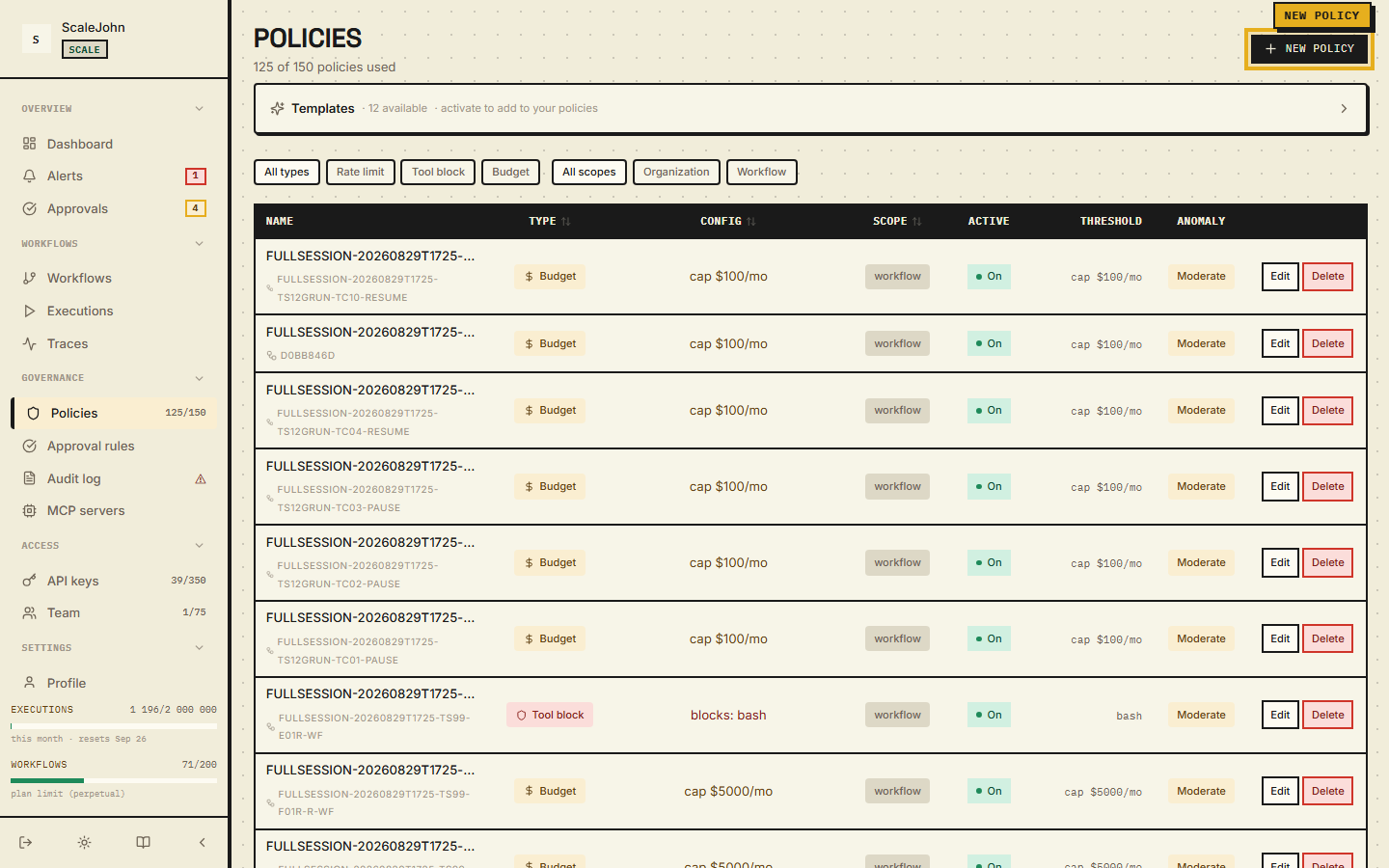
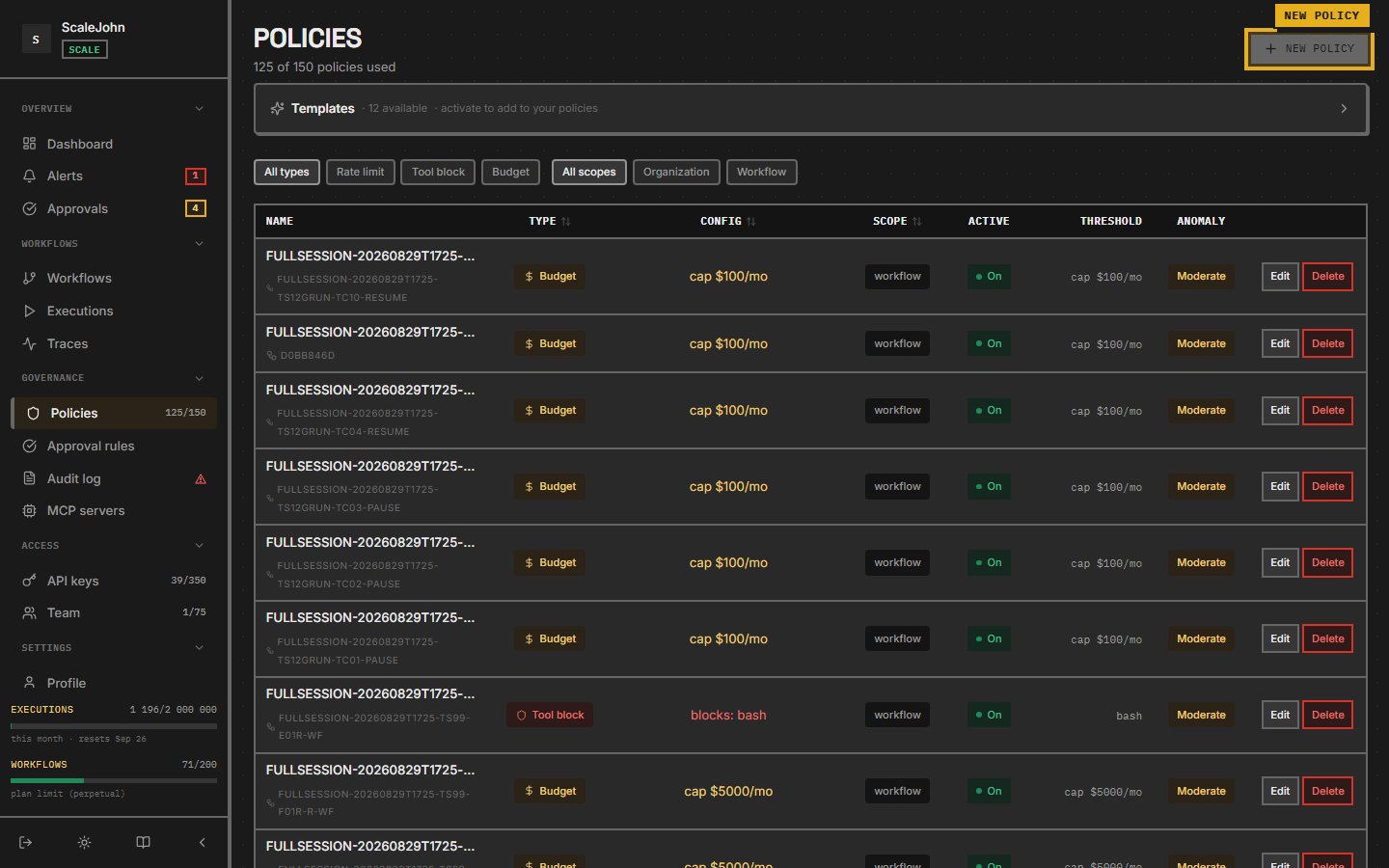
To test a new policy before rolling it out broadly, scope it to one workflow. The dashboard's Effective policy tab on that workflow's detail page shows the merged result so you can see exactly what your agent will see.
What gets logged
Every policy decision is recorded in Governance → Audit log. You can filter by:
- Workflow
- Decision type (
allow/block/require_approval) - Time window
- Tool name (for
ToolBlockmatches)
The audit log is the source of truth for "why did my agent stop working at 14:32 yesterday?". Pair it with Traces to see the exact request that triggered the decision.
See also
- Tool policies — the
ToolBlockmatching rules - Budgets — how
BudgetLimitinteracts with the period rollover - Human approval — typed
BusinessImpactrules that producerequire_approval - Workflows — where the merged policy is applied
Deep dive
The merged view is computed once per policy refresh and is the same value the gate reads on every call, so the set an operator sees on a workflow's effective-policy view is not a second, independent computation that can drift from the one actually enforced. Numeric caps reduce to the smallest value found across every applicable policy, and tool patterns reduce to the union of every applicable list. A tool blocked at one scope cannot be unblocked at another: the merge has no allow arm for a block to lose.
Decisions resolve in a fixed order, and the first outcome
other than allow short-circuits the rest. Tool blocking is
evaluated ahead of any budget reservation, so a call refused
for its tool name never has a budget envelope minted for it.
A tool block is unconditional: whatever enforcement_mode a
budget policy carries, a matching pattern blocks. Rate
limiting at the organization level is authoritative and
refuses the call when it cannot be evaluated; the per-key
rate limit is a secondary signal that defers to the budget
gate rather than refusing a call on its own.
A per-workflow budget cap is tri-state. No applicable policy means the per-workflow check is skipped entirely, which is a different thing from a cap of zero, which rejects every call. Collapsing the two would let an organization that meant to forbid spending fall through to the organization-wide cap instead.
Soft enforcement belongs to budgets alone and needs three things at once: the policy set to soft, an active chain, and a projected cost inside both the cent and the percentage overdraft limits. If any is missing the budget behaves as hard. Concurrent chains on one organization share a single overdraft counter, so parallelism does not multiply the allowance. Tool-block policies and approval rules are gated to Growth and above; on plans without the feature the server refuses the mutation, and rules inherited from a higher tier are retained for audit while no new one can be created.