Error handling
Errors in NullRun come in three layers, designed for three audiences: your code, your monitoring, and your end users. The SDK does most of the work — you pick how much of each layer to use.
Quick reference
| Audience | Hook / Class | Catches |
|---|---|---|
| Your code | except NullRunDecision |
Expected policy outcomes (budget, tool block, pause) |
| Your code | except NullRunInfrastructureError |
Transport / 5xx / auth / config failures |
| Your code | except NullRunWorkflowKilledError (or WorkflowKilledInterrupt) |
Operator kill — terminal; caught by except Exception:, handle explicitly if you need to checkpoint before exit |
| Your monitoring | @nullrun.on_error hook |
Every NullRunError, fired before propagation |
| Your end user | with nullrun.guard(): / format_user_message |
Friendly text from the catalog |
Where errors appear in the dashboard
Every error the SDK raises lands in Governance → Audit log —
every decision ever recorded, hash-chained and filterable by
workflow, time range, decision type, and tool name. The reason
column shows BUDGET_HARD_BLOCKED, TOOL_BLOCKED,
RATE_LIMIT_EXCEEDED, etc. Useful both for "what just happened?"
and for compliance review / incident forensics.
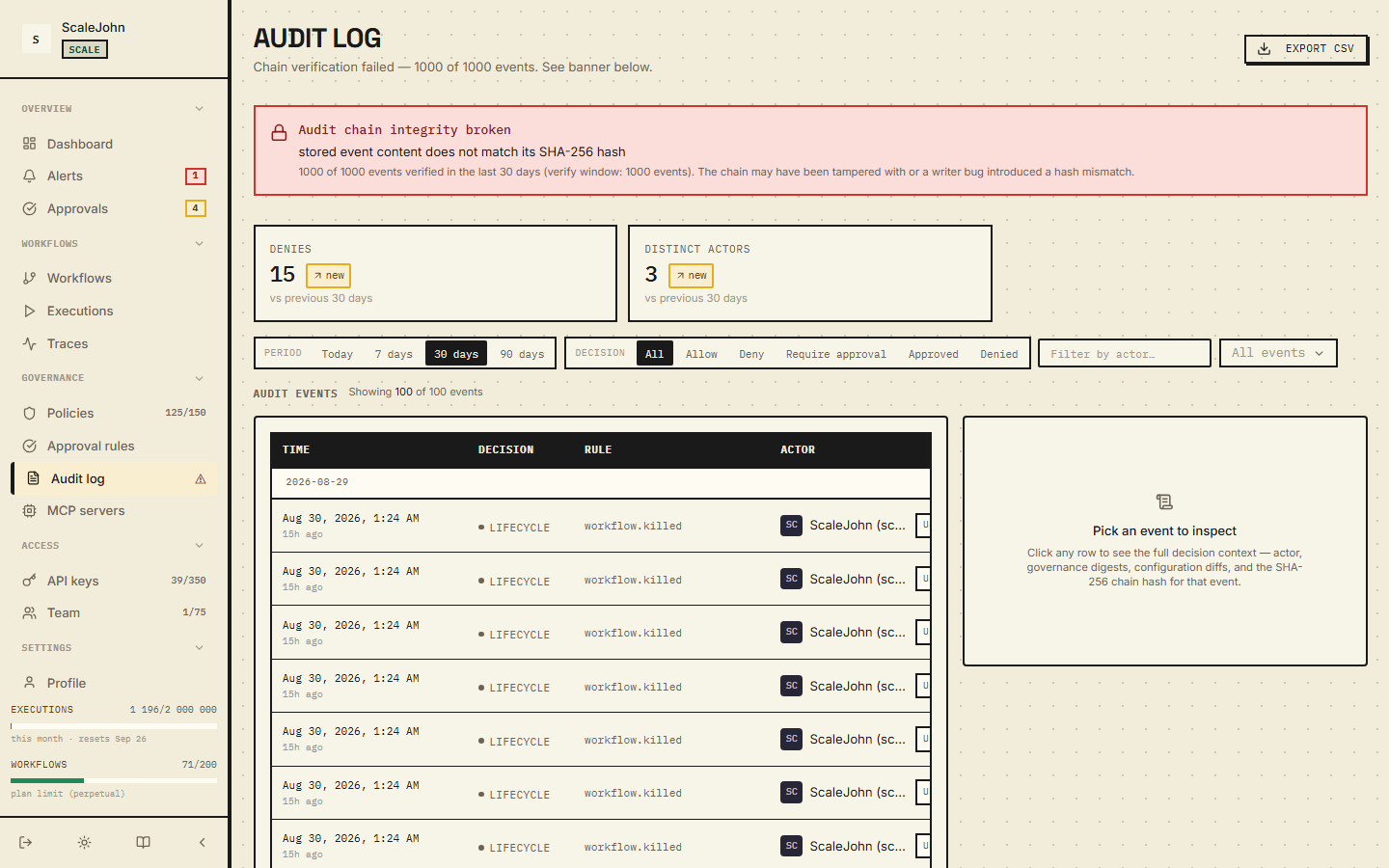
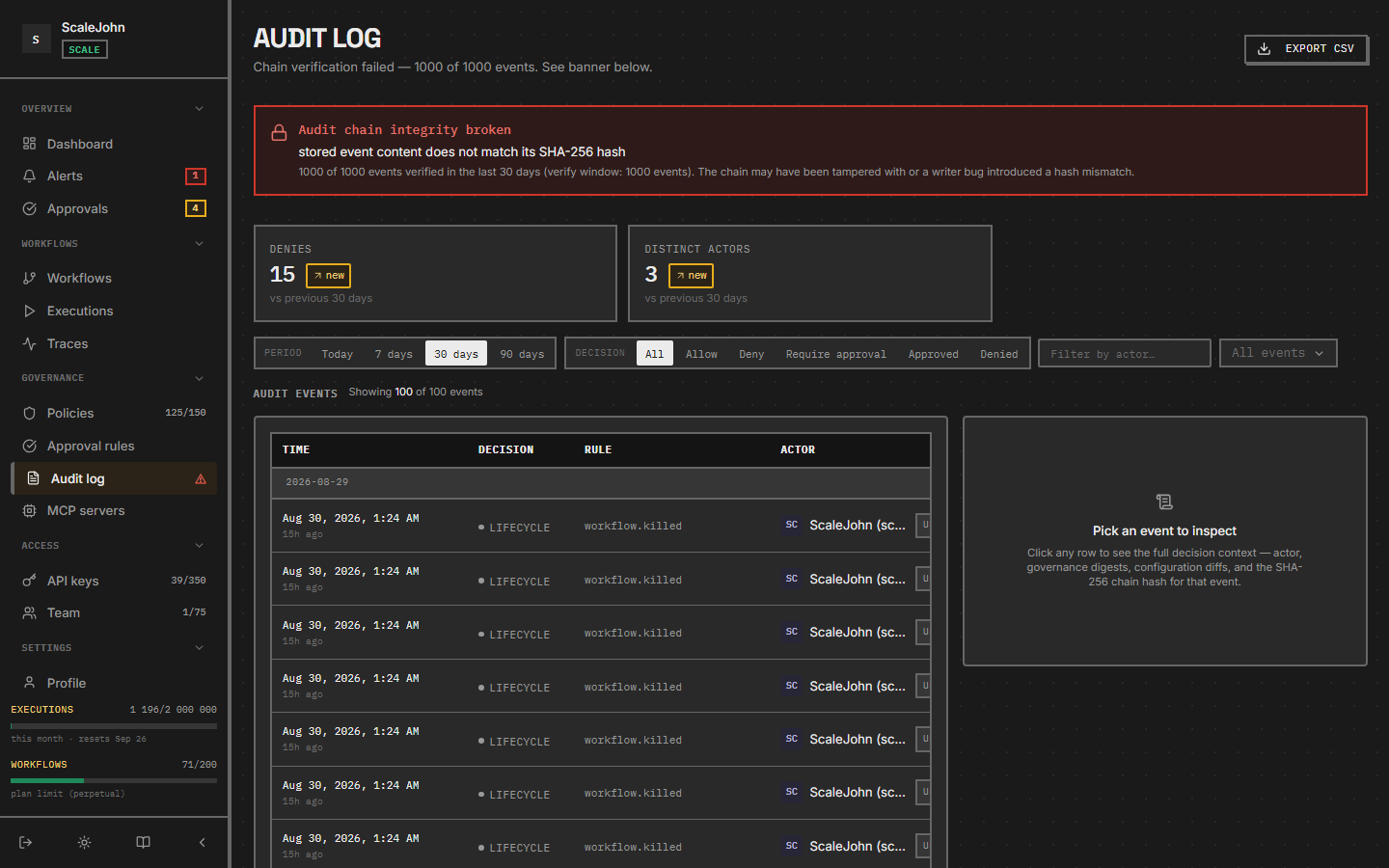
The audit log is the source of truth for "did the agent call the right thing?". Pair it with Traces for full context.
The three layers
| Layer | Who consumes it | What they see | Purpose |
|---|---|---|---|
| 1. Structured exception | Your Python code | Exception type, error code, what to do next | Your code decides: retry, fail, surface to UI |
2. on_error hook |
Sentry / Datadog / logs | Same exception + context (workflow, tool, stage) | Observability: you see every error in your existing dashboards |
3. with nullrun.guard(): / format_user_message |
End user | One friendly sentence from a catalog | The user gets a clean message, not a stack trace |
The SDK ships all three. You decide how much to use.
Layer 1 — the structured exception
Every NullRun exception carries four fields your code can branch on:
| Field | What it is | Example |
|---|---|---|
error_code |
Stable machine-readable identifier | NR-B004, NR-R001, NR-T001 |
user_action |
What to do next | Wait 30s, then retry |
retryable |
True if retry-after-backoff makes sense | True for rate limit, False for budget |
docs_url |
URL to the per-code docs page | https://docs.nullrun.io/reference/errors#sdk-exception-hierarchy-python |
The full catalog lives in that reference page; the standard set is:
NR-B004— workflow budget exhaustedNR-B002— gateway 5xxNR-B006— post-approval budget re-check failed on the same envelope as the original/gate. The SDK raisesNullRunBudgetRecheckFailedError. Operator must re-approve or the workflow can no longer run.NR-R001— per-workflow rate limitNR-R002— rate-limit Redis unavailableNR-T001— tool block list hitNR-CH001— chain context invalidNR-W004— workflow soft-deleted or killedNR-A003— API key rejectedNR-A010— approval row exists, statusPENDING— operator has not decided yetNR-A011— operator explicitly denied the approval — terminal, request a fresh grantNR-A012— approval expired (expires_atis in the past)NR-A013— business-impact digest drifted since operator approval — re-approval requiredNR-A014— capability digest drifted (silent capability-gain attack surface) — re-approval requiredNR-A015— grant already consumed by a prior/execute(replay rejected)NR-P001— wire-protocol version mismatchNR-O001— actual cost > reservation + ε (HTTP 422)NR-X001— generic catch-all raised when a policy block matches a code the SDK does not have a dedicated class for. Match onNullRunBlockedExceptionand read.error_codeif you want specific handling.
For the exception classes used to surface these codes, see Reference → Errors → SDK exception hierarchy.
The wire code is still available via the response body or .status_code
when you need it for metrics / dashboards.
You catch a specific exception type and inspect the fields:
from nullrun.breaker.exceptions import RateLimitError

@nullrun.protect
def my_agent(prompt):
    try:
        return call_llm(prompt)
    except RateLimitError as exc:
        # exc.error_code = "NR-R001"
        # exc.retryable = True
        # exc.retry_after = 30  (seconds)
        # exc.upgrade_url = "..."  (link to upgrade plan)
        time.sleep(exc.retry_after)
        return call_llm(prompt)
For most cases you don't need to import specific types — catching
the parent NullRunError and reading error_code is enough.
Layer 2 — the on_error hook
For Sentry / Datadog / your log aggregator, register a hook that fires
for every NullRunError before it propagates:
import nullrun
import sentry_sdk

@nullrun.on_error
def _to_sentry(err, ctx):
    sentry_sdk.capture_exception(err, extra={
        "code": err.error_code,
        "retryable": err.retryable,
        "stage": ctx.stage,
        "workflow_id": ctx.workflow_id,
        "tool_name": ctx.tool_name,
    })
The hook fires once per error, in registration order. Hook exceptions are caught and logged at DEBUG — a misbehaving Sentry can't break your agent.
The context object (ctx) carries: stage (init / transport /
track / gate), workflow_id, tool_name, api_key_prefix (first
12 chars of the API key, never the full value), correlation_id
(per-request UUID), timestamp, extra (vendor-specific dict).
Multiple hooks are supported:
@nullrun.on_error
def _to_sentry(err, ctx): ...

@nullrun.on_error
def _to_log(err, ctx):
    log.warning("NullRun error", extra={"code": err.error_code})
The hook fires for every NullRunError subclass — including the
kill signal (WorkflowKilledInterrupt and its typed alias
NullRunWorkflowKilledError). If you want to skip kill inside the
hook, filter on error_code ("NR-W002").
Layer 3 — with nullrun.guard(): and format_user_message
For scripts that just want "run the agent and print a friendly
message on failure", use the no-boilerplate helpers. The first
@protect call lazily creates the runtime:
from nullrun import protect

@protect
def my_agent(prompt):
    return call_llm(prompt)


if __name__ == "__main__":
    with nullrun.guard():
        print(my_agent("What does NullRun do?"))
What your terminal looks like on a rate-limit hit. guard() prints
the structured four-line developer report (catalog headline +
[error_code] + what + where + why + how to fix):
$ python my_agent.py
Too many requests. Please wait a moment and try again.
  [NR-R001] what: rate limit (retryable)
           where: endpoint=gate status=429 source=GATEWAY_ERROR
           why: Per-workflow rate limit exceeded; retry after 30s.
           how to fix: Wait 30s, then retry the call.
$ echo $?
1
with nullrun.guard(): catches every NullRunError raised inside
the block, prints the structured report to stderr, and exits with
code 1. The kill signal (WorkflowKilledInterrupt /
NullRunWorkflowKilledError) is the one exception — guard()
re-raises it unchanged so kill always reaches the top of the
agent loop. To handle kill distinctly (for example, checkpoint
state before exit), use the un-guard() form and add your own
except NullRunWorkflowKilledError: arm.
guard() is the recommended form: it gives a clearer scope,
accepts an exit_code argument, and the four-line report is what it
always renders.
guard() is for scripts and one-shots. For
long-running services you want explicit handling — see
Server frameworks below.
Branded wording
If you want your own error messages (e.g. "You've used all your
support credits" instead of the default wording), call
set_user_message once at the top of your entry point:
import nullrun

nullrun.set_user_message(
    "NR-B004",
    "You've used all your support credits. Upgrade to keep chatting.",
)
Overrides live in a per-process dict. They don't persist across processes and aren't synced to the gateway — they're presentation sugar on top of the catalog.
Server frameworks
For FastAPI / aiohttp / Flask / Django, you don't want guard()
(it exits the process). Instead,
catch the exception in your request handler and return an appropriate
HTTP status:
from nullrun import NullRunError

@app.post("/chat")
async def chat(req: ChatRequest):
    try:
        return await run_agent(req.message)
    except NullRunError as exc:
        # Return the catalog wording as the user-facing message,
        # log the structured fields server-side.
        raise HTTPException(
            status_code=exc.status_code or 503,
            detail={"message": nullrun.format_user_message(exc), "code": exc.error_code}
        )
The mapping from exception to HTTP status is documented in Reference → Errors → Decision subclasses to HTTP.
Audit trail
Every decision is recorded in the audit log; you can fetch the full log via the API. The audit log is the source of truth for "did the agent call the right thing?". Pair it with Traces for full context.
What is NOT stored
NullRun never persists:
- Prompt content or LLM response payloads. The gate
receives only
model,tool,tools,estimated_tokens, and optionalbusiness_impacttyped payload. - Tool arguments beyond the typed
BusinessImpactextraction. Operators do not write JSONPath rules over tool payloads. - MCP interaction payloads — only the canonical tool name is logged.
- Card numbers, CVC, expiry month/year — Polar is the
merchant of record. Subscriptions carry only
payment_method_brandandpayment_method_last4. - OAuth refresh tokens — the IdP owns session lifetime.
Email addresses and prompts are hashed or redacted at the log and
trace-span boundary so plaintext does not reach the structured log
store. Uppercase KEY=VALUE pairs are rewritten to KEY=[REDACTED]
before bytes reach stdout.
Kill signal
The operator kill signal arrives as WorkflowKilledInterrupt or its
typed alias NullRunWorkflowKilledError (recommended). Both inherit
from NullRunError, so a bare except Exception: arm catches the
kill alongside every other SDK error:
try:
    my_agent(prompt)
except Exception:
    log.error("agent failed", exc_info=True)
# WorkflowKilledInterrupt IS caught here.
If you want kill-specific handling — checkpointing state, notifying a supervisor, exiting with a clean reason — catch the typed alias explicitly and re-raise it after handling (the kill contract is "operator's word is final"):
from nullrun import NullRunWorkflowKilledError

try:
    my_agent(prompt)
except NullRunWorkflowKilledError:
    persist_state()
    raise
except NullRunError:
    log.error("agent failed", exc_info=True)
guard() re-raises the kill signal — kill is a control-plane
action, not an SDK failure, and must reach the top of the agent
loop. with nullrun.guard(): catches every other NullRunError
and exits 1, but the kill signal passes straight through. To keep
the process alive on kill (checkpoint, notify a supervisor, then
exit), use bare @protect with your own except NullRunWorkflowKilledError:
arm above.
See also
- Reference → Errors — full catalog
- Troubleshooting — common questions and their fixes
- Use with FastAPI — exception handling inside ASGI handlers
- Tracing — how errors map to spans
Deep dive
Error codes come from a single catalog, and the wire string is a stable contract: the SDK branches on the code, so adding a code is a minor change while renaming one breaks clients. HTTP status is assigned per code — money-math answers 402, ownership and security answer 403, a lookup miss is 404, a rate limit is 429, and semantic validation is 422. The response envelope carries the code, a human-readable message, details, and the retry delay in milliseconds. The gate is a pre-flight probe that returns a normal status with the decision in the body, while the execute endpoint returns the same block body with a 4xx status, so a client that branches on status first still sees the block.
Codes group into three families: decisions, which describe an
allow, block, or require_approval outcome; infrastructure,
which reports a dependency being unreachable; and transport,
which reports a malformed request. The error_code field is the
stable machine-readable identifier, and the retryable flag and
retry delay drive the SDK's backoff loop. Approval-flow codes
share the 403 and 404 buckets with other ownership and
authentication failures, so match on the code rather than the
status when you need to tell them apart.
Every gate rejection is fail-closed. Checks short-circuit on the first non-allow decision, so a blocked call never mints a budget envelope, and a storage partition surfaces as a fast rejection rather than a hang. Idempotency is handled on the gate and tracking endpoints: a network retry returns the stored response instead of a fresh reservation. When budget data is unavailable, the API says so rather than reporting a zero spend — a zero would be a false statement about money the agent may already have spent.
The kill signal inherits from NullRunError, so a bare
except Exception: arm catches it, and guard() re-raises it
so kill always reaches the top of the agent loop. The
@nullrun.on_error hook fires for every NullRunError,
including kill; filter on the kill error code if you would
rather not see it in your error tracker.