beta This page documents a part of NullRun whose surface may still change.
Human approval
Some operations need a human to click Approve before they run. Sending an email to a customer, moving money, deleting a record — operations where you want a paper trail and a conscious decision.
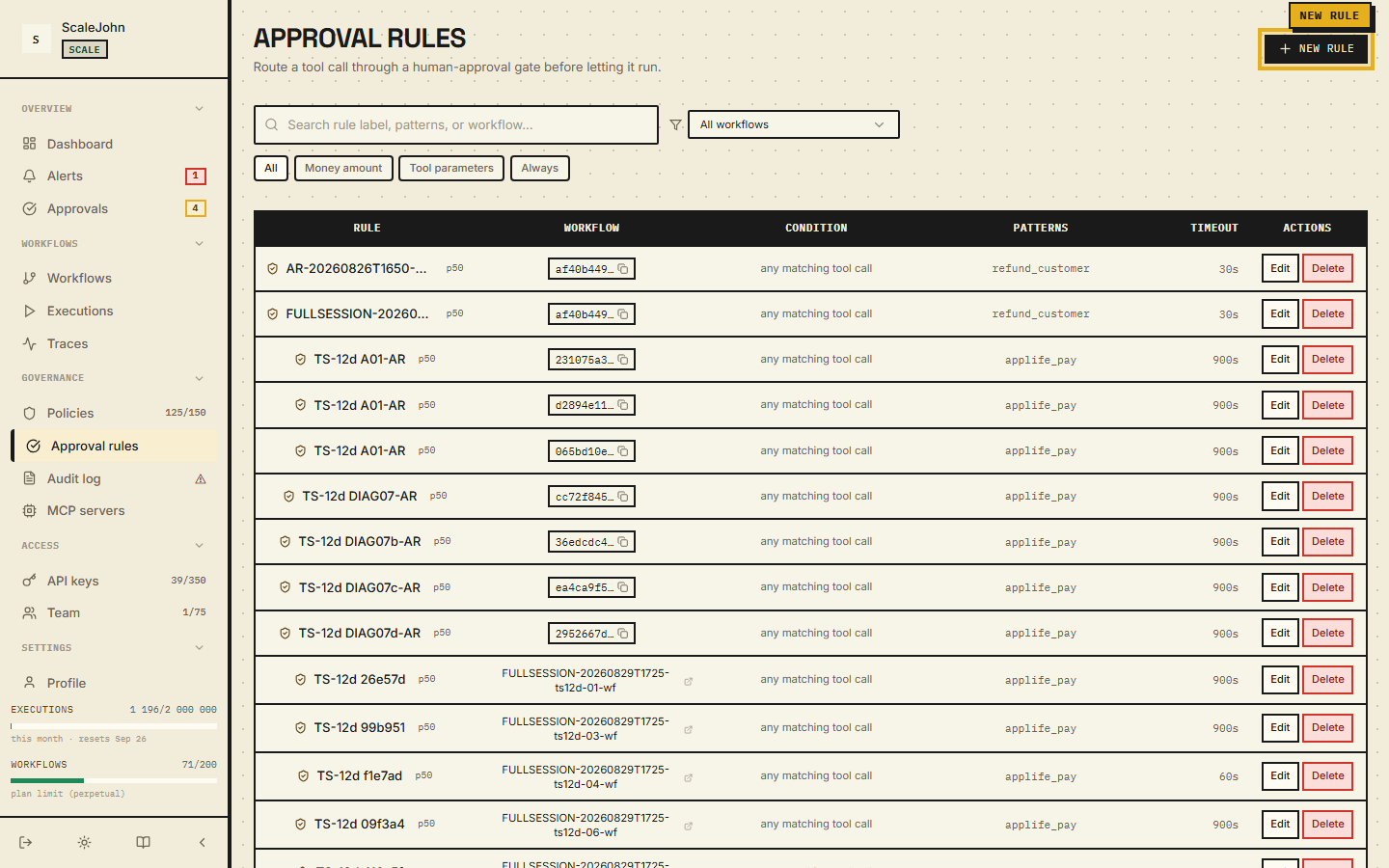
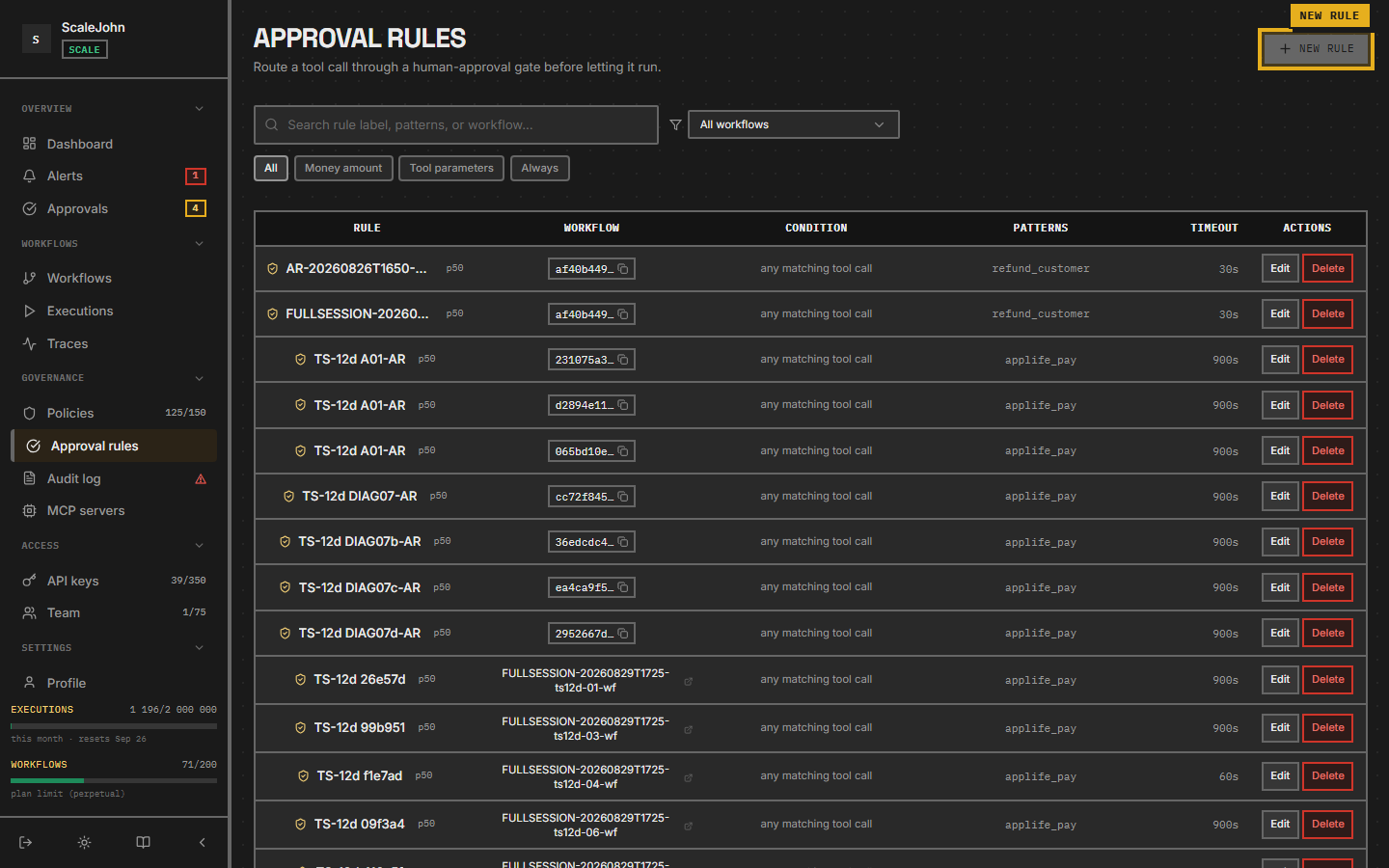
In the dashboard, pending approvals live under Approvals in the sidebar. When the agent hits an approval rule, the call pauses. The agent stays paused until a human clicks Approve or Deny, or the approval times out.
Approval rules — separate from ToolBlock
Approval rules are not ToolBlock policies with an action =
require_approval field. They are a separate concept with these
fields:
| Field | Purpose |
|---|---|
name |
Display name for the rule |
tool_patterns |
Glob patterns matching the tool name |
per_call_threshold_cents |
Projected-cost threshold (estimated tokens × model rate) |
action_predicate |
Typed BusinessImpact predicate |
priority |
Ordering for tied rules |
expires_in_seconds |
How long the operator has to decide |
action_label |
Display label shown in the dashboard |
When an SDK calls a tool that matches an approval rule, the gate
returns decision = "require_approval" and parks the SDK on a
threading.Event until the operator clicks Approve / Deny.
Predicate kinds
Two predicate fields can fire the same approval rule:
per_call_threshold_cents— projected execution cost in cents, evaluated against the SDK-reportedestimated_tokens.action_predicate— a typed condition over a structuredBusinessImpactextracted from the live function call.
When both are set, the rule fires only when both pass. Either
may be None, in which case it does not contribute. A rule with
both None matches every call.
Typed predicates
Two predicate kinds are supported on action_predicate:
-
money_amount— per-call monetary threshold.{ "kind": "money_amount", "direction": "outflow", "operator": "gt", "threshold_minor": 5000, "currency": "USD" } -
tool_parameters— DNF over up to 5 named parameters with Equals / OneOf / NumericRange / Regex / Exists matchers.
{
  "kind": "tool_parameters",
  "trigger_logic": "any",
  "conditions": [
    {"param_name": "refund_amount", "matcher": {"kind": "numeric_range", "min": 500, "max": null}},
    {"param_name": "recipient", "matcher": {"kind": "regex", "pattern": "^(?!internal@).*"}}
  ]
}
The tool_parameters predicate reads values out of kwargs the
SDK ships on /execute. Every @protect-decorated function ships
tool_name + args + kwargs on the wire — the predicate references
the value by param_name in the dashboard rule editor and the
gate evaluates it directly. Positional args are dropped; float /
set / custom objects are filtered; PII-masked sentinels like
"***" for password / token / api_key keys are stripped
before wire. No second decorator is needed to make a tool
eligible for tool_parameters rules.
action_digest — tamper-evident binding
When the gate fires an approval rule with a typed BusinessImpact,
it computes a SHA-256 digest of the canonical-JSON
{"kind":"money_amount", direction, operator, threshold_minor,
currency, extractor_id, extractor_version}
(Money variant) or the
ToolCallParams envelope (ToolCall variant). The digest is stored
on the approval row.
After the operator clicks Approve, the SDK's post-approval /execute
re-check sends the live business_impact and action_digest back
to the gate. The grant consume is atomic — concurrent re-checks are
serialized, and the gate surfaces Allow / DigestMismatch /
NotFound / Expired / ReplayRejected outcomes.
Approval resume flow
The complete flow, end-to-end:
- SDK sends
/api/v1/gatewith the liveBusinessImpact. Gate evaluates rules. Match fires. - Gate creates a pending approval record with the
business_impact,action_digest, and anexpires_atset server-side (clamped[1, 3600]s fromexpires_in_seconds). The gateway then emits anapproval_requiredalert to configured channels. - Gate returns
decision = "require_approval"plusapproval_id,approval_timeout_seconds,approval_expires_at. - SDK parks on
threading.Event.wait(timeout=approval_timeout_seconds). - Operator clicks Approve / Deny in the dashboard (or auto-deny timer fires).
- Backend publishes
ApprovalResolvedevent on the WS push channel. - SDK wakes the parked thread; agent resumes with the operator's outcome.
- SDK auto-consumes the approval row via
POST /api/v1/approvals/{approval_id}/consumeso the row closes on the success path (the prior behaviour leftmode="inline"rows atstatus=APPROVEDpastexpires_atbecause the consume SQL was only reachable from the/executeorchestrator Step 6, whichinlinetools bypass). On the operator-cancel path the row closes via the spawned cancel step instead.
If the WS push is silent for approval_timeout_seconds, the SDK
fails CLOSED: WorkflowKilledInterrupt (alias NullRunWorkflowKilledError)
is raised and the agent dies. A silent network must not silently
approve a privileged action. There is no /status HTTP-poll
fallback for approvals — deliberate, the operator's word is final.
What you see in the dashboard
The Approvals page lists every pending, approved, denied, and expired request. Each row shows:
- The tool the agent wanted to call (e.g.
send_email) - The workflow that requested it
- The action digest (first 16 hex chars — full digest in tooltip)
- For typed predicates: the rendered impact summary
Money:Spend $499.00 USD · 4.99× above the $100.00 limitToolCall:tool:stripe.charge+ rawparamskey/value block- How long ago it was created
- How long until
expires_at
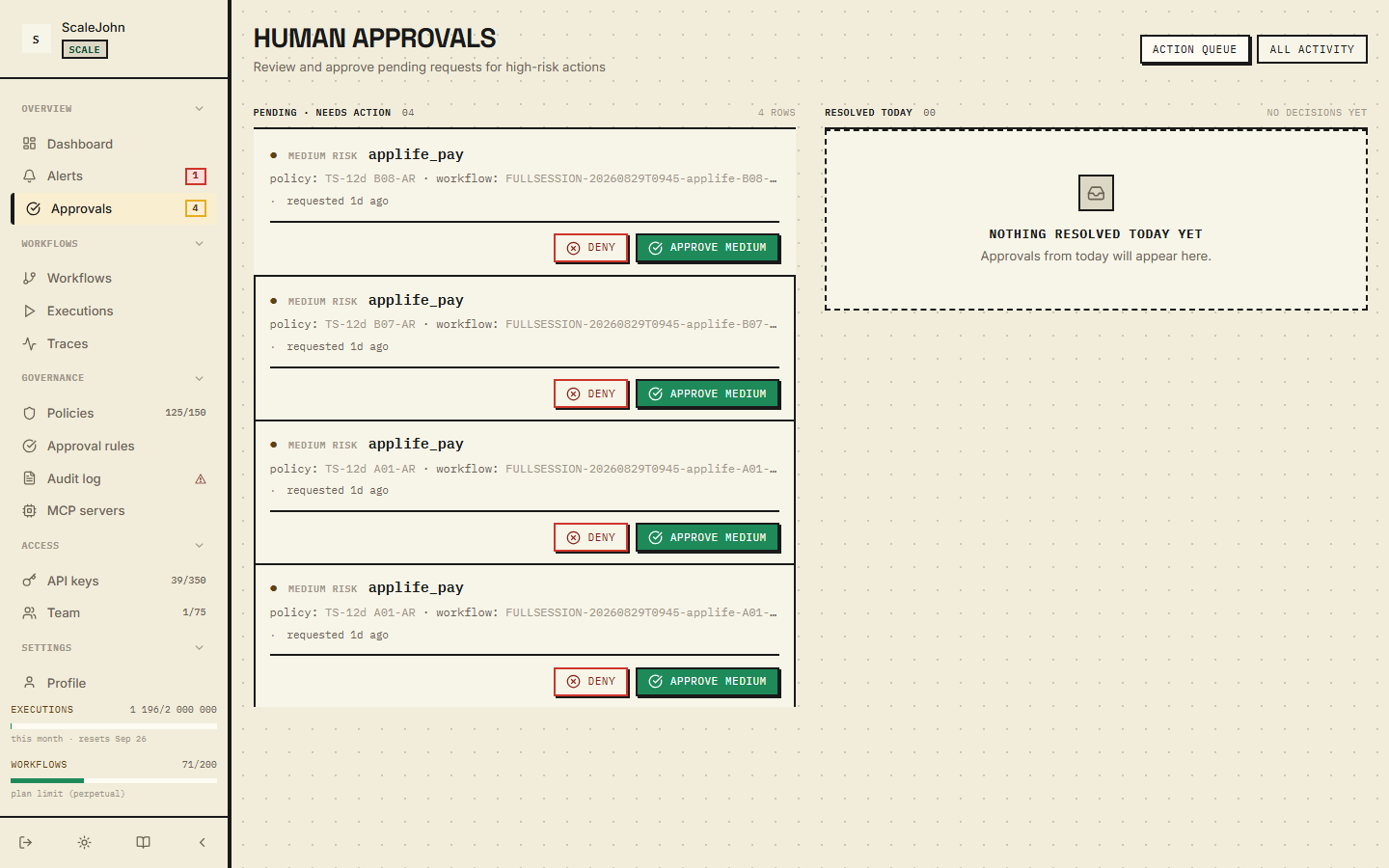
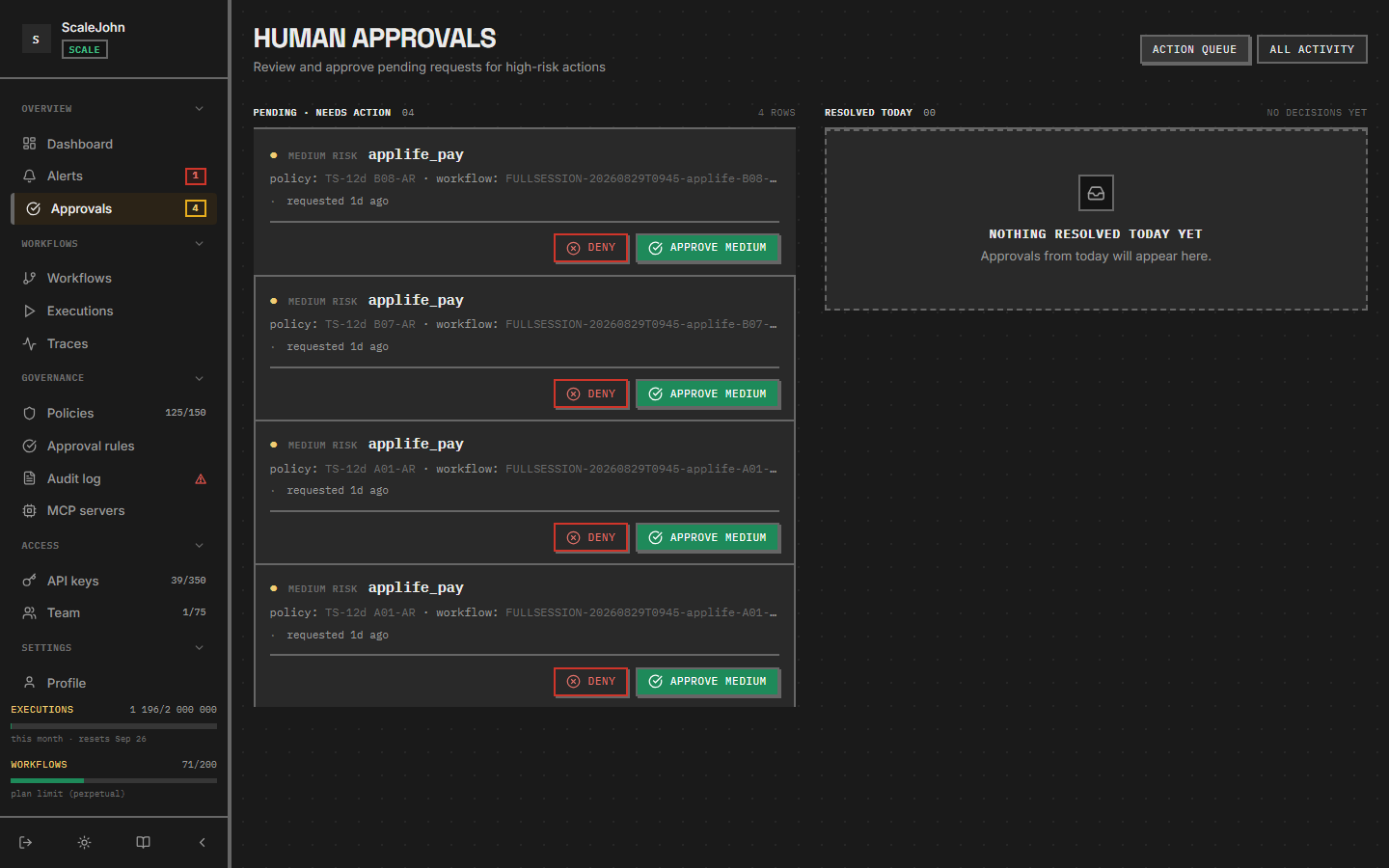
Click an approval to see the full context — what the agent was trying to do, the tool's arguments, and any notes you attached.
How to approve or deny
In the Approvals page, click an open request. You see:
- The agent's goal (what it was trying to accomplish)
- The tool it wants to call (e.g.
send_email) - The typed impact summary or the projected cost
- The action digest (the SHA-256 binding)
- How long the approval has been pending
Two buttons:
- Approve — the gate releases the reservation, the agent's
call resumes. On
/execute, the gate re-checks theaction_digestagainst the live payload and refuses on mismatch (returnsDigestMismatch). - Deny — the gate rejects, the agent sees
WorkflowKilledInterrupt(aliasNullRunWorkflowKilledError). The agent can catch it and clean up; most agents don't.
If you don't click either within the approval's expires_at window,
the request expires. The SDK raises WorkflowKilledInterrupt
(alias NullRunWorkflowKilledError) after approval_timeout_seconds
(server-clamped [1, 3600] s). The agent can retry or give up.
Notification channels
When an approval is created, the gateway notifies every active channel configured on your org:
- Slack — uses your org's installed Slack OAuth.
- Webhook — generic HTTPS POST with HMAC-SHA256 signature
(
X-NullRun-Signature, 5-minute clock-skew tolerance, 10-minute nonce replay defence).
Disable a channel per-user or per-channel under Notifications in the sidebar (the page has Channels, Alert rules, and an Event subscriptions matrix).
Programmatic approval (for automations)
The dashboard is for humans. If you want a CI bot or on-call rotation to approve requests programmatically, the same endpoints are exposed via REST:
curl -X POST "https://api.nullrun.io/api/v1/orgs/$ORG_ID/approvals/$APPROVAL_ID/approve" \
  -H "Authorization: Bearer ***"

# Or deny explicitly
curl -X POST "https://api.nullrun.io/api/v1/orgs/$ORG_ID/approvals/$APPROVAL_ID/deny" \
  -H "Authorization: Bearer ***"
Both endpoints are idempotent — calling approve on an already-approved
request returns 409 approval_already_decided; calling deny twice on
the same request is a no-op. Use these in your incident-response
automation: an approval surfaces in Slack, your bot detects the
risk_level = high, and approves or denies based on your runbook.
When to use approval instead of blocking
Approval makes sense when:
- The operation is sensitive but you want the agent to be able to do it under human review (sending customer emails, creating invoices, deploying builds).
- The blast radius is bounded (a single email vs. an entire database drop).
- You have someone on-call who can review within minutes.
Blocking (not approval) makes more sense when:
- The operation is never legitimate (
db.dropin a read-only workflow). - The blast radius is unbounded (admin operations, mass deletes).
- No one is on-call to review approvals in time.
Approval is a feature, not a default. Most teams should default to blocking and switch specific patterns to approval as the need arises.
What's logged
Every approval decision is in Governance → Audit log. You can filter by:
- Approver (which user clicked Approve/Deny)
- Workflow
- Tool name
- Time window
- Outcome (approved / denied / expired)
The audit log is the source of truth for "who approved this?" —
both for compliance and for incident review. The action digest is the
immutable anchor that proves the operator approved the exact payload
the SDK sent on /gate (not "any refund" — the exact amount and
arguments).
SDK-side envelope
The action_digest is produced by the SDK on every @protect
call. The envelope is the canonical NoImpact payload
(BusinessImpact.no_impact() — {"kind": "none"}); the SDK
canonicalises it (compact JSON, nullrun/v1/business_impact:
prefix) and SHA-256-hashes it. The digest flows onto the wire on
both /gate and /execute, and the backend re-computes the
digest from the live payload to verify the grant.
The NoImpact envelope is the same for every @protect call — the
SDK is policy-blind and ships only tool_name + args + kwargs.
Approval rules reference param_name in the dashboard to read
argument values for typed predicates (money_amount /
tool_parameters). No SDK-side extractor or factory is needed.
A drift between SDK and backend canonicalisation is a P0 security regression covered by the SDK's source-pin tests.
See also
- Tool policies —
ToolBlockrules (norequire_approvalaction; that's a separate entity) - Sensitive tools — when blocking is enough
- Workflows → operator controls — Pause / Kill work the same way as approval
- API keys — how to mint a key bound to a workflow